 By Andrew Armstrong
Open a few dozen tabs and your browser starts eating memory, even for the ones you have not looked at all day. The usual fix is closing them, and then you lose the pages you meant to come back to.
So we built TabGeek. It puts the tabs you are not using to sleep, so they stop using memory, and wakes each one the moment you click it. It’s free, open source and has no tracking at all.
Quick Facts
- Free. No Pro tier, no ads and no limit.
- Open source under the GPL-3.0, with the full source on GitHub.
- Works in Chrome, Edge, Brave, Opera, Vivaldi and Firefox.
- No account and nothing sent anywhere.
What it does
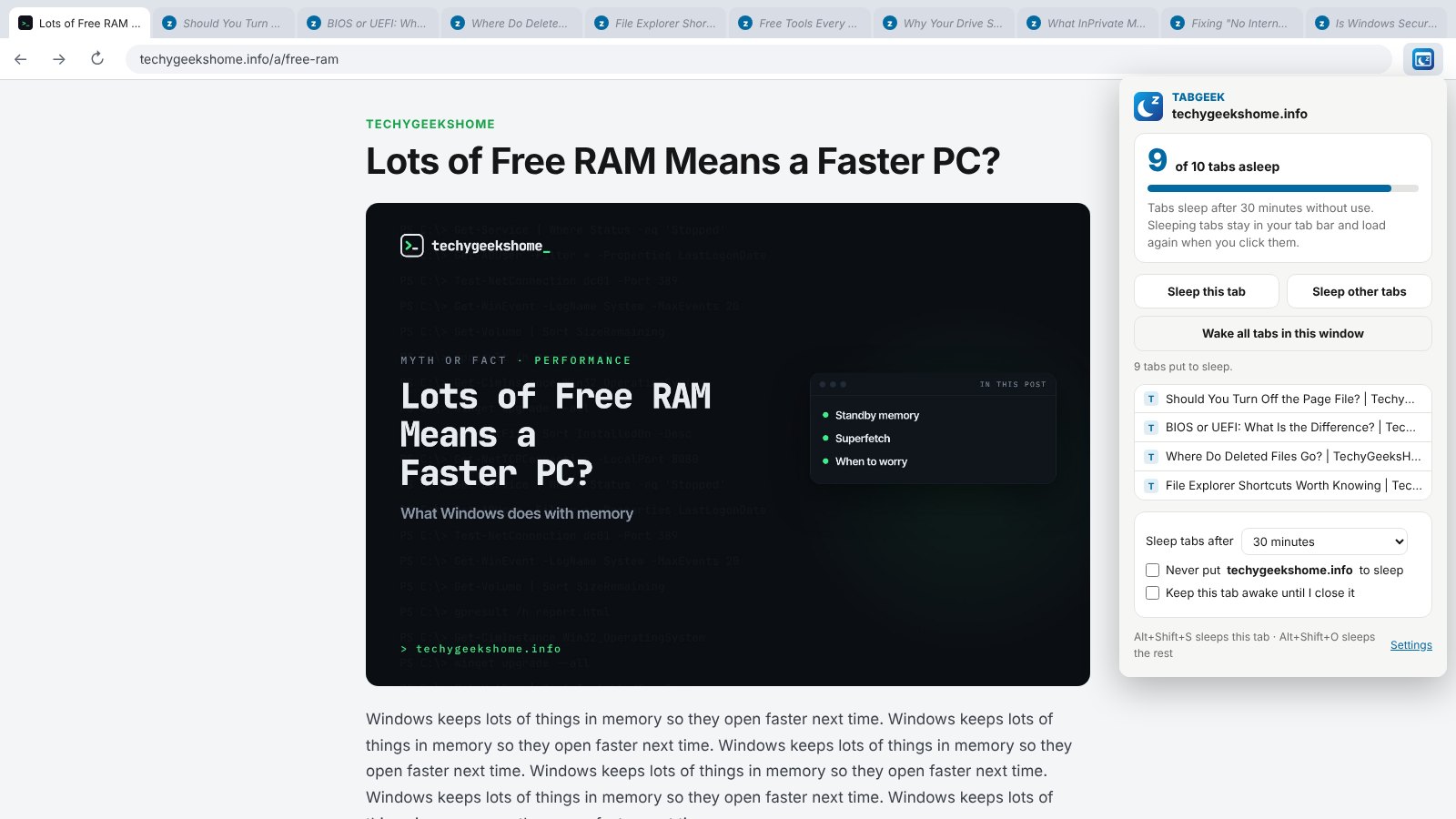
- Sleep other tabs: one click puts every tab but this one to sleep.
- Sleep by itself: tabs you have not used for 5 minutes to a day go to sleep on their own.
- Wake on click: sleeping tabs keep their title and icon and load again when you click them.
- Stays awake: pinned tabs, tabs playing sound and sites you choose.
- Half-written forms: optionally leave tabs with unsaved typing alone.
- Shortcuts: Alt+Shift+S sleeps this tab, Alt+Shift+O sleeps the others.
How it works
TabGeek uses the browser’s own tab sleeping, the same one Chrome and Edge use when memory runs low. There is no placeholder page, so your history and bookmarks keep the real address. Everything happens inside your own browser, and nothing is sent anywhere.
How to install it
Store listings for Edge and Firefox are on the way. Until then, adding it yourself takes about a minute:
- Download the ZIP and unzip it somewhere you’ll keep it.
- Go to
chrome://extensions(oredge://extensions) and switch on Developer mode. - Click Load unpacked and pick the
tabgeekfolder.
On Firefox, grab the Firefox version instead and load it from about:debugging. The TabGeek page walks through every step with screenshots.
Download it
Found a bug or want a feature? Open an issue on GitHub. TabGeek joins Markdown Saver, RefreshGeek, FocusGeek, Bluesky Saver, ErrorGeek, Image Format Saver, Reddit Saver, Page Saver, Board Saver for Pinterest, Grid Saver for Instagram and Clip Saver for TikTok in our browser extensions.
Discover more from TechyGeeksHome
Subscribe to get the latest posts sent to your email.
