100% Free and Open Source · Version 1.0.0
Screenshot Saver: full page screenshots in one click
Take a screenshot of the whole web page, top to bottom, or just the part you can see, or drag a box over the bit you want. Save it as PNG, JPG or PDF, or copy it. A free browser extension, and nothing ever leaves your computer.
Chrome, Edge, Brave, Opera, Vivaldi and Firefox · no account · nothing to pay · how to install it
0 downloads so far
Video Demo
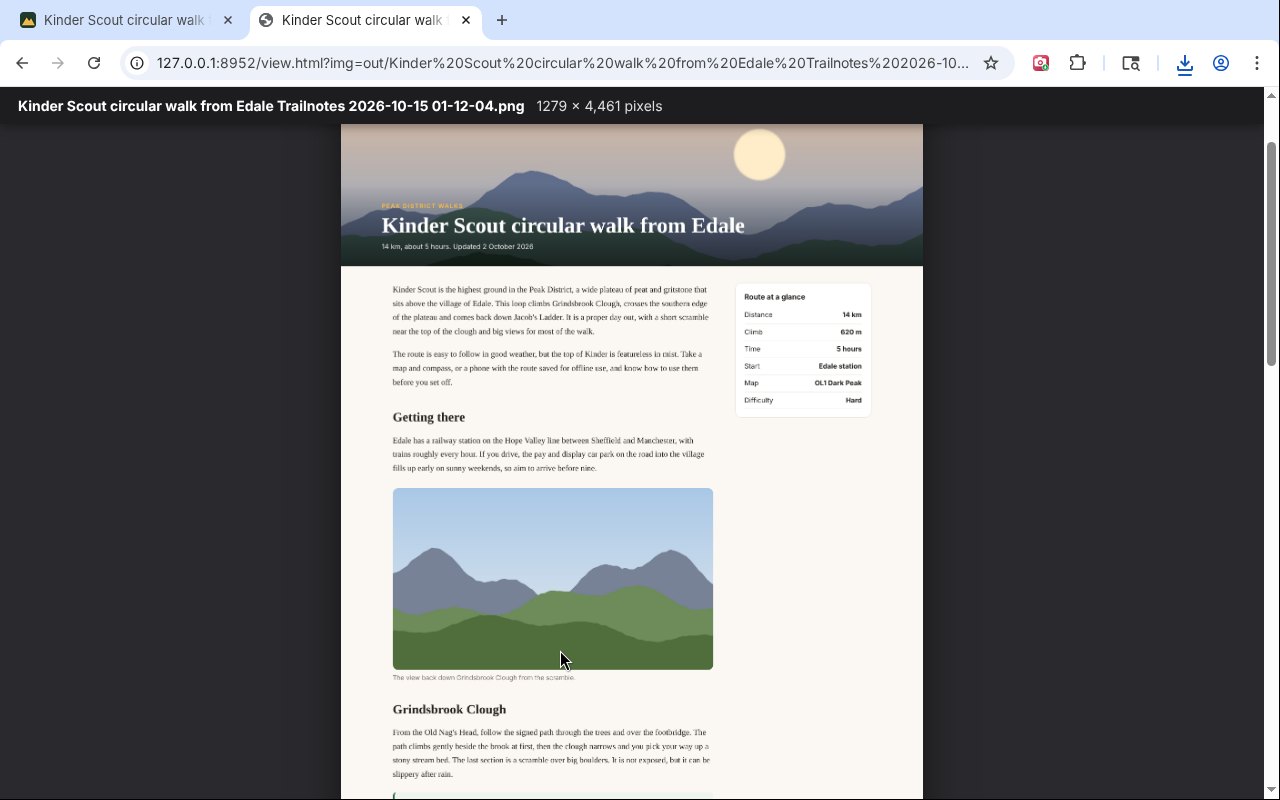
From a long web page to one clean picture, with the header and cookie bar shown just once.
The whole page, done properly
Screenshot Saver handles the awkward bits that make most full page screenshots look wrong.
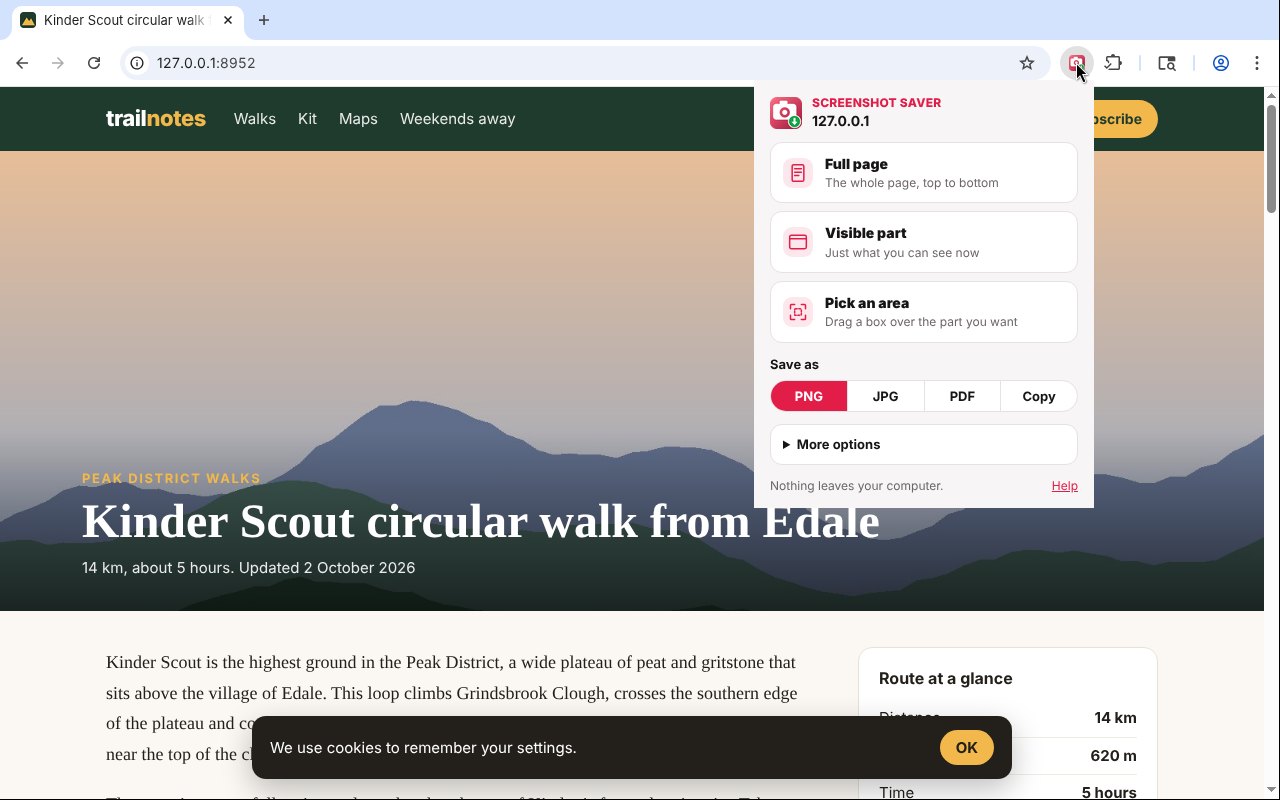
Full page
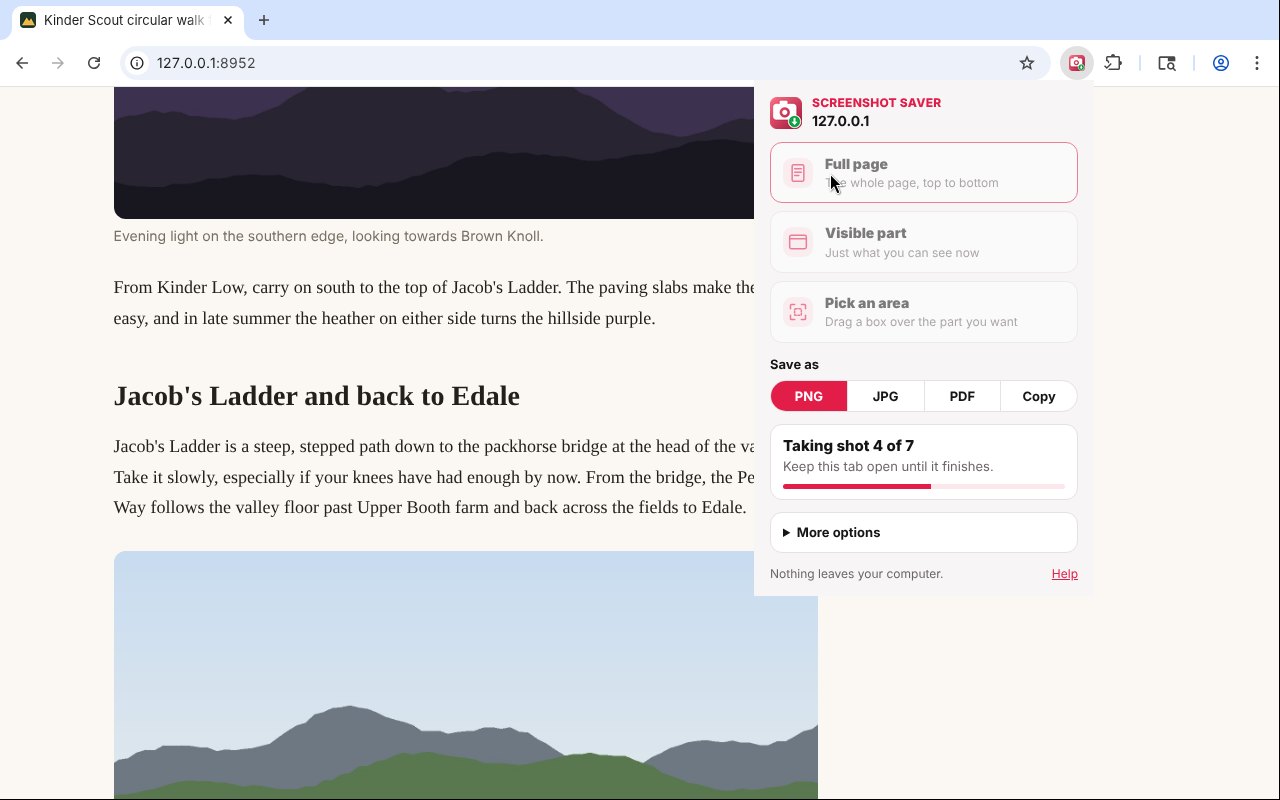
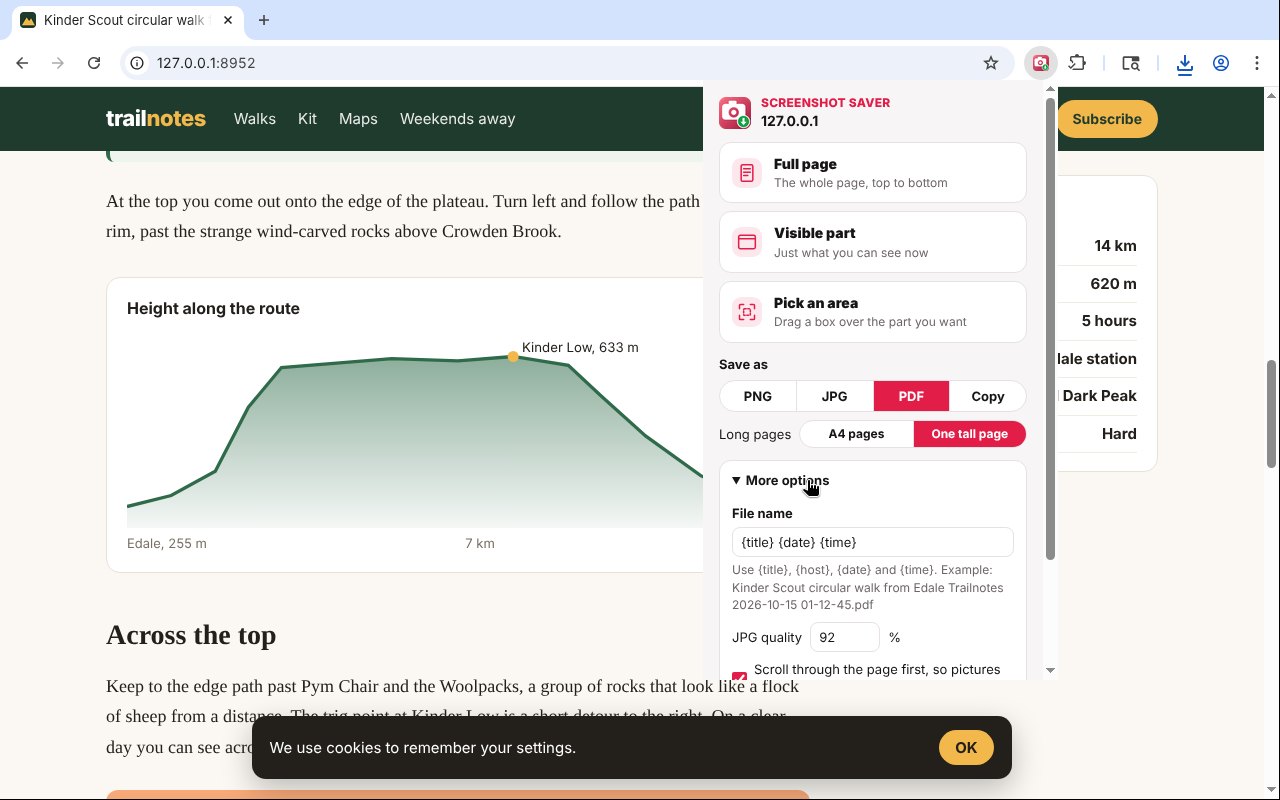
Scrolls down the page by itself and joins every screenful into one picture.
Visible part
Capture just what you can see in the window right now.
Pick an area
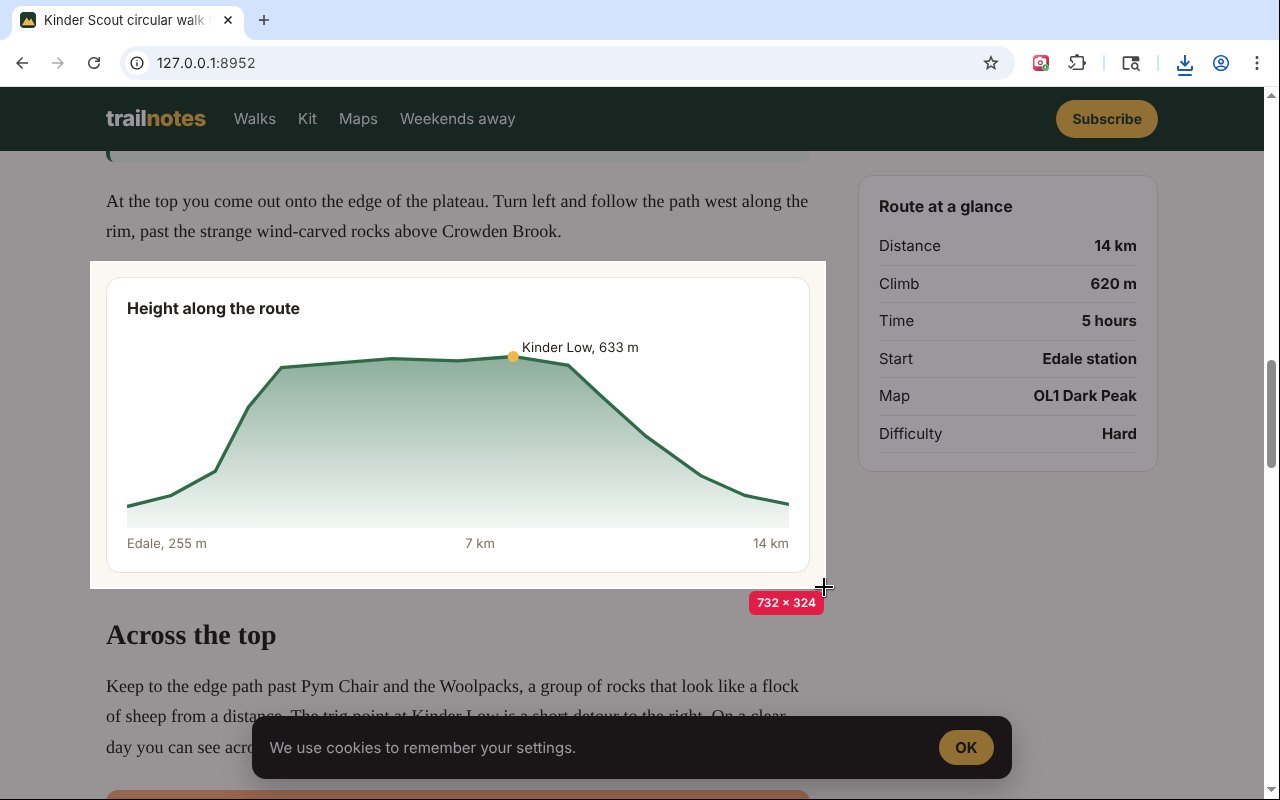
Drag a box over the bit you want. Hold near the edge to scroll while you drag.
PNG, JPG or PDF
Save as a picture or a PDF on A4 pages or one tall page, or copy it to the clipboard.
Header shown once
Sticky headers and cookie bars appear once, not on every screenful.
Every picture loaded
It scrolls through first, so pictures that load as you scroll are all there.
Web apps too
Spots apps that scroll inside a box, like mail and dashboards, and captures that box top to bottom.
Very long pages
Pages too tall for one picture are split into parts, and it tells you.
Back where you were
Puts your scroll position and the page back as they were afterwards.
How to install it
About a minute, and you only do it once. Store listings for Edge and Firefox are on the way.
Download and unzip
Download the ZIP and unzip it somewhere you will keep it, such as Documents. The browser runs the extension from that folder, so leave it there.
Open your extensions page
Type chrome://extensions in the address bar. In Edge use edge://extensions, in Brave brave://extensions.
Switch on Developer mode
The switch is top right in Chrome and Brave, and bottom left in Edge. It just lets you add an extension from a folder.
Load unpacked
Click Load unpacked and pick the screenshot-saver folder. Then pin the Screenshot Saver icon from the puzzle piece menu.
On Firefox, download the Firefox version, open about:debugging, choose This Firefox, then Load Temporary Add-on and pick the ZIP. Firefox removes temporary add-ons when it closes, so the Firefox Add-ons listing will be the easier option once it is approved.
See it in action
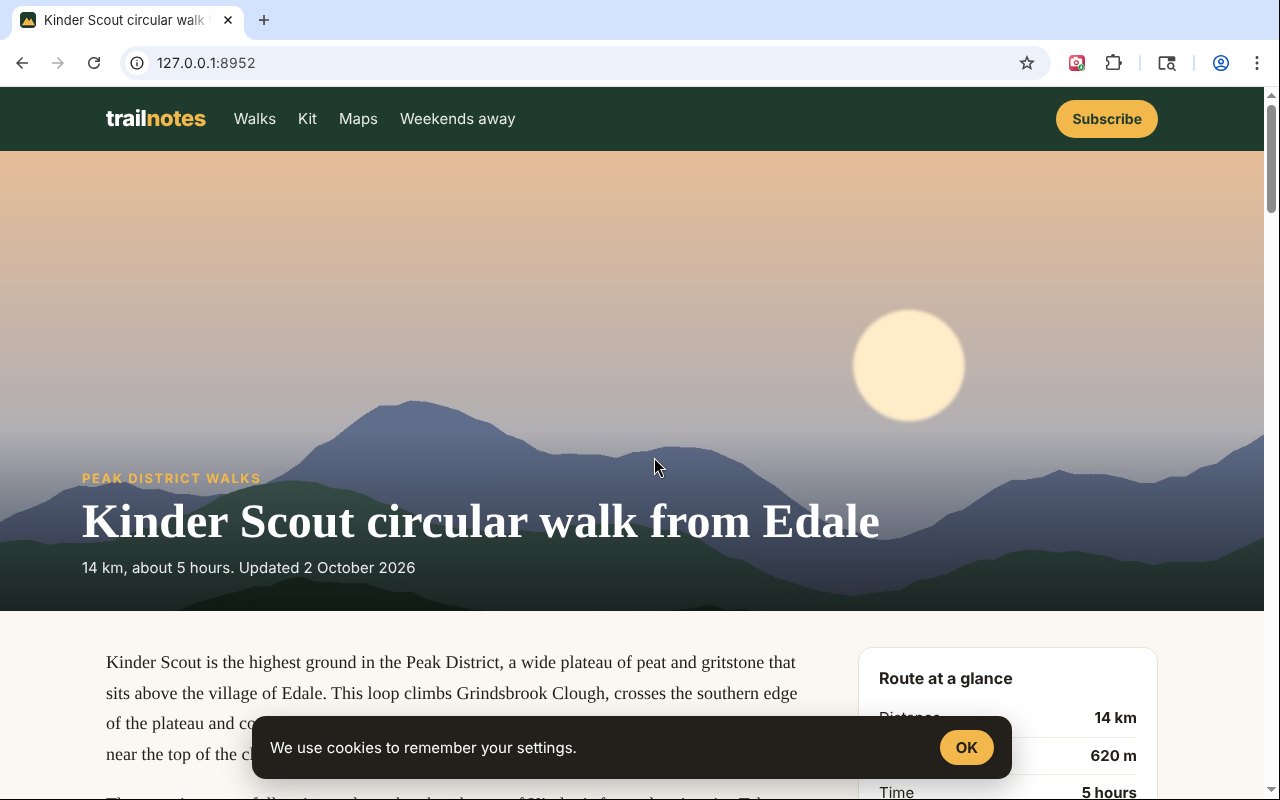
Every step, exactly as it looks in your browser.
Who it is for
Anyone who needs a copy of a whole web page, not just the bit on screen.
Receipts and records
Keep a full copy of an order, a booking or a bill as a picture or PDF.
IT and support
Capture a whole settings page or error screen to send to someone.
Designers and writers
Save full pages for reference, reviews and before and after shots.
Requirements
Browser
Chrome, Microsoft Edge, Brave, Opera or Vivaldi on Windows, macOS or Linux, or Firefox 142 or newer.
Account
None.
Permissions
It works on the tab you are on, only after you click its button. No access to any site in the background.
Download
About 55 KB. No installer.
Version
1.0.0, released 20 October 2026.
Licence
GPL-3.0. Free for everyone, including commercial use.
Frequently Asked Questions
Is Screenshot Saver really free?
Yes. There is no Pro version, no ads and no limit on how many screenshots you take. It is open source under the GPL-3.0, so you can read every line of it on GitHub.
Does Screenshot Saver collect any of my data?
No. The screenshot is made on your own computer and saved to your Downloads folder. There is no account, no analytics and nothing is sent anywhere.
Why does that matter for a screenshot extension?
In January 2026 Mozilla and Microsoft pulled two popular screenshot extensions, among 21 bad add-ons, after security researchers found they spied on what people did online. Screenshot Saver has no network access at all.
Can it save as a PDF?
Yes. Pick PDF and choose A4 pages or one tall page. You can also save as PNG or JPG, or copy the picture to the clipboard.
Why does the header not repeat down the page?
Screenshot Saver turns sticky headers into normal ones while it captures, and shows fixed bars like cookie notices only once, so the picture looks like the page.
What happens with very long pages?
Pictures taller than the browser can draw are split into parts, with a message telling you how many. PDFs are never split.
Does it work on Firefox?
Yes. Download the Firefox version from this page. A Firefox Add-ons listing is in review and will make installing it permanent.
Why can it not capture some pages?
Browsers do not let extensions capture their own pages, such as settings, the extension stores and the new tab page.
Version History
- v1.0.0: 20 October 2026. Initial public release.
Download Screenshot Saver today
Completely free. Version 1.0.0, no strings attached, and open source under the GPL-3.0 licence.
0 downloads so far