100% Free · GPLv2 · Version 1.1.9
NeoDark: a fast, dark-mode WordPress theme for tech guides and reviews
A Customizer-driven homepage, automatic table of contents, related posts, breadcrumbs and a site-wide social links menu. No page builder, no bundled plugins, no tracking. Free forever, under the GPL.
WordPress 6.4 or later · PHP 7.4 or later · installs straight from the WordPress.org Theme Directory
Everything you need to publish better guides
A complete theme, not a stripped-down trial. The free build is what this site runs on.
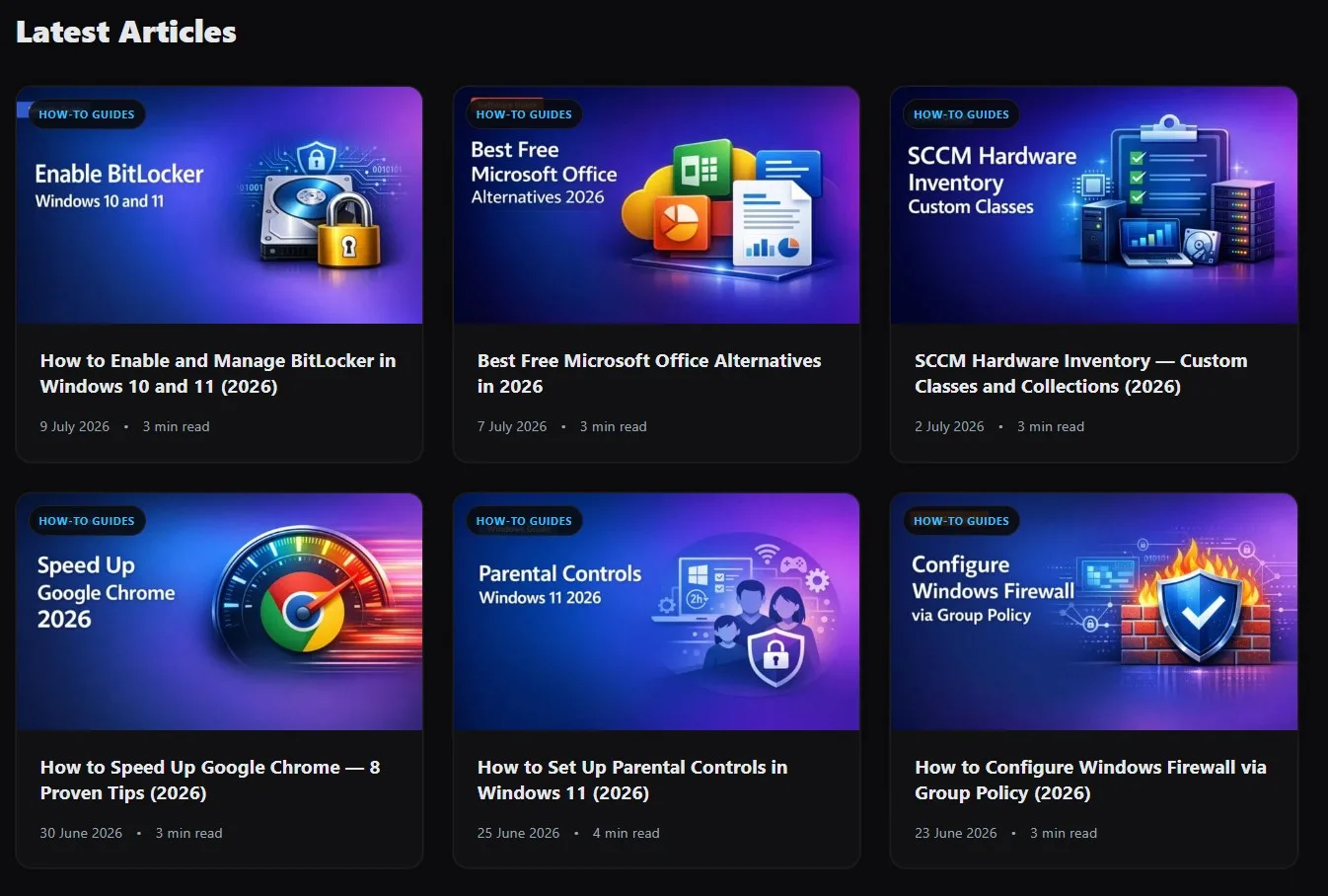
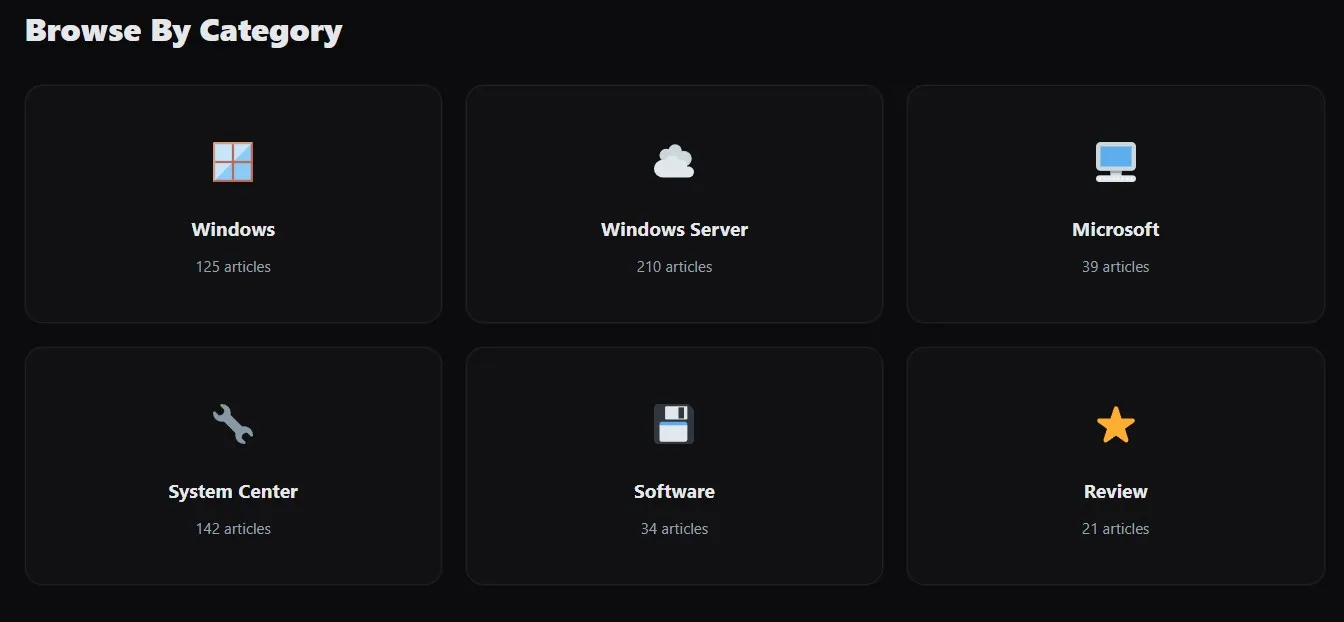
Customizer-driven homepage
Build the front page from the Customizer. Hero section, category cards and post feeds, with live preview and no code.
Automatic table of contents
Long guides get a contents block generated from your headings, so readers can jump straight to the step they need.
Related posts and breadcrumbs
Keeps people moving through your archive instead of bouncing, and gives search engines a clean path through your categories.
Five content patterns
Verdict box, pros and cons, spec table and more. Insert a ready-made layout instead of starting a review from a blank page.
Dark mode that was designed, not inverted
Contrast, code blocks and images were all tuned against a dark background from the start, so nothing glares and nothing looks washed out.
Built-in search overlay
A full-screen search that opens from anywhere, is fully keyboard accessible, and closes properly with Escape.
Nothing loaded from anyone else’s CDN
No Google Fonts, no icon libraries, no trackers. Every asset comes from your own domain, which is one fewer GDPR conversation.
WooCommerce ready
Works cleanly with WooCommerce out of the box if you sell alongside your content.
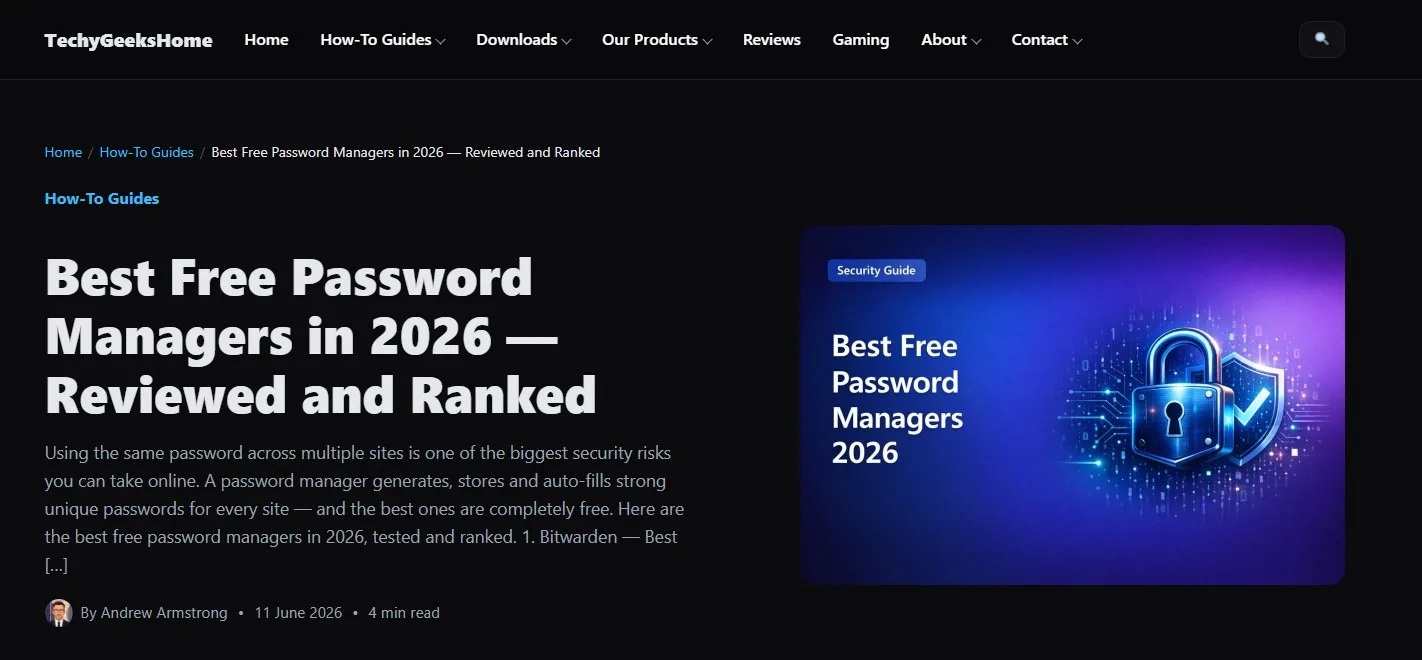
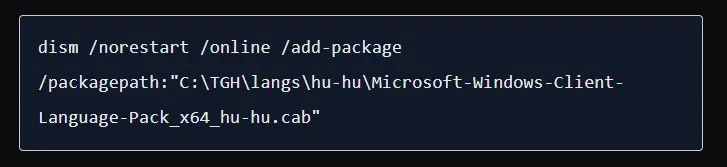
See it in action
The free theme, exactly as it looks on a live site.
Who it’s for
Built for a tech site that actually publishes, by someone running one.
Guide and tutorial writers
Long-form articles with code, steps and screenshots. Laid out so a 3,000-word walkthrough stays readable to the end.
Reviewers and comparison sites
Verdict boxes, pros and cons and spec tables are built in, so a review looks like a review without a plugin stack.
Anyone tired of page builders
Native blocks only. No builder licence to renew, and no mess left behind if you ever switch theme.
Free vs Pro
The free theme is complete on its own. This is what the paid build adds if you want it.
| Feature | NeoDark Free | NeoDark Pro |
|---|---|---|
| Dark-mode homepage | ✓ | ✓ |
| Customizer-driven category cards | ✓ | ✓ |
| Customizer-editable hero section | ✓ | ✓ |
| Homepage hero slider | : | ✓ |
| Three-column single-post layout | : | ✓ |
| Sticky table of contents sidebar | : | ✓ |
| Related-articles sidebar | : | ✓ |
| Content blocks and patterns | 5 | 8 |
| Comparison tables, pros & cons, verdict boxes | : | ✓ |
| Deal callout and step-by-step blocks | : | ✓ |
| Per-author social profiles and author box | : | ✓ |
| Custom author avatar upload | : | ✓ |
| Built-in download counter | : | ✓ |
| Trending Posts widget and shortcode | : | ✓ |
| Footer social icon links | ✓ | ✓ |
| Dynamic logo and accessibility | ✓ | ✓ |
| WooCommerce store support | ✓ | ✓ |
| Full WooCommerce shop and product-grid styling | : | ✓ |
| Support | Direct from TechyGeeksHome | Direct from TechyGeeksHome |
| Price | Free | £39 one-time · single site |
Requirements
WordPress
6.4 or later.
PHP
7.4 or later.
Install
Search for “NeoDark” in Appearance → Themes, or download from the WordPress.org Theme Directory.
Plugins required
None. No page builder and no companion plugin.
Version
1.1.9 on GitHub. The WordPress.org Theme Directory is still serving 1.1.8.
Licence
GPLv2 or later. Free for personal and commercial sites.
Frequently Asked Questions
Is NeoDark really free?
Yes. The free theme is a complete product under GPLv2, not a trial. There is a paid Pro build if you want the extras, but nothing in the free theme expires or nags.
Do I need a page builder or a companion plugin?
No. NeoDark uses native WordPress blocks only. There is nothing else to install and nothing to renew.
Does the theme track visitors or load anything externally?
No analytics, no bundled trackers, and no fonts or icons loaded from third-party CDNs. Everything is served from your own domain.
Does it work with WooCommerce?
Yes. NeoDark works cleanly with WooCommerce out of the box. Pro adds full shop and product-grid styling on top.
How do I get updates?
Through your WordPress dashboard, like any theme installed from the WordPress.org directory. There is no licence key to enter.
Version History
- v1.1.9. August 2026, Two mobile menu fixes, both reported on GitHub. The menu panel had no height limit inside the sticky header, so on a long menu everything past the fold was unreachable; it now scrolls. And submenus, which were expanded permanently, each have their own toggle and start collapsed. Latest release, available from GitHub.
- v1.1.8. August 2026. Current release on the WordPress.org Theme Directory.
- v1.0.0. Initial public release.
Get NeoDark, free
GPLv2, no strings attached. The same theme this site runs on.
Or just search for “NeoDark” in Appearance → Themes inside your own dashboard.
Support
NeoDark is free and always will be, under the GPL.
Available on