100% Free · Version 1.1.1
DiskGeek: find out exactly where your disk space went
Scan any folder or drive, find exact and near-duplicate files quietly eating space, search and batch-rename, compare snapshots over time, and schedule unattended reports. One free tool, no bundled offers, no ads.
Windows 10 or 11, 64-bit · self-contained installer · nothing else to install
Video Demo
A full tour of every tool, in under a minute.
Everything you need to reclaim disk space
A complete toolkit for understanding and reclaiming disk space, not a stripped-down trial.
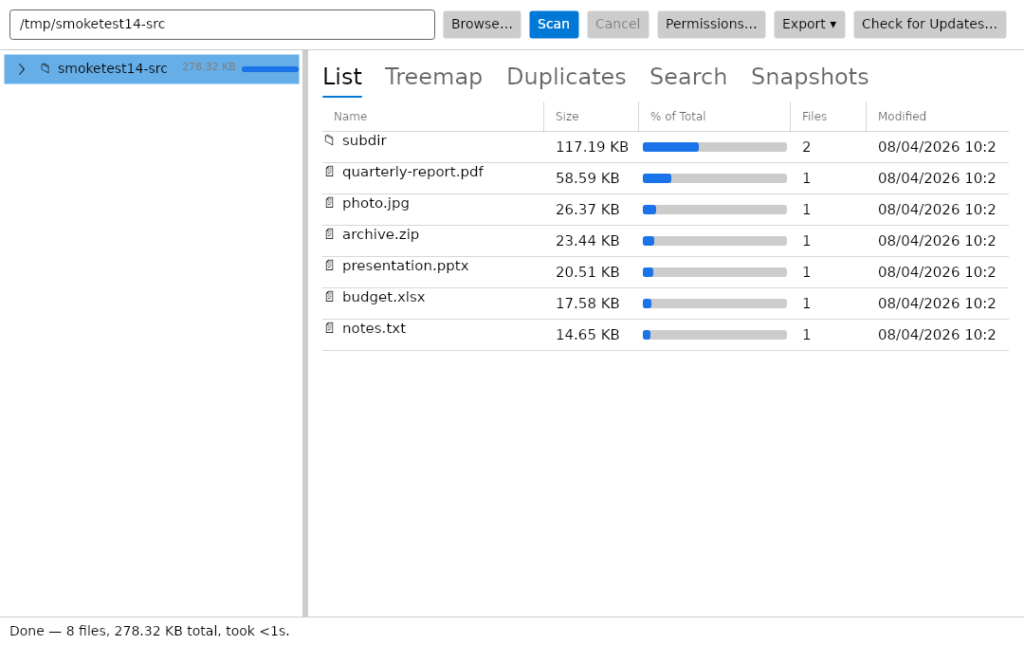
Real-time, non-blocking scanning
Runs on a background thread with a live file, folder and byte counter and a Cancel button. The interface never locks up, even on huge volumes.
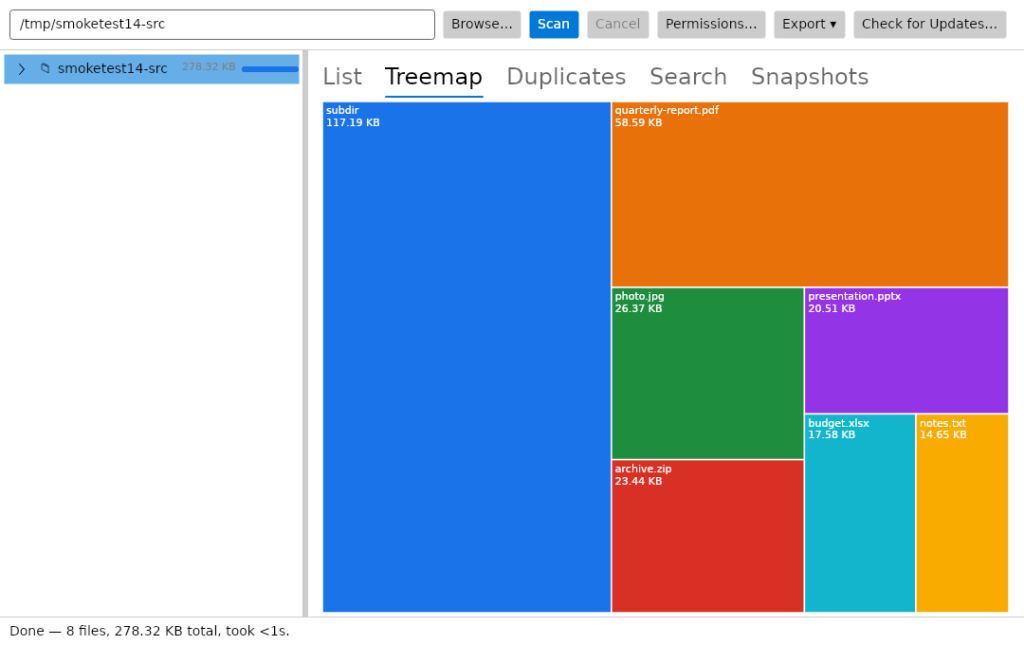
List and treemap views
A sortable list for the fastest look at what is biggest, plus a squarified treemap that makes the largest space consumers obvious at a glance.
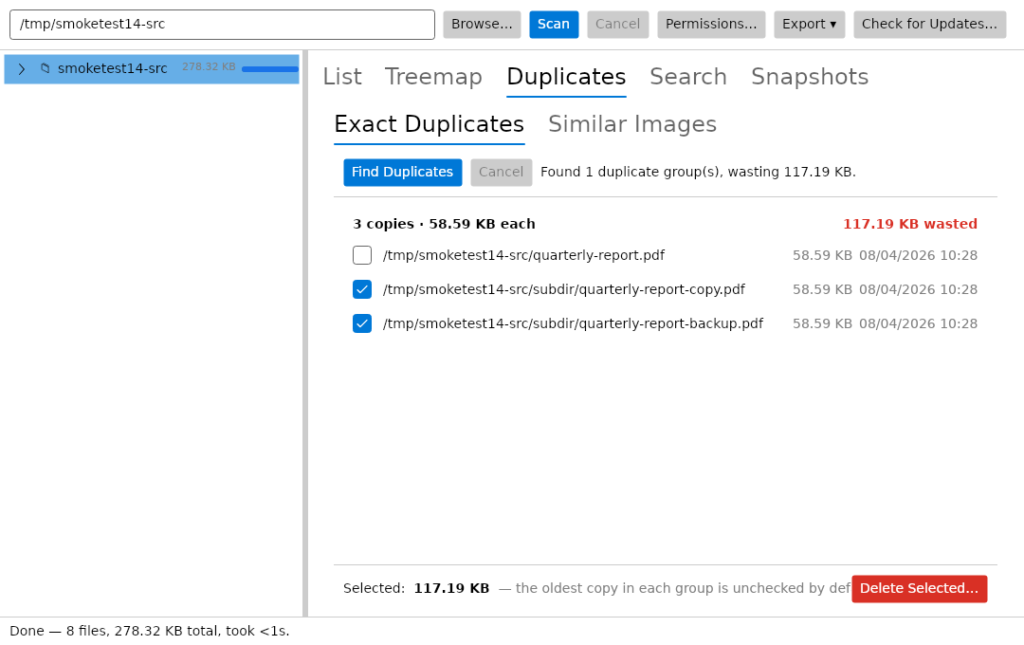
Exact duplicate detection
Size, then quick-hash, then full SHA-256, so it finds byte-for-byte duplicates without wasting time hashing files that cannot match.
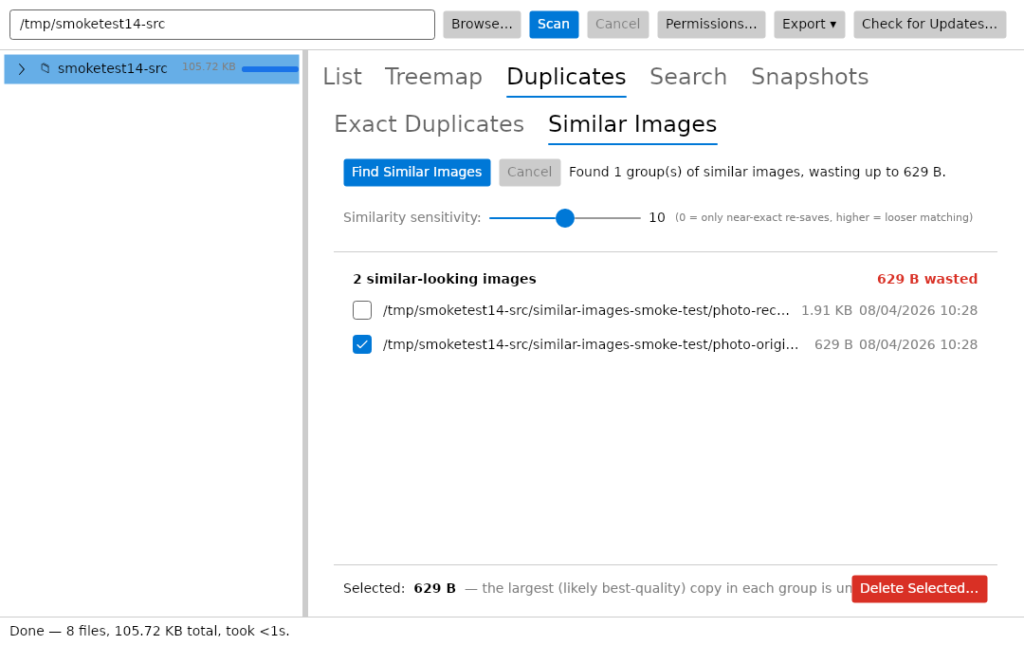
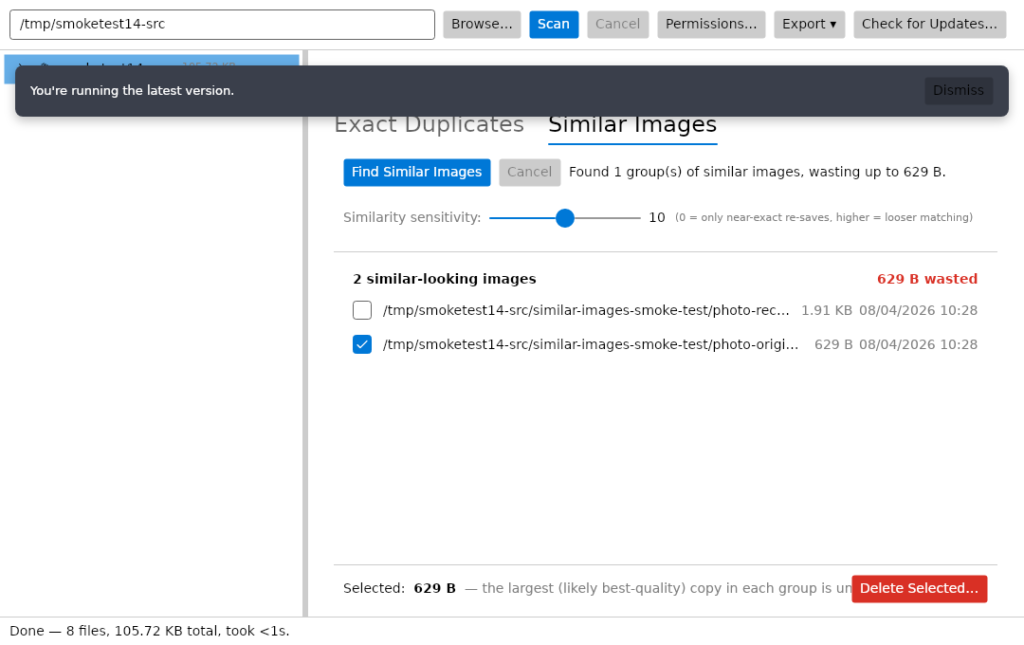
Similar image detection
Finds photos that look alike even when the bytes differ, using perceptual hashing with an adjustable sensitivity slider.
Search and batch rename
Instant in-memory filtering, plus a batch rename tool with find and replace, prefix and suffix, and an auto-counter, all with a live preview.
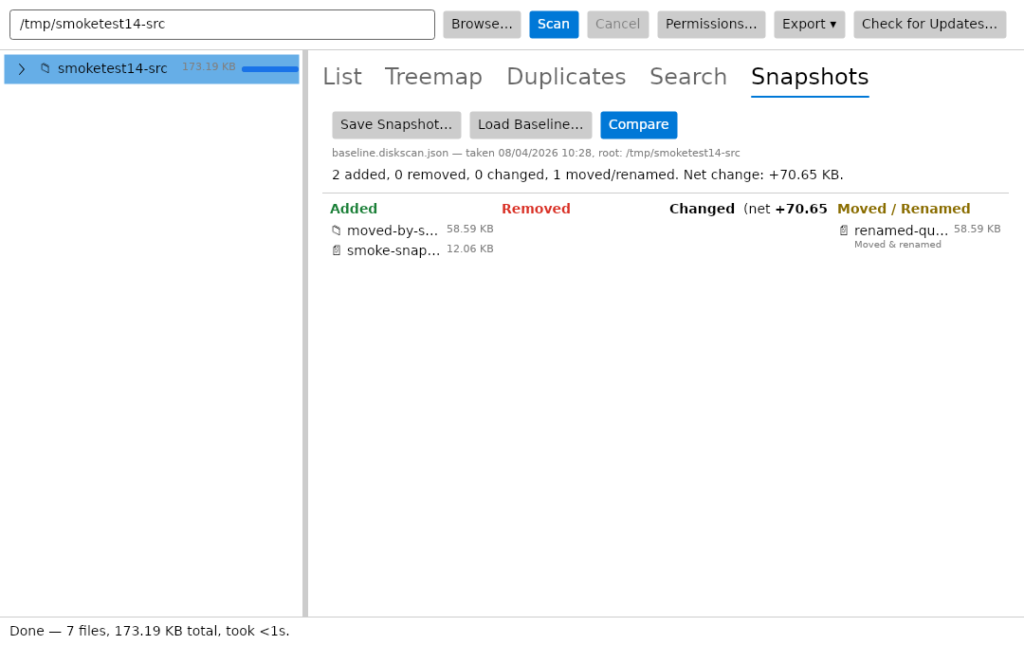
Snapshots over time
Save a scan and compare it against a later one to see exactly what grew, what shrank and what appeared.
NTFS permission auditing
See the owner and the full access control list for any file or folder, with inherited permissions shown separately.
Scheduled, unattended scans
A headless command-line mode built for Windows Task Scheduler, with an exit code so a failed run does not go unnoticed.
See it in action
Every tool, exactly as it looks when you run it.
Who it’s for
Built by an IT pro who needed it, not a commercial suite trying to upsell you.
Anyone with a full C: drive
Your disk is mysteriously full and Windows will not tell you why. One scan and the treemap shows you exactly what is eating it.
Photo and media hoarders
Years of camera dumps and phone backups leave quiet duplicates everywhere. DiskGeek finds the exact copies and the near-identical shots.
IT pros and technicians
Free at work with no per-seat licence. Audit NTFS permissions, schedule an overnight report on a shared drive, and compare snapshots week to week.
Requirements
Operating system
Windows 10 or later, or Windows 11. 64-bit.
Rights
Standard user for a normal scan. Administrator only if you want to read folders your account cannot.
Download
About 32 MB. A single self-contained installer.
Prerequisites
None. The .NET 8 runtime is bundled inside the installer.
Version
1.1.1, released 26 September 2026.
Licence
GPL-3.0. Free for everyone, including commercial use.
Frequently Asked Questions
Is it really free? No Pro version, no catch?
Yes. DiskGeek is free to download and use, with no Pro tier, no ads, and no bundled offers in the installer.
Does DiskGeek collect data or phone home?
The only network activity is the update checker, which compares your version against a small hosted manifest — it never downloads or installs anything automatically. If it can’t reach the manifest, it fails silently rather than interrupting you.
Is deleting duplicate files safe?
Every delete goes through a confirmation dialog showing exactly how much space will be freed, with an explicit warning if an entire group is selected. Deletes go to the Recycle Bin, so they’re recoverable if you change your mind.
Why does Windows show a warning when I install it?
DiskGeek isn’t yet signed with a paid code-signing certificate, so Windows SmartScreen may show an “unrecognised app” warning the first time you run the installer. This is normal for independently-distributed free software — click “More info” then “Run anyway” to continue.
Can I redistribute or modify DiskGeek?
Yes. DiskGeek is open source under the GNU General Public License v3.0, so you can use, modify and share it. If you distribute a modified version, you have to publish its source under the same licence.
Version History
- 1.1.1. DiskGeek is now open source under the GNU General Public License v3.0. The installer now asks which language to use (English or Italian, the Italian by bovirus) and shows the GPL-3.0 licence, and the About window’s family list now covers all twelve TechyGeeksHome apps.
- 1.1.0. Rebuilt onto the same shell as the rest of the range: a sidebar instead of tabs, a new Overview screen with the four figures that matter, a Settings screen stating what DiskGeek will not do, and the treemap on the house colours.
- v1.0.2: 29 August 2026. The About box lists the rest of the range as buttons now, one per app, each opening that app’s page on this site. Java 8 MSI Installers is gone from that list. It is a repackaging of Oracle’s installers, not ours, and should never have been in it. The “Built with” credits section has gone too.
- v1.0.1: 27 August 2026. A rewritten About window with a Check for updates button, and release automation so the published builds and their SHA-256 hashes are produced by GitHub Actions rather than by hand.
- v1.0.0: 4 August 2026. Initial public release.
Download DiskGeek today
Completely free. Version 1.1.1, no strings attached. Free at home and free at work.
Not code-signed, so Windows may warn on first run. Click More info, then Run anyway. SHA256 checksums
Windows may show a “Windows protected your PC” warning the first time you install it. That means SmartScreen has not seen the file before, not that anything is wrong with it. Here is why our builds are unsigned, and how to verify your download against its SHA-256 hash. We will never ask you to switch SmartScreen off.
Support
DiskGeek is free and always will be, at home and at work.
Featured on