100% Free and Open Source · Version 1.0.0
VolumeGeek: make any tab louder
Video too quiet even at full volume? VolumeGeek boosts the sound of any tab up to 600%, with a limiter so it does not crackle and a simple equaliser for bass and voices. A free browser extension with nothing to sign up for.
Chrome, Edge, Brave, Opera, Vivaldi and Firefox · no account · nothing to pay · how to install it
0 downloads so far
Video Demo
From a video that is too quiet at full volume to clear, loud sound in a couple of clicks.
Louder, clearer, and no crackle
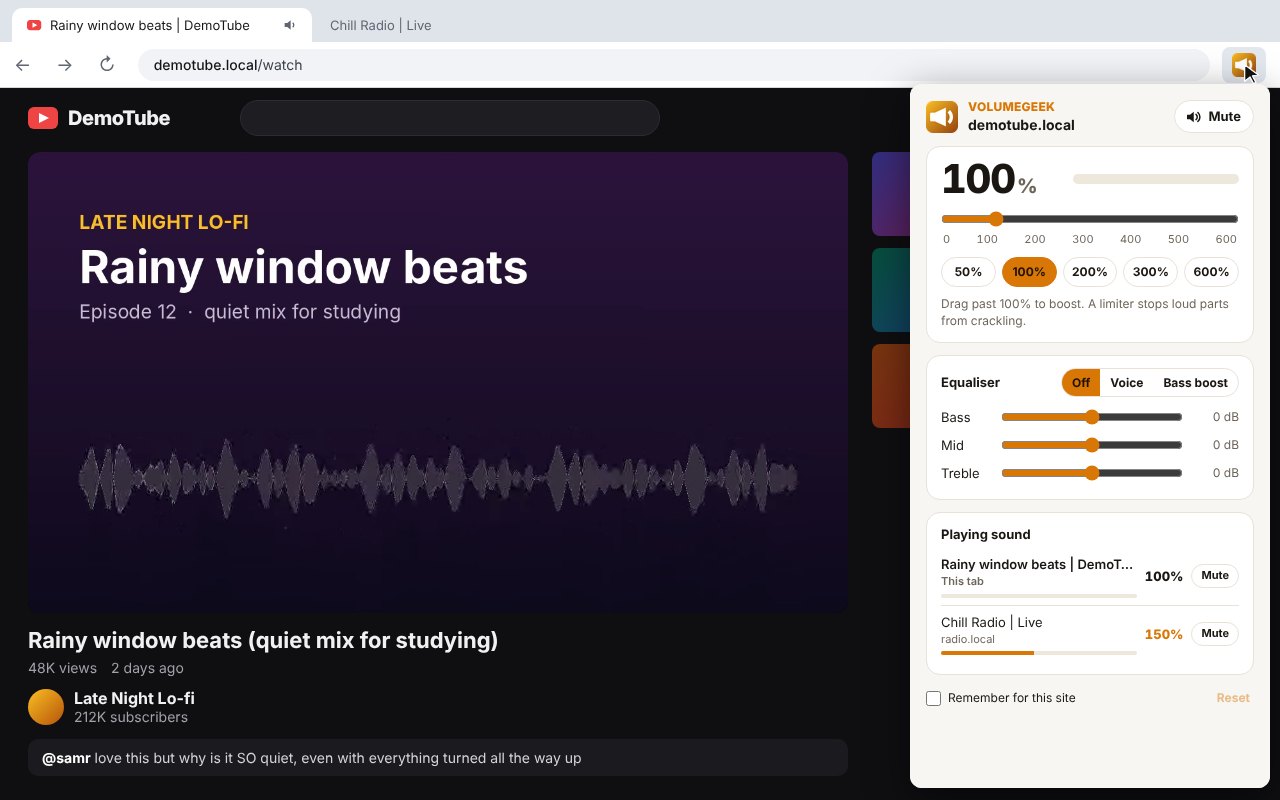
One menu on the toolbar for the volume and tone of the tab you are on.
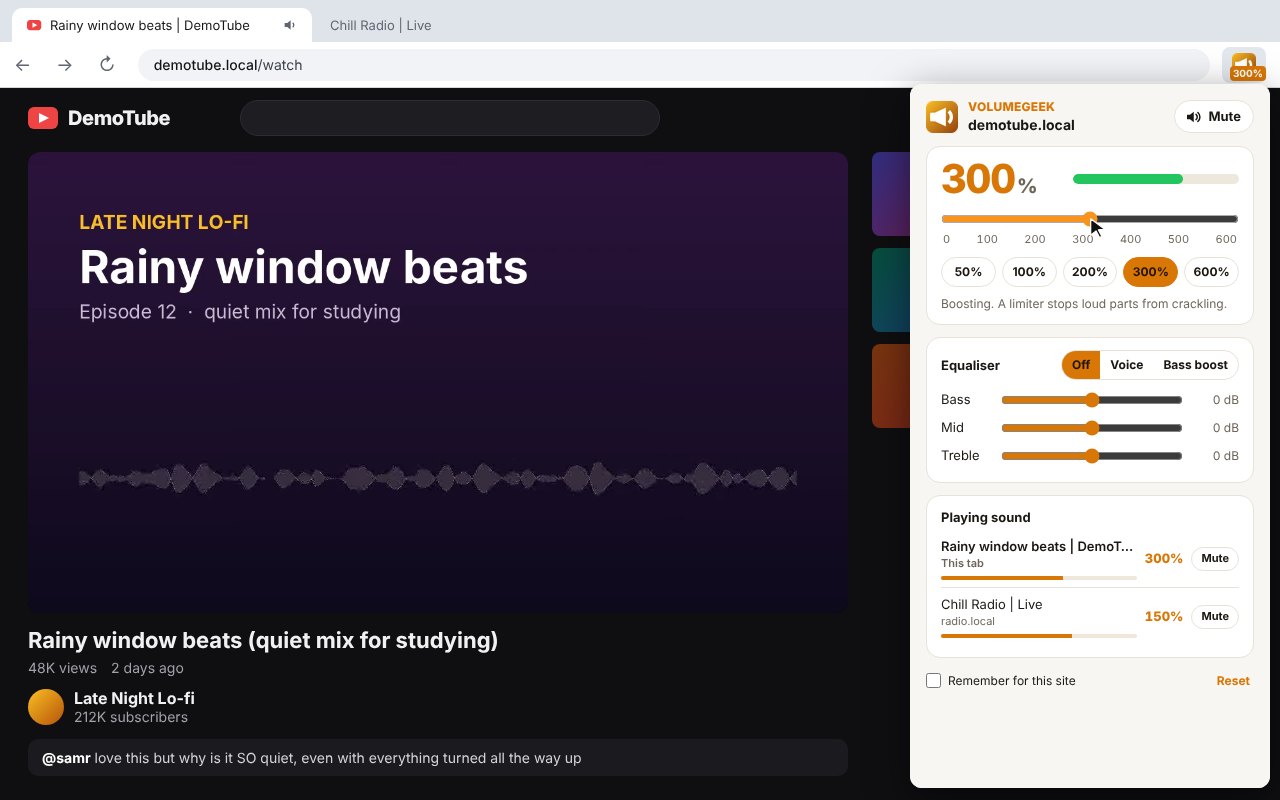
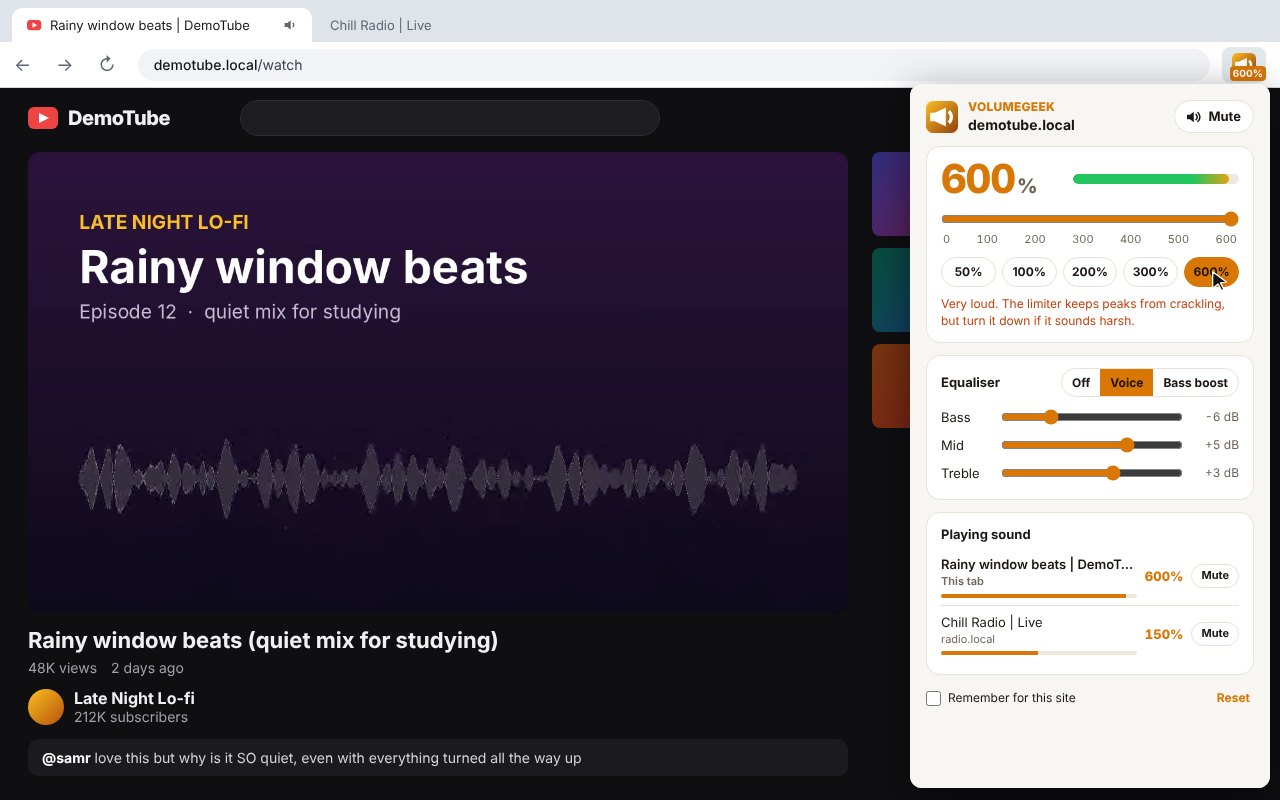
Boost up to 600%
Drag the slider past 100%, or tap 50, 100, 200, 300 or 600%.
Limiter
Holds back loud parts so boosted sound does not crackle or clip.
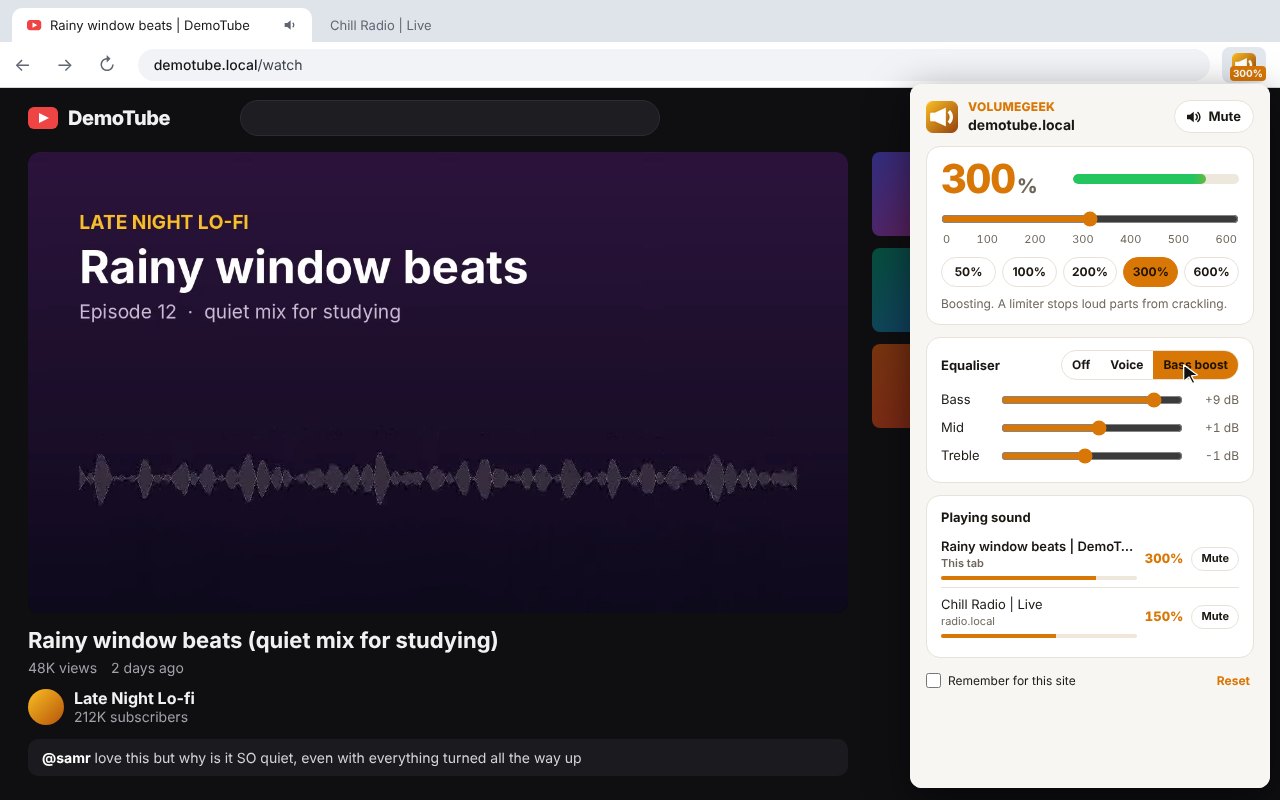
Equaliser
Bass, mid and treble from -12 to +12 dB, with Off, Voice and Bass boost presets.
Voice preset
Makes speech in videos, lectures and calls easier to follow.
Mute in one click
Mute the tab you are on, or any other tab from the list.
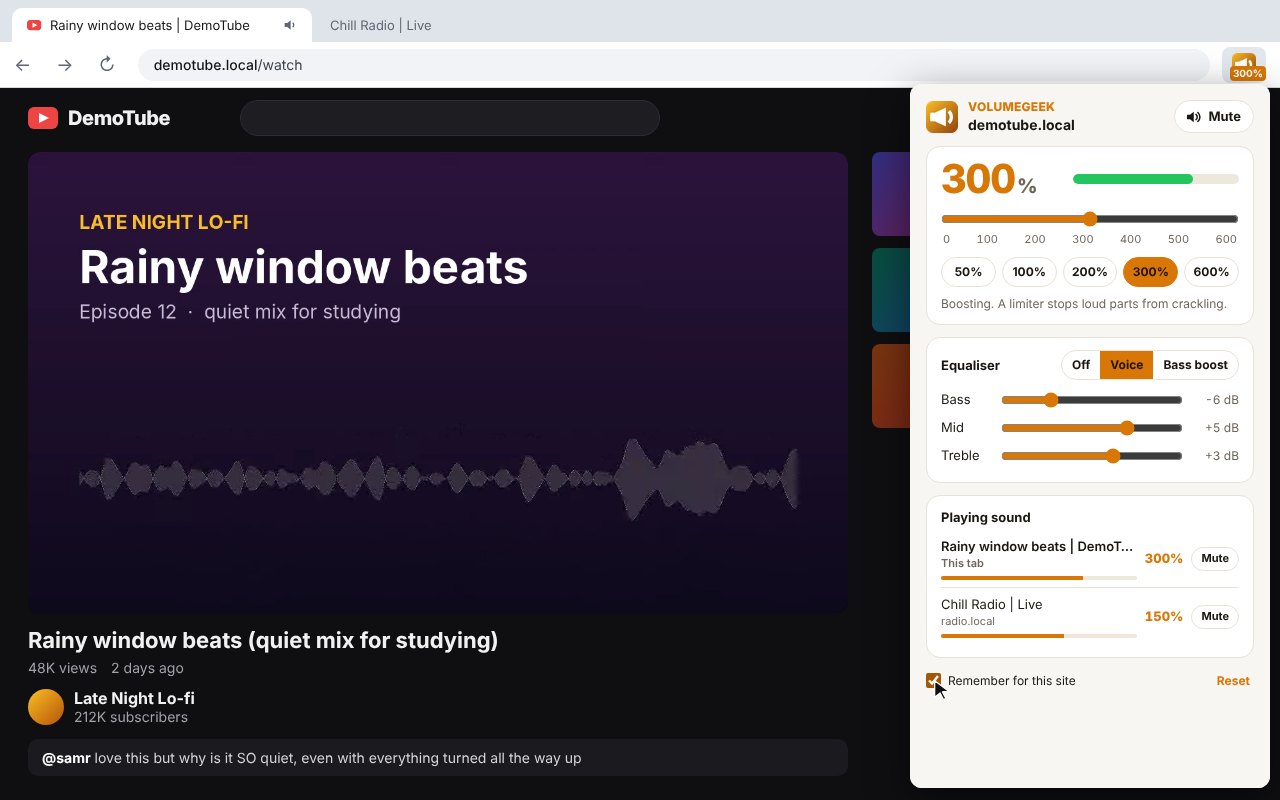
Playing sound list
See every tab making sound with its level, and jump to it.
Level on the icon
The toolbar badge shows 300%, 50% or 0% when muted.
Remember for this site
Keeps your level and equaliser for a site for next time.
Live meter
A level meter shows the sound moving as you change it.
How to install it
About a minute, and you only do it once. Store listings for Edge and Firefox are on the way.
Download and unzip
Download the ZIP and unzip it somewhere you will keep it, such as Documents. The browser runs the extension from that folder, so leave it there.
Open your extensions page
Type chrome://extensions in the address bar. In Edge use edge://extensions, in Brave brave://extensions.
Switch on Developer mode
The switch is top right in Chrome and Brave, and bottom left in Edge. It just lets you add an extension from a folder.
Load unpacked
Click Load unpacked and pick the volumegeek folder. Then pin the VolumeGeek icon from the puzzle piece menu.
On Firefox, download the Firefox version, open about:debugging, choose This Firefox, then Load Temporary Add-on and pick the ZIP. Firefox removes temporary add-ons when it closes, so the Firefox Add-ons listing will be the easier option once it is approved.
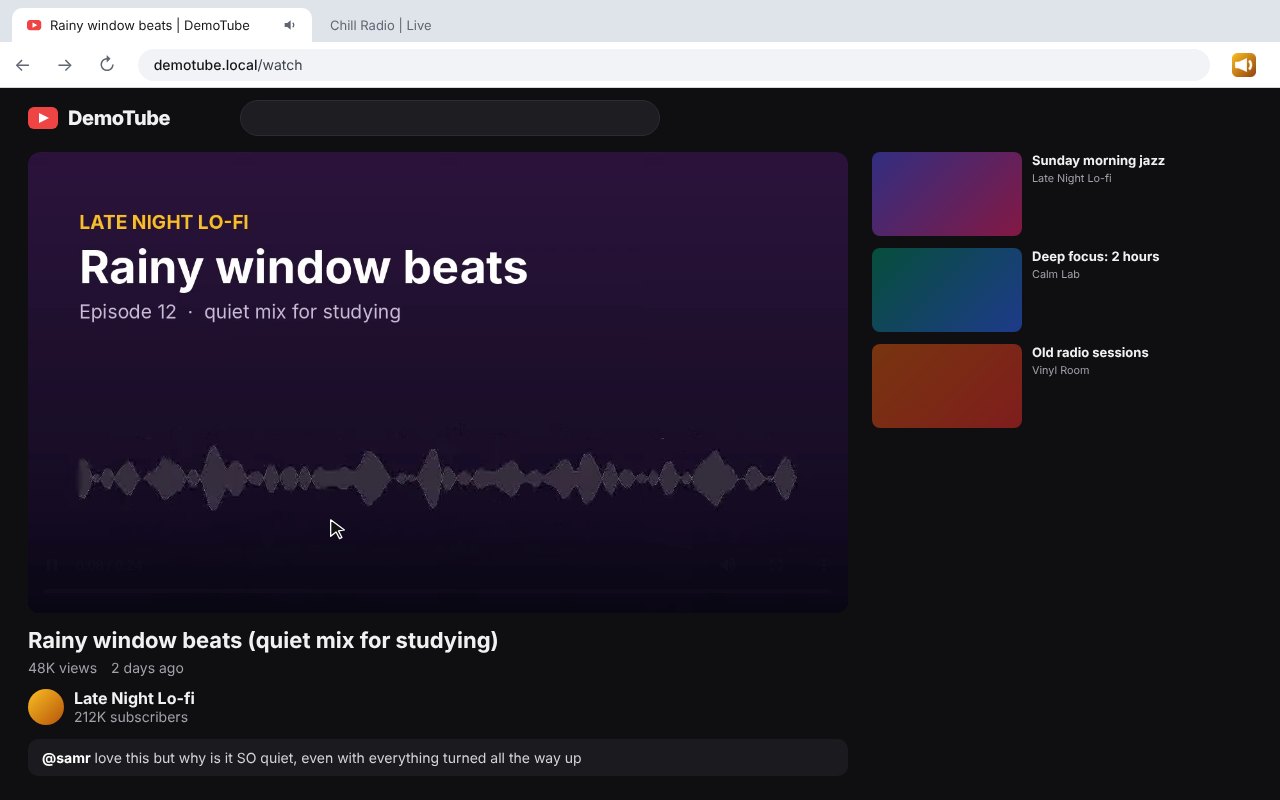
See it in action
Every step, exactly as it looks in your browser.
Who it is for
Anyone with a video, call or stream that is just too quiet.
Laptop speakers
Get more out of small speakers when a video is quiet even at full volume.
Lectures and calls
Use Voice to make speech clearer in recorded lessons and meetings.
Music and films
Add bass or turn down a noisy tab without touching the rest.
Requirements
Browser
Chrome 116 or newer, Microsoft Edge, Brave, Opera or Vivaldi on Windows, macOS or Linux, or Firefox 142 or newer.
Account
None.
Permissions
Tab sound capture, an offscreen page, activeTab and storage on Chrome and Edge. activeTab, scripting and storage on Firefox. No access to any site in the background.
Download
About 40 KB. No installer.
Version
1.0.0, released 20 October 2026.
Licence
GPL-3.0. Free for everyone, including commercial use.
Frequently Asked Questions
Is VolumeGeek really free?
Yes. There is no Pro version, no ads and no limit. It is open source under the GPL-3.0, so you can read every line of it on GitHub.
Does VolumeGeek collect any of my data?
No. The sound is changed inside your own browser and never leaves your computer. There is no account, no analytics and nothing is sent anywhere.
Why does it only work after I click it?
Browsers only let an extension change a tab’s sound after you click its button on that tab. Remember for this site puts your level back when you open the menu on that site.
Will boosting damage my speakers?
A limiter holds back the loudest parts so boosted sound does not clip, but very high levels can still be loud. Start at 200% and go up if you need it.
Why does Chrome show a marker on the tab?
Chrome and Edge show their own marker while an extension is changing a tab’s sound. It goes away when the tab is back at 100% with the equaliser off.
Does it work on every site?
It works on most sites with sound. Browser pages and add-on stores cannot be changed by any extension.
Does it work on Firefox?
Yes. Download the Firefox version from this page. A Firefox Add-ons listing is in review and will make installing it permanent. On Firefox it changes audio and video players on the page.
Why did my old volume booster stop working?
Many older boosters were switched off when Chrome ended Manifest V2, and some were caught tracking users. VolumeGeek is built for Manifest V3 and has no tracking.
Version History
- v1.0.0: 20 October 2026. Initial public release.
Download VolumeGeek today
Completely free. Version 1.0.0, no strings attached, and open source under the GPL-3.0 licence.
0 downloads so far