100% Free and Open Source · Version 1.0.0
RefreshGeek: auto refresh any page
Refresh any tab on a timer, with a countdown on the toolbar icon. Watch a page, or just one part of it, and get a desktop alert the moment it changes. A free browser extension with nothing to sign up for.
Chrome, Edge, Brave, Opera, Vivaldi and Firefox · no account · nothing to pay · how to install it
0 downloads so far
Video Demo
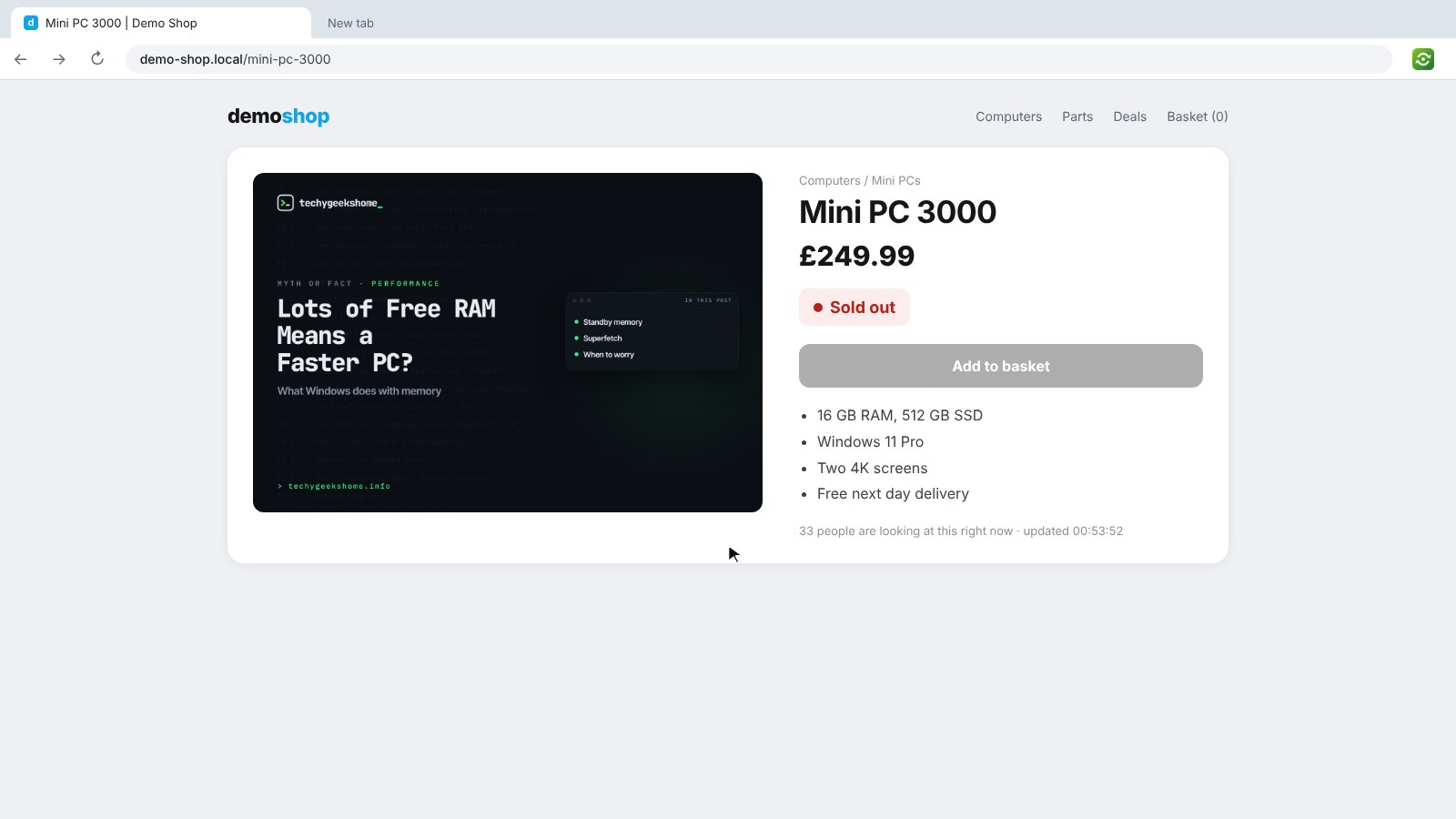
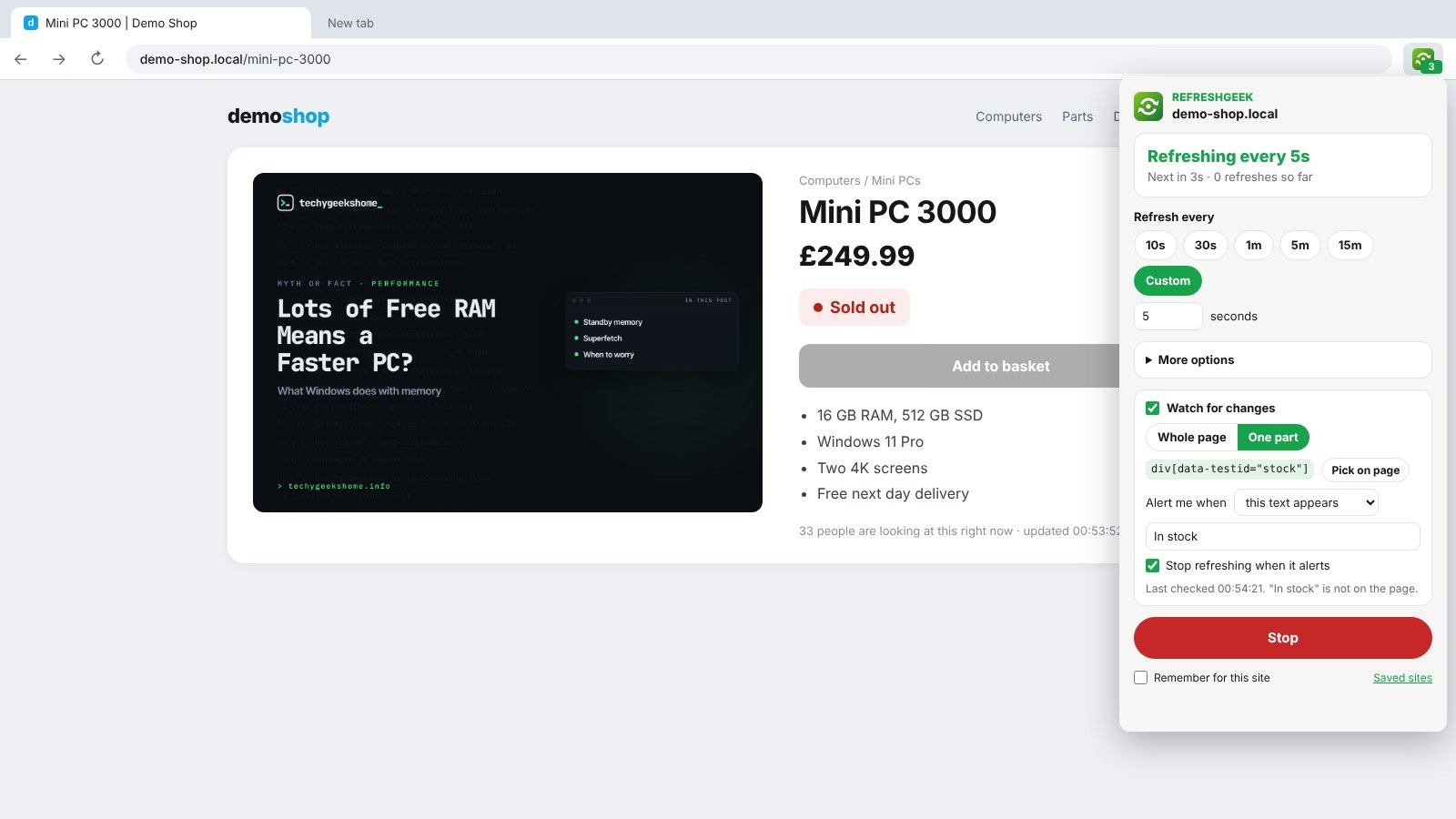
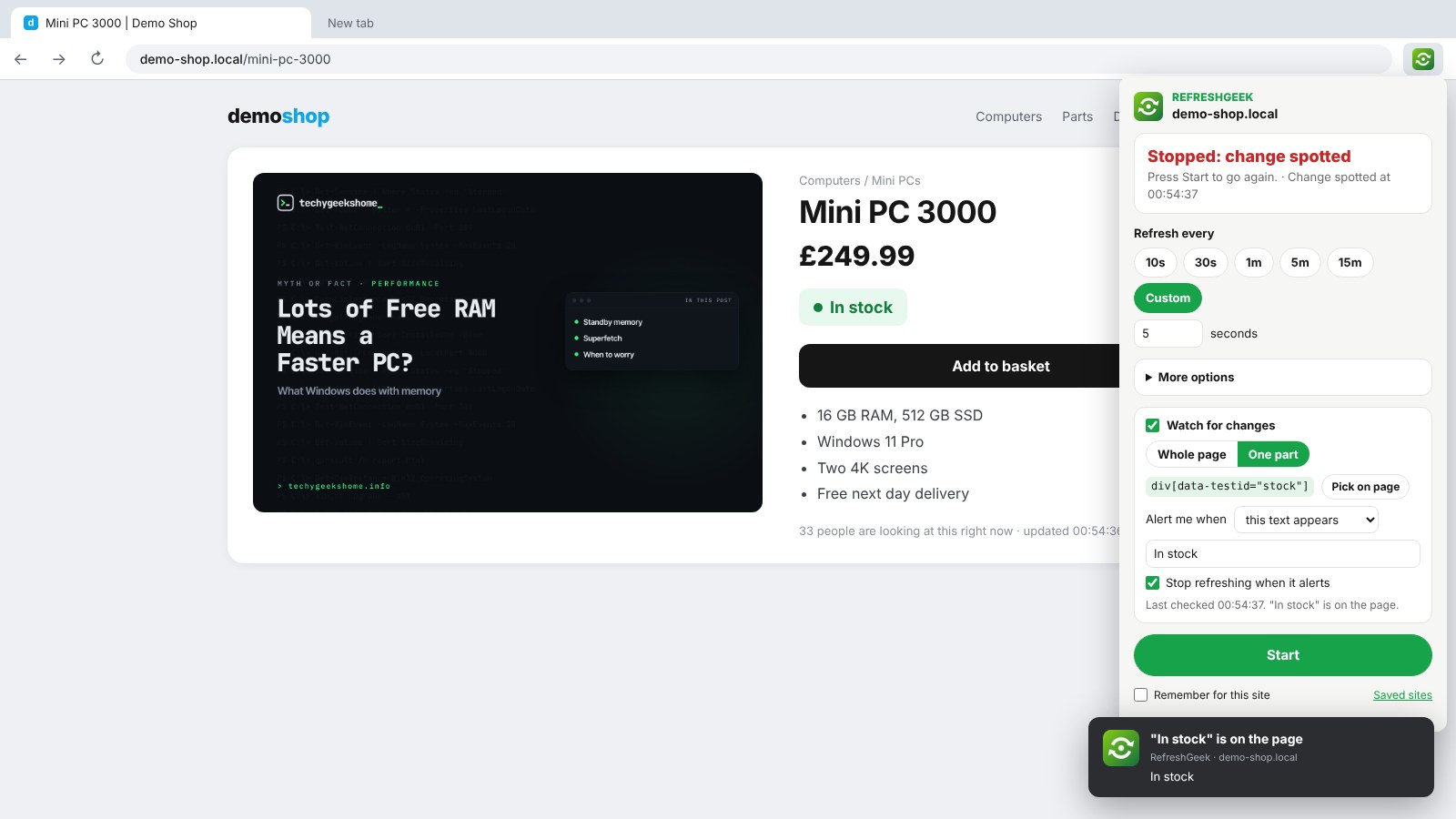
From hitting refresh on a sold out page to an alert the moment it is back in stock.
Refresh it, watch it, forget about it
Set it once and get on with your day. RefreshGeek tells you when something happens.
Any refresh time
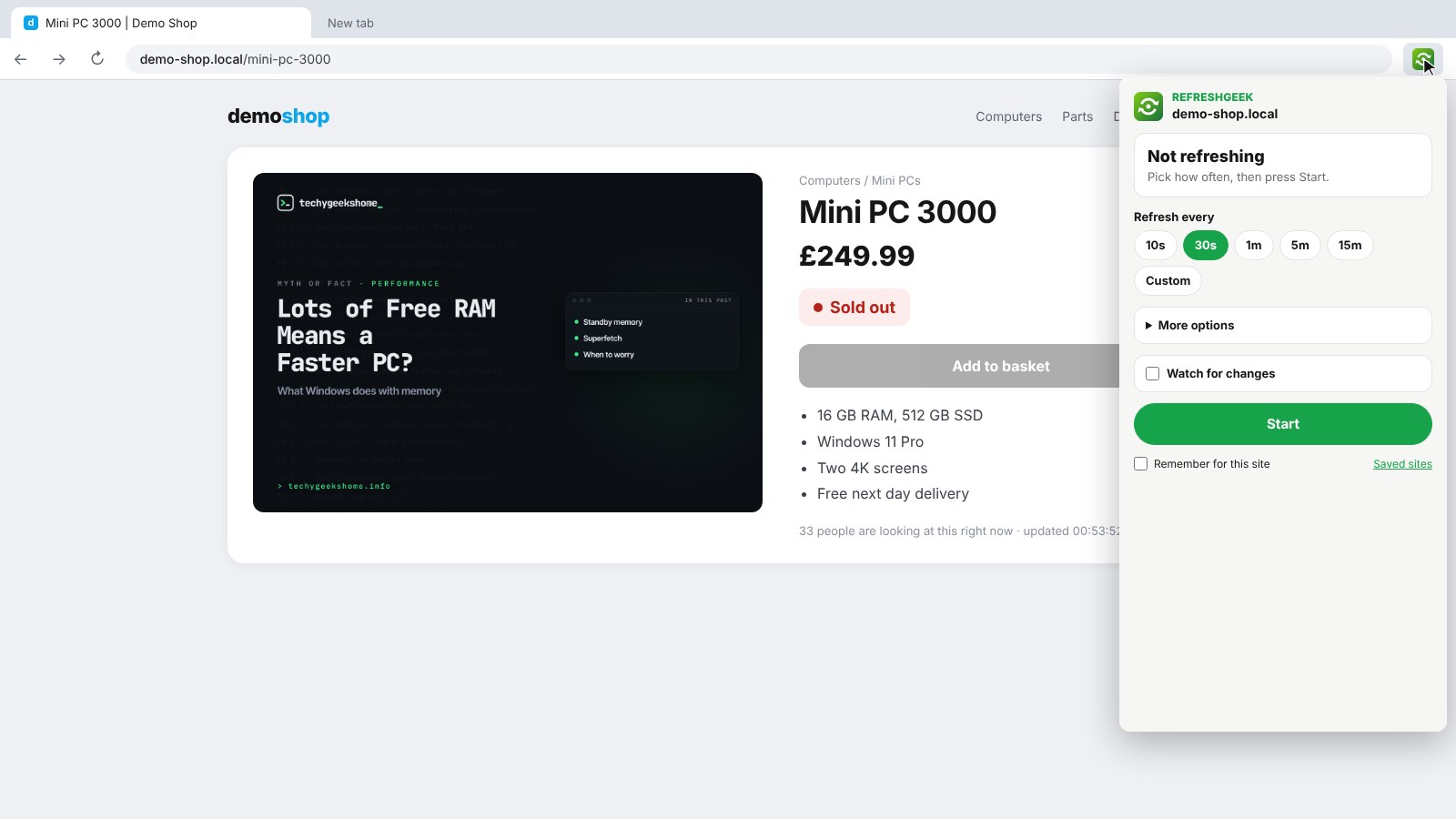
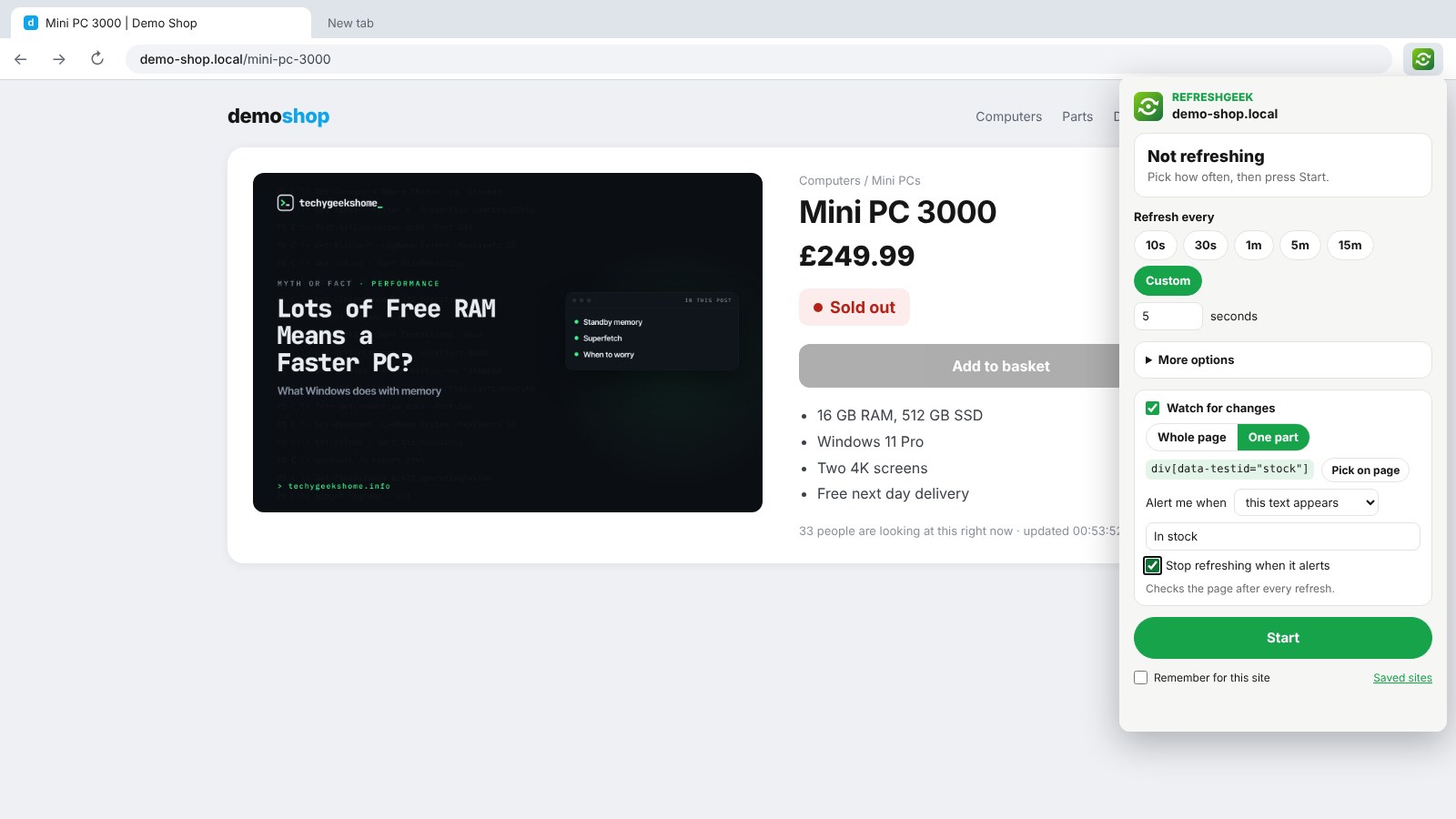
10 seconds, 30 seconds, 1, 5 or 15 minutes, or type your own number of seconds.
Countdown on the icon
The time to the next refresh shows on the toolbar icon, so you always know where it is.
Watch for changes
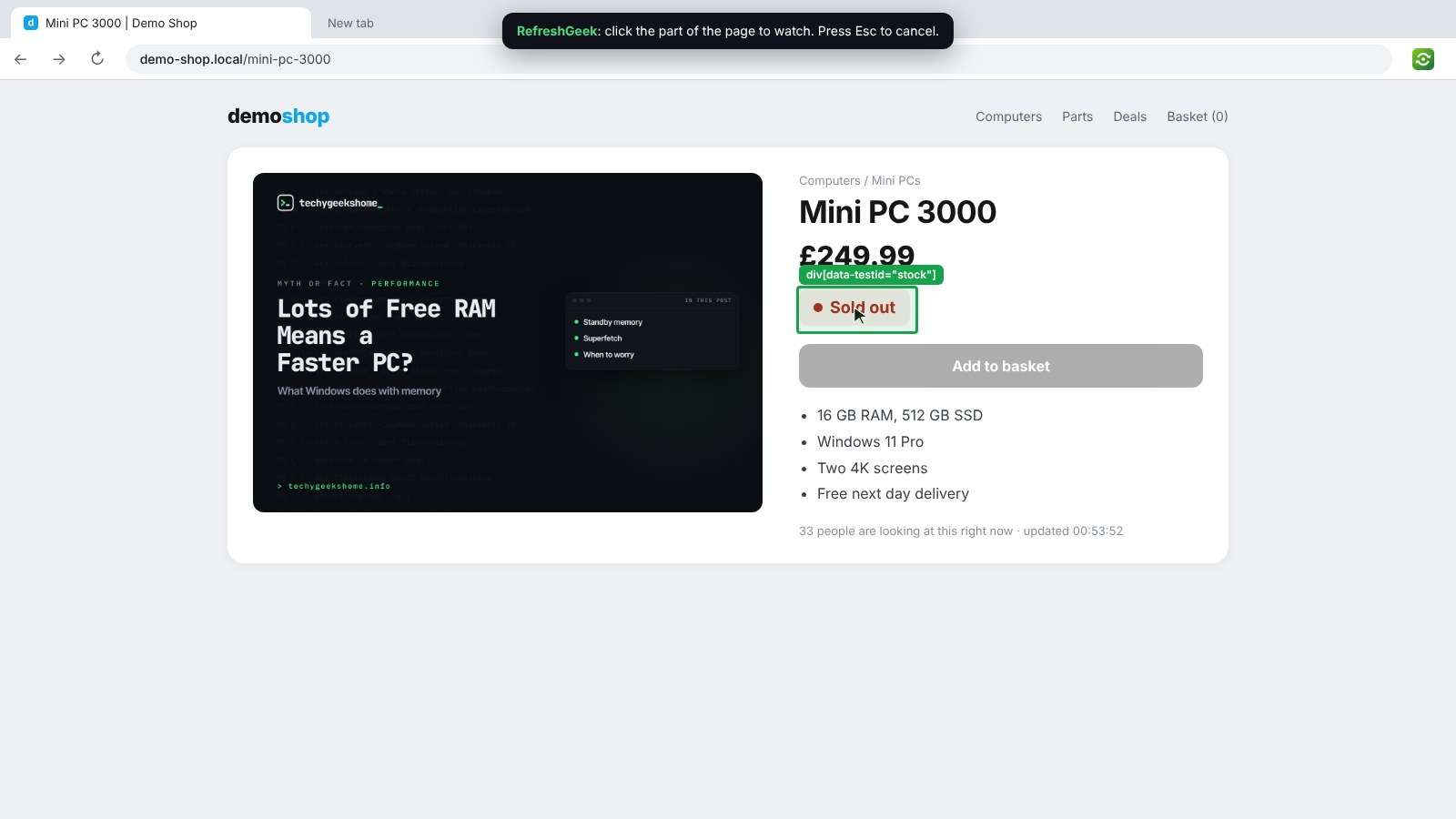
Watch the whole page, or click the one part you care about, like a stock label or a results table.
Wait for the right words
Get an alert on any change, when text like In stock appears, or when text disappears.
Desktop alert
A desktop notification and a flashing tab title, and it can stop refreshing by itself.
Random gap
Add a few seconds either way so it does not refresh on an exact beat.
Stop rules
Stop after a number of refreshes, at a set time, or as soon as you click, type or scroll on the page.
Keep your place
Stay at the same scroll position after every refresh, and skip the cache with hard refresh.
Remember for this site
Tick it once and RefreshGeek starts by itself next time you open that site.
How to install it
On Microsoft Edge, the easiest way is the Edge Add-ons store: click Get and it installs and updates itself. For Chrome, Brave, Opera and Vivaldi it takes about a minute, and you only do it once.
Download and unzip
Download the ZIP and unzip it somewhere you will keep it, such as Documents. The browser runs the extension from that folder, so leave it there.
Open your extensions page
Type chrome://extensions in the address bar. In Edge use edge://extensions, in Brave brave://extensions.
Switch on Developer mode
The switch is top right in Chrome and Brave, and bottom left in Edge. It just lets you add an extension from a folder.
Load unpacked
Click Load unpacked and pick the refreshgeek folder. Then pin the RefreshGeek icon from the puzzle piece menu.
On Firefox it is one click: install it from Firefox Add-ons and it keeps itself up to date.
See it in action
Every step, exactly as it looks in your browser.
Who it is for
Anyone who has sat there pressing F5 waiting for something to change.
Tickets and restocks
Watch a sold out page and get an alert the moment it comes back.
Dashboards and results
Keep a status page, a score or exam results fresh without touching the keyboard.
IT and support
Watch a build, a queue or a ticket page and know as soon as it moves.
Requirements
Browser
Chrome, Microsoft Edge, Brave, Opera or Vivaldi on Windows, macOS or Linux, or Firefox 142 or newer.
Account
None.
Permissions
Timers, storage and notifications, plus access to a site only when you turn on watching or remembering for it.
Download
About 50 KB. No installer.
Version
1.0.0, released 18 October 2026.
Licence
GPL-3.0. Free for everyone, including commercial use.
Frequently Asked Questions
Is RefreshGeek really free?
Yes. There is no Pro version, no ads and no limit on how many tabs you refresh. It is open source under the GPL-3.0, so you can read every line of it on GitHub.
Does RefreshGeek collect any of my data?
No. Everything happens in your own browser. There is no account, no analytics and nothing is sent anywhere.
How fast can it refresh?
As often as every few seconds. Type any number of seconds in Custom. A short timer can run a little late if the computer goes to sleep, then catches up.
How does Watch for changes work?
After each refresh, RefreshGeek reads the text of the page, or just the part you picked, and compares it with last time. When it changes, or when the words you chose appear or disappear, you get a desktop alert.
Why does it ask for access to a site?
Only watching, keeping your place, stopping when you use the page and remembering a site need it, because RefreshGeek has to read that page. It asks for one site at a time, never at install.
Does it keep running when I close the browser?
No. Timers end when the browser closes. Sites you ticked Remember for this site on start again by themselves when you open them.
Is RefreshGeek on the Edge Add-ons store?
Yes. On Microsoft Edge, install it from the Edge Add-ons store and it updates itself. On Chrome, Brave, Opera and Vivaldi, download the ZIP from this page and add it with Load unpacked.
Does it work on Firefox?
Yes. Install it from Firefox Add-ons, where it keeps itself up to date.
Is it OK to refresh any website?
Use sensible timers. Some sites limit how often you can load a page, so very short timers can get you blocked for a while. Check a site’s rules before refreshing it every few seconds.
Version History
- v1.0.0: 18 October 2026. Initial public release.
Download RefreshGeek today
Completely free. Version 1.0.0, no strings attached, and open source under the GPL-3.0 licence.
0 downloads so far
Also on
Support
RefreshGeek is free and always will be.