 By Andrew Armstrong
In January 2026, Mozilla and Microsoft pulled 21 browser extensions from their add-on stores after security researchers found they spied on what people did online and hijacked affiliate links. Two of them were popular screenshot tools, Full Page Screenshot and Page Screenshot Clipper. The campaign reached more than 840,000 users.
A screenshot extension sees everything on the page, so it should not be talking to anyone. That is why we built Screenshot Saver. It takes a full page screenshot in one click, with no network access at all. The picture is made on your computer, and the code is open for anyone to read.
Quick Facts
- Free. No Pro tier, no ads and no limit.
- Open source under the GPL-3.0, with the full source on GitHub.
- Works in Chrome, Edge, Brave, Opera, Vivaldi and Firefox.
- No account and nothing sent anywhere.
What it does
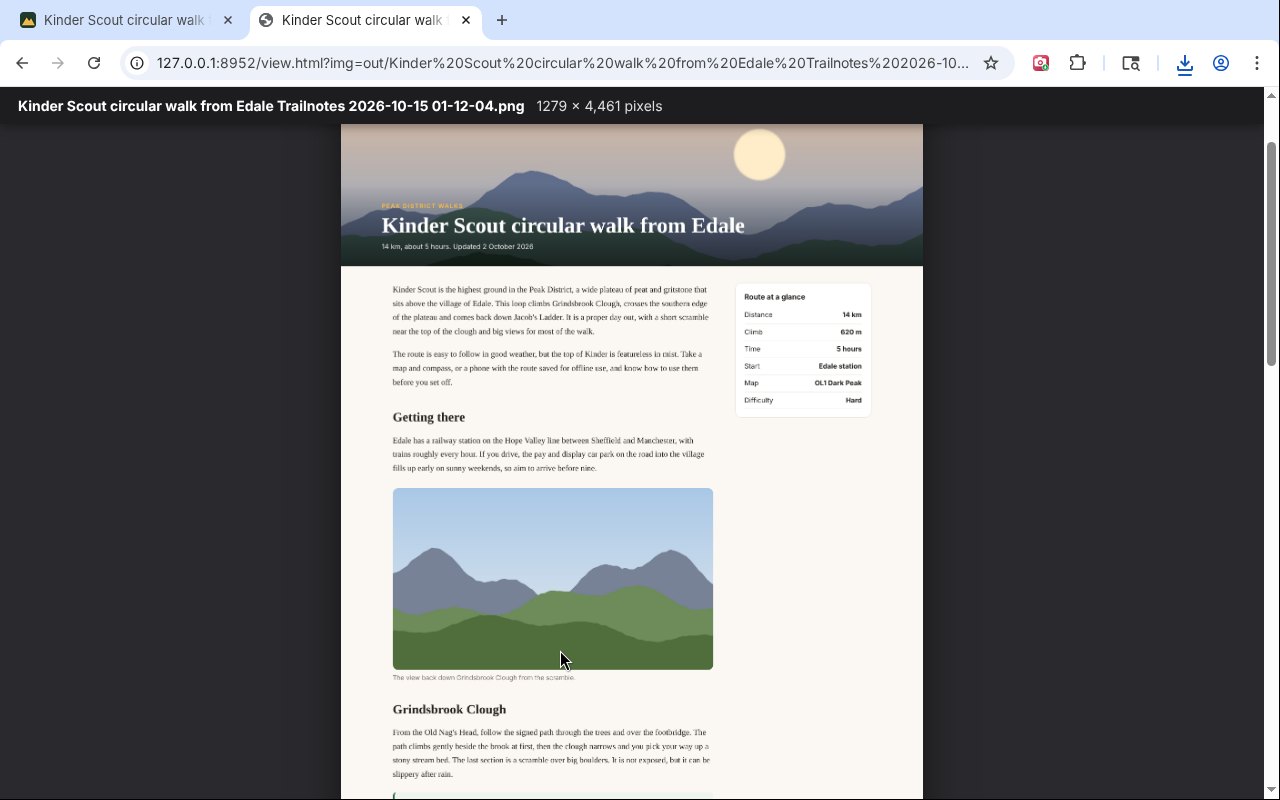
- Full page: scrolls down the page by itself and joins every screenful into one picture.
- Visible part or Pick an area: just what you can see, or a box you drag.
- PNG, JPG or PDF: or copy it straight to the clipboard. PDFs on A4 pages or one tall page.
- Header shown once: sticky headers and cookie bars do not repeat down the page.
- Every picture loaded: it scrolls through first so lazy pictures are there.
- Back where you were: your scroll position and the page are put back afterwards.
How it works
Screenshot Saver uses the browser’s own capture feature, one screenful at a time, and joins the shots on your computer. It only works on the tab you are on after you click its button, has no access to any site in the background, and sends nothing anywhere.
How to install it
Store listings for Edge and Firefox are on the way. Until then, adding it yourself takes about a minute:
- Download the ZIP and unzip it somewhere you’ll keep it.
- Go to
chrome://extensions(oredge://extensions) and switch on Developer mode. - Click Load unpacked and pick the
screenshot-saverfolder.
On Firefox, grab the Firefox version instead and load it from about:debugging. The Screenshot Saver page walks through every step with screenshots.
Download it
Found a bug or want a feature? Open an issue on GitHub. Screenshot Saver joins SpeedGeek, PiPGeek, VolumeGeek, TextGeek, ColorGeek, TabGeek, Markdown Saver, RefreshGeek, FocusGeek, Bluesky Saver, ErrorGeek, Image Format Saver, Reddit Saver, Page Saver, Board Saver for Pinterest, Grid Saver for Instagram and Clip Saver for TikTok in our browser extensions.
Discover more from TechyGeeksHome
Subscribe to get the latest posts sent to your email.
