100% Free and Open Source · Version 1.0.0
Board Saver: Save a whole Pinterest board in one click
Download every image on a Pinterest board at the best quality Pinterest has, with the duplicates already taken out. Everything lands in one ZIP file. A free browser extension, with nothing to sign up for.
Chrome, Edge, Brave, Opera, Vivaldi and Firefox · no account · nothing to pay · how to install it
0 downloads so far
Video Demo
From a Pinterest board to one ZIP file, in under a minute.
Everything you need to save a board
No more opening pins one at a time and right-clicking Save image as.
The whole board, every pin
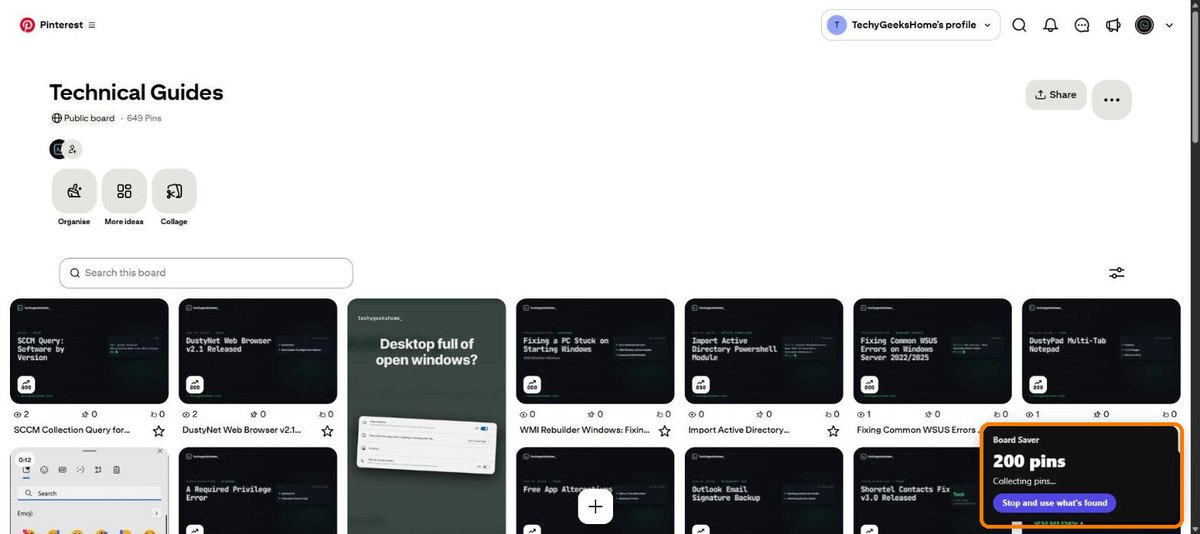
Every pin is collected, even on boards with thousands of them. No scrolling to the bottom and hoping it all loaded.
Full-size originals
Pinterest shows you shrunk-down copies. Board Saver fetches the original upload wherever Pinterest has one.
Duplicates taken out
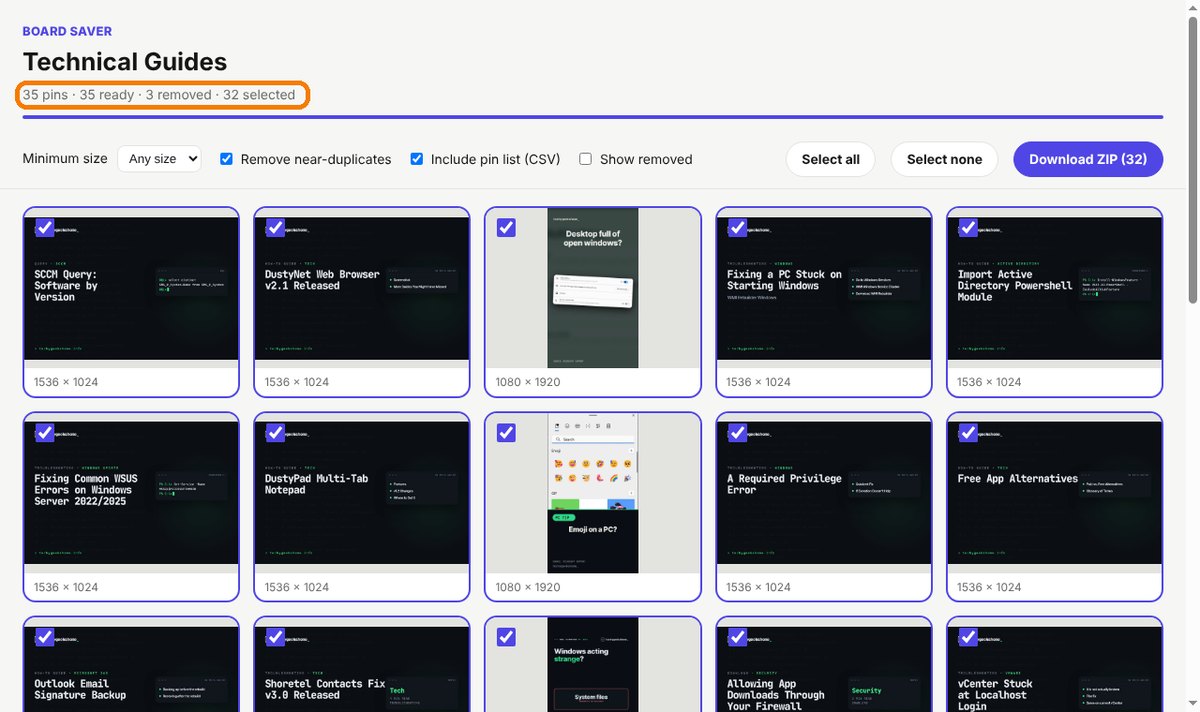
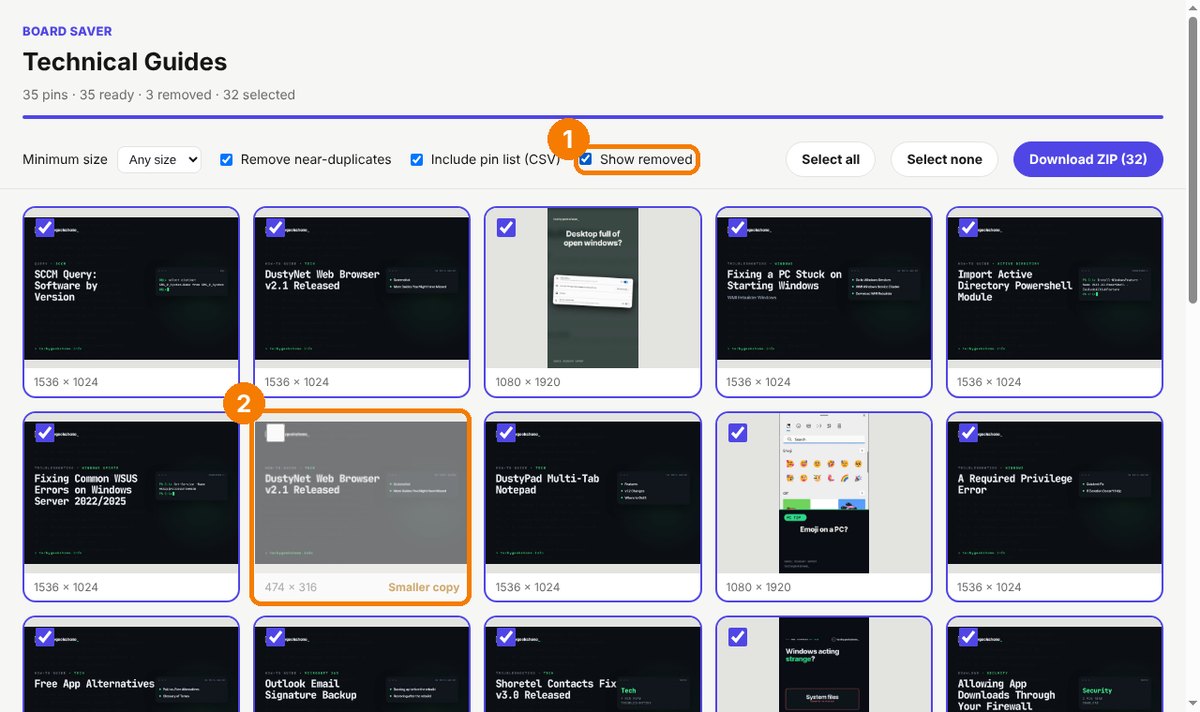
The same picture pinned twice, or a smaller copy of one you already have, is removed. The biggest copy is the one kept.
Sections become folders
Boards with sections come down tidy: each section gets its own folder inside the ZIP.
You choose what goes in
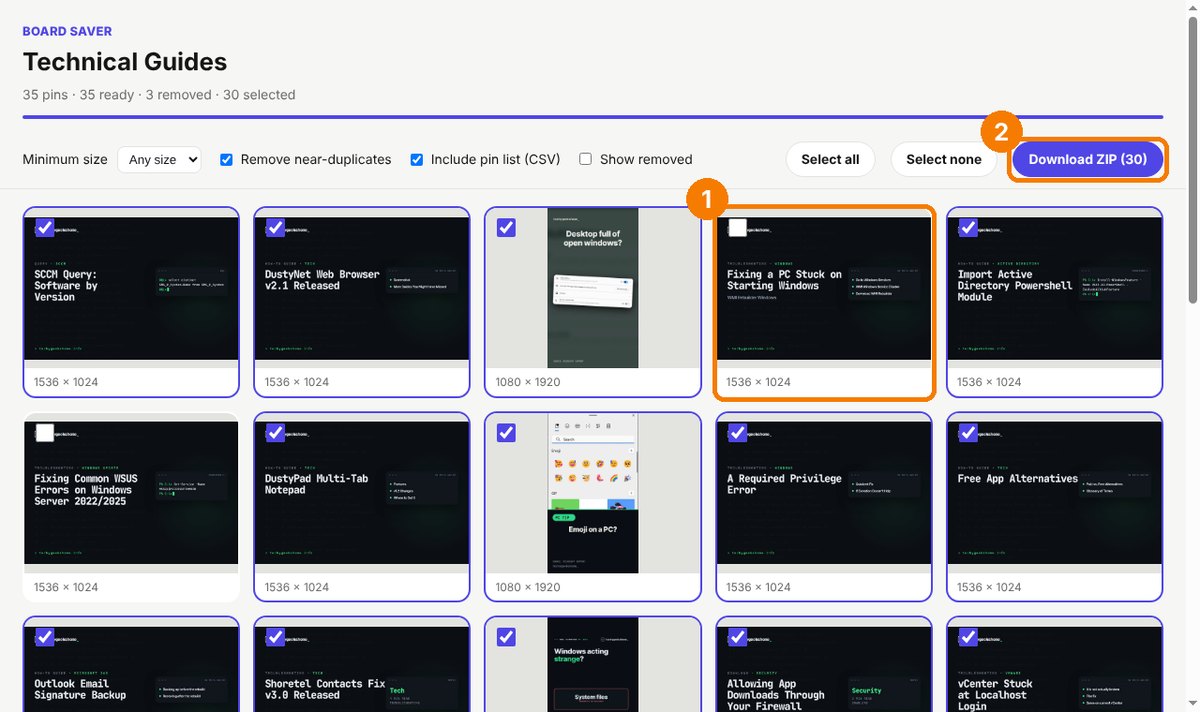
A preview grid shows every image. Untick anything you don’t want before you download.
Skip the small stuff
Set a minimum size and anything smaller than 500, 1000 or 2000 pixels is left out.
One ZIP, in board order
Files are numbered in the order they appear on the board, named after the board, in a single download.
A list of every pin
An optional spreadsheet (CSV) lists each pin’s title, link and size, handy for credits and reference.
Video pins too
Turn on Include videos and any video pins come down as MP4 files alongside the images.
How to install it
On Microsoft Edge, the easiest way is the Edge Add-ons store: click Get and it installs and updates itself. For Chrome, Brave, Opera and Vivaldi it takes about a minute, and you only do it once.
Download and unzip
Download the ZIP and unzip it somewhere you will keep it, such as Documents. The browser runs the extension from that folder, so leave it there.
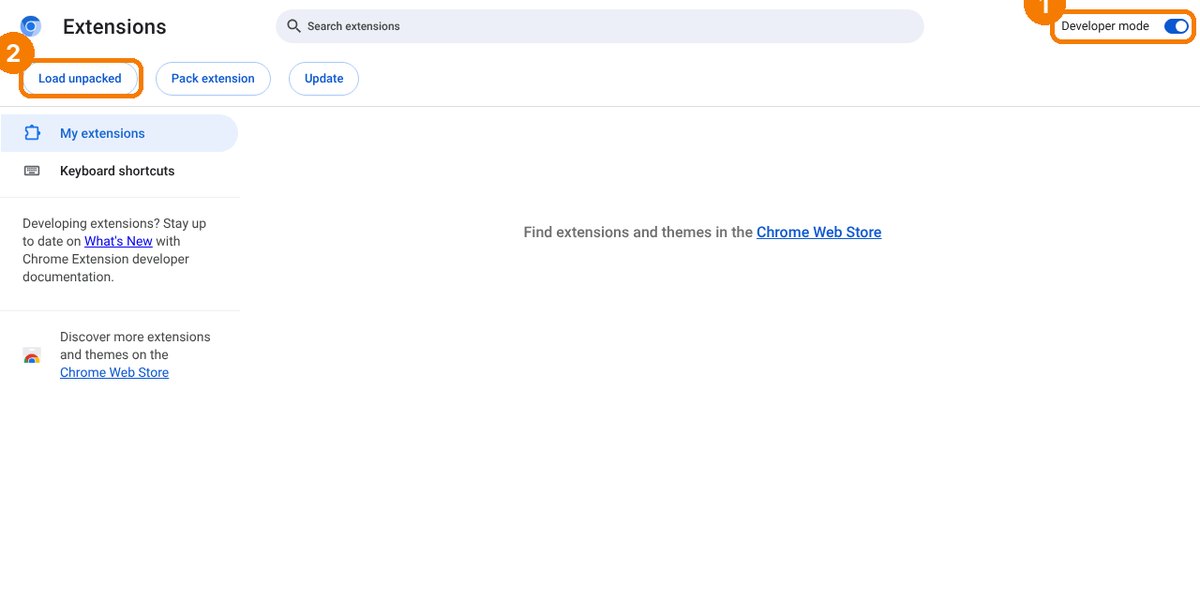
Open your extensions page
Type chrome://extensions in the address bar. In Edge use edge://extensions, in Brave brave://extensions.
Switch on Developer mode
The switch is top right in Chrome and Brave, and bottom left in Edge. It just lets you add an extension from a folder.
Load unpacked
Click Load unpacked and pick the board-saver folder. Then pin the purple icon from the puzzle piece menu.
On Firefox it is one click: install it from Firefox Add-ons and it keeps itself up to date.
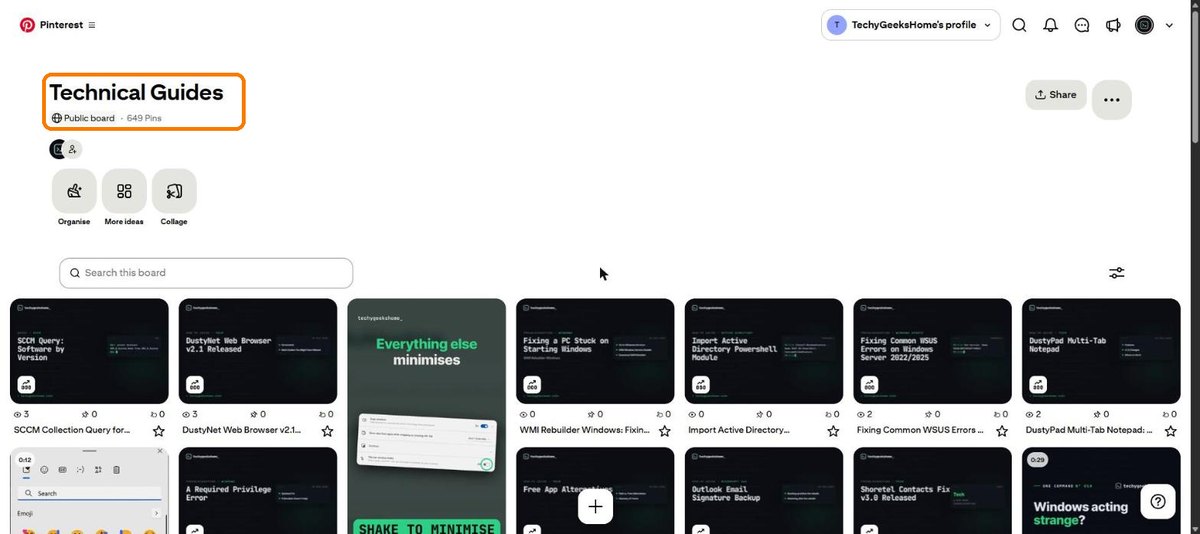
See it in action
Every step, exactly as it looks in your browser.
Who it is for
Anyone with a board worth keeping.
Designers and creatives
Pull a whole mood board into your design app or a client folder in one go, at full resolution.
Planners and hobbyists
Wedding ideas, recipes, craft projects or a home makeover. Keep them offline, in one tidy folder.
Anyone backing up their pins
Years of saved pins on your own boards, safely copied to your own computer.
Requirements
Browser
Chrome, Microsoft Edge, Brave, Opera or Vivaldi on Windows, macOS or Linux, or Firefox 142 or newer.
Permissions
It only runs when you click it, on Pinterest, and only reads the board you have open.
Download
About 30 KB. No installer, nothing else to add.
Account
None. Sign in to Pinterest only if you want to save a secret board.
Version
1.0.0, released 11 October 2026.
Licence
GPL-3.0. Free for everyone, including commercial use.
Frequently Asked Questions
Is Board Saver really free?
Yes. There is no Pro version, no ads, no limit on board size and nothing to sign up for. It is also open source under the GPL-3.0, so you can read every line of it on GitHub. If it saves you an afternoon you can buy us a coffee on Ko-fi, but that is entirely optional.
Does Board Saver collect any of my data?
No. Everything happens inside your own browser. Board Saver only talks to Pinterest to read the board and fetch the images. There is no account, no analytics and nothing is sent anywhere else. The only thing it stores is your filter settings, on your own computer.
Is Board Saver on the Edge Add-ons store?
Yes. On Microsoft Edge, install it from the Edge Add-ons store and it updates itself. On Chrome, Brave, Opera and Vivaldi, download the ZIP from this page and add it with Load unpacked.
Can it save secret boards?
Yes, as long as you are signed in to Pinterest in the same browser and can see the board yourself.
Why does an image say Failed?
Now and then Pinterest no longer has the file. Click Retry failed once everything else has finished. If it still fails, the image has gone from Pinterest’s servers.
Does it work on Firefox or Safari?
Firefox, yes: install it from Firefox Add-ons, where it keeps itself up to date. Safari is not supported.
Can I use the images however I like?
The images still belong to the people who made them. Board Saver is ideal for mood boards, reference and backing up your own pins, but you need permission before reposting anyone else’s work.
Is Board Saver made by Pinterest?
No. It is an independent tool made by TechyGeeksHome and is not affiliated with, endorsed by or connected to Pinterest.
Version History
- v1.0.0: 11 October 2026. Initial public release.
Download Board Saver today
Completely free. Version 1.0.0, no strings attached, and open source under the GPL-3.0 licence.
0 downloads so far
Also on
Support
Board Saver is free and always will be.
Board Saver is an independent tool made by TechyGeeksHome. It is not affiliated with, endorsed by or connected to Pinterest.