Free for Windows
LingoGeek: translate whole documents on your own machine
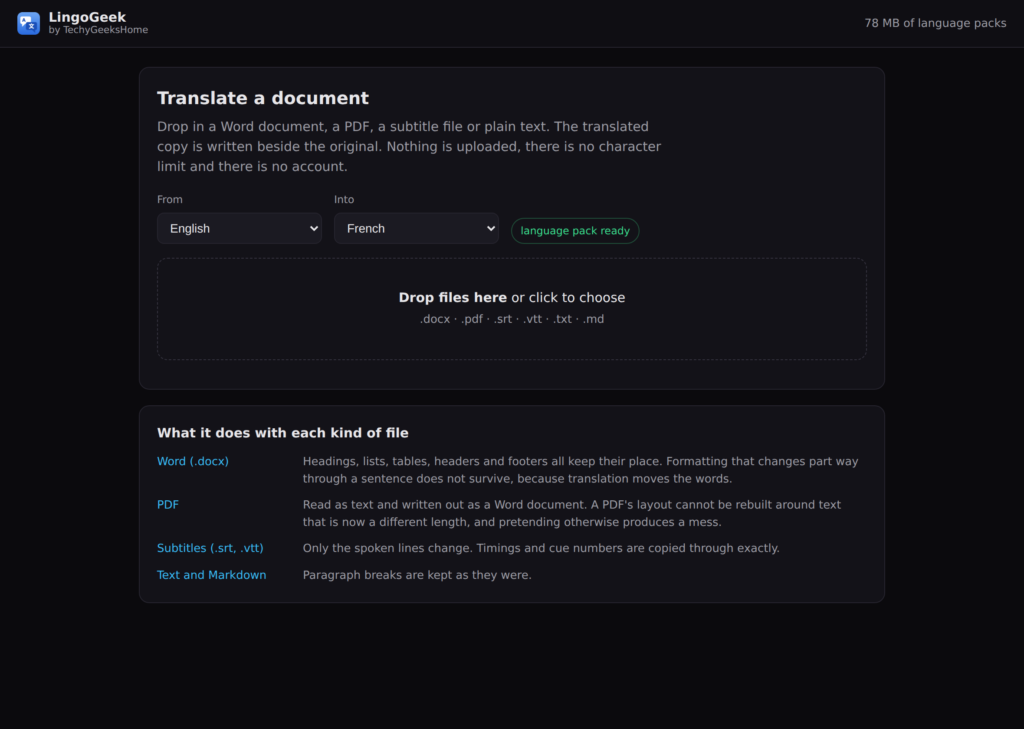
Word files, PDFs, subtitles and plain text, translated with no account, no character limit and no upload. Download a language pack once and it keeps working with the network unplugged.
Free. No account, no subscription, no document allowance.
Video Demo
A whole document translated, start to finish, in under a minute.
Everything the free translators stop short of
The free tiers all run out in the same place. One document a month, a five megabyte cap, or a box that only takes pasted text. LingoGeek takes the file itself, as many as you want.
Word files that still look like Word files
Headings, bullet lists, tables, headers and footers all survive. Only the words change.
PDFs turned into editable Word
The text comes out of the PDF and goes into a .docx you can carry on working in, page by page.
Subtitles with the timings untouched
SRT and VTT come back with every timestamp identical to the byte. Only the lines are translated.
Plain text and Markdown
.txt and .md go through with their line breaks and structure left exactly as they were.
Language packs you own
Pick a pair, download it once, and it stays on your disk. Delete any pack you have finished with and get the space back.
A queue, not one file at a time
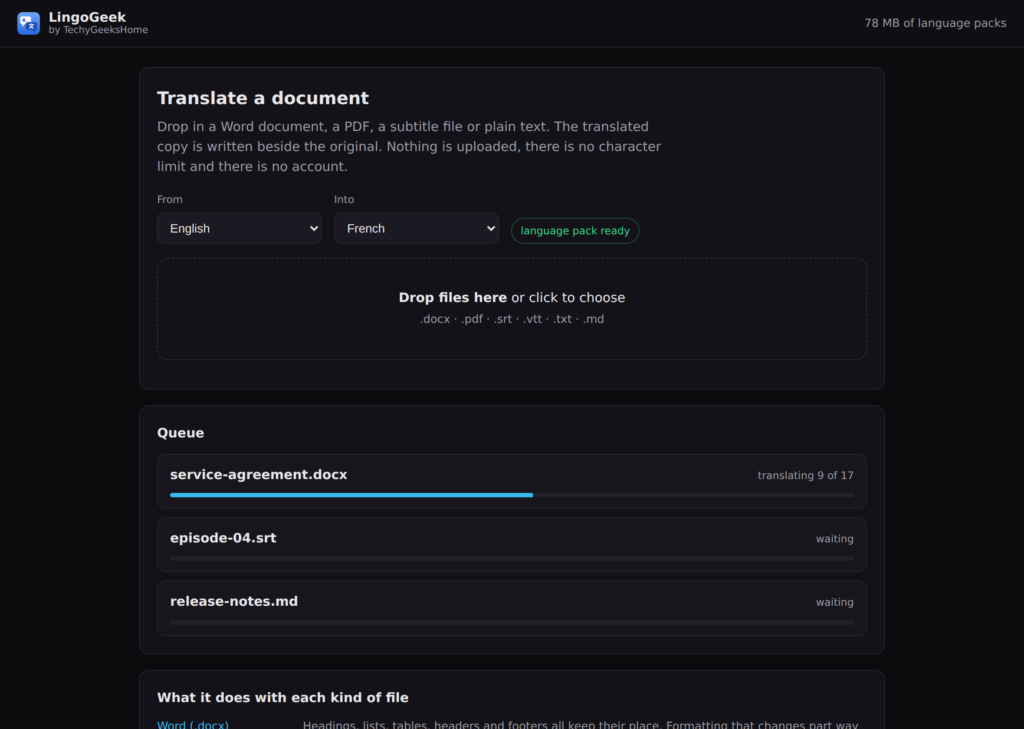
Drop in a folder full. They translate one after another while you get on with something else.
Your original is never touched
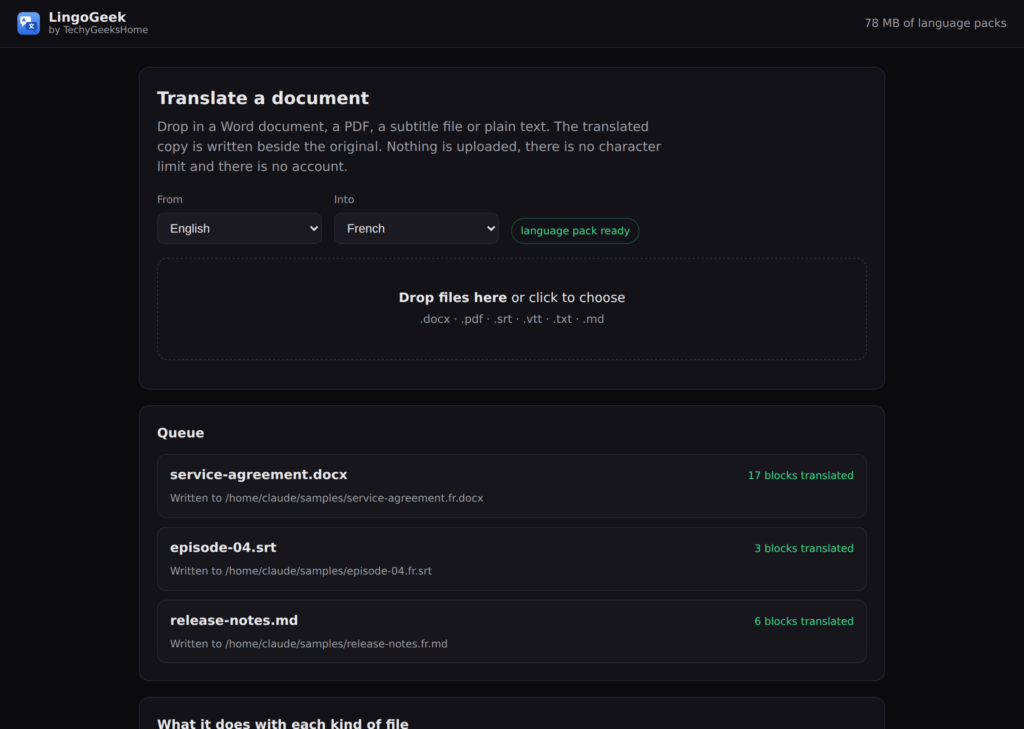
Every translation is written as a new file next to the original. If that name is taken it adds a number rather than overwriting.
Nothing is uploaded
The translation runs on your own processor. Once the pack is down, you can pull the network cable out and it still works.
See it in action
Three files going through at once: a Word contract, a subtitle file and a Markdown page. English into French.
Who it is for
People with a pile of documents
Contracts, manuals, research papers, a folder of reports. The free web tools cap you at one a month. This does not cap you at all.
Subtitlers and video people
SRT and VTT in, SRT and VTT out, with the timing left alone so the file drops straight back into the edit.
Anyone who cannot upload their work
Client files, internal documents, anything covered by an agreement. It never leaves the machine, so there is nothing to explain.
Requirements
Operating system
Windows 10 version 1809 or later, 64 bit.
Rights
Installs for the current user, so no administrator password is needed.
Download
About 36 MB for the app. Language packs are fetched separately, roughly 40 to 80 MB per pair.
Prerequisites
None. Everything it needs is in the installer.
Version
1.0.1
Frequently Asked Questions
Is it really free, with no limits?
Yes. There is no account, no subscription, no monthly document allowance and no size cap. Translate as many files as you like, at home or at work.
Does my document get uploaded anywhere?
No. The translation runs on your own machine. The only thing LingoGeek fetches is the language pack itself, once, and after that it works with no connection at all.
How good is the translation?
It uses the same open translation models a lot of offline tools are built on. It will not beat a professional translator and it does not pretend to, but for understanding a document or getting a usable first draft it does the job.
What happens to my original file?
Nothing at all. The translation is written as a new file beside it, and if that name is already taken it adds a number rather than overwriting anything.
Can it really do PDFs?
Yes. It pulls the text out and writes a Word document you can edit. It does not try to rebuild the PDF layout, because that nearly always comes out worse than a clean document.
How much space do the language packs take?
Between 40 and 80 MB per pair. You can see everything you have installed, and remove any pack you are finished with, from inside the app.
Version History
- 1.0.1 September 2026. Markdown headings, lists, code blocks and link targets are protected from the translator, and the chosen languages no longer reset when the queue empties.
- 1.0.0 September 2026. First release. Word, PDF, plain text, Markdown, SRT and VTT, a download queue, and language pack management.
Download LingoGeek today
Free, no account, and your documents stay on your machine.
Support
Found a problem, or want a language pair that is not in the list? Open an issue on GitHub and it will get looked at.