100% Free and Open Source · Version 1.0.0
Markdown Saver: save any web page as Markdown
One click turns the page you are reading into clean Markdown, without the menus, sidebars and adverts. Made for Obsidian, Joplin, Logseq and any notes app. A free browser extension with nothing to sign up for.
Chrome, Edge, Brave, Opera, Vivaldi and Firefox · no account · nothing to pay · how to install it
0 downloads so far
Video Demo
From a cluttered web page to clean Markdown in your notes, pictures and all.
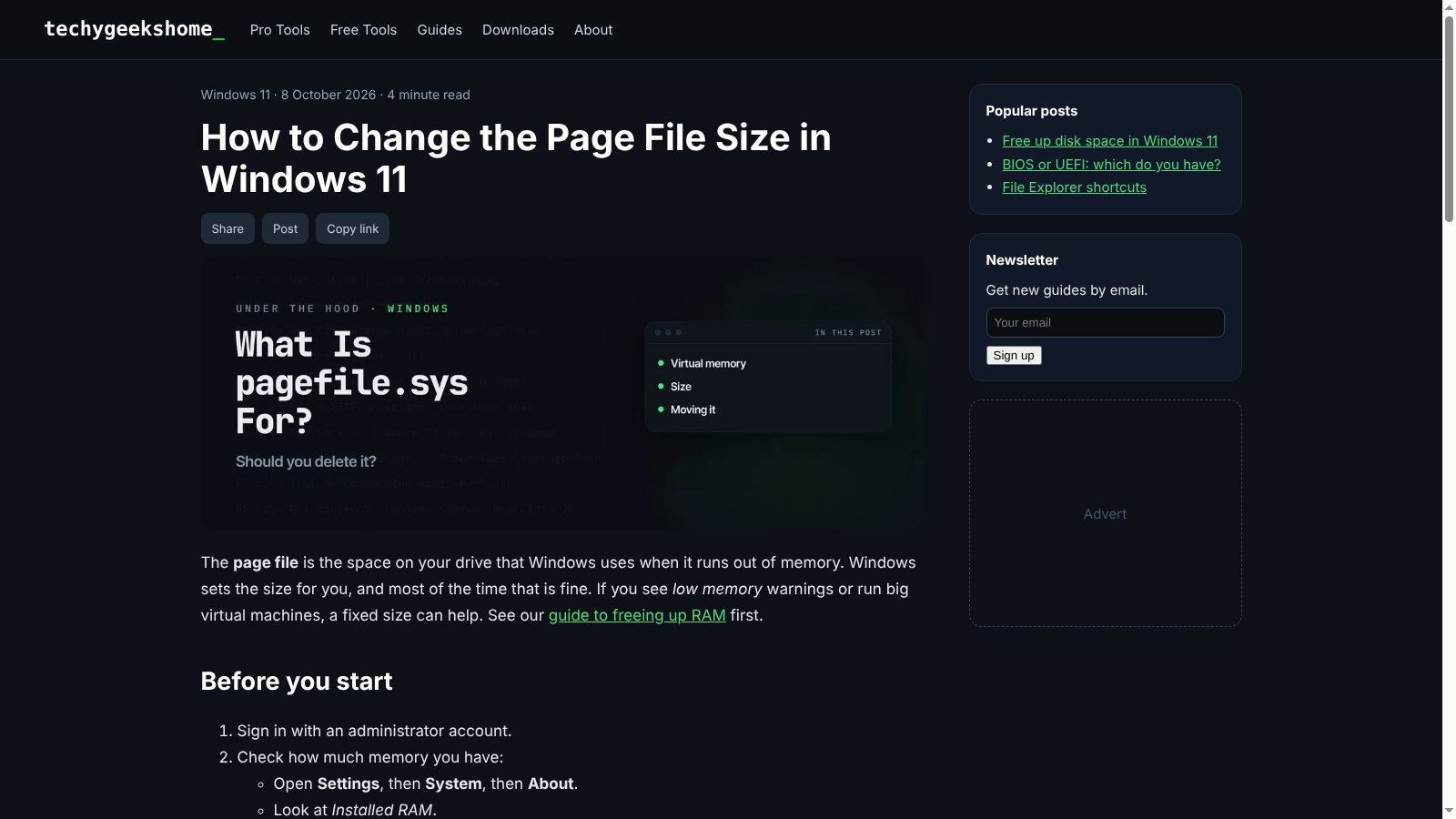
The article, not the clutter
Markdown Saver finds the part of the page worth keeping and gives you Markdown you can check before you save it.
Leaves out the clutter
Mozilla Readability, the same code behind Firefox reader view, finds the article and drops menus, sidebars, adverts and share buttons.
Proper Markdown
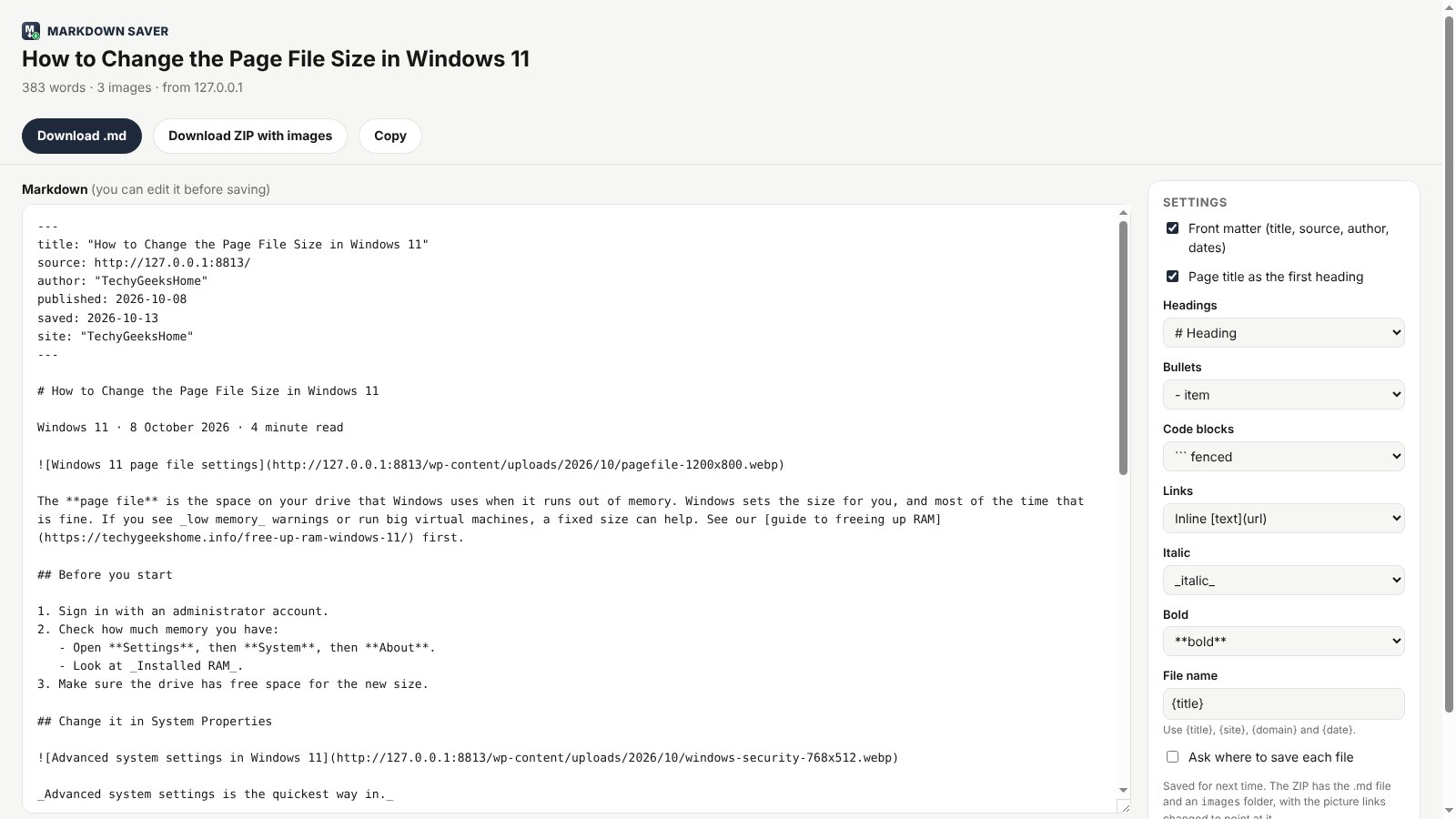
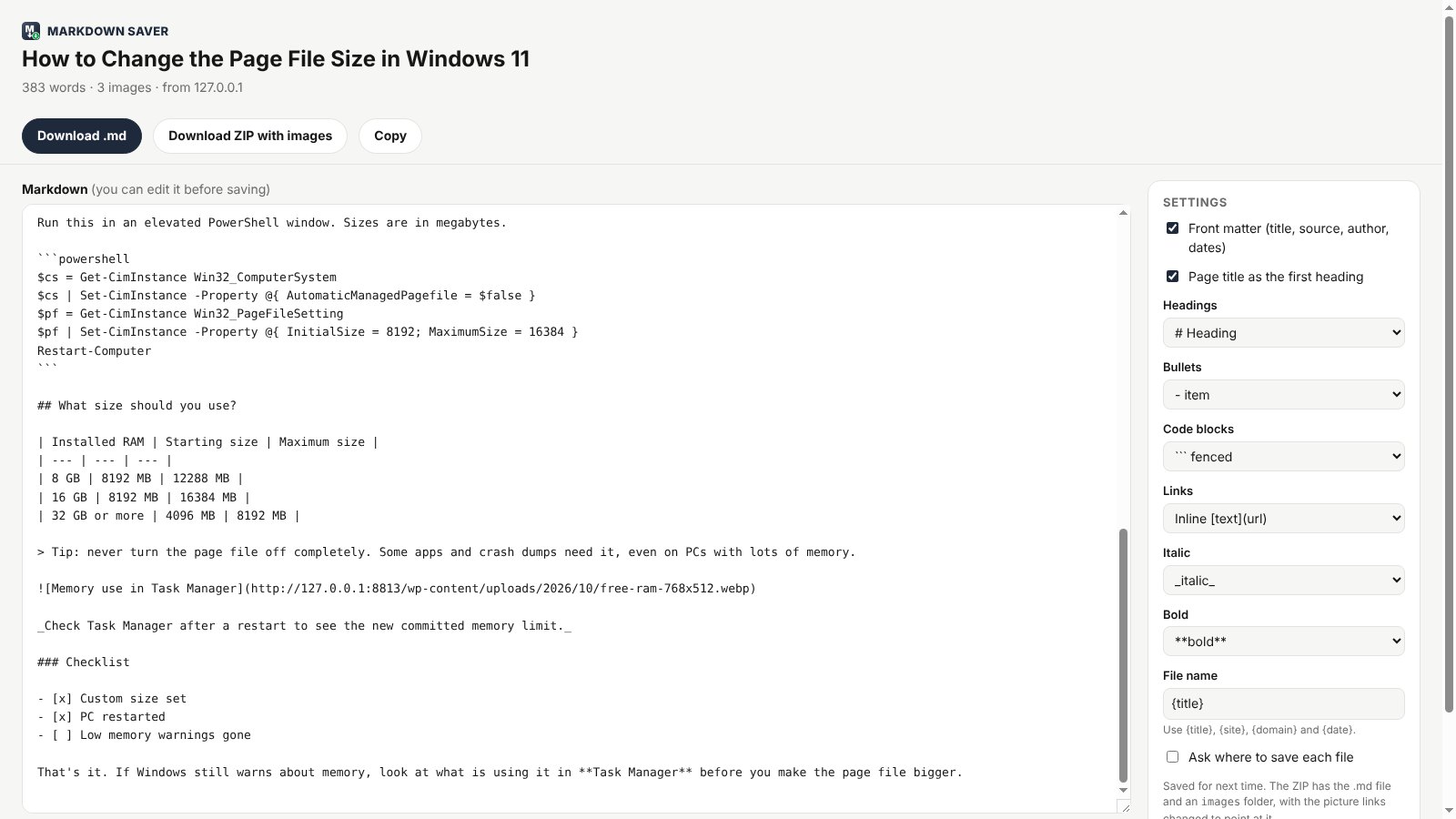
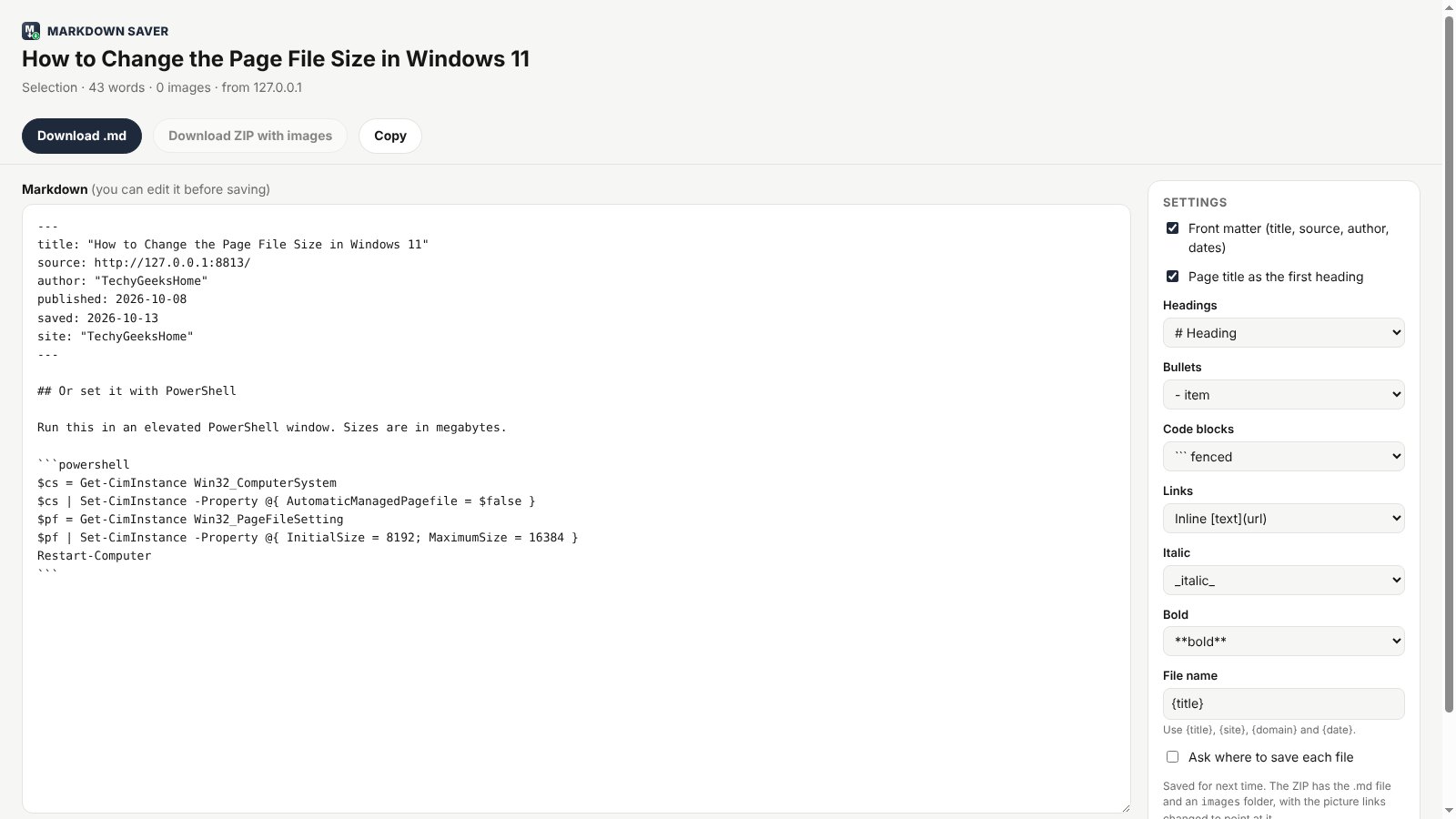
Headings, nested lists, tables, code blocks with their language, quotes, links, pictures and task lists.
Front matter
Title, source address, author, date published and date saved at the top, ready for Obsidian and other notes apps.
Edit before you save
The Markdown opens in a full size editor tab, so you can tidy it up first.
ZIP with pictures
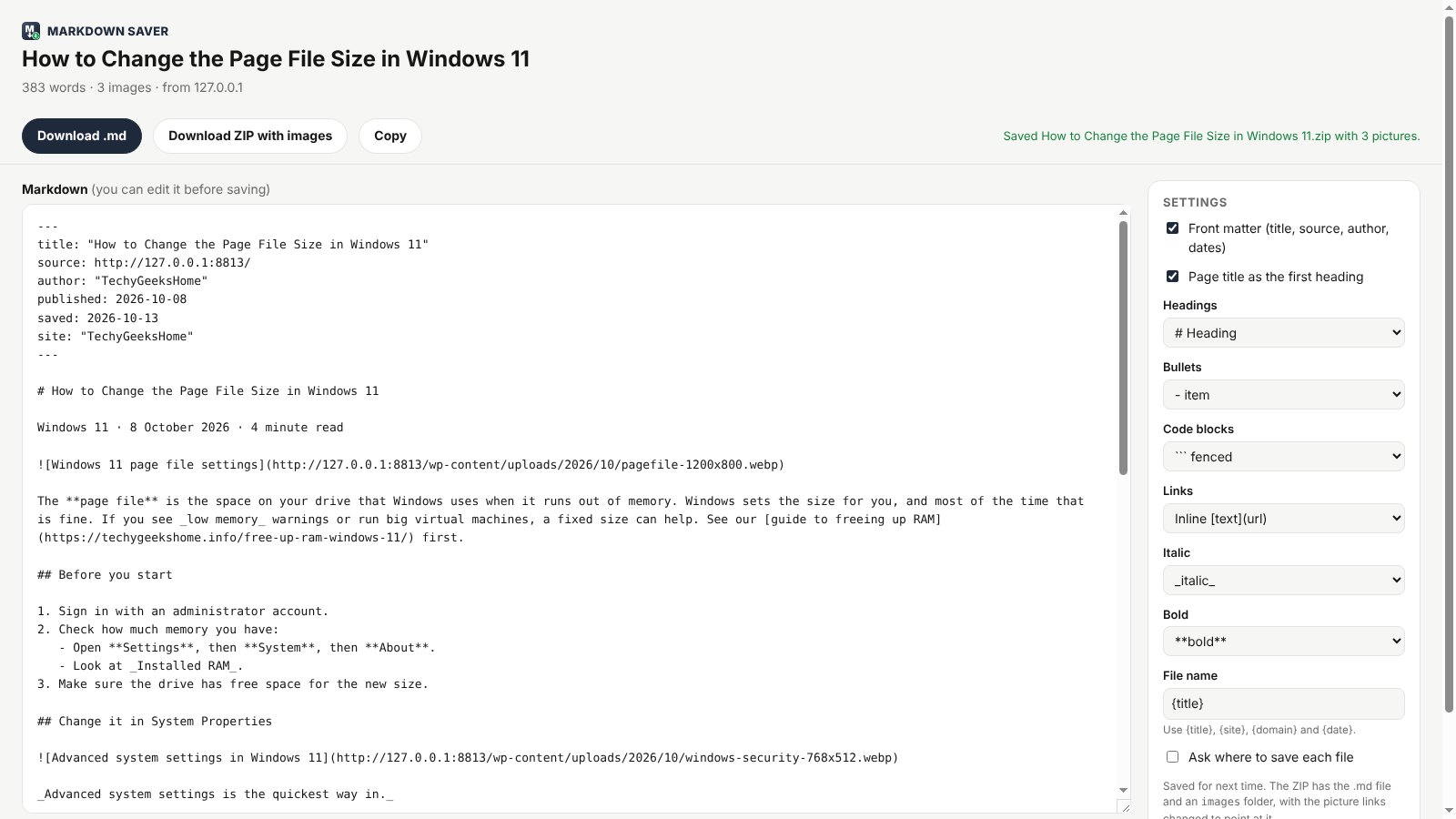
Download the .md file plus an images folder, with the picture links already pointing at it.
Copy or download
Copy the Markdown to the clipboard, or download a .md file named after the page.
Save a selection
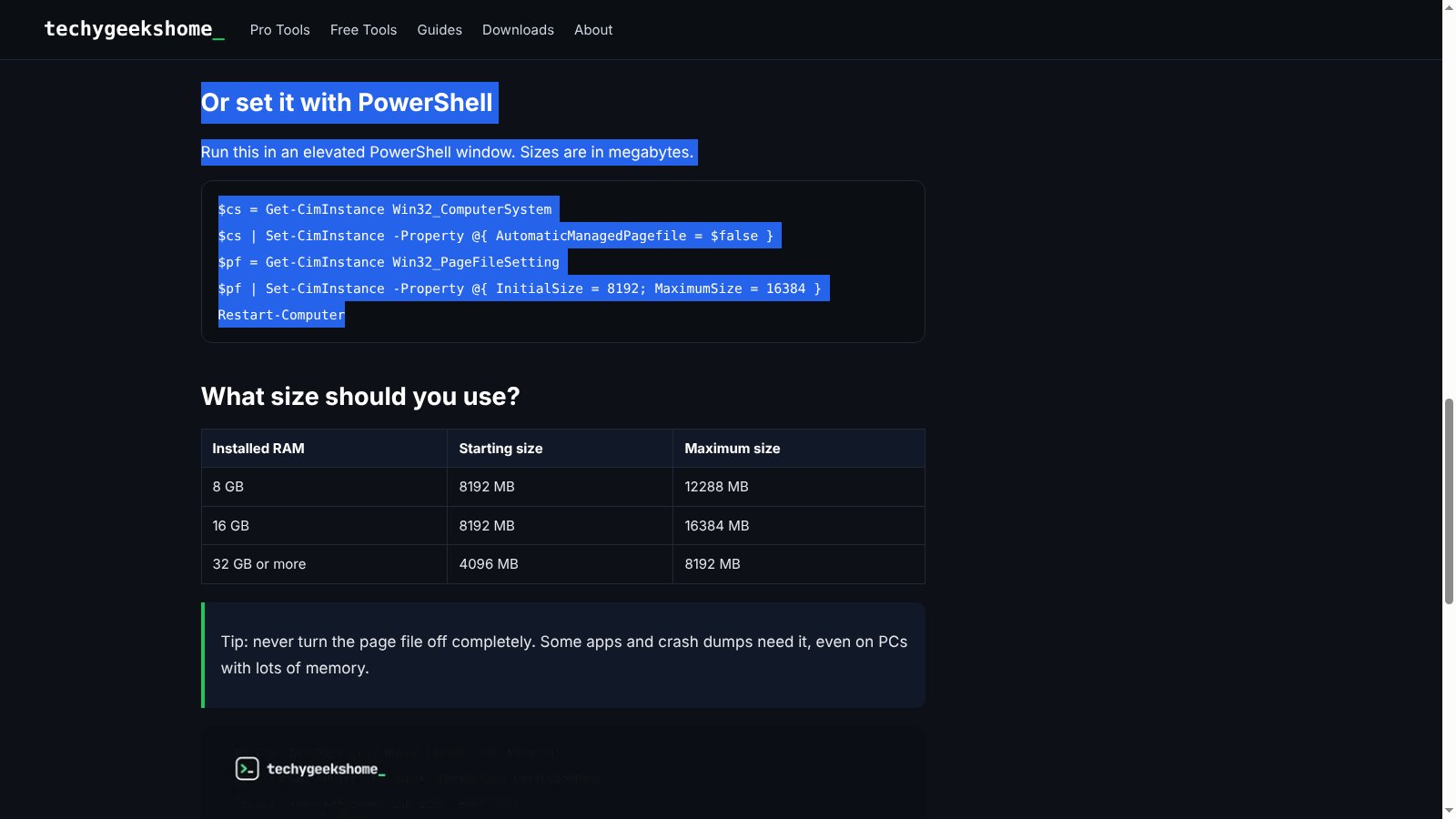
Select part of a page, right-click and save only that part.
Your style
Heading style, bullet character, code fences, inline or reference links, bold and italic marks.
File names your way
Build the file name from the title, site, domain and date, and choose where each file goes.
How to install it
About a minute, and you only do it once. Store listings for Edge and Firefox are on the way.
Download and unzip
Download the ZIP and unzip it somewhere you will keep it, such as Documents. The browser runs the extension from that folder, so leave it there.
Open your extensions page
Type chrome://extensions in the address bar. In Edge use edge://extensions, in Brave brave://extensions.
Switch on Developer mode
The switch is top right in Chrome and Brave, and bottom left in Edge. It just lets you add an extension from a folder.
Load unpacked
Click Load unpacked and pick the markdown-saver folder. Then pin the Markdown Saver icon from the puzzle piece menu.
On Firefox, download the Firefox version, open about:debugging, choose This Firefox, then Load Temporary Add-on and pick the ZIP. Firefox removes temporary add-ons when it closes, so the Firefox Add-ons listing will be the easier option once it is approved.
See it in action
Every step, exactly as it looks in your browser.
Who it is for
Anyone who keeps notes from the web and is tired of tidying up pasted text.
Obsidian and notes fans
Clip articles, guides and docs straight into your vault with front matter already filled in.
Developers and IT
Save documentation, fixes and code samples as Markdown for a wiki, a README or a Git repo.
Students and researchers
Keep a clean, searchable copy of everything you read, with the source and date recorded.
Requirements
Browser
Chrome, Microsoft Edge, Brave, Opera or Vivaldi on Windows, macOS or Linux, or Firefox 142 or newer.
Account
None.
Permissions
It reads a page only when you click the icon or the right-click menu on it. No access to any site in the background.
Download
About 80 KB. No installer.
Version
1.0.0, released 19 October 2026.
Licence
GPL-3.0. Free for everyone, including commercial use.
Frequently Asked Questions
Is Markdown Saver really free?
Yes. There is no Pro version, no ads and no limit on how many pages you save. It is open source under the GPL-3.0, so you can read every line of it on GitHub.
Does Markdown Saver collect any of my data?
No. Everything happens in your own browser. There is no account, no analytics and nothing is sent anywhere. It only reads a page when you ask it to.
Does it work with Obsidian?
Yes. The Markdown it makes is plain, standard Markdown with front matter at the top, which Obsidian, Joplin, Logseq and most notes apps read as it is. Save the .md file or the ZIP into your vault.
What happens to the pictures?
By default the Markdown links to the pictures on the web. Download ZIP with images saves the pictures too, in an images folder next to the .md file, with the links changed to point at them.
Can I save only part of a page?
Yes. Select the part you want, right-click and choose Save selection as Markdown.
Why does it not work on some pages?
Browser pages and add-on stores, such as chrome:// pages and the Chrome Web Store, cannot be read by any extension. Markdown Saver shows a clear message on those.
Does it work on Firefox?
Yes. Download the Firefox version from this page. A Firefox Add-ons listing is in review and will make installing it permanent.
Can I change how the Markdown looks?
Yes. In the editor or on the options page you can change heading style, bullets, code fences, link style, bold and italic marks, and the file name.
Version History
- v1.0.0: 19 October 2026. Initial public release.
Download Markdown Saver today
Completely free. Version 1.0.0, no strings attached, and open source under the GPL-3.0 licence.
0 downloads so far