 By Andrew Armstrong
In January 2026 Mozilla and Microsoft pulled 21 browser extensions from the Firefox and Edge stores after researchers found malicious code hidden inside their logo images. One of them was a picture-in-picture add-on called Floating Player, PiP Mode. The extensions spied on what people did and hijacked affiliate links, across about 840,000 users (PCWorld).
So we built PiPGeek. One click and the video you are watching pops out into a floating window that stays on top of your other tabs and apps. It uses four permissions, only looks at a page when you click it, and sends nothing anywhere. It’s free and open source.
Quick Facts
- Free. No Pro tier, no ads and no limit.
- Open source under the GPL-3.0, with the full source on GitHub.
- Works in Chrome, Edge, Brave, Opera, Vivaldi and Firefox.
- No account and nothing sent anywhere.
What it does
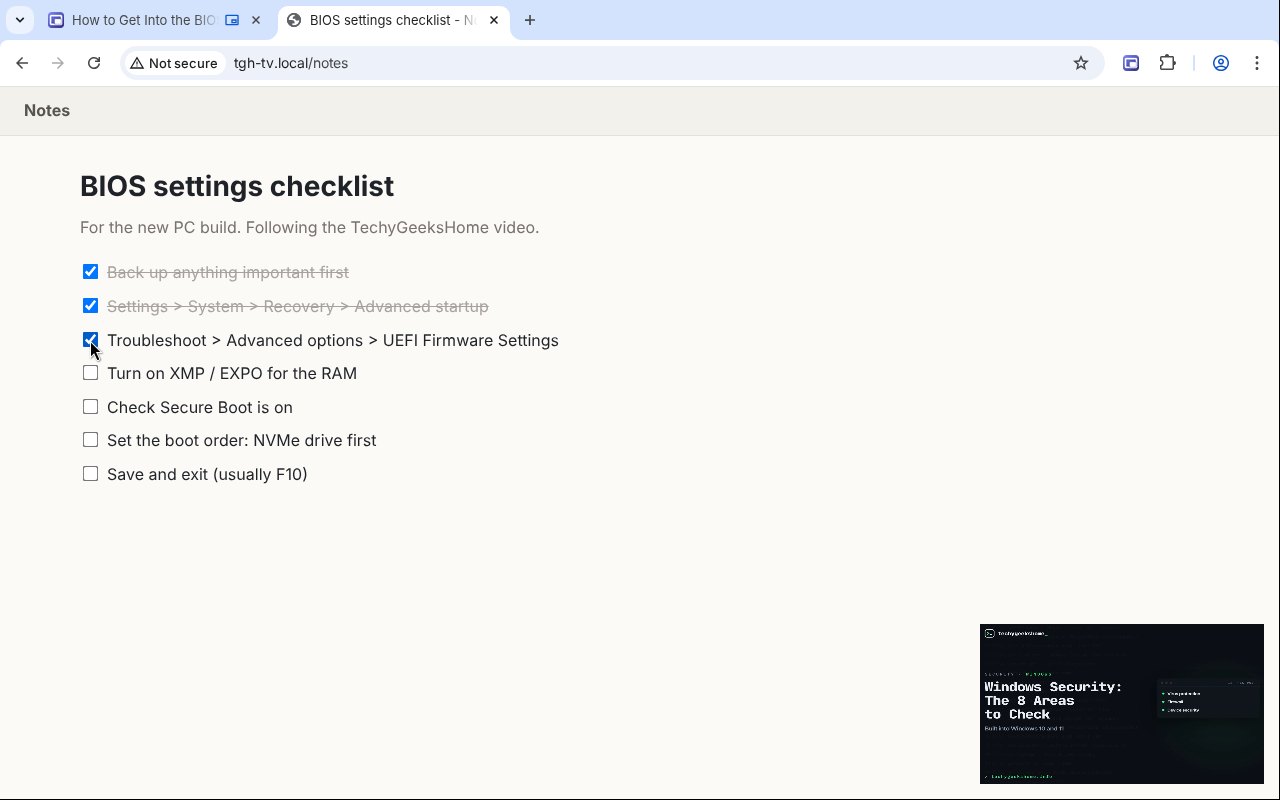
- One click: the main video pops out into a floating window; click again to put it back.
- Alt+P: the same, from the keyboard.
- Picks the right video: the biggest one playing on screen, not the advert.
- Works on stubborn players: including sites that switch picture-in-picture off.
- Right-click any video: Pop out video picks that one instead.
- Pop out on tab switch: optional, in Chrome and Edge.
How it works
PiPGeek uses the browser’s own picture-in-picture window. When you click it, it finds the main video on the page, including ones inside page components and frames from the same site, and asks the browser to float it. Everything happens inside your own browser, and nothing is sent anywhere.
How to install it
Store listings for Edge and Firefox are on the way. Until then, adding it yourself takes about a minute:
- Download the ZIP and unzip it somewhere you’ll keep it.
- Go to
chrome://extensions(oredge://extensions) and switch on Developer mode. - Click Load unpacked and pick the
pipgeekfolder.
On Firefox, grab the Firefox version instead and load it from about:debugging. The PiPGeek page walks through every step with screenshots.
Download it
Found a bug or want a feature? Open an issue on GitHub. PiPGeek joins VolumeGeek, TextGeek, ColorGeek, TabGeek, Markdown Saver, RefreshGeek, FocusGeek, Bluesky Saver, ErrorGeek, Image Format Saver, Reddit Saver, Page Saver, Board Saver for Pinterest, Grid Saver for Instagram and Clip Saver for TikTok in our browser extensions.
Discover more from TechyGeeksHome
Subscribe to get the latest posts sent to your email.
