100% Free and Open Source · Version 1.0.0
Bluesky Saver: save every picture and video from Bluesky
Download all the pictures and videos from a Bluesky profile, post, custom feed or list in one go. Full size, duplicates removed, videos with sound, all in one ZIP file. A free browser extension with nothing to sign up for.
Chrome, Edge, Brave, Opera, Vivaldi and Firefox · no account · nothing to pay · how to install it
0 downloads so far
Video Demo
From a Bluesky profile to one ZIP file of full-size pictures and videos.
Everything from Bluesky, at full size
No saving pictures one post at a time, and no thumbnails.
Profiles, posts, feeds and lists
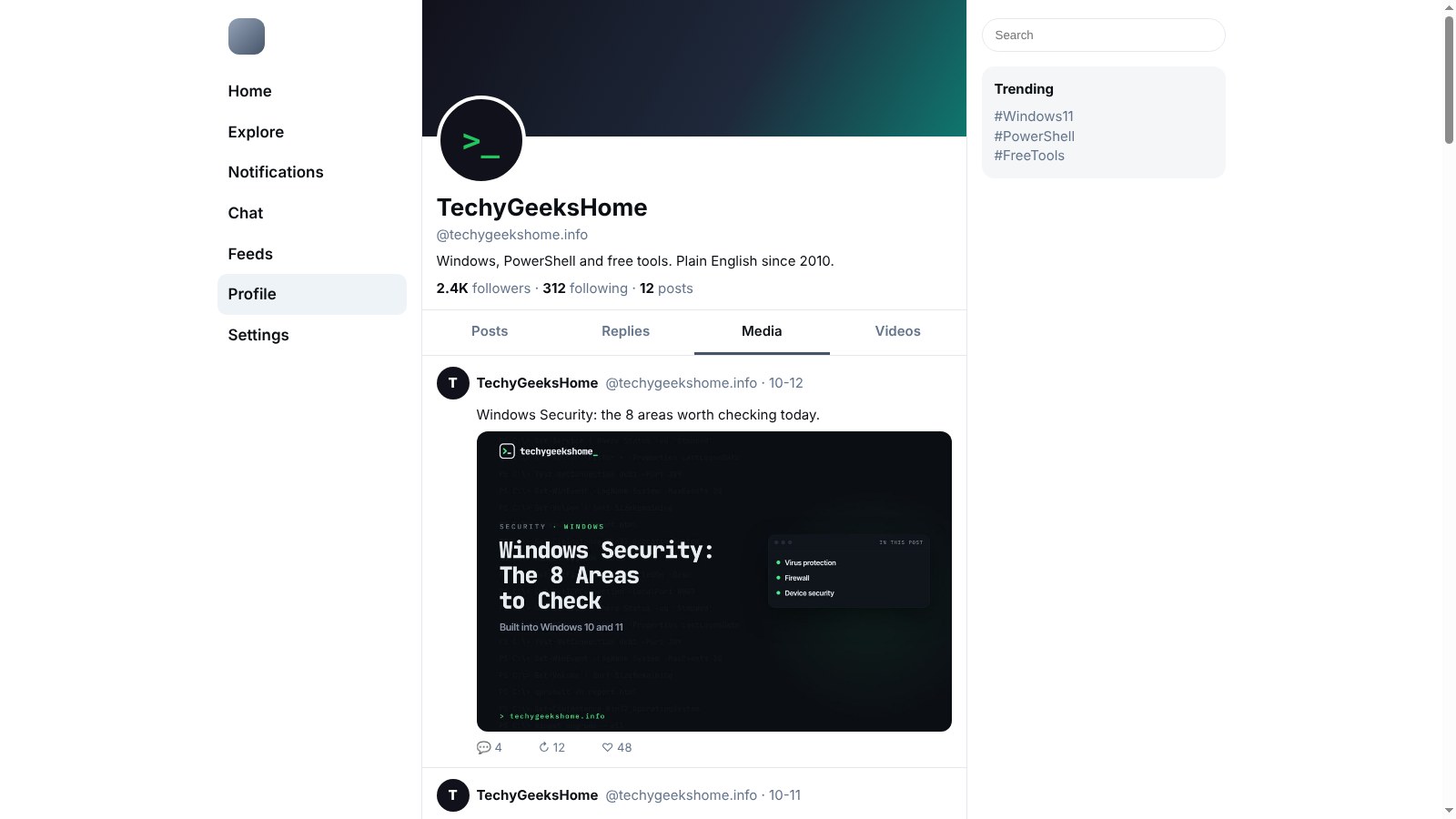
Open a profile, a single post, a custom feed or a list on bsky.app and click the icon.
Full-size pictures
Pictures come down at full size, in the format they were posted in (JPEG or PNG), not as WebP thumbnails.
Videos with their sound
Bluesky streams videos in small pieces. Bluesky Saver downloads them all and joins them into one normal MP4 with sound.
Duplicates removed
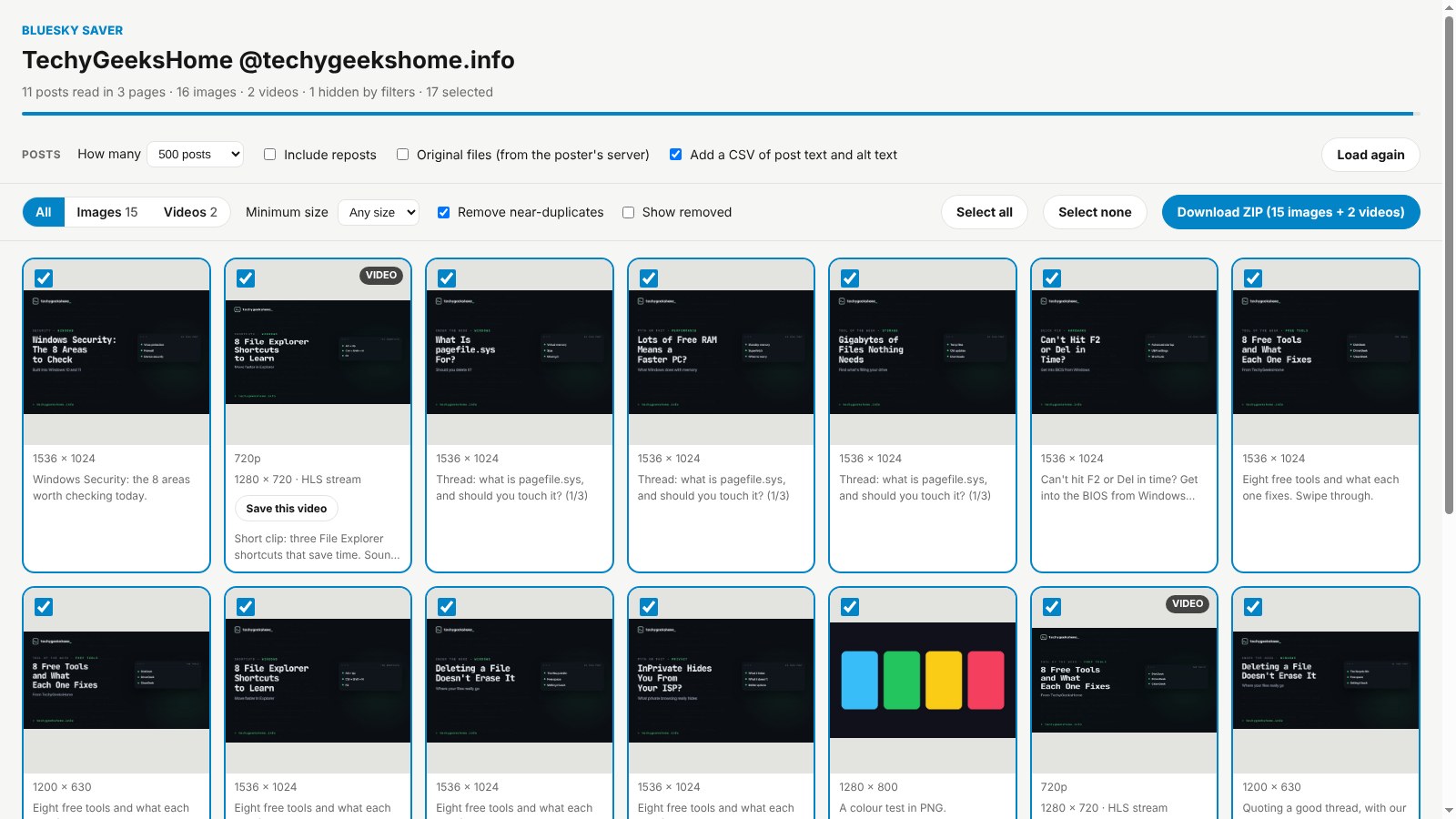
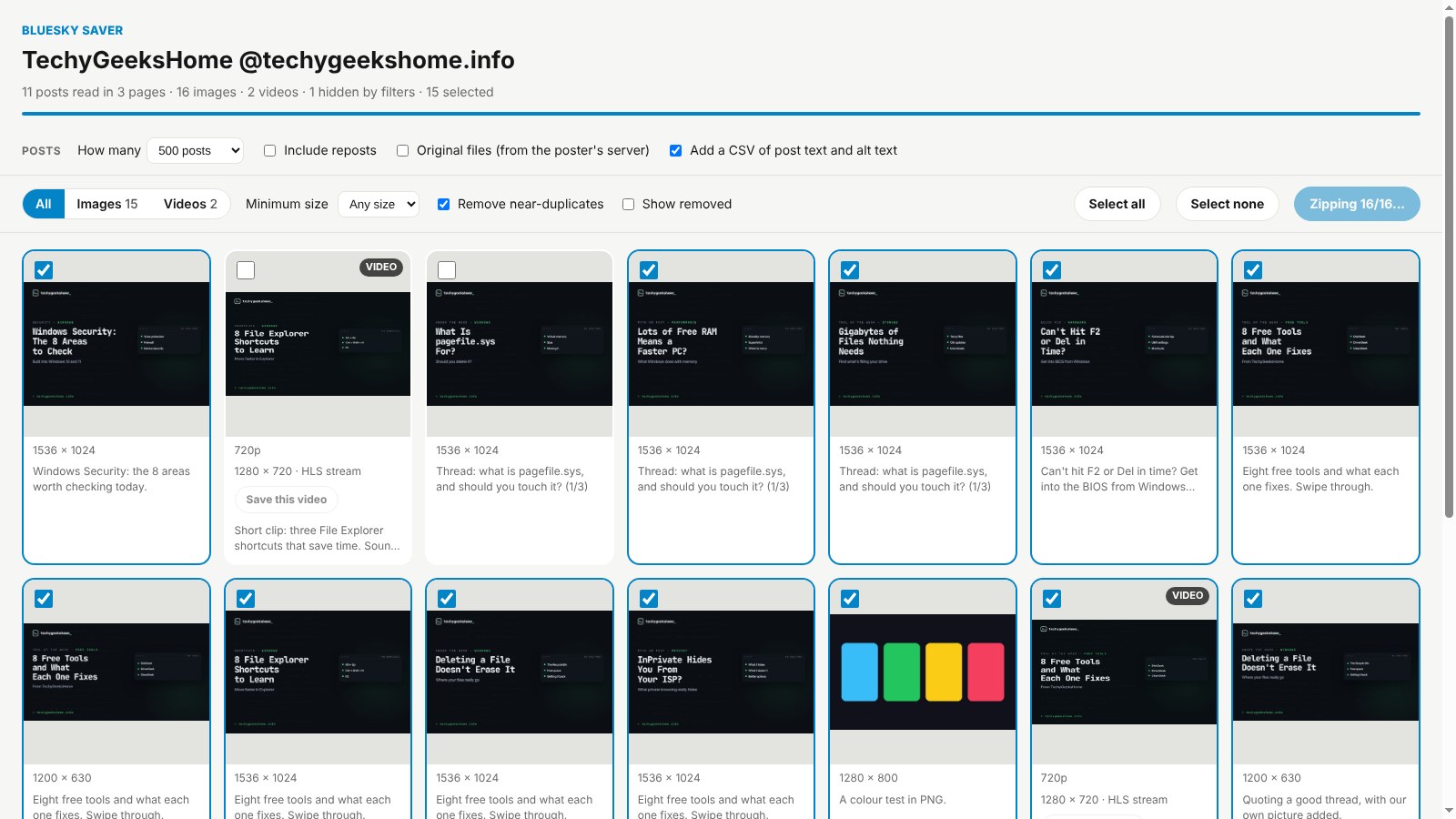
The same picture posted twice is spotted and only kept once, always the biggest copy.
You choose what goes in
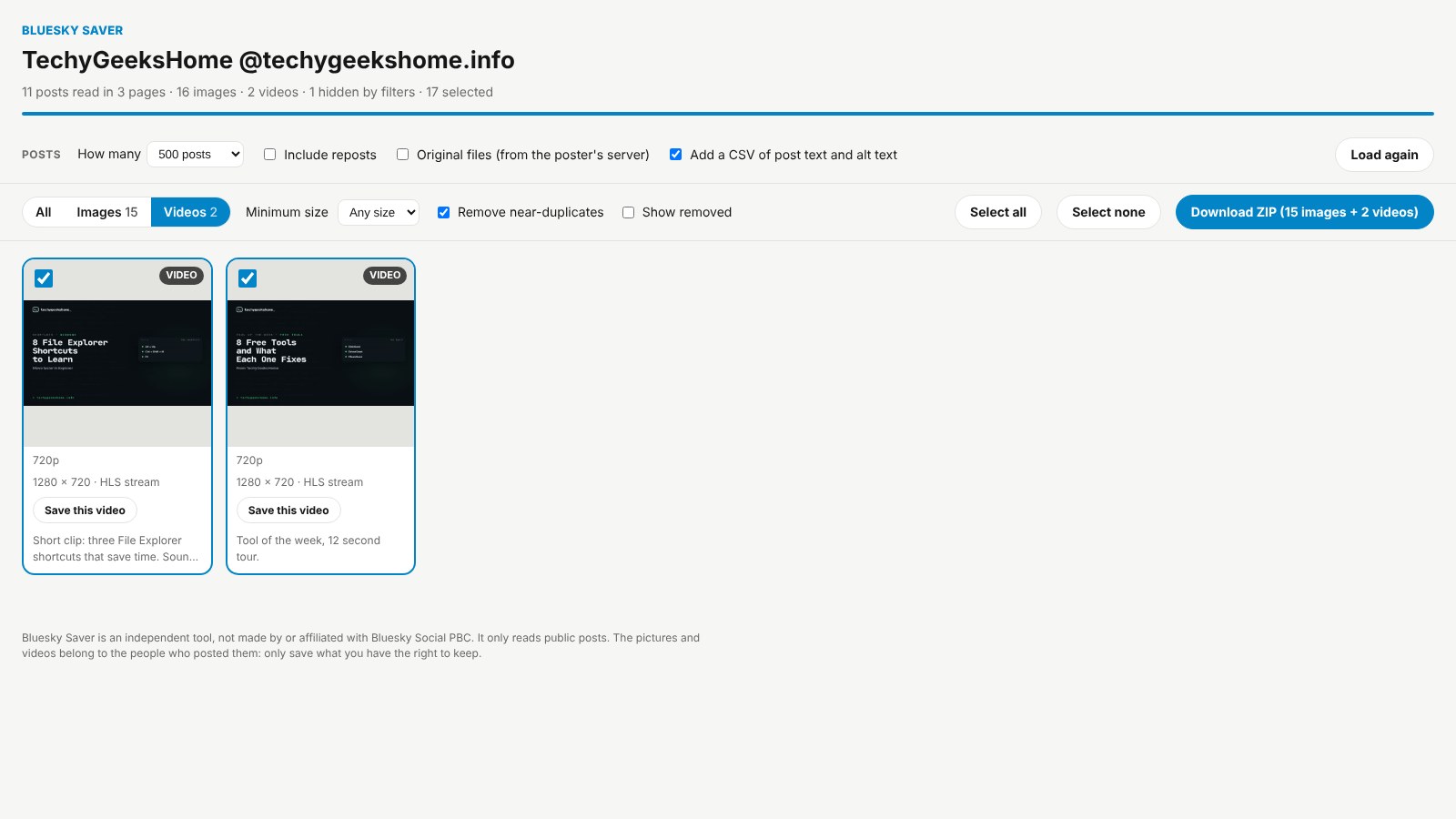
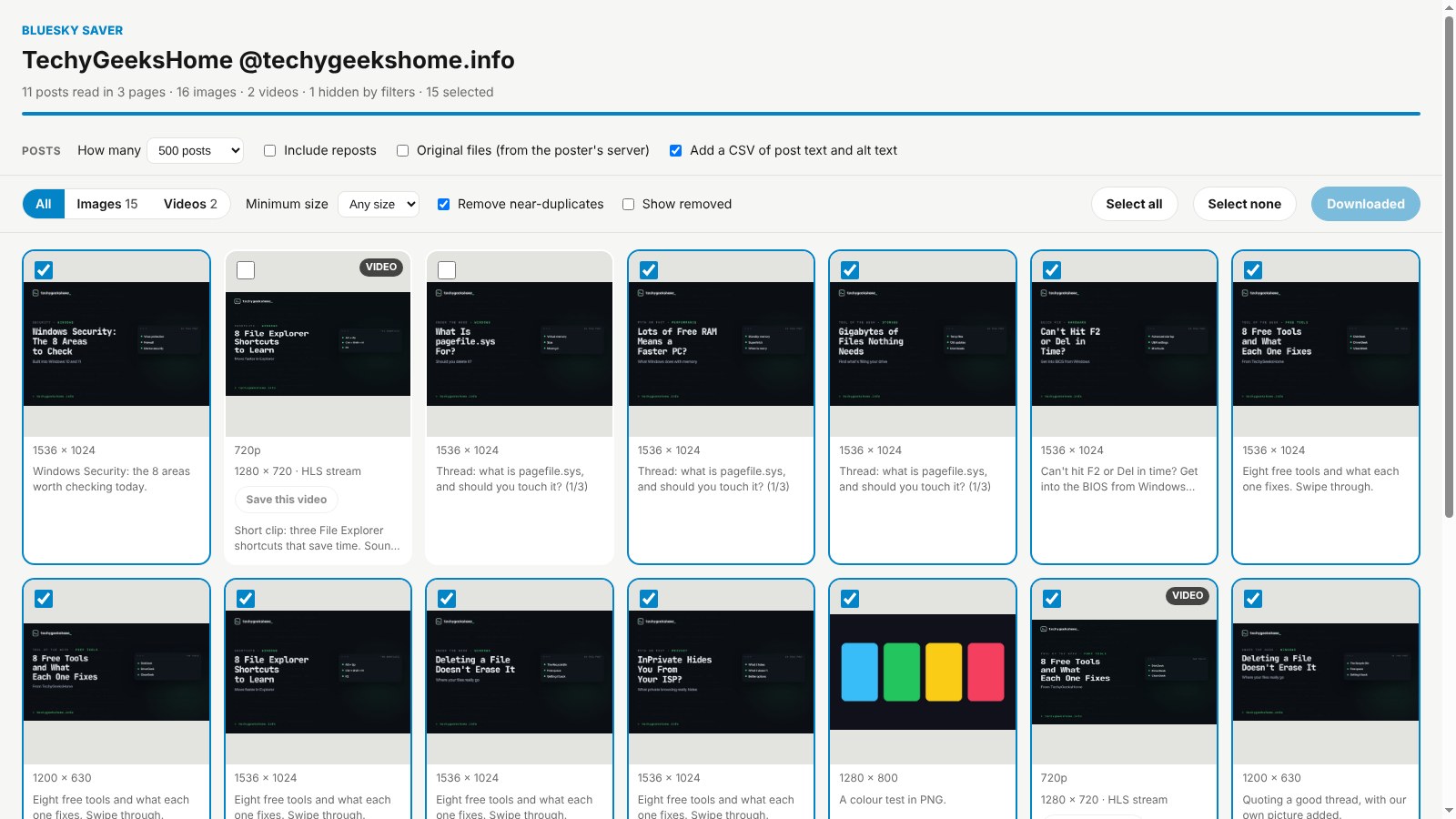
A preview grid shows everything first. Switch between images and videos and untick anything you don’t want.
Post text and alt text
Add an optional CSV with the text and alt text of every post, handy for archives and research.
Save one video
Every video has its own Save button, for when you only want that one.
One tidy ZIP
Named after the account and the date, with the handle, date and post in every file name.
Uses Bluesky’s public API
It reads public posts through Bluesky’s own open API. No sign-in, no scraping and nothing goes through a website in the middle.
How to install it
On Microsoft Edge, the easiest way is the Edge Add-ons store: click Get and it installs and updates itself. For Chrome, Brave, Opera and Vivaldi it takes about a minute, and you only do it once.
Download and unzip
Download the ZIP and unzip it somewhere you will keep it, such as Documents. The browser runs the extension from that folder, so leave it there.
Open your extensions page
Type chrome://extensions in the address bar. In Edge use edge://extensions, in Brave brave://extensions.
Switch on Developer mode
The switch is top right in Chrome and Brave, and bottom left in Edge. It just lets you add an extension from a folder.
Load unpacked
Click Load unpacked and pick the bluesky-saver folder. Then pin the Bluesky Saver icon from the puzzle piece menu.
On Firefox it is one click: install it from Firefox Add-ons and it keeps itself up to date.
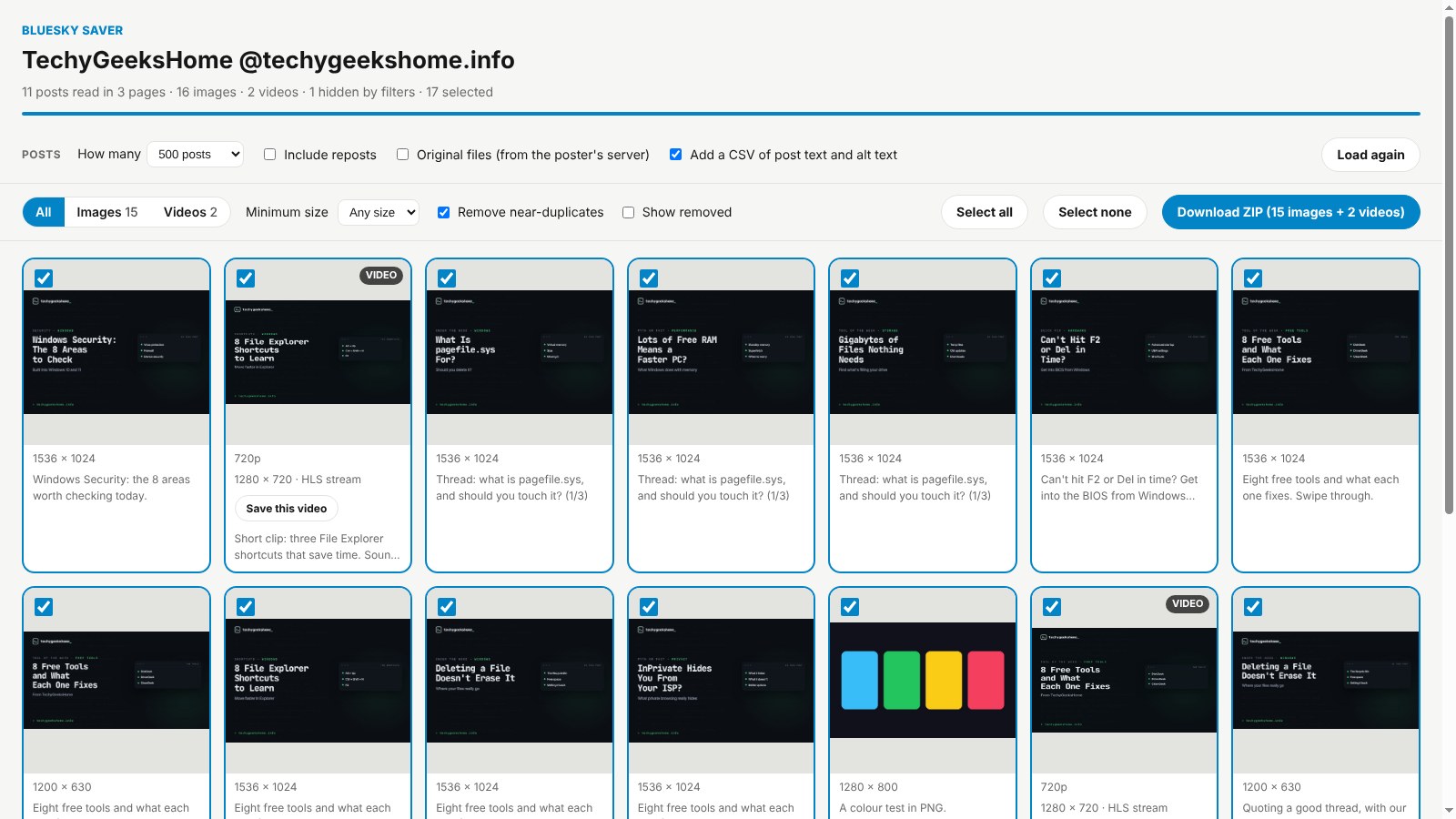
See it in action
Every step, exactly as it looks in your browser.
Who it is for
Anyone who has ever saved Bluesky pictures one post at a time.
Backing up your own posts
Keep a copy of everything you have posted on Bluesky, at full size.
Artists and collectors
Save an artist’s gallery or a feed of reference pictures in one go.
Archivists and researchers
Keep the pictures, videos and post text from an account or feed, with the CSV.
Requirements
Browser
Chrome, Microsoft Edge, Brave, Opera or Vivaldi on Windows, macOS or Linux, or Firefox 142 or newer.
Account
None. It reads public posts, so you do not even need to be signed in to Bluesky.
Permissions
It reads the Bluesky page you click it on, Bluesky’s public API and its picture and video servers. Nothing else.
Download
About 100 KB. No installer and no extra app for videos.
Version
1.0.0, released 16 October 2026.
Licence
GPL-3.0. Free for everyone, including commercial use.
Frequently Asked Questions
Is Bluesky Saver really free?
Yes. There is no Pro version, no ads, no limit on how much you save and nothing to sign up for. It is open source under the GPL-3.0, so you can read every line of it on GitHub.
Does Bluesky Saver collect any of my data?
No. Everything happens inside your own browser. It reads public posts through Bluesky’s own API and downloads the files straight from Bluesky’s servers. There is no account, no analytics and nothing is sent anywhere else.
Do I need to sign in to Bluesky?
No. It uses Bluesky’s public API, so it sees what anyone signed out can see. Accounts that hide their posts from signed-out viewers are not shown.
Why do saved Bluesky videos not work in some apps?
Bluesky streams videos in small pieces rather than one file. Bluesky Saver downloads every piece and joins them into one normal MP4 with sound that plays anywhere.
Can it save likes, bookmarks or search results?
Not yet. It works with profiles, single posts, custom feeds and lists. Links to other sites, like YouTube, are not downloaded.
What is the Original files option?
It asks the poster’s own Bluesky server for the exact file they uploaded. It is off by default because it talks to servers outside bsky.app.
Is Bluesky Saver on the Edge Add-ons store?
Yes. On Microsoft Edge, install it from the Edge Add-ons store and it updates itself. On Chrome, Brave, Opera and Vivaldi, download the ZIP from this page and add it with Load unpacked.
Does it work on Firefox?
Yes. Install it from Firefox Add-ons, where it keeps itself up to date.
Can I use the pictures and videos however I like?
They still belong to the people who posted them. Bluesky Saver is ideal for your own posts, or content you have permission to use, but you need the owner’s permission before reposting anyone else’s work.
Version History
- v1.0.0: 16 October 2026. Initial public release.
Download Bluesky Saver today
Completely free. Version 1.0.0, no strings attached, and open source under the GPL-3.0 licence.
0 downloads so far
Also on
Support
Bluesky Saver is free and always will be.
Bluesky Saver is an independent tool made by TechyGeeksHome. It is not affiliated with, endorsed by or connected to Bluesky Social PBC.