100% Free and Open Source · Version 1.0.0
ErrorGeek: look up any Windows error code
Select a Windows error code on any web page, right-click, and see what it really means: the name, the message and what to check first. Windows Update, SCCM and Intune codes included. A free browser extension that works offline.
Chrome, Edge, Brave, Opera, Vivaldi and Firefox · no account · nothing to pay · how to install it
0 downloads so far
Video Demo
From a cryptic code in a log file to a plain answer in one right-click.
Every way Windows writes an error code
Hex, decimal, negative numbers from PowerShell, or a code buried in a log line. ErrorGeek reads them all.
Right-click to look up
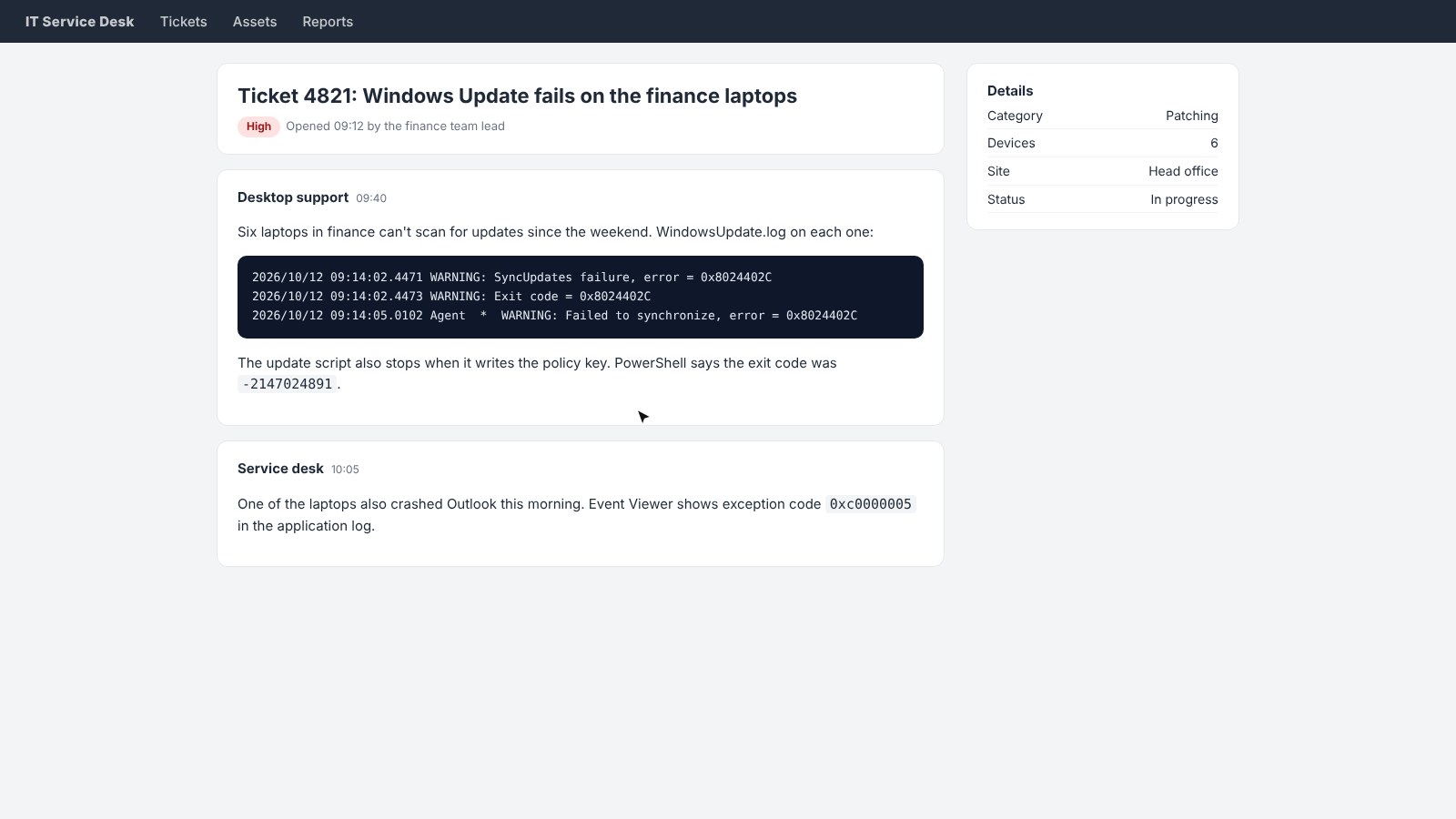
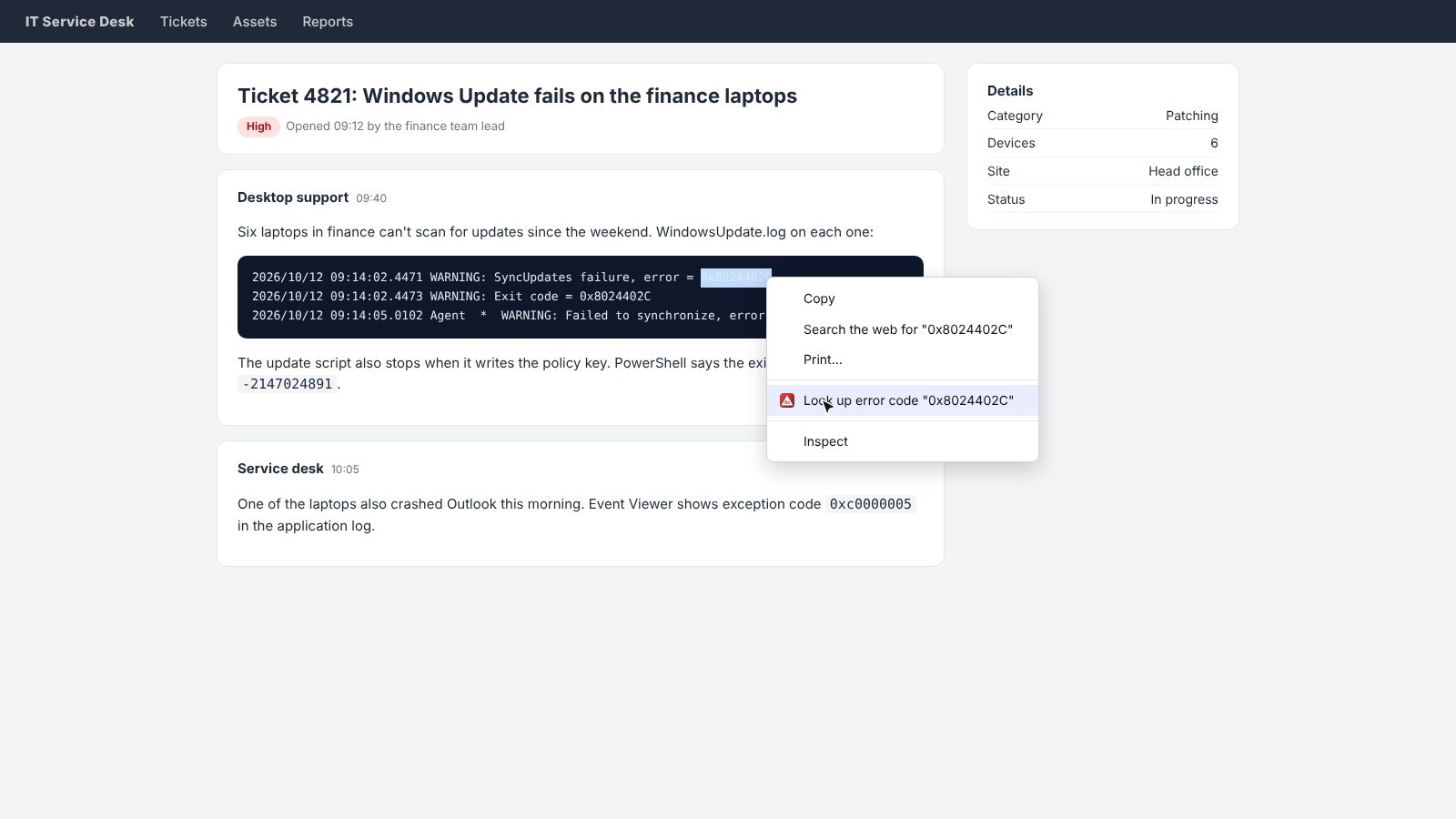
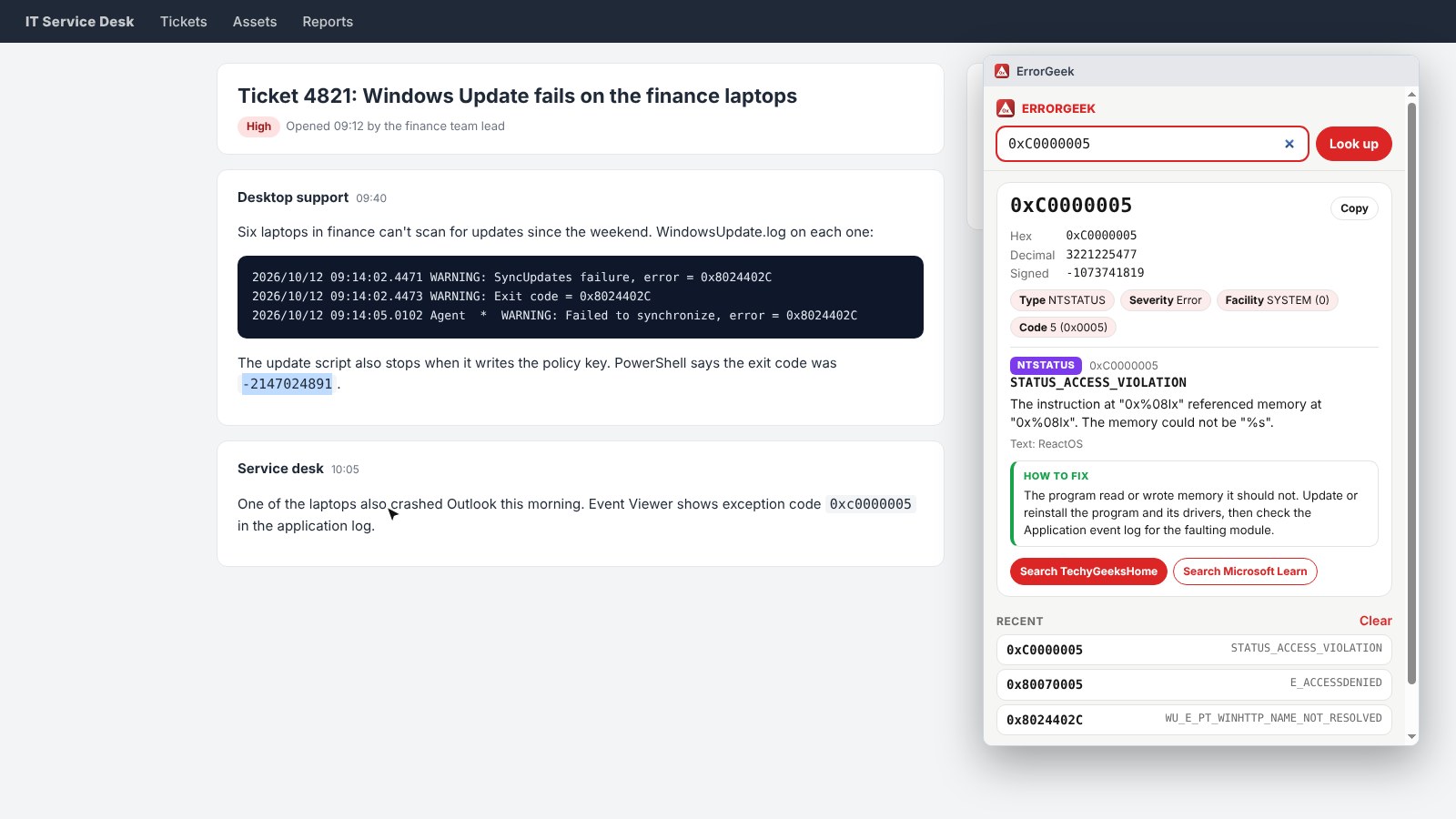
Select a code in a ticket, a forum post or a log file, right-click and choose Look up error code.
Or type it in
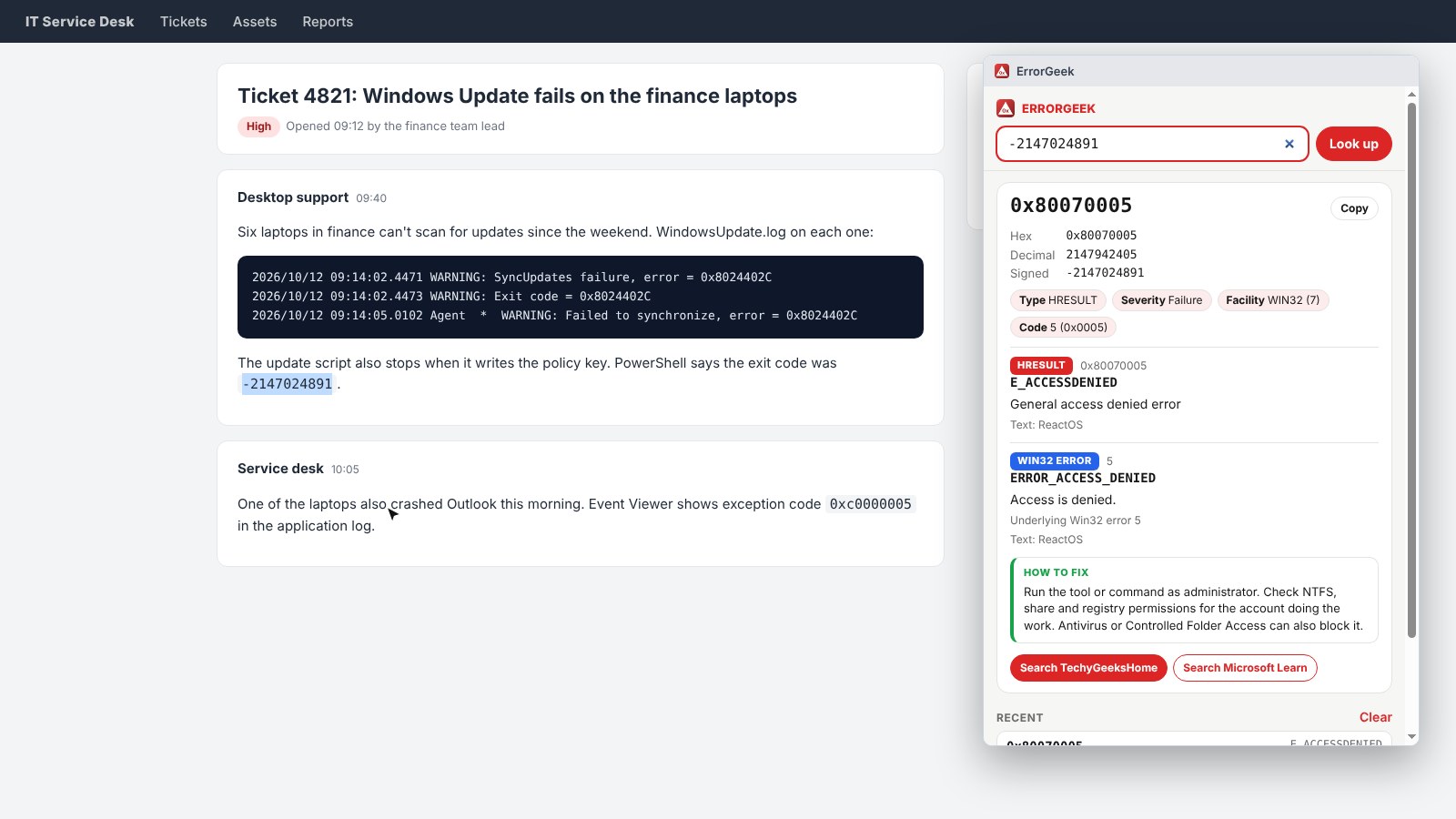
Paste or type a code into the toolbar box. 0x80070005, 80070005 and -2147024891 all give the same answer.
Name and meaning
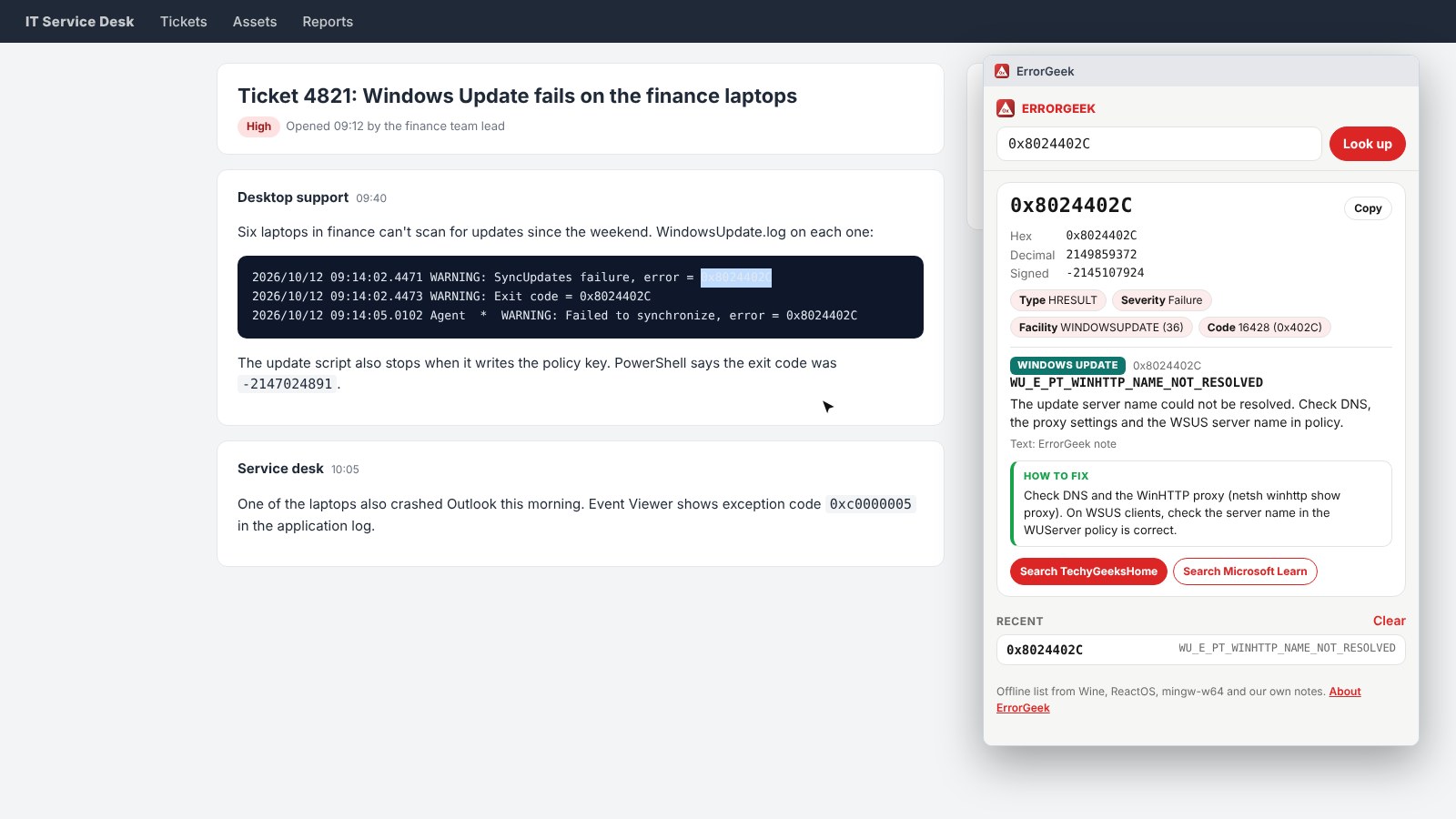
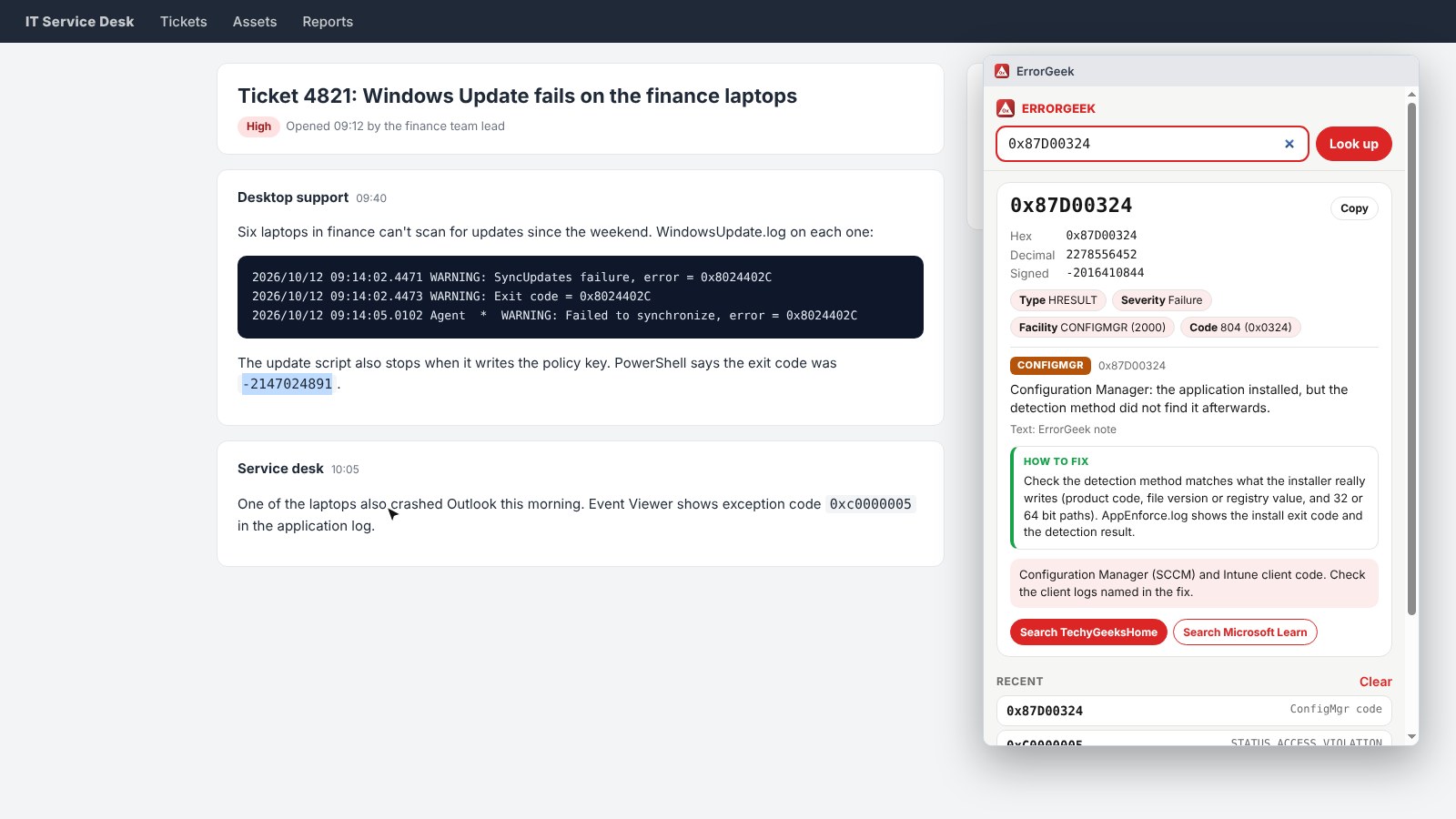
See the symbolic name, the message, the facility and the severity, plus every form of the number.
What is inside
An HRESULT often wraps a Win32 or NTSTATUS error. ErrorGeek unwraps it and shows both.
Windows Update and servicing
Hundreds of 0x8024 Windows Update codes, plus common 0x800F servicing codes from DISM and CBS.
SCCM and Intune
Common ConfigMgr and Intune client codes, with notes on which log to check.
How to fix tips
Short tips on what to check first for about 70 of the codes admins see most.
Search links
One click to search TechyGeeksHome or Microsoft Learn for the code.
Works offline
More than 10,000 codes are built in. Nothing is looked up online and nothing is sent anywhere.
How to install it
On Microsoft Edge, the easiest way is the Edge Add-ons store: click Get and it installs and updates itself. For Chrome, Brave, Opera and Vivaldi it takes about a minute, and you only do it once.
Download and unzip
Download the ZIP and unzip it somewhere you will keep it, such as Documents. The browser runs the extension from that folder, so leave it there.
Open your extensions page
Type chrome://extensions in the address bar. In Edge use edge://extensions, in Brave brave://extensions.
Switch on Developer mode
The switch is top right in Chrome and Brave, and bottom left in Edge. It just lets you add an extension from a folder.
Load unpacked
Click Load unpacked and pick the errorgeek folder. Then pin the ErrorGeek icon from the puzzle piece menu.
On Firefox it is one click: install it from Firefox Add-ons and it keeps itself up to date.
See it in action
Every step, exactly as it looks in your browser.
Who it is for
Anyone who has stared at an error code and had no idea what it meant.
Sysadmins and support
Decode codes from tickets, logs and Event Viewer without leaving the browser.
SCCM and Intune admins
Make sense of deployment and Windows Update failures across your estate.
Home users
Find out what that Windows Update or install error actually means before you search for a fix.
Requirements
Browser
Chrome, Microsoft Edge, Brave, Opera or Vivaldi on Windows, macOS or Linux, or Firefox 142 or newer.
Account
None.
Permissions
A right-click menu item and storage for your recent lookups. No access to any website.
Download
About 250 KB, with the whole error list built in. No installer.
Version
1.0.0, released 15 October 2026.
Licence
GPL-3.0. Free for everyone, including commercial use.
Frequently Asked Questions
Is ErrorGeek really free?
Yes. There is no Pro version, no ads and no limit on lookups. It is open source under the GPL-3.0, so you can read every line of it on GitHub.
Does it send my error codes anywhere?
No. The whole error list is built into the extension, so every lookup happens on your own computer. There is no account, no analytics and nothing is sent anywhere.
Which codes does it know?
More than 10,000: Win32 errors, HRESULTs (including hundreds of Windows Update codes), NTSTATUS codes, common DISM and servicing codes, and common Configuration Manager and Intune client codes.
Why does PowerShell give me a negative number?
PowerShell often shows an HRESULT as a signed number, so 0x80070005 appears as -2147024891. Type or select either one and ErrorGeek shows the same result.
What if a code is not in the list?
ErrorGeek still splits it into its parts (severity, facility and code) and gives you search links for TechyGeeksHome and Microsoft Learn.
Where does the error text come from?
From open source lists of Windows error names and messages (Wine, ReactOS and mingw-w64), plus notes and fix tips written by TechyGeeksHome. The sources are listed in the project on GitHub.
Is ErrorGeek on the Edge Add-ons store?
Yes. On Microsoft Edge, install it from the Edge Add-ons store and it updates itself. On Chrome, Brave, Opera and Vivaldi, download the ZIP from this page and add it with Load unpacked.
Does it work on Firefox?
Yes. Install it from Firefox Add-ons, where it keeps itself up to date.
Can I use it at work?
Yes. It is free for commercial use, needs no account and does not touch any website, which makes it easy to approve.
Version History
- v1.0.0: 15 October 2026. Initial public release.
Download ErrorGeek today
Completely free. Version 1.0.0, no strings attached, and open source under the GPL-3.0 licence.
0 downloads so far
Also on
Support
ErrorGeek is free and always will be.
ErrorGeek is an independent tool made by TechyGeeksHome. It is not affiliated with, endorsed by or connected to Microsoft.