100% Free · Version 1.0.1
CutGeek: take the background out of a photograph, at full size
Drop a photograph in and get a copy back with the background removed. Transparent, a flat colour, or the original blurred behind the subject. The result is exactly the size of the photograph that went in.
Windows 10 or 11, 64-bit · self-contained installer · nothing else to install
Video Demo
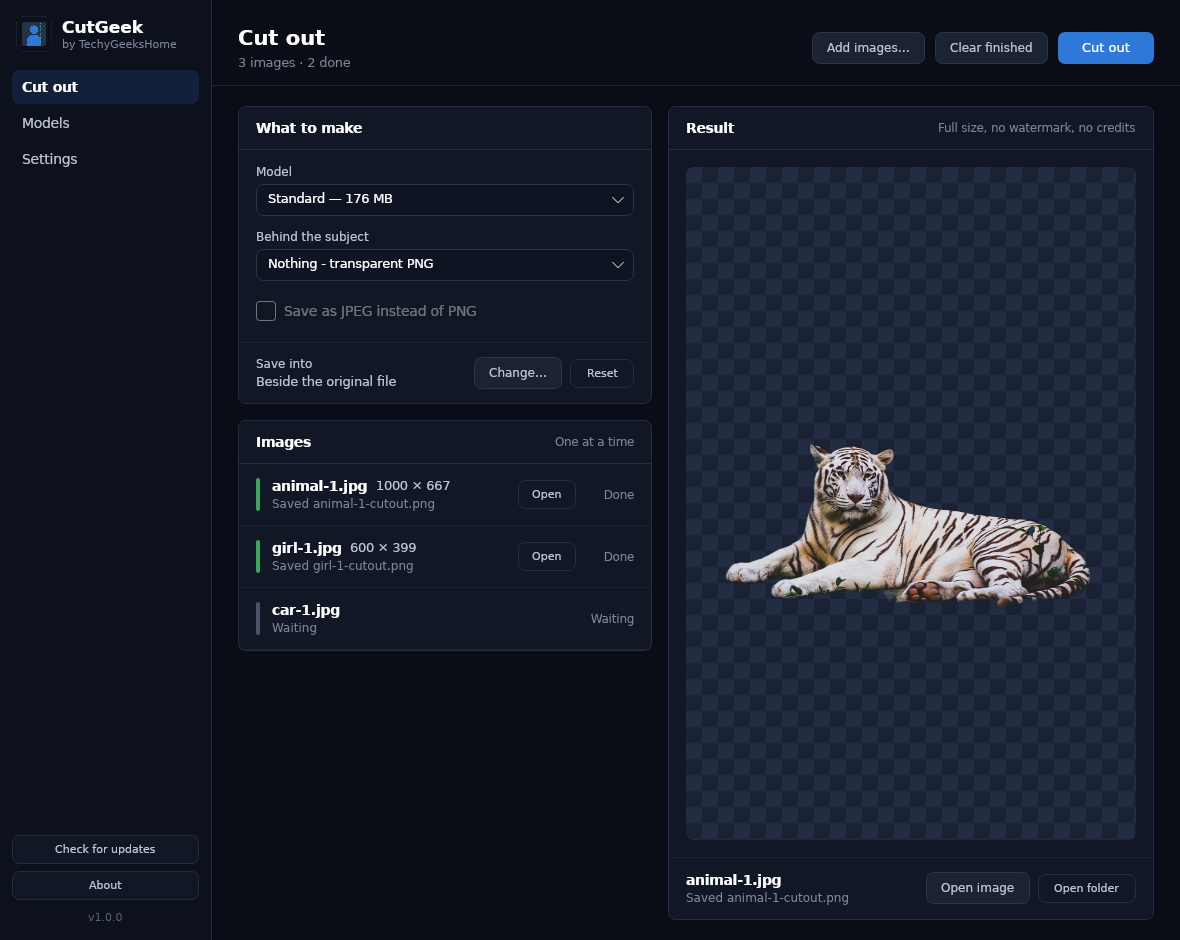
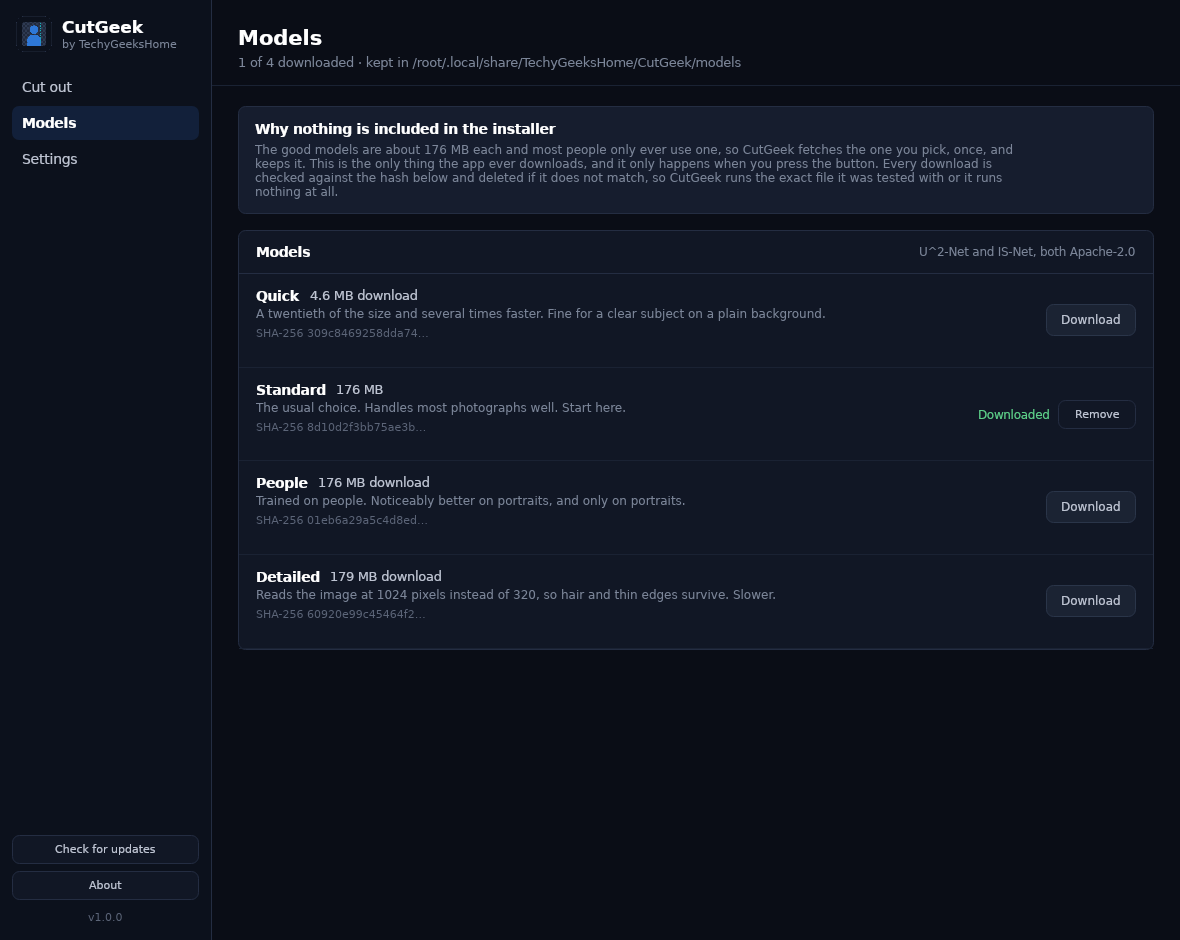
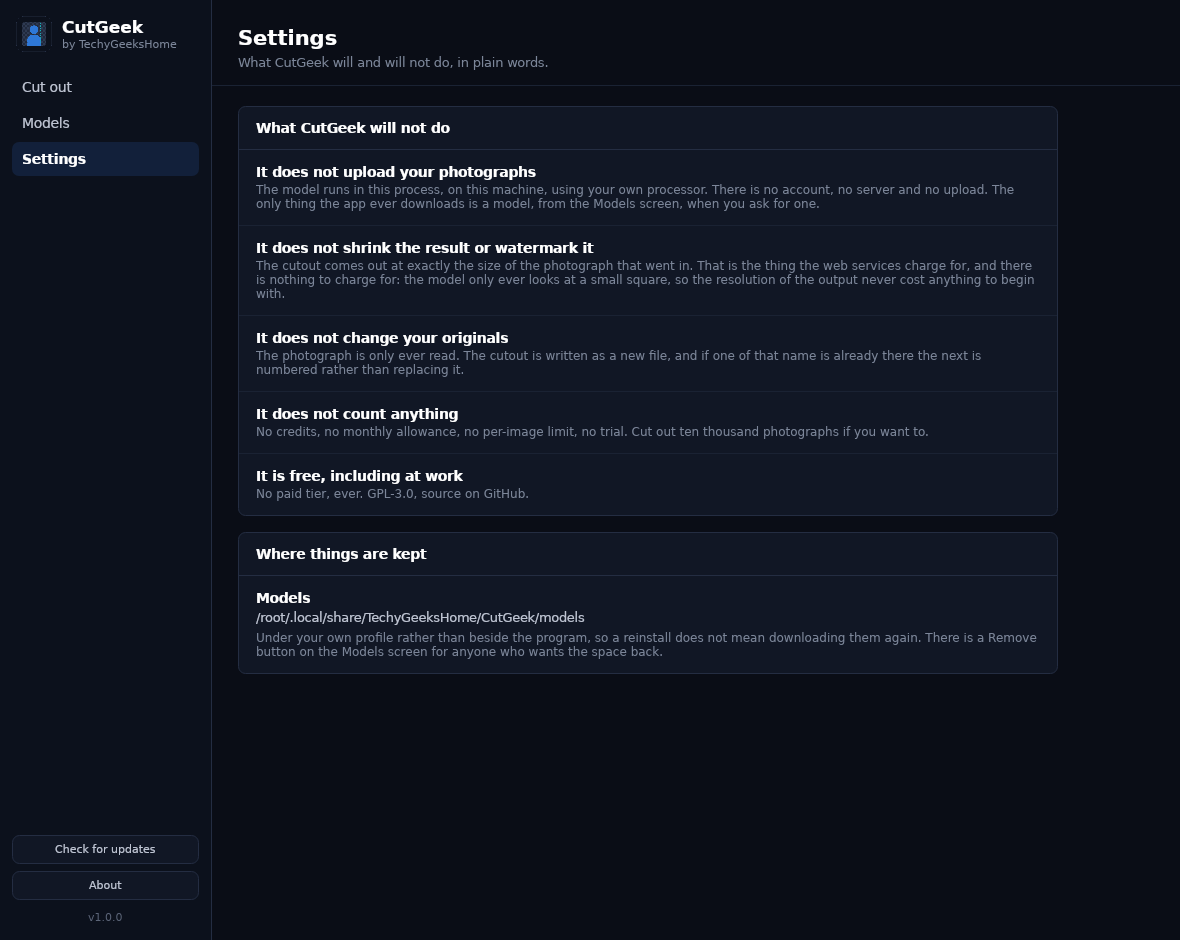
Twenty seconds: the cutout with its live preview, the models with their pinned hashes, and the Settings screen that states what CutGeek will not do. No sound – it is a walkthrough, not a sales pitch.
Everything you need to cut a subject out of a photograph
CutGeek runs the U²-Net and IS-Net segmentation models locally through the ONNX runtime. The models, the queue and the output are all handled for you, and nothing ever leaves the machine.
Full-size output, always
The cutout comes out at exactly the size of the photograph that went in. That is the thing the web services charge for, and the model only ever looks at a small square, so the resolution never cost anything to begin with.
Three backdrops
A transparent PNG, a flat colour from six presets including passport blue and green screen, or the original background blurred behind the subject.
A real queue
Drop in a folder of photographs and walk away. They are worked through one at a time, with the finished cutout shown as each one lands.
Upright, every time
Phone photographs are very often stored sideways with a tag saying which way up they go. CutGeek reads that tag and applies it, so nothing comes out rotated.
Four models
Quick at 4.6 MB for a clear subject, Standard for most photographs, People for portraits, Detailed at 1024 pixels when hair and thin edges matter.
Pinned model hashes
Every model download is checked against a SHA-256 recorded in the app and deleted if it does not match. CutGeek runs the exact file it was tested with, or nothing at all.
It never overwrites
The photograph is only ever read. If a cutout of that name is already there, the next one is numbered.
Update checker
Checks only when you click Check for updates, and never installs anything silently.
See it in action
Three screens: the cutout with a live preview, the models, and a Settings page that states plainly what CutGeek will not do.
Who it’s for
Built by an IT pro who needed it, not a commercial suite trying to upsell you.
Anyone listing things for sale
Product photographs on a clean white background, at full resolution, without paying per image.
Passport and ID photographs
A flat colour behind the subject, at the size the original was taken at.
Designers and makers
Transparent PNGs to drop straight into a layout, with a soft edge rather than a cut-out-with-scissors look.
Requirements
Operating system
Windows 10 version 1809 or later, 64-bit. Windows 11 fully supported.
Rights
Runs as a normal user. No administrator rights are needed or requested.
Download
About 76 MB for the installer. Models are downloaded separately, from inside the app, only when you ask for one.
Prerequisites
None. .NET 8 is inside the build. CPU only. There is no GPU package, because it would pull in several hundred megabytes of CUDA that most people cannot use.
Version
1.0.1. Released 30 August 2026.
Licence
GPL-3.0. Free to use, including at work. No paid tier, ever.
Frequently Asked Questions
Is it really free? No credits, no catch?
Yes. CutGeek is free to download and use, with no credits, no monthly allowance, no watermark and no bundled offers in the installer.
Is the output really full resolution?
Yes. The cutout is exactly the pixel size of the photograph that went in. The model only ever looks at a 320 or 1024 pixel square and produces a mask at that size, which is scaled back up and applied to the original pixels, so the resolution of the output never cost anything to produce.
Does my photograph get uploaded anywhere?
No. The model runs in the application, on your own processor. There is no account and no server. The only thing the app ever downloads is a model, from the Models screen, when you ask for one.
Why is there no model in the installer?
The good models are about 176 MB each and most people only ever use one, so you pick one on the Models screen and it is fetched once and kept. Every download is checked against a hash recorded in the app and deleted if it does not match.
Which model should I use?
Standard for most photographs. People is noticeably better on portraits and only on portraits. Detailed reads the image at 1024 pixels instead of 320, so hair and thin edges survive, at the cost of speed. Quick is a twentieth of the size and fine for a clear subject on a plain background.
Will it change my original photograph?
Never. The photograph is only ever read. The cutout is written as a new file, and if one of that name is already there the next is numbered rather than replacing it.
Version History
- 1.0.1: 30 August 2026. Application icon redrawn to match the TechyGeeksHome house style. No functional changes.
- 1.0.0: 30 August 2026. First release. Background removal at full resolution with four models, three backdrops, a queue with live preview, EXIF orientation handling and pinned model hashes.
Download CutGeek today
Free, offline, full resolution, and there is no limit on how many photographs you cut out.
Not code-signed, so Windows may warn on first run. Click More info, then Run anyway. SHA256 checksums
Windows may show a “Windows protected your PC” warning the first time you install it. That means SmartScreen has not seen the file before, not that anything is wrong with it. Here is why our builds are unsigned, and how to verify your download against its SHA-256 hash. We will never ask you to switch SmartScreen off.
Support
Found a bug, or want something added? Open an issue on GitHub and it will be read. A manual brush for correcting the edge is the next thing planned.
Featured on