 By Andrew Armstrong

Part of our Active Directory and Group Policy guides: every related guide in one place.
Importing the Active Directory PowerShell Module
If you’re getting an error along the lines of “the term Get-ADUser is not recognized” when trying to run Active Directory PowerShell cmdlets, it’s almost always because the AD module simply isn’t installed on the machine you’re working from yet: this isn’t part of a default Windows or Windows Server install. On a domain controller, the module is normally already present. If it isn’t, add the feature with:<code>Install-WindowsFeature -Name RSAT-AD-PowerShell -IncludeAllSubFeature</code>On a Windows Server member server (not a DC), install it the same way via Server Manager, or:
<code>Install-WindowsFeature RSAT-AD-PowerShell</code>On a Windows 10/11 workstation, install the Remote Server Administration Tools (RSAT) feature via Settings > Apps > Optional Features > Add a feature > “RSAT: Active Directory Domain Services and Lightweight Directory Tools”, or on newer builds:
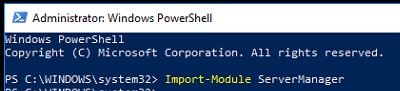
<code>Add-WindowsCapability -Online -Name Rsat.ActiveDirectory.DS-LDS.Tools~~~~0.0.1.0</code>Once installed, either open a new PowerShell window or explicitly run
Import-Module ActiveDirectory and the AD cmdlets will be available.
Now Available on Arm64 Workstations Too (Updated for 2026)
Worth noting if you’re setting up an Arm-based admin workstation: RSAT’s AD DS/LDS Tools component: the exact capability installed above: was historically x64-only, but a March 2026 Patch Tuesday rollout brought RSAT support to Arm64-based Windows 11 PCs, with AD DS & AD LDS Tools explicitly named among the components now available (alongside AD CS Tools, Group Policy Management, and DNS/DHCP Server Tools), applying across Windows 11 24H2, 25H2, and 26H1. TheAdd-WindowsCapability command above works unchanged on an Arm64 machine now: no separate x64 machine is needed just to reach the AD PowerShell module.
Resources

🛠️
Gear We Recommend
Testing configs is easier with a dedicated admin machine set up right. Here’s the kit we use.
Browse our Windows Admin Toolkit picks on AmazonAs an Amazon Associate, TechyGeeksHome earns from qualifying purchases.
Related guide: finding inactive computers in Active Directory with PowerShell.
Discover more from TechyGeeksHome
Subscribe to get the latest posts sent to your email.
