100% Free and Open Source · Version 1.0.0
Country Filter for X: hide posts by country
X now shows where every account is based. Tick a country or a whole region, and posts and replies from there stop showing on your feed. A location tag on every name, filter counts, and one-click blocking if you want it.
Chrome, Edge, Brave, Opera, Vivaldi and Firefox · no account · nothing to pay · how to install it
0 downloads so far
Video Demo
From a busy feed to location tags, a ticked region, blurred posts and a one-click block.
Your feed, your rules
Country Filter for X uses the “Account based in” info X already shows on every profile, and puts it to work on your feed.
Don’t show
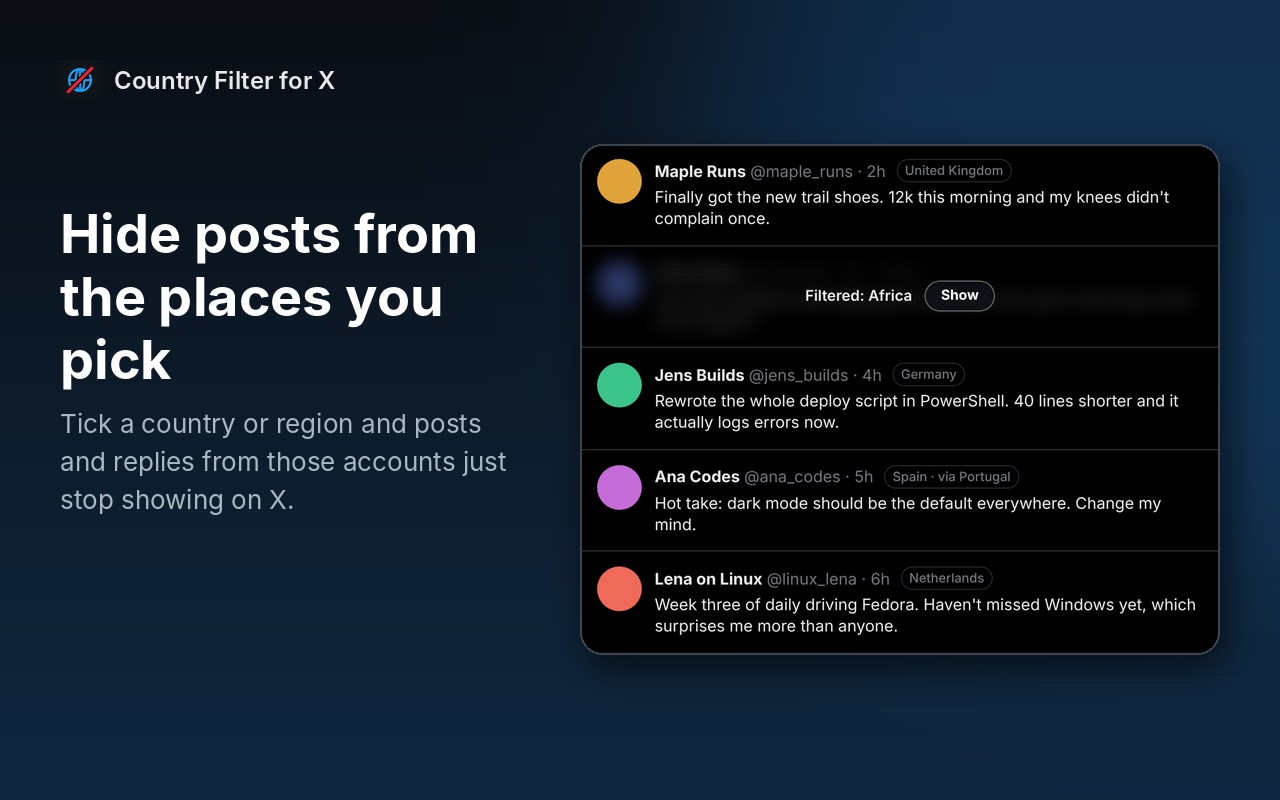
Posts and replies from the places you tick simply stop showing. No gaps, no placeholders.
Or blur them
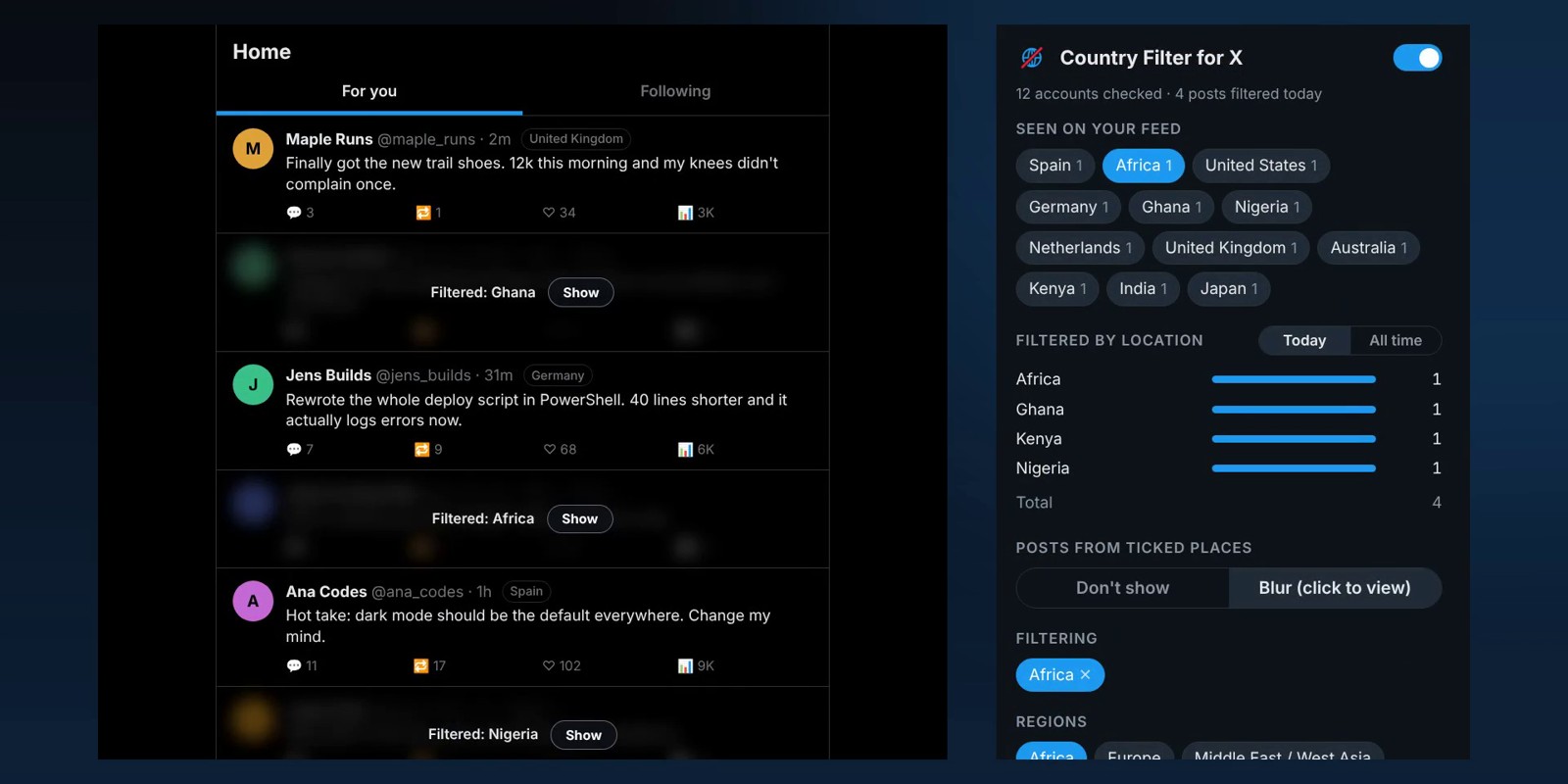
Prefer to peek? Blur mode hides them behind a Show button, so you can still open any you are curious about.
Location tags
A small tag next to every name shows where that account is based, as you scroll.
Regions as well as countries
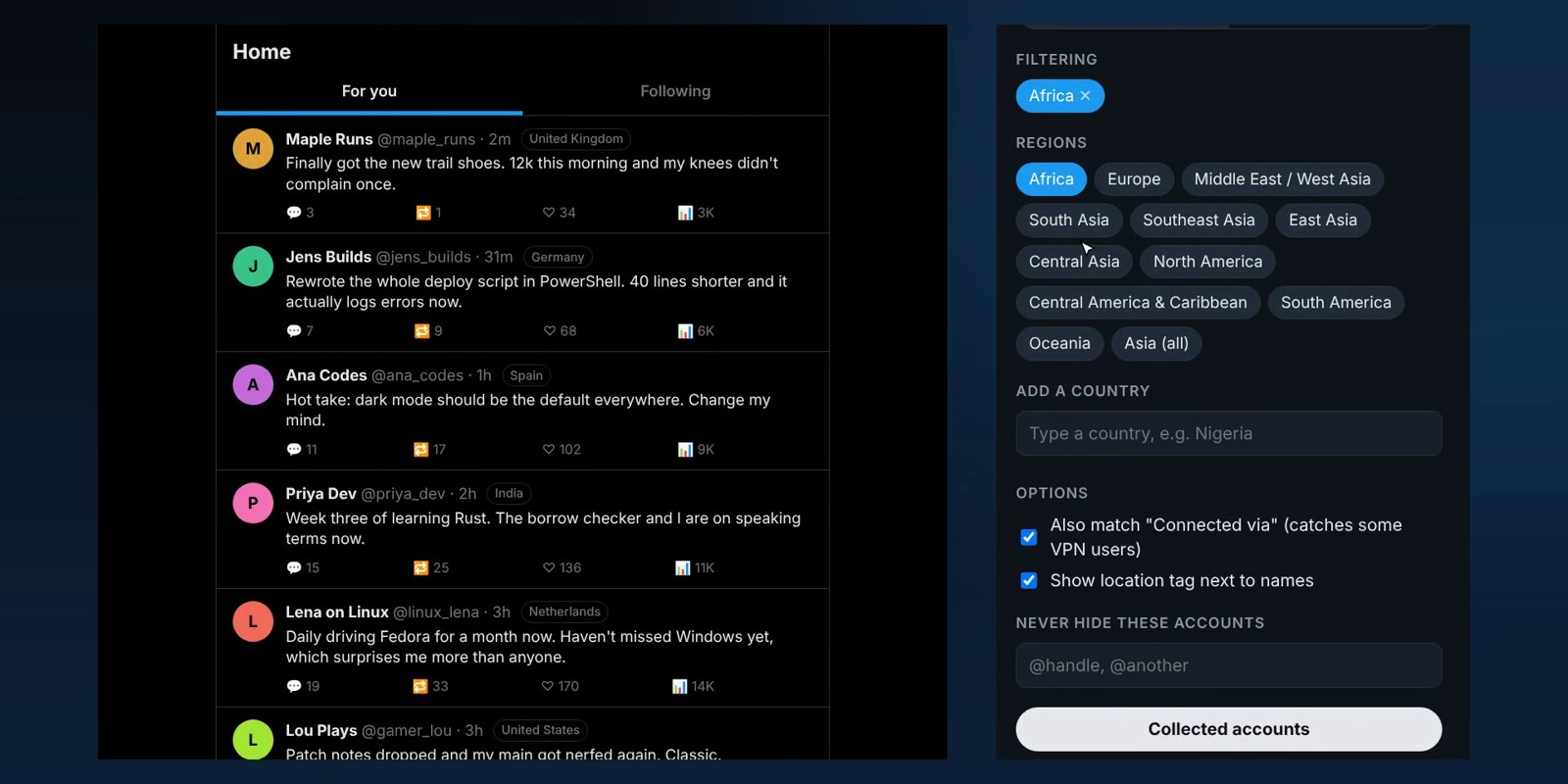
Some accounts only show a region, like Africa or South Asia. Tick a region and it covers every country in it too.
Seen on your feed
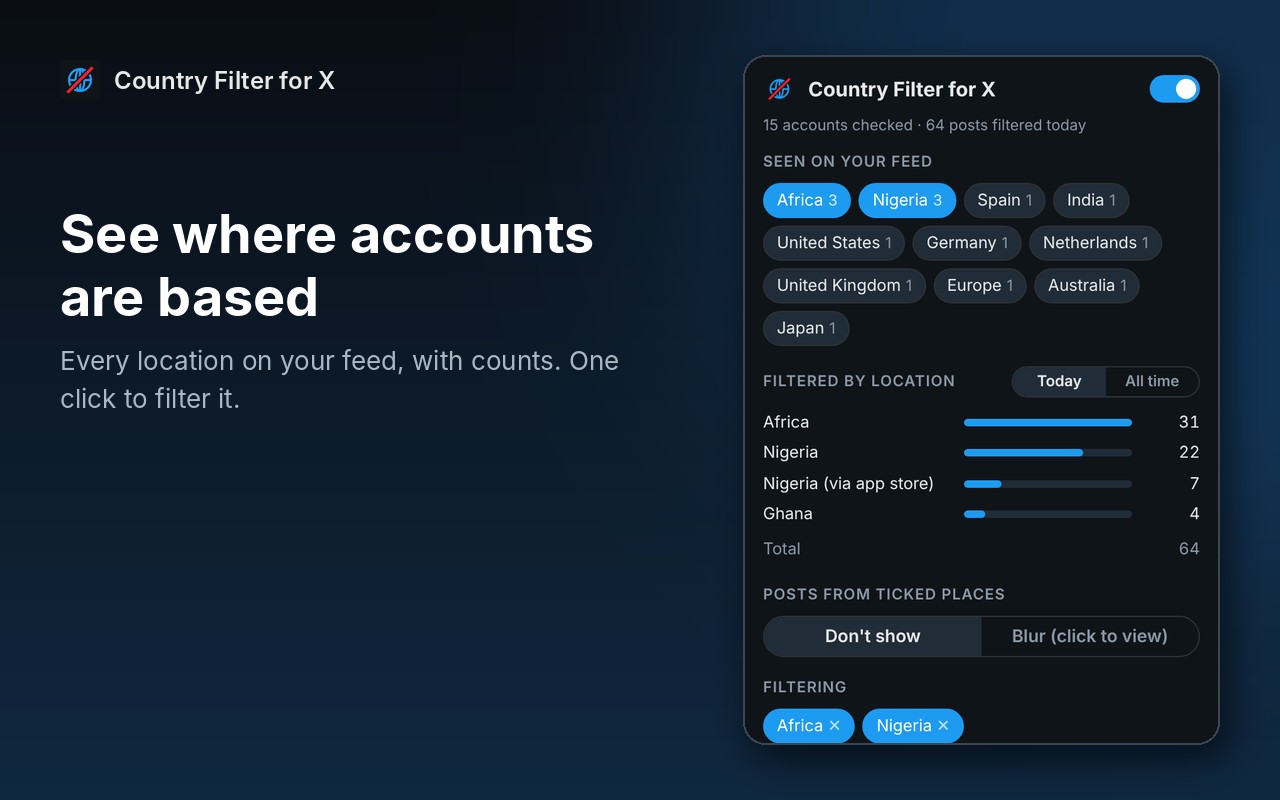
Every location it has come across, with a count for each one. One click to filter it.
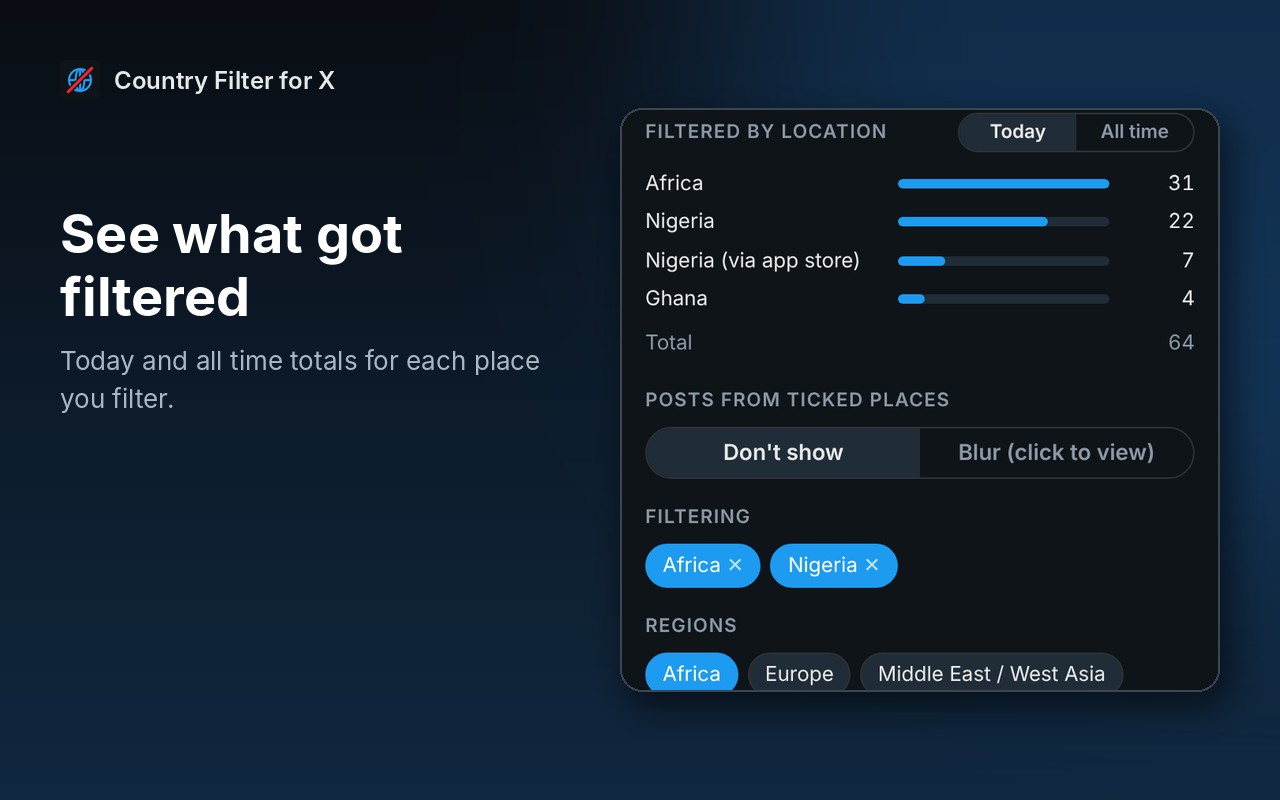
Filter counts
See how many posts it has filtered from each place, today and all time.
Connected via
Optionally match the app store an account signed up from too. That catches some accounts using a VPN to look like they are somewhere else.
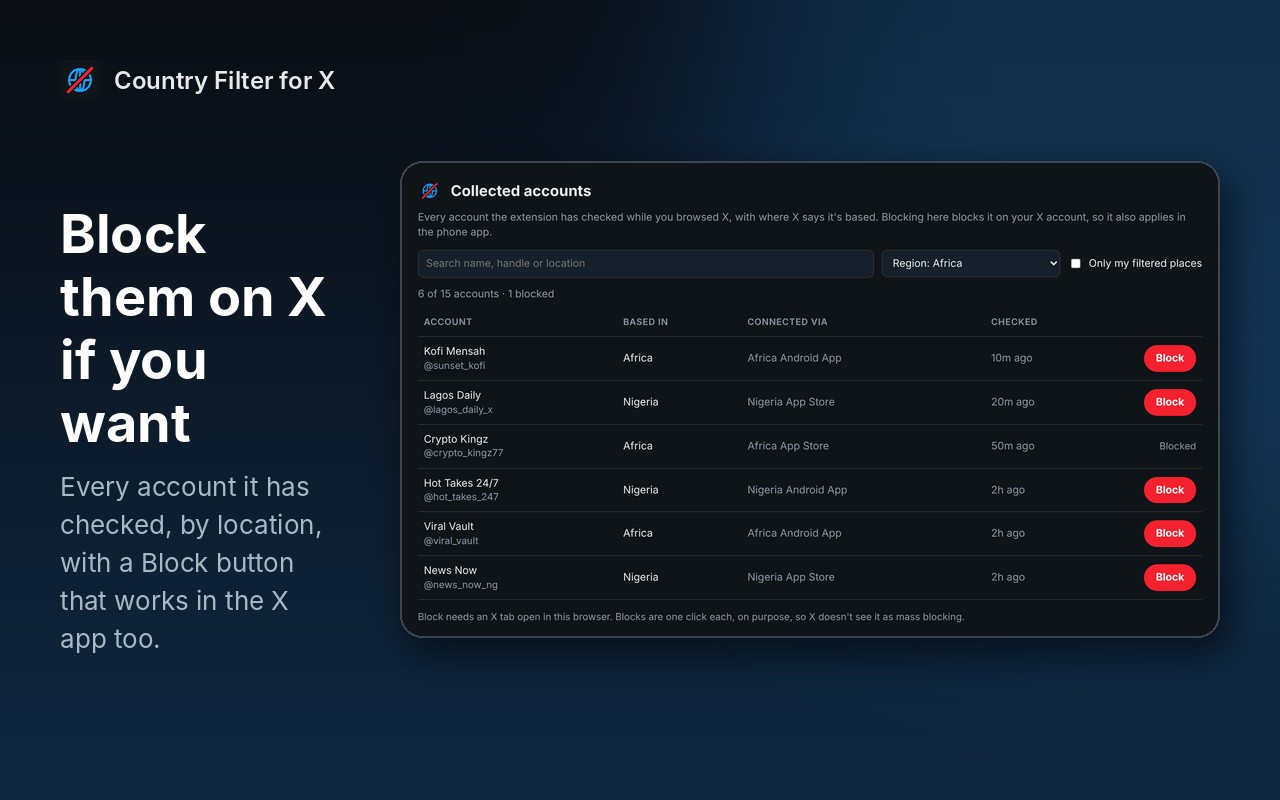
Collected accounts and Block
Every account it has checked, by location, with a one-click Block button. Blocks apply to your X account, so they work in the X app too.
Never hide list
Add any accounts you always want to see, wherever they are based.
How to install it
The easiest way is your browser’s store: Chrome Web Store (also works in Brave and Vivaldi), Edge Add-ons or Firefox Add-ons. One click and it installs and updates itself. If you’d rather add the ZIP yourself, it takes about a minute:
Download and unzip
Download the ZIP and unzip it somewhere you will keep it, such as Documents. The browser runs the extension from that folder, so leave it there.
Open your extensions page
Type chrome://extensions in the address bar. In Edge use edge://extensions, in Brave brave://extensions.
Switch on Developer mode
The switch is top right in Chrome and Brave, and bottom left in Edge. It just lets you add an extension from a folder.
Load unpacked
Click Load unpacked and pick the country-filter-for-x folder. Then pin the Country Filter for X icon from the puzzle piece menu.
On Firefox it is one click: install it from Firefox Add-ons and it keeps itself up to date.
See it in action
Every step, exactly as it looks in your browser.
Who it is for
Anyone who wants a calmer X feed, without leaving X.
Tired of reply spam
Cut out the same engagement farms and reply bots that turn up under every big post.
Curious about who is posting
See at a glance where the accounts in a thread are actually based.
Blocking in bulk, carefully
Review accounts by location and block the ones you want, one click at a time.
Requirements
Browser
Chrome, Microsoft Edge, Brave, Opera or Vivaldi on Windows, macOS or Linux, or Firefox 128 or newer.
Account
None for the extension. You need to be signed in to x.com.
Permissions
It runs only on x.com and twitter.com, and only talks to x.com using your own session.
Download
About 45 KB. No installer.
Version
1.0.0, released 25 October 2026.
Licence
GPL-3.0. Free for everyone, including commercial use.
Frequently Asked Questions
Is Country Filter for X really free?
Yes. There is no Pro version, no ads and no limits. It is open source under the GPL-3.0, so you can read every line of it on GitHub.
Where does the location come from?
From X itself. X shows where each account is based on its About this account page, and Country Filter for X reads the same information for the accounts on your feed.
Is it 100% accurate?
No. It is only as accurate as the location X shows, which can be wrong, for example when someone uses a VPN. The optional Connected via match catches some of those.
Why do some accounts only show a region?
X sometimes shows a region, such as Africa or South Asia, instead of a country. That is why you can filter whole regions as well as single countries.
Why do some posts not get filtered straight away?
X allows about 50 account lookups every 15 minutes. Country Filter for X checks the posts on your screen first, stops just before the limit, and remembers every account for 30 days, so after a day or so most of your feed is already known.
Does it work in the X phone app?
The filter works in your browser on x.com only. Accounts you block from the Collected accounts page are blocked on your X account, so those carry over to the app.
Does it block anyone by itself?
No. Hiding and blurring only happen in your browser. Blocking only happens when you click Block, one account at a time.
Does it collect any of my data?
No. It has no servers of its own. Your settings, the accounts it has checked and the filter counts are stored in your own browser.
Is Country Filter for X on the Chrome Web Store?
Yes. Install it from the Chrome Web Store and it updates itself. It works in Brave and Vivaldi from the same listing.
Is Country Filter for X on the Edge Add-ons store?
Yes. On Microsoft Edge, install it from the Edge Add-ons store and it updates itself. On Chrome, Brave and Vivaldi, get it from the Chrome Web Store.
Does it work on Firefox?
Yes. Install it from Firefox Add-ons, where it keeps itself up to date.
Version History
- v1.0.0: 25 October 2026. Initial public release.
Download Country Filter for X today
Completely free. Version 1.0.0, no strings attached, and open source under the GPL-3.0 licence.
0 downloads so far
Also on
Support
Country Filter for X is free and always will be.
Country Filter for X is an independent tool made by TechyGeeksHome. It is not affiliated with, endorsed by or connected to X Corp..