 By Andrew Armstrong
Most backup setups are trusted by default, not checked. A schedule gets configured once, nobody looks again, and the first sign anything was wrong is a restore that fails. MSP Backup Health Report is a PowerShell tool that audits Windows Server Backup or Veeam Backup & Replication, whichever is present, and turns what it finds into a single, clear, interactive HTML report.
Quick Facts
- MSP Backup Health Report scores a backup setup 0 to 100, weighted so a single missed backup never reads the same as a setup with no backups at all.
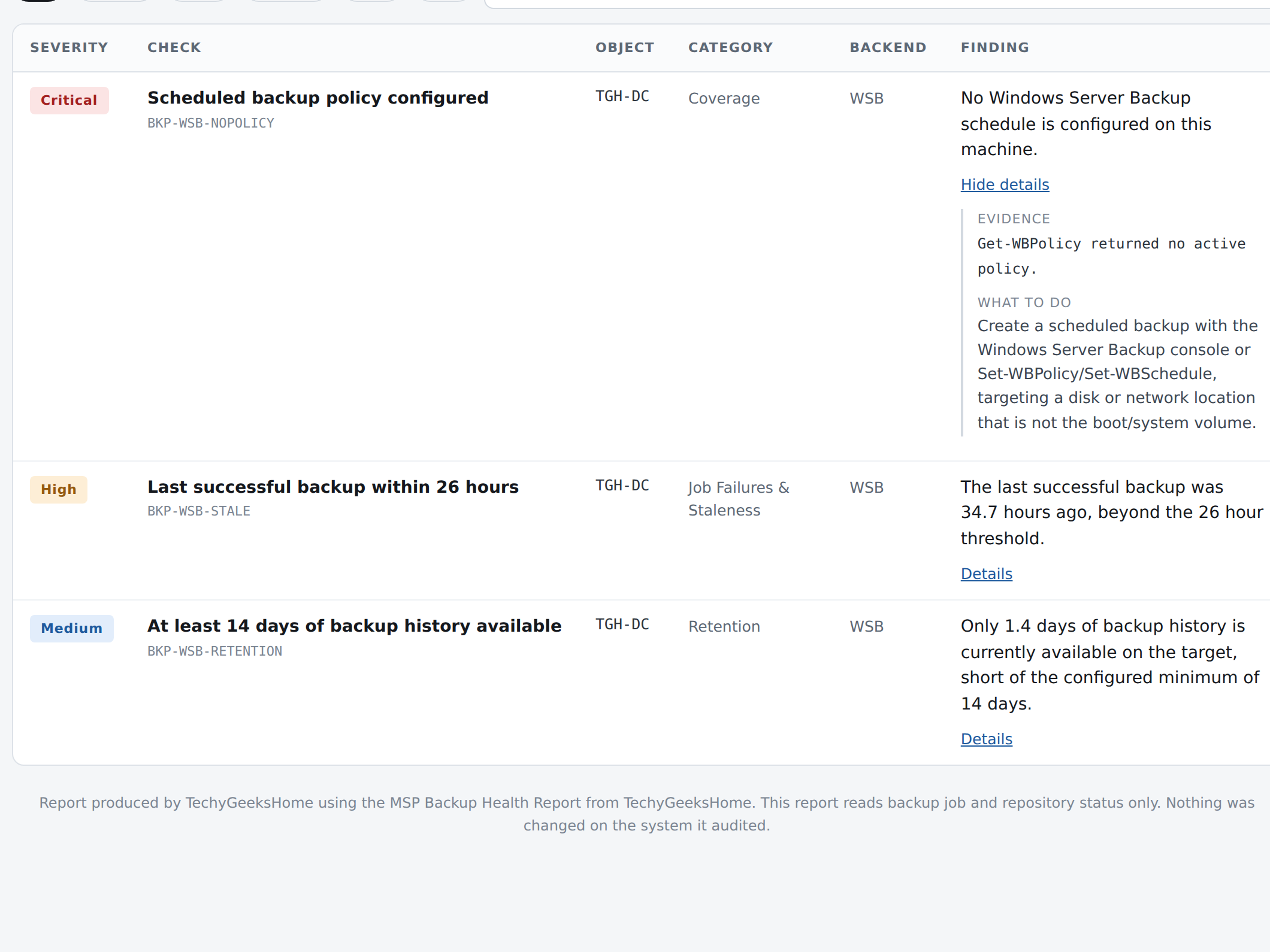
- A test run against a real Windows Server Backup machine scored 72 out of 100, “Needs Attention”, with 3 findings: no scheduled policy, a stale last backup, and short retention.
- It checks both Windows Server Backup and Veeam Backup & Replication, auto-detecting whichever is present.
- MSP Backup Health Report is £29, one time purchase, live now.
MSP Backup Health Report: what it checks
MSP Backup Health Report is built for IT admins and MSPs who want to know whether a backup setup actually works, not just whether it exists. Point it at a Windows Server Backup machine or a Veeam server and it checks coverage and configuration, failed or stale jobs, disabled schedules, repository and target free space, the 3-2-1 offsite copy rule, and retention against your own minimum.
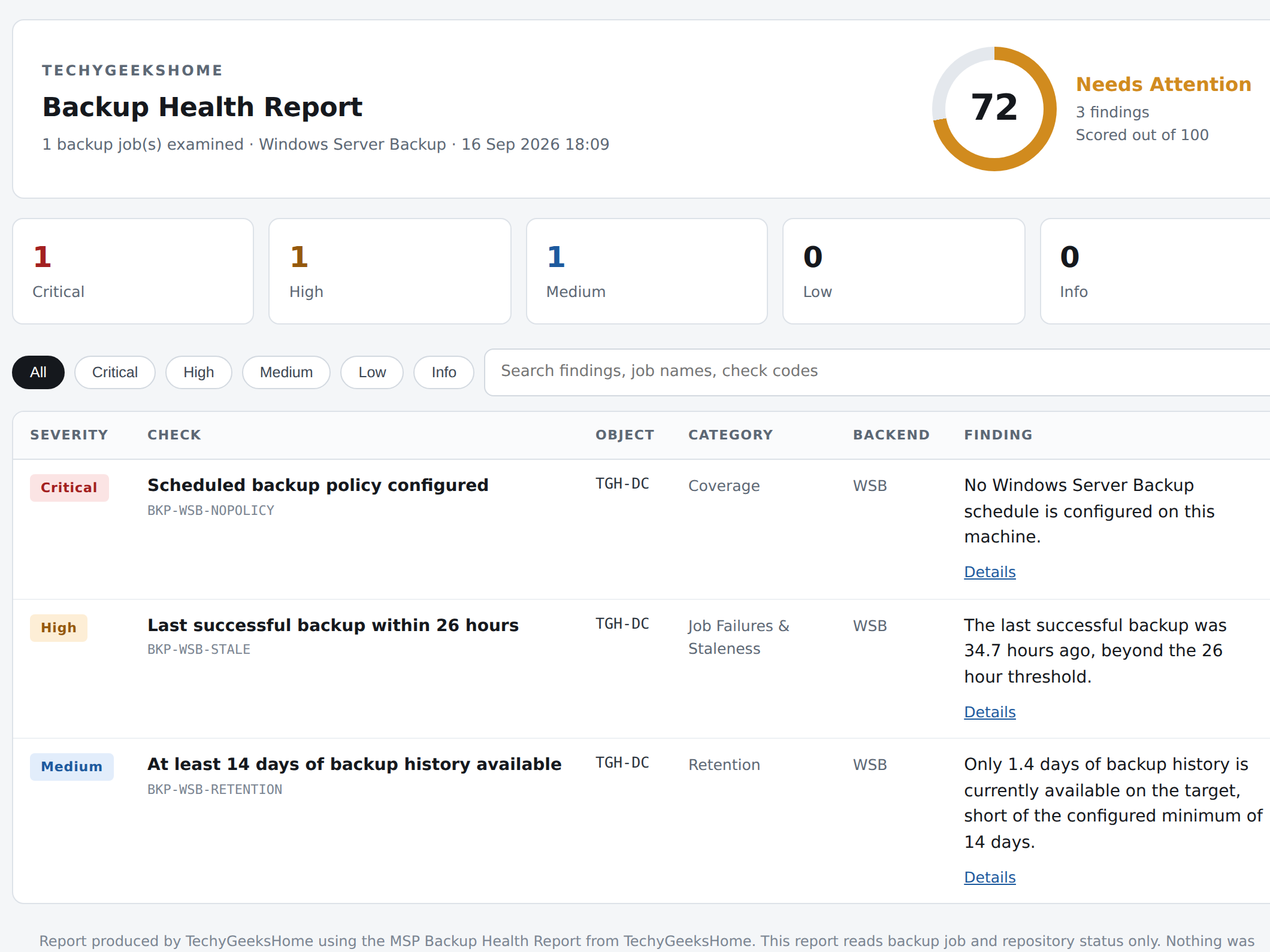
Everything comes back as one self contained HTML report, in your own or your client’s branding. No internet connection while it runs, no agent to install, no cloud account to create. The findings table filters by category and severity and searches by name, so a long list of findings is never just a wall of text.
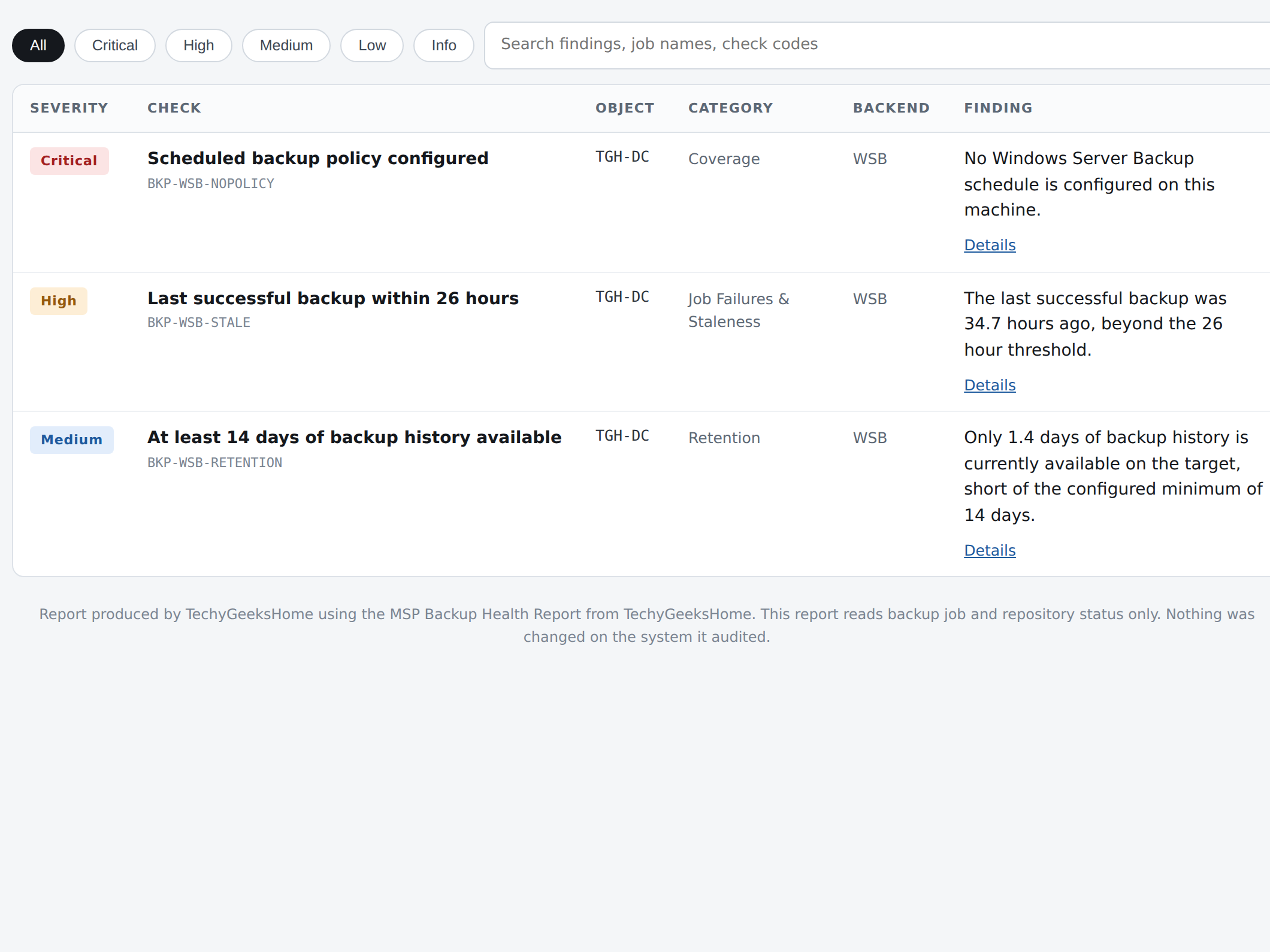
Every finding expands to show its evidence and exactly what to do about it, not just a severity label.
The 3-2-1 offsite copy rule gets its own category rather than being buried in a general list. A single local disk with no second, offsite copy is one of the most common gaps in a real backup setup, and one of the most expensive to discover the hard way, so the report calls it out on its own rather than leaving it as one line among many.
See it in action
A short clip of the actual report: the score card, filtering to Critical and High findings, and expanding a finding to its evidence and fix.
The score decays gradually rather than falling off a cliff, so a setup that has drifted a bit does not read the same as one with no backups running at all, and every fix you make actually moves the number. It is entirely read only: it never creates, changes, disables or deletes a job, a schedule, a repository or a target.
Pairs with AD Health and GPO Health
AD Health & Security Audit covers accounts, privileged group membership and password policy. GPO Health & Cleanup Report goes deep on Group Policy specifically. MSP Backup Health Report audits the backup layer on top of both. Same architecture, same report style, same one-time-purchase model, easy to run all three for a client in one sitting.
| Tool | Checks | Price |
| AD Health & Security Audit | Stale accounts, privileged group membership, password policy, orphaned GPOs | £19 |
| GPO Health & Cleanup Report | Orphaned/empty/disabled GPOs, missing SYSVOL, broken WMI filters, MS16-072 permission gap, inheritance conflicts | £17 |
| MSP Backup Health Report | Windows Server Backup or Veeam coverage, failed/stale jobs, capacity, 3-2-1 offsite copies, retention | £29 |
A backup you have not checked is a hope, not a plan. This is the five minute version of finding out before you need to.
Discover more from TechyGeeksHome
Subscribe to get the latest posts sent to your email.
