 By Andrew Armstrong
 If you’ve ever moved your photos out of Google Photos with Google Takeout, you’ve probably seen this: you open the folder in Windows Photos, OneDrive or your NAS, and every single photo says it was taken today. Ten years of pictures, all on the same date, from nowhere.
The dates aren’t lost. Takeout saves each photo’s date taken and GPS location in a separate .json file next to the photo, instead of inside it. Nothing else knows to look there.
MetaRestoreGeek is a free Windows app that reads those files and writes the real date and location back into the photos.
How it works
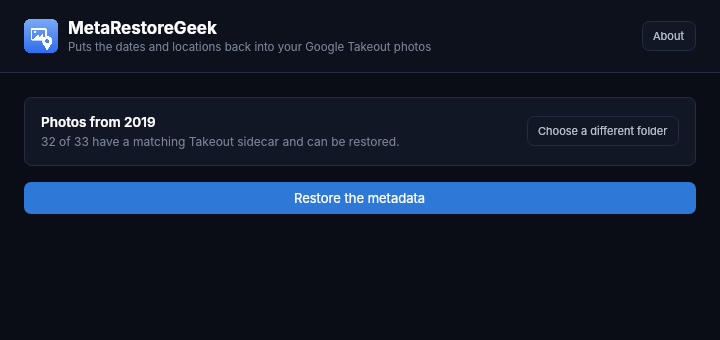
Drop your Takeout “Google Photos” folder in. Before you commit to anything, it tells you how many of the photos have a matching .json file and can be fixed. Click Restore the metadata and it writes the date taken, GPS location and caption back into each one.
Google’s odd file names, handled
Matching a photo to its file sounds simple, and it would be if Google named them consistently. It doesn’t. MetaRestoreGeek handles the cases that trip up simple scripts:
- The newer
.supplemental-metadata.jsonfiles - Edited copies like
IMG_1234-edited.jpg, which share the original’s file - Numbered duplicates, where
IMG_1234(1).jpgbelongs toIMG_1234.jpg(1).json, with the number moved after the extension - Long file names that older exports cut short
When the export has both the camera’s own location and Google’s best guess, it keeps the camera’s.
Your originals are never touched
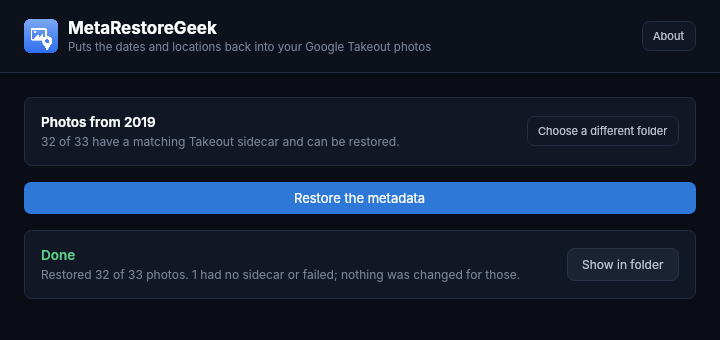
Every fixed photo is written as a new copy into a (restored) folder next to the original one. Nothing in the source folder is opened for writing. Photos with no matching file are left alone and listed in the summary, so you know exactly what wasn’t fixed. In the demo, 32 of 33 photos got their dates back. The one that didn’t was a screenshot with nothing to restore.
exiftool in one click
MetaRestoreGeek uses exiftool to write the data. It isn’t bundled because it updates often, but the first time the app can’t find it, it offers a one-click download of a pinned, checksum-verified build. Already have exiftool on your PATH? It just uses that.
Requirements
- Windows 10 or 11, 64-bit
- No administrator rights needed
- Free and open source (GPL-3.0). No uploads, no account
Version 1.0.2 is out now. Get it from the MetaRestoreGeek page, or see the source on GitHub.
Discover more from TechyGeeksHome
Subscribe to get the latest posts sent to your email.
