 By Andrew Armstrong
As someone who works extensively with Outlook and Exchange environments, I have often encountered OST files that suddenly become inaccessible or orphaned. OST files are convenient, they store a local copy of your mailbox, but they’re tied to a specific Outlook profile or Exchange account. However, when that connection is lost, the OST file becomes inaccessible. Outlook can’t open it, and your emails, contacts, calendars, and other data suddenly become inaccessible.
That’s where Stellar Converter for OST comes in. I have tested Stellar Converter for OST myself, and sharing my thoughts on it.
Why You Need OST to PST Conversion
There are several scenarios where converting OST to PST is essential:
- Profile deletion or Exchange account removal: OST files lose their link to Outlook, and you can’t open them.
- Mailbox Inaccessible: Sync failures or indexing issues can make OST files inaccessible.
- Migration needs: Moving mailboxes to a new Exchange server or Office 365.
- Data portability: PST files are portable and can be imported into any Outlook installation, unlike OSTs.
In short, if you rely on Outlook for business-critical communications, being able to extract data from an OST file is non-negotiable.
Using Stellar Converter for OST: Step by Step
- Locate the OST File
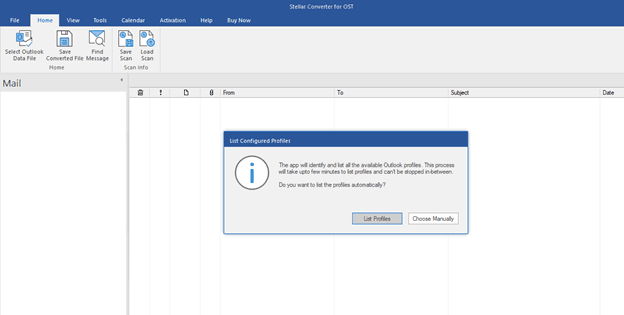
You can either browse manually or use the Auto Locate feature. Auto Locate worked well for standard Outlook directories, but for files in custom locations, manual selection was necessary.
- Scan and Preview
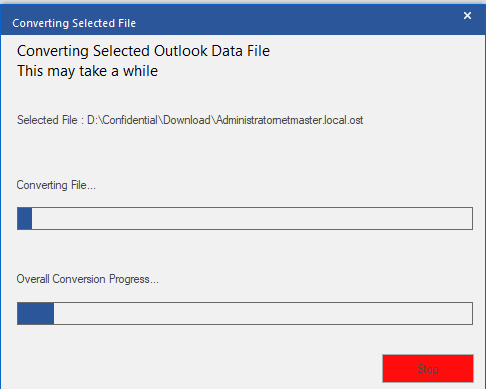
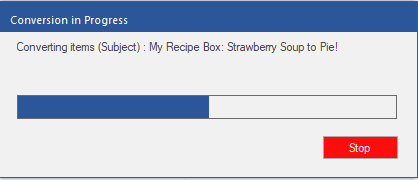
The scanning process was fast, after the scan, I could see preview of every mailbox item: emails, attachments, contacts, calendars, tasks, and even deleted items, which were highlighted in red.
- Select What to Export
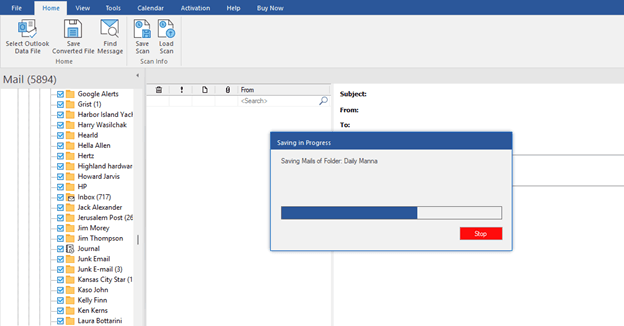
I could select folders or individual items for export. The preview made it easy to choose exactly what I needed, saving time and disk space.
- Export to PST (or Other Formats)
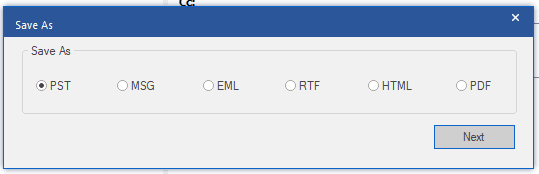
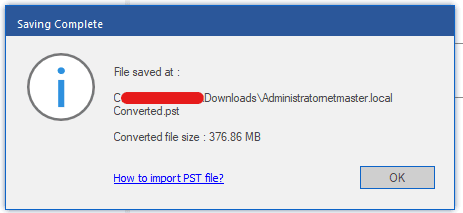
I exported my data to PST, which I could then import into Outlook without any issues. Other export options like MSG, EML, HTML, and PDF are available if needed. In the Technician edition, you can even export directly to Office 365 or Live Exchange, perfect for enterprise migrations.
- Optional Features
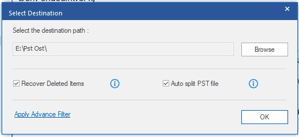
- PST splitting for large mailboxes
- Recover Deleted Items
Resource Usage
The software runs efficiently on standard Windows systems. A 64‑bit OS with 4-8 GB RAM is recommended for smooth operation.
System Requirements
- Processor: Intel‑compatible (64‑bit)
- Memory: Minimum 4 GB (8 GB recommended)
- Disk Space: 250 MB for installation
- Operating System: Windows 11, 10, 8.1, 8
- MS Outlook:MS Office 365 / 2024 / 2021 / 2019 / 2016 / 2013 / 2010 / 2007
- Pricing & Editions
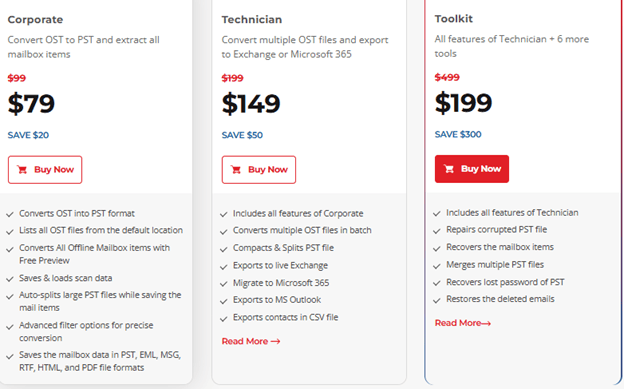
Stellar offers three editions, each aimed at different levels of usage:
- Corporate: $79
- Technician: $149
- Toolkit: $199
Prices and license terms change and vary by promotion. Verify current pricing on the vendor site before buying.
Pros & Cons
Pros
- Reliable, accurate OST to PST conversion
- Supports encrypted and orphaned OST files
- Auto‑locate feature saves time in multi‑profile environments
- Fast scanning and responsive preview
- Technician edition includes enterprise‑grade features
- Clean, familiar interface for Outlook/Exchange admins
Cons
- The free version only allows preview, not PST export.
Conclusion
After testing it myself, I can confidently say that Stellar Converter for OST is reliable, fast, and accurate tool to convert OST to PST. For IT admins, MSPs, or anyone managing multiple Outlook profiles, it’s a lifesaver. Even for occasional users with orphaned or encrypted OST files, it provides peace of mind knowing you can always access your mailbox data.
If you’re looking for a tool that just works without fiddling around with complex workarounds, Stellar Converter for OST earns a solid recommendation from me.
Gear We Recommend
A few general tech accessories worth having alongside this.
Browse our General Tech Accessories picks on AmazonAs an Amazon Associate, TechyGeeksHome earns from qualifying purchases.
Discover more from TechyGeeksHome
Subscribe to get the latest posts sent to your email.
