 By Andrew Armstrong
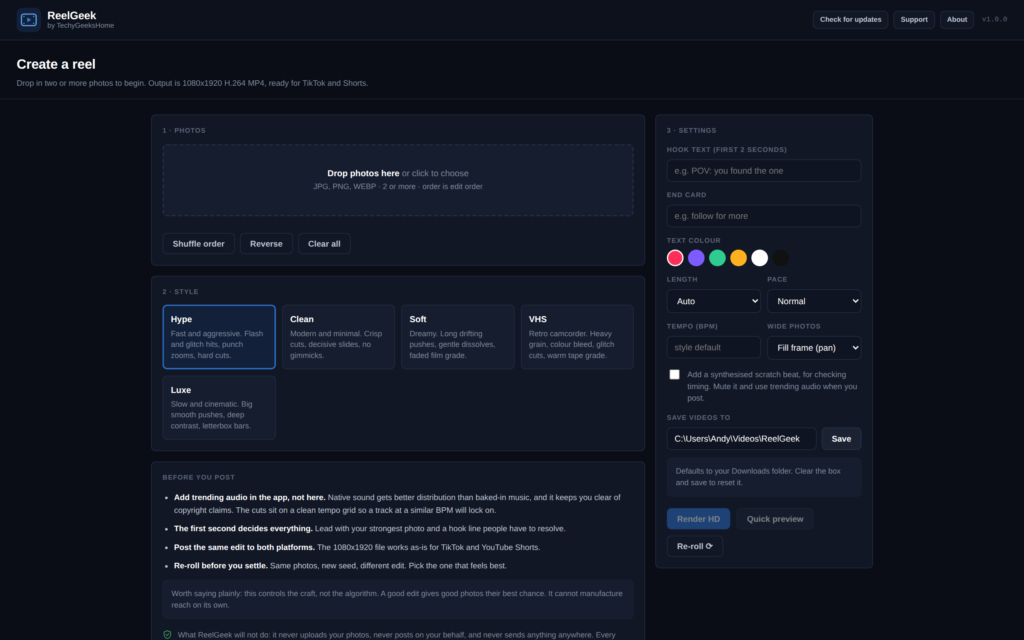
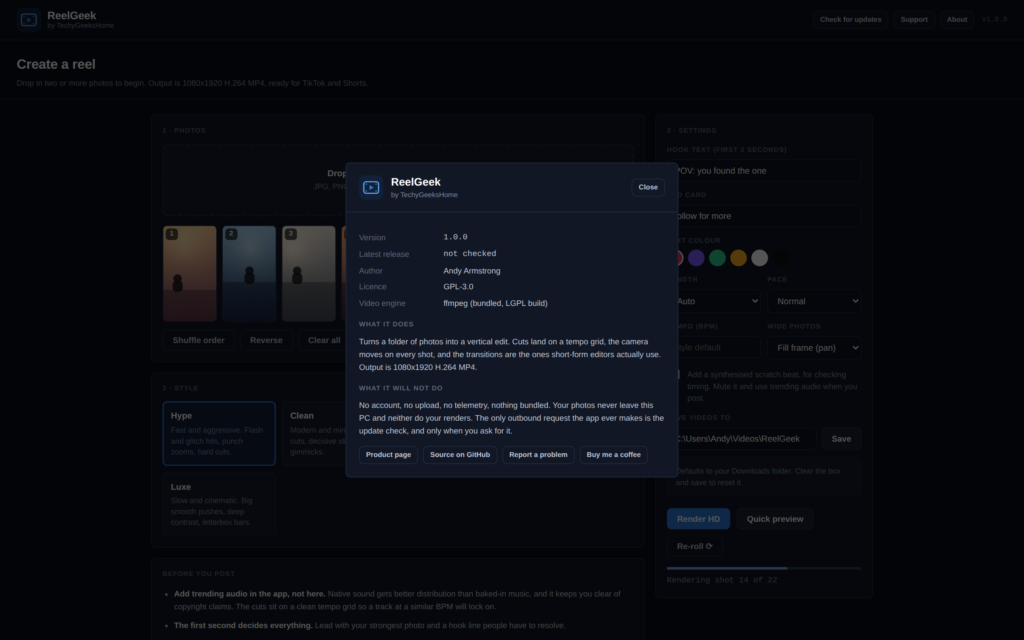
Making a reel out of a folder of photos should be a five minute job. In practice you either pay for an app, hand your pictures to a website that keeps a copy, or spend an evening in a timeline editor nudging keyframes. ReelGeek is the fourth option: a free Windows app that reads photos off your disk, builds a real edit, and writes an MP4 you can post straight to TikTok or YouTube Shorts.
It is out today, version 1.0.0, and like everything else here it is free with no account, no watermark and no export limit.
It makes an edit, not a slideshow
That is the whole point of it. A slideshow shows each photo for two seconds with a fade in between, and everyone can tell. ReelGeek builds a cut list against a tempo grid, then gives every shot its own camera move and picks a transition to get out of it.
The transitions are the ones short-form editors actually use: whip pans with genuine directional motion blur, snap zooms, flash frames, RGB-split glitches and hard cuts on the beat. Every frame is composed in Python and piped into ffmpeg as raw pixels. That is slower than an ffmpeg filter chain, and it is the reason those moves are possible at all. You cannot get a proper whip pan out of stock filters.
Five styles
- Hype. Fast and aggressive. Flash and glitch hits, punch zooms, hard cuts. The default fashion and lifestyle look.
- Clean. Modern and minimal. Crisp cuts, decisive slides, no gimmicks. Reads expensive rather than loud.
- Soft. Dreamy. Long drifting pushes, gentle dissolves, a faded film grade. Golden hour and portraits.
- VHS. Retro camcorder. Heavy grain, colour bleed, glitch cuts, warm tape grade.
- Luxe. Slow and cinematic. Big smooth pushes, deep contrast, letterbox bars. Fewer cuts, more weight per photo.
Why there is no music in it
This is the question I expect most, so here is the answer up front. ReelGeek deliberately does not bake a track into the video.
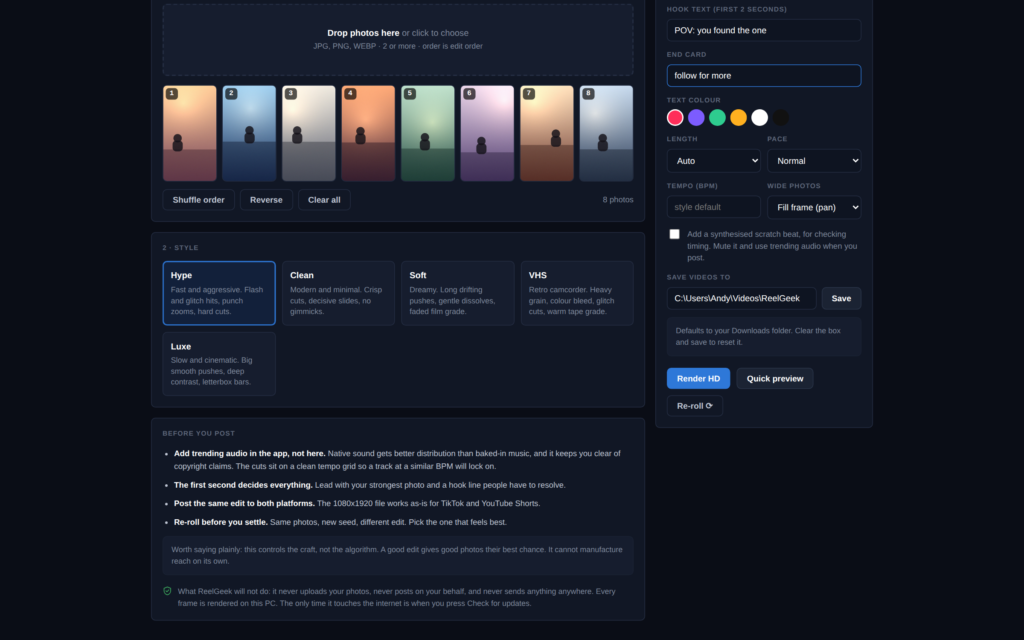
Adding trending audio inside TikTok or Instagram gets you better distribution than uploading a video with the music already in it, and it is the only route that reliably keeps you clear of copyright claims and muted uploads. So the app gives you a silent file, you pick a sound in the app, and you are done. Because the cuts sit on a clean tempo grid, a track at a similar BPM lines up. Set the Tempo box to your track’s BPM first and it lines up properly.
There is a scratch beat option, a drum pattern the app synthesises itself out of sine waves and noise, so you can hear whether your cuts are landing before you post. Nothing in it is sampled or licensed from anyone. It is there for checking timing, not for posting.
Re-roll is the feature I use most
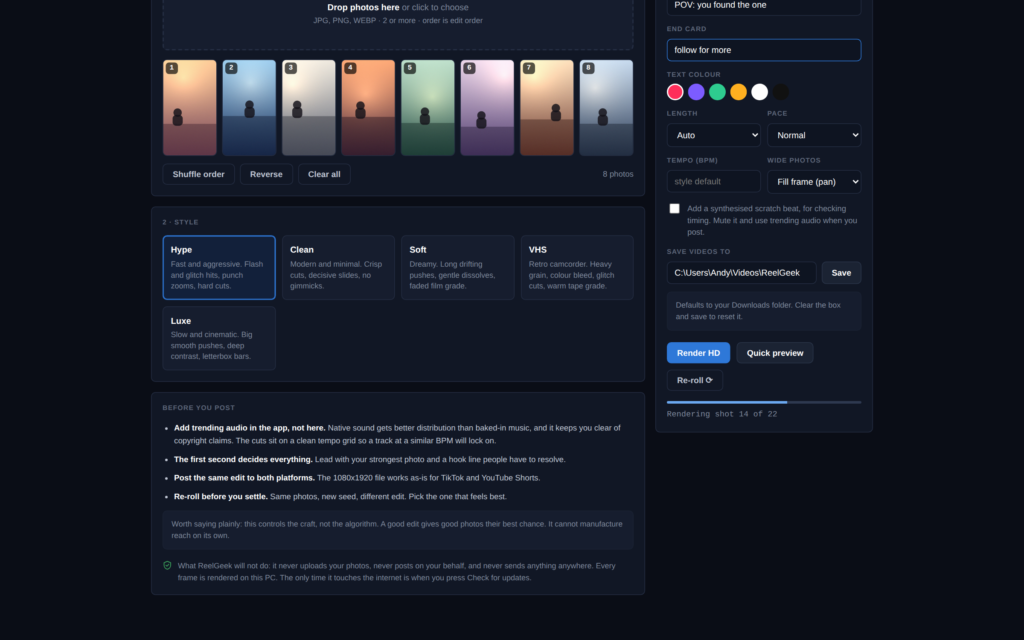
Press it and you get a completely new edit from the same photos and the same style. Different camera moves, different transitions, different cut placement. It costs nothing, so the honest workflow is to roll it three or four times, watch each one, and keep the best. Quick preview renders a low-res draft in seconds, so you can judge the rhythm before committing to a full render.
What it will not do
The same rules as the rest of the range, and they are stated inside the app as well as here.
- No account. There is nothing to sign up for.
- No upload. Your photos are read from your disk and rendered on your CPU. They never leave the machine, and neither do the videos.
- No posting on your behalf. ReelGeek makes the file. You post it.
- No telemetry. Nothing is counted, timed or sent back.
- No watermark, no export limit, no paid tier.
- Nothing bundled. The installer contains the app and ffmpeg, and that is all.
The only outbound request the app ever makes is the update check, and only when you press the button. It asks GitHub what the newest published version is and compares it to its own. That is the request in full.
Getting it
Windows 10 or 11, 64-bit. Python and ffmpeg are both inside the installer, so there is nothing to install first and nothing to configure.
ReelGeek is not code-signed, so Windows may show a blue “Windows protected your PC” box the first time you run the installer. That is SmartScreen reacting to a file it has not seen before, not a detection. Click More info, then Run anyway. Code signing is on the list; certificates cost more per year than this whole range earns.
Where it goes next
Batch mode, so you can point it at several folders and come back later. More styles, which are the easiest thing to add because a style is just a block of numbers in one file. And if enough people ask for it, video clips as input alongside photos.
If it breaks, or an edit comes out wrong, open an issue on GitHub and say what you did, what happened, and how many photos were in the edit. A person reads them.
Discover more from TechyGeeksHome
Subscribe to get the latest posts sent to your email.
