 By Andrew Armstrong
Saving the pictures from a web page usually means right-clicking them one at a time, and half the time you get a small thumbnail instead of the real picture. Videos are worse: most sites stream them in hundreds of small pieces, so there’s nothing to right-click at all.
So we built Page Saver. It’s a free browser extension that saves every image on a web page at the biggest size the site has, plus its videos, including streamed ones, and hands it all to you as a single ZIP file.
Quick Facts
- Free. No Pro tier, no ads and no limit on how much you save.
- Open source under the GPL-3.0, with the full source on GitHub.
- Works in Chrome, Edge, Brave, Opera, Vivaldi and Firefox.
- No account, no tracking and no website in the middle. Files go straight from the website to your computer.
What it does
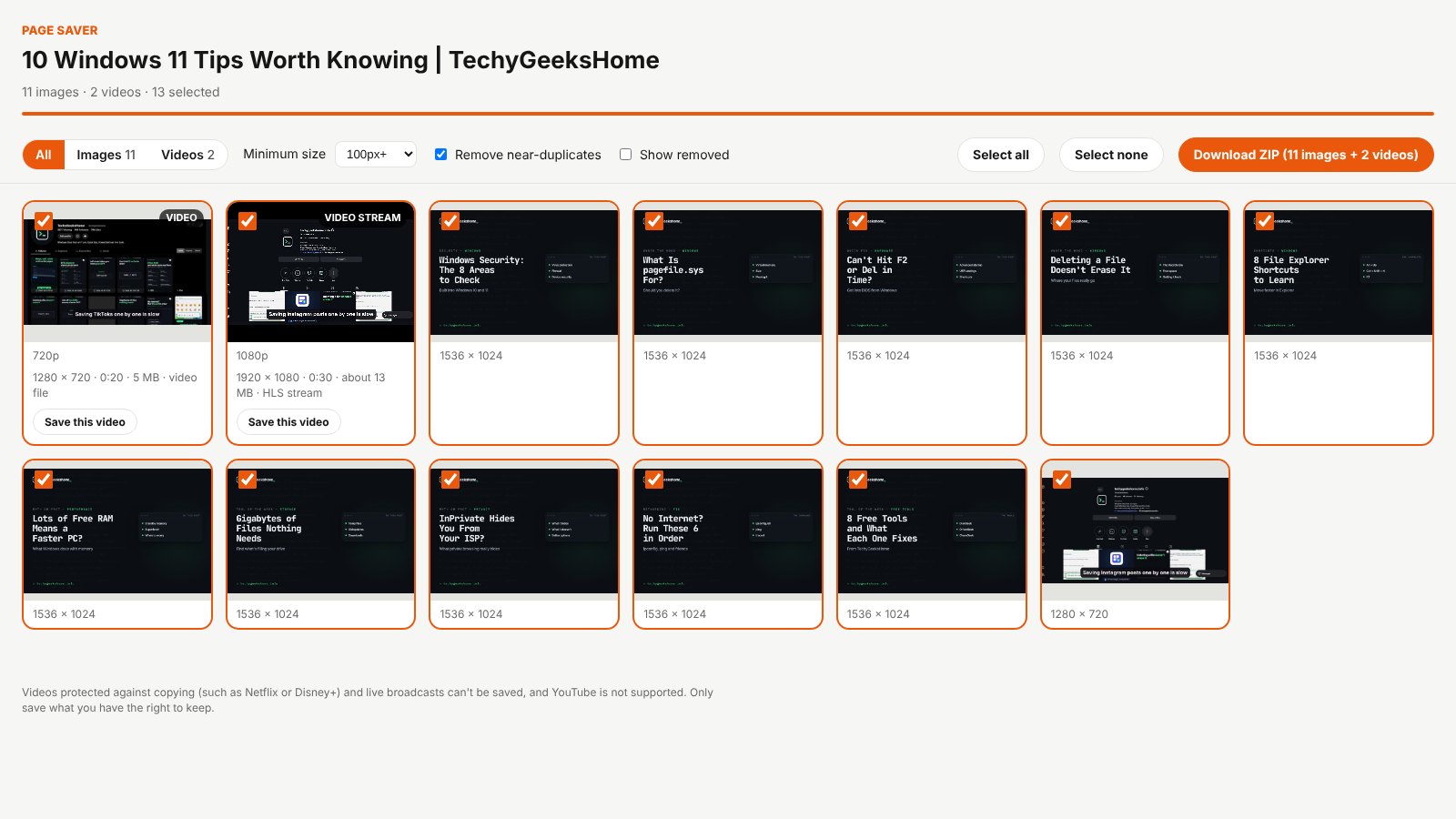
Open any page and click the Page Saver icon. It scrolls the page so every picture loads, then a results tab shows every image and video it found, ready to download.
- The biggest size. Many sites show a thumbnail and keep the original nearby. Page Saver swaps in the original where it can, checks the sizes and keeps the bigger copy.
- Streamed video, joined up. Videos sent in pieces (HLS and DASH) are downloaded at the best quality and joined into one MP4 with the sound, with no extra app to install.
- You choose. Switch between images and videos, untick what you don’t want, or save one video on its own.
- One tidy ZIP. Images and videos in their own folders, with near-duplicates removed.
How it works
Page Saver reads the page you click it on, and notes the video files and playlists the tab loads as you browse, so a video playing in a player can still be found. Downloads go out with the page you were on as the referrer, just like the page’s own requests, because many sites refuse files requested from anywhere else. Everything else, from picking the biggest picture to joining a stream into one file, happens inside your own browser.
Videos protected against copying, such as Netflix or Disney+, are encrypted, so Page Saver skips them, along with live broadcasts. YouTube isn’t supported.
How to install it
Page Saver is waiting for review on Edge Add-ons and Firefox Add-ons. Until then, adding it yourself takes about a minute:
- Download the ZIP and unzip it somewhere you’ll keep it.
- Go to
chrome://extensions(oredge://extensions) and switch on Developer mode. - Click Load unpacked and pick the
page-saverfolder.
On Firefox, grab the Firefox version instead and load it from about:debugging. The Page Saver page walks through every step with screenshots.
A word on whose pictures they are
Saving a page doesn’t change who owns what’s on it. Page Saver is ideal for your own content, or content you have permission to use. Reposting someone else’s pictures or videos still needs their permission.
Download it
Found a bug or want a feature? Open an issue on GitHub. Page Saver joins Board Saver for Pinterest, Grid Saver for Instagram and Clip Saver for TikTok in our browser extensions.
Page Saver is an independent tool made by TechyGeeksHome and is not affiliated with any website it works on.
Discover more from TechyGeeksHome
Subscribe to get the latest posts sent to your email.
