 By Andrew Armstrong
Shoretel Account Viewer is a small utility we built for ShoreTel/Mitel administrators who need to quickly look up account details for a user directly from the ShoreTel MySQL database, without digging through the full ShoreTel Director console.
What it does
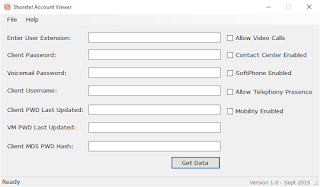
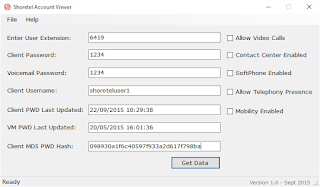
Point it at your ShoreTel environment’s MySQL database, enter an extension number, and it returns:
- Shoretel Communicator username and password
- Shoretel Voicemail password
- Last password update date/time for both Communicator and Voicemail
- Raw MD5 password hash for the Communicator password
- Feature flags: SoftPhone, Video Calls, Contact Center Integration, Telephony Presence, Mobility
This is particularly useful for resetting or reminding end users of their Communicator password without needing to force a full password reset: the tool decrypts the stored MD5 hash back to plain text for you to read directly.
Getting it
The free version is available from our Shoretel Account Viewer page, which also has full setup instructions and screenshots. There’s also a paid Pro version ($19.99) for organisations that want to distribute the tool to multiple admin machines via an MSI installer, with no adverts or link-backs.
Using it
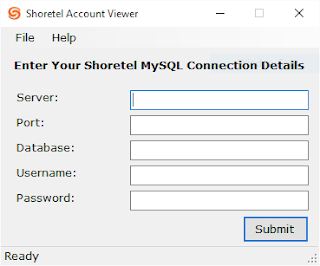
Enter your ShoreTel MySQL connection details once, then look up any extension number to pull back its full account information as listed above.
If you run into issues or have suggestions for future versions, let us know in the comments.
Screenshots: Shoretel Account Viewer in Use
Gear We Recommend
A few general tech accessories worth having alongside this.
Browse our General Tech Accessories picks on AmazonAs an Amazon Associate, TechyGeeksHome earns from qualifying purchases.
Discover more from TechyGeeksHome
Subscribe to get the latest posts sent to your email.
