 By Andrew Armstrong
Updated 22 October 2026. If you run a website on PHP, and that includes every WordPress site, there is a security update you need on your server today. Two critical flaws in PHP itself, nicknamed PHP2Shell, let an attacker run their own code on a web server with a single crafted request and no password. PHP shipped emergency fixes on 21 October 2026, attack attempts were already being seen before the patch landed, and the fix has to be installed on the server, not in WordPress.
This post covers what PHP2Shell is, which PHP versions are fixed, how to check your own site, what your host should be doing, and the stopgaps that buy you time if you cannot patch straight away.
PHP2Shell at a glance
- What: two critical PHP flaws, CVE-2026-109618 and CVE-2026-109619, both rated 9.2 out of 10 (CVSS v4.0).
- Impact: unauthenticated remote code execution (RCE) as the web server account, plus memory disclosure.
- Affected: PHP installations that serve web requests, including PHP-FPM, Apache with mod_php, php-cgi, FrankenPHP and LiteSpeed. The PHP team rates mod_php as the highest risk.
- Fixed in: PHP 8.5.12, 8.4.27, 8.3.36 and 8.2.35 (released 21 October 2026, 14:00 UTC).
- Older PHP: 8.1, 8.0 and 7.4 only get minimal source backports. Upgrade to 8.3 or 8.4.
- Exploitation: Cloudflare reported attack attempts on 21 October, hours before the official release.
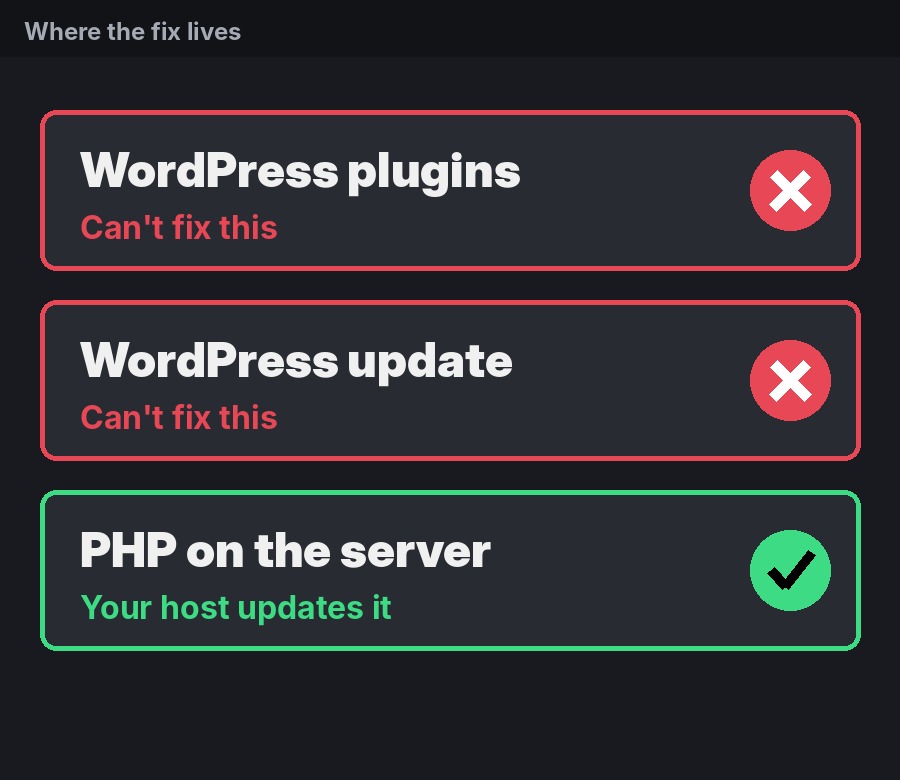
- Who fixes it: whoever runs your server. A WordPress plugin or WordPress update cannot fix this.
What is PHP2Shell?
PHP2Shell is the name researchers gave to a pair of memory safety bugs in the PHP engine. They sit in PHP itself, underneath your application, so a site can be vulnerable even if its own code, theme and plugins are perfectly secure.
Both bugs come from the same root problem: when a PHP request ends badly (for example it runs out of memory, hits a fatal error or times out), PHP can leave its internal memory in a broken state. An attacker can then use that broken state to corrupt memory and, with the right setup, run code on the server.
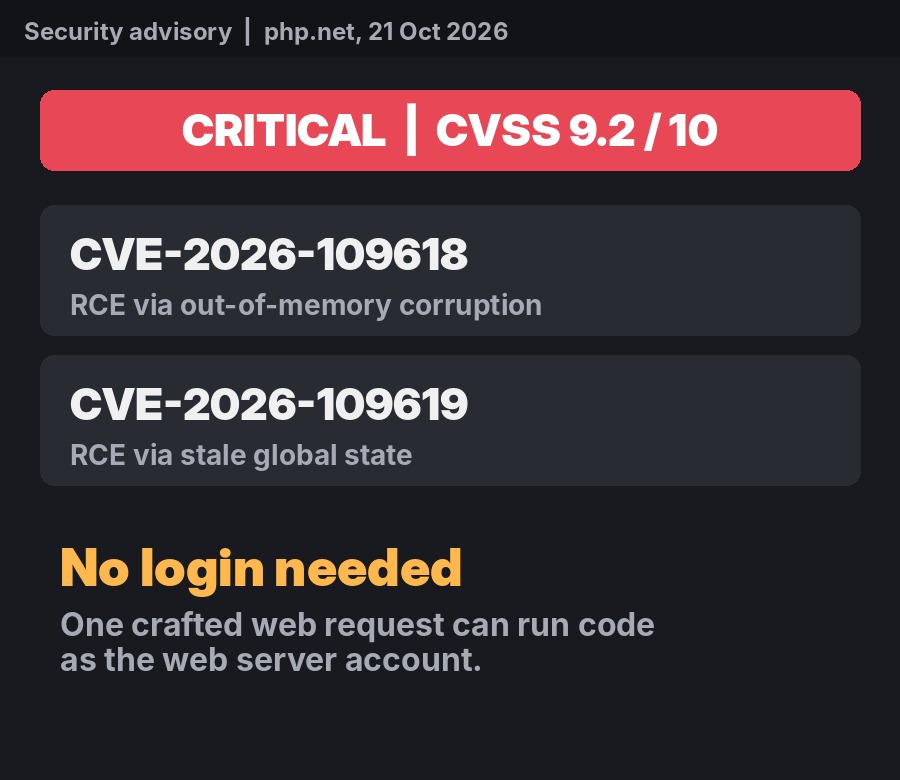
CVE-2026-109618: RCE via out-of-memory corruption
PHP handles out-of-memory errors by jumping straight out of what it was doing. According to the official advisory, some request data can be reachable before it has been fully set up, so a memory failure at the wrong moment leaves invalid data behind, and request shutdown then treats it as valid. The advisory notes that several multipart (file upload) parsing quirks can trigger that out-of-memory condition within normal PHP limits. Apache mod_php is confirmed exploitable; PHP-FPM is considered susceptible based on source analysis.
CVE-2026-109619: RCE via stale global state
PHP keeps some global state between requests in a long-running worker. If one request dies before that state is reset, a later request on the same worker can use memory that has already been freed (a use-after-free). The confirmed paths include session upload progress (validated against mod_php and FPM) and, on PHP 8.5, fatal error backtraces.
The researchers at Wiz say they used these bugs to build working attacks against WordPress, Drupal and Joomla in their tests, and that the official PHP patch fixes the root cause rather than just the examples they found.
Why this is such a big deal
PHP runs roughly 70% of all websites (W3Techs figures quoted by Cloudflare and Wiz; some reports put it at 75% to 80%). WordPress, Drupal, Joomla, WooCommerce shops and countless control panels all sit on top of it. Wiz says every PHP version released in the last decade is affected by at least one of the bugs, going back as far as PHP 5.4.
The reaction from the security world has been blunt. Wiz described the findings as ranking “among the most severe vulnerabilities discovered in PHP”, and security researcher Kevin Beaumont warned it will lead to “a mass of incidents”. VirusTotal estimates more than 5.1 million PHP hosts are exposed online, according to BleepingComputer, and the UK’s National Cyber Security Centre has reportedly told organisations to update PHP immediately or take systems offline until they can.
What an attacker can do with this on a WordPress site is the same as anything WordPress itself can do: create hidden administrator accounts, drop backdoor files, redirect your visitors to scam sites, publish spam pages under your domain, steal your database, or add card skimmers to a shop. And a backdoor planted before you patch is still there after you patch.
How it was found, and the leak
The flaws were reported by researchers from Wiz, Calif and OpenAI, among others. Wiz says its researchers found the first bug on 19 August 2026, confirmed remote code execution against Drupal and WordPress within two days, and reported it to the PHP security team on 24 August. Notably, Wiz says AI tools (including Google’s Gemini and OpenAI’s GPT models) helped find the bugs, build the exploit and validate the patch.
The fix was meant to be a calm, coordinated release. Instead, details leaked on 20 October, a day early. PHP posted a warning that evening that a critical release was coming at 14:00 UTC on 21 October, and told everyone to be ready to upgrade.
Timeline (UTC)
| Date | What happened |
|---|---|
| 19 Aug 2026 | Wiz researchers find the first bug |
| 24 Aug 2026 | Reported privately to the PHP security team |
| 20 Oct 2026 | Details leak a day early; PHP announces a critical release for the next day |
| 21 Oct, 03:02 | Cloudflare switches on firewall protection for all plans, including Free |
| 21 Oct, morning | Cloudflare reports attack attempts against its customers |
| 21 Oct, 14:00 | PHP releases 8.5.12, 8.4.27, 8.3.36 and 8.2.35, plus source backports for 7.4, 8.0 and 8.1 |
| 21 Oct, afternoon | Linux distributions, cPanel and Plesk ship fixed packages; big hosts roll out protection and updates |
Which PHP versions are fixed?
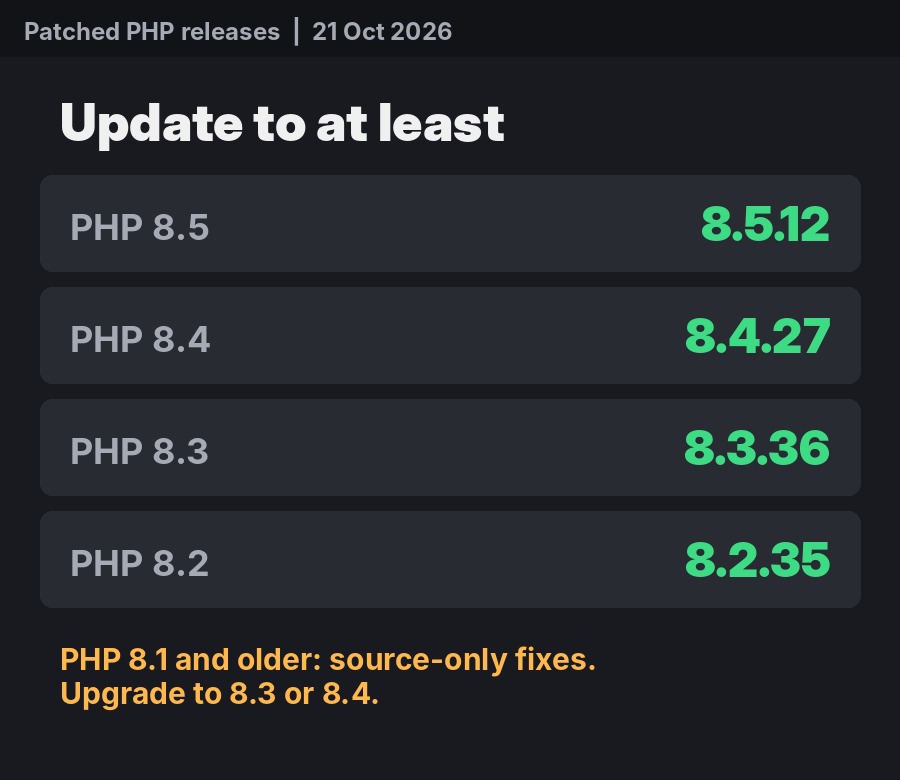
| PHP branch | Fixed version | Notes |
|---|---|---|
| 8.5 | 8.5.12 | Active support |
| 8.4 | 8.4.27 | Active support |
| 8.3 | 8.3.36 | Security fixes only |
| 8.2 | 8.2.35 | Security fixes only, end of life 31 Dec 2026 |
| 8.1, 8.0, 7.4 | Source backports only | End of life. Rely on your host or distro backport, or upgrade |
One catch: Linux distributions often backport the fix without changing the main version number. Ubuntu 24.04, for example, ships the fix as 8.3.6-0ubuntu0.24.04.13, which looks older than 8.3.36 but is patched. If your server uses distro packages, check your distribution’s security notice rather than the version number alone.
How to check your WordPress site
- In wp-admin, go to Tools > Site Health > Info.
- Open the Server section and read the PHP version line.
- Compare it with the table above. 8.3.30, for example, is older than 8.3.36, so it is not patched (unless your host has backported the fix).
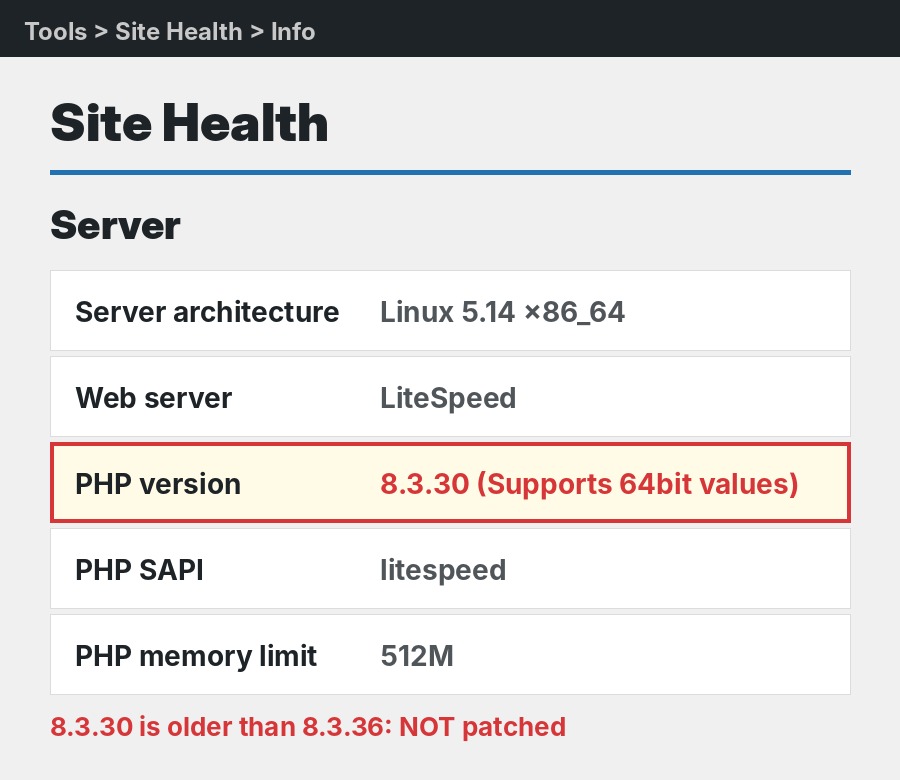
If you have shell access, php -v gives the same answer, but remember the web server may use a different PHP binary from the command line, so Site Health is the more reliable check for the website itself.
What to do now
On shared or managed hosting
Your host has to install the fix. Contact them and ask a direct question: “Is the patched PHP (8.5.12, 8.4.27, 8.3.36 or 8.2.35, or your backported build) installed on my server?” An answer of “we added firewall protection” is good, but it is not the same as “PHP is updated”. Switching PHP versions in cPanel or a host dashboard only changes version, it does not install the fix unless the host has already updated those builds.
Many large hosts, including Kinsta, WP Engine, SiteGround, DreamHost, Cloudways, OVHcloud and Pantheon, said on 20 and 21 October that temporary protection was in place and updates were rolling out. Some, such as GoDaddy and Namecheap, say VPS and dedicated server customers must update PHP themselves.
On your own server (VPS, cloud or Docker)
- Install the fixed PHP packages from your distribution or PHP repository (cPanel EasyApache 4, Plesk, Ubuntu and Debian 13 had packages out on 21 October).
- Restart PHP-FPM or Apache so every worker loads the new build.
- For Docker, pull the fixed image and recreate the containers. Pulling alone changes nothing.
- If you use rpms.remirepo.net, Help Net Security reported no updates were available there at the time of writing; switch to distro packages or build from source.
- Patch internet-facing servers first, including appliances and control panels that bundle their own PHP.
Still on PHP 8.1 or older?
Take a backup, update your plugins and theme, then move to PHP 8.3 or 8.4 and test the pages that matter (home page, contact form, checkout). The PHP error log will tell you if a plugin breaks.
Stopgaps if you cannot patch yet
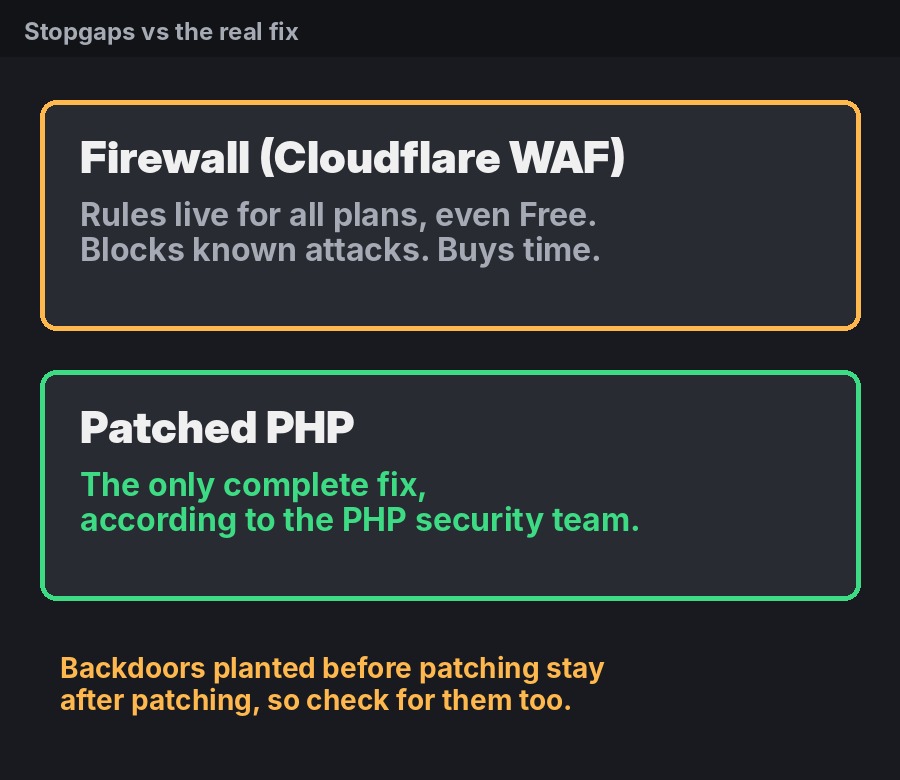
The PHP security team is clear that updating is the only complete fix. These steps reduce the risk while you wait, but none of them make a server safe on their own.
- Put Cloudflare in front of the site. Cloudflare deployed managed WAF rules on 21 October for every plan with the WAF enabled, including Free. It only helps if traffic actually routes through Cloudflare.
- Turn off session upload progress in php.ini or the FPM pool, then restart all workers:
session.upload_progress.enabled = 0. PHP recommends leaving it off even after patching if you do not use it. - On PHP 8.5, set
fatal_error_backtraces=0and restart all workers. - For CVE-2026-109618, PHP suggests
memory_limit=-1set withphp_admin_valueso apps cannot override it, plus a lowpost_max_size(8M if you have no uploads, 32M if you do) and a container or cgroup memory limit. - Security plugins and maintenance mode do not help, because the attack can happen before WordPress even loads.
How to tell if you have already been hit
- In wp-admin, filter Users by Administrator and look for accounts you do not recognise.
- Check Plugins for anything you did not install.
- Any
.phpfile insidewp-content/uploadsis a red flag. - Search Google for
site:yourdomain.comand look for pages you did not create, and check Security issues in Google Search Console. - On the server, Wiz suggests watching for unusual multipart requests followed by memory limit errors, repeated HTTP 500 responses, oversized or malformed
PHPSESSIDcookies, and PHP workers restarting for no reason. Watch for php-fpm, php-cgi, httpd or apache2 starting shells or download tools.
If you find signs of compromise, ask your host to scan and restore a backup from before the attack, then change every password: WordPress, hosting and database.
Frequently asked questions
Is PHP2Shell the same as WP2Shell?
No. WP2Shell is a separate set of flaws in WordPress itself, fixed by a normal WordPress update. PHP2Shell is in PHP, the layer underneath, and needs a server update.
Can I update PHP from the WordPress dashboard?
No. PHP lives on the server. Only your host, or you if you manage the server, can install the fixed build.
Should I take my site offline?
For most sites on a host that is actively patching, no. If you run your own server and cannot patch or put a firewall in front of it, the advice reported from the UK NCSC, and from CERT-EU, is to consider taking it offline or isolating it until you can. Either way, keep an off-server backup.
Am I safe if I use Cloudflare?
Safer, not safe. Cloudflare’s rules block known attack patterns and Cloudflare says it has already seen attackers changing their payloads to try to get around them. Treat it as time to patch, not a replacement for the patch.
Sources and official advisories
- PHP.net: security announcement and releases
- GitHub advisory GHSA-w8hw-w9fx-j79w (CVE-2026-109618)
- GitHub advisory GHSA-6wmf-4rv5-p3rp (CVE-2026-109619)
- Wiz Research: PHP2Shell
- Cloudflare: protections against php2shell
- BleepingComputer: PHP ships emergency patches
- Help Net Security: PHP2Shell patched, update now
- The Hacker News: PHP2Shell emergency alert
- Meow Apps: PHP2Shell for WordPress site owners (host status list)
- Ubuntu security notice USN-8948-1
We will keep this post updated as hosts and Linux distributions finish rolling out the fix.
Discover more from TechyGeeksHome
Subscribe to get the latest posts sent to your email.
