100% Free and Open Source · Version 1.0.0
PiPGeek: pop any video out into a floating window
One click and the video you are watching floats in a small window on top of your other tabs and apps. Click again to put it back. A free picture-in-picture extension with nothing to sign up for.
Chrome, Edge, Brave, Opera, Vivaldi and Firefox · no account · nothing to pay · how to install it
0 downloads so far
Video Demo
From a video stuck in one tab to a floating window that follows you everywhere.
Keep watching while you work
PiPGeek uses the browser’s own picture-in-picture window, and picks the right video for you.
One click
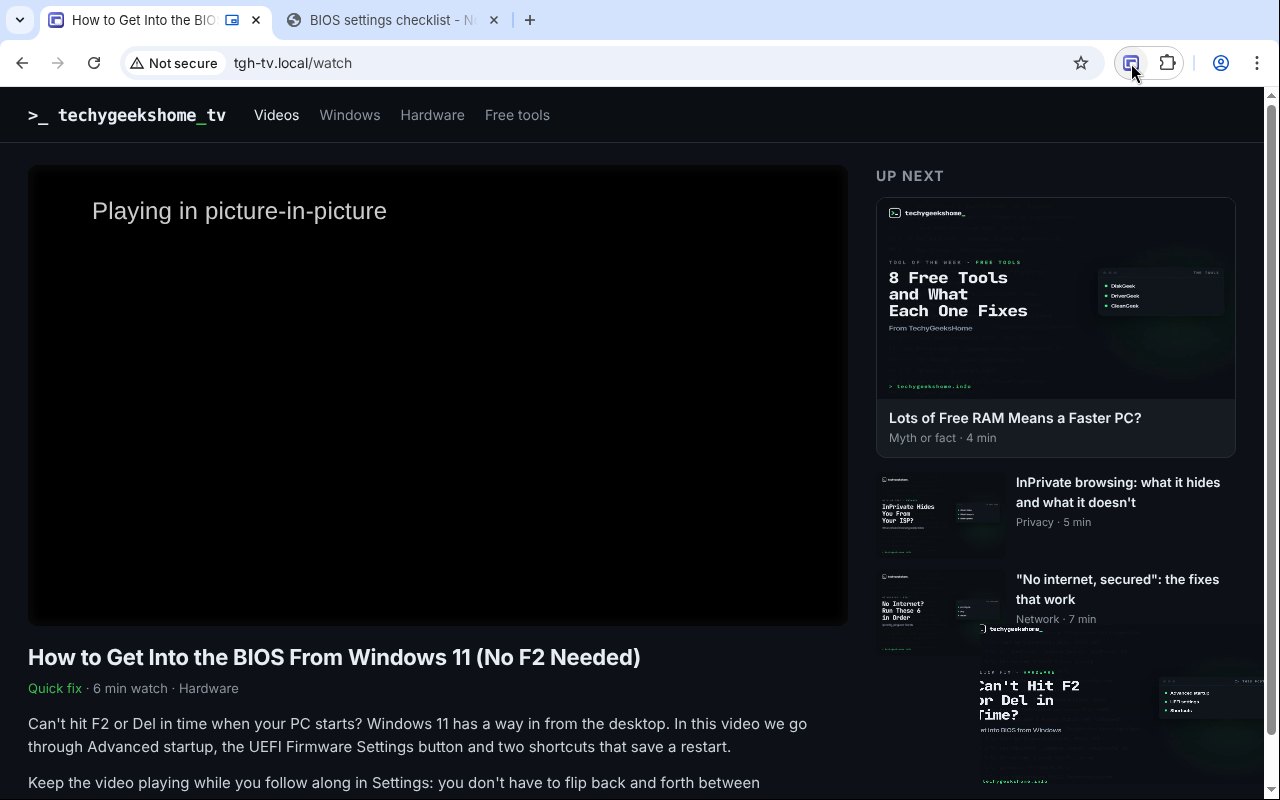
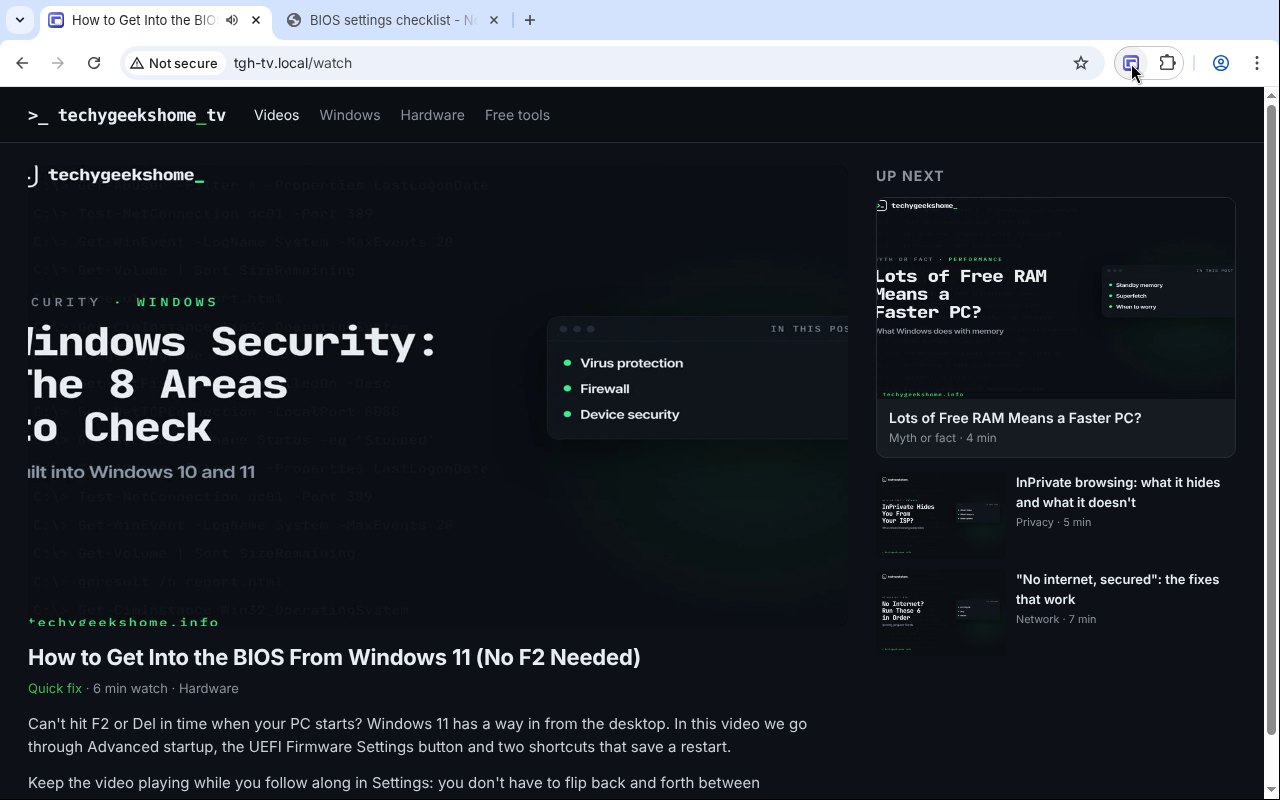
Click the PiPGeek icon and the main video pops out into a floating window. Click again to put it back.
Alt+P
Press Alt+P to pop the video out or put it back, without reaching for the mouse.
Picks the right video
The biggest one that is playing and on screen, not the advert in the corner.
Works on stubborn players
If a site switches picture-in-picture off for its player, PiPGeek turns it back on for that video.
Finds hidden videos
It looks inside frames from the same site and inside page components that hide their video.
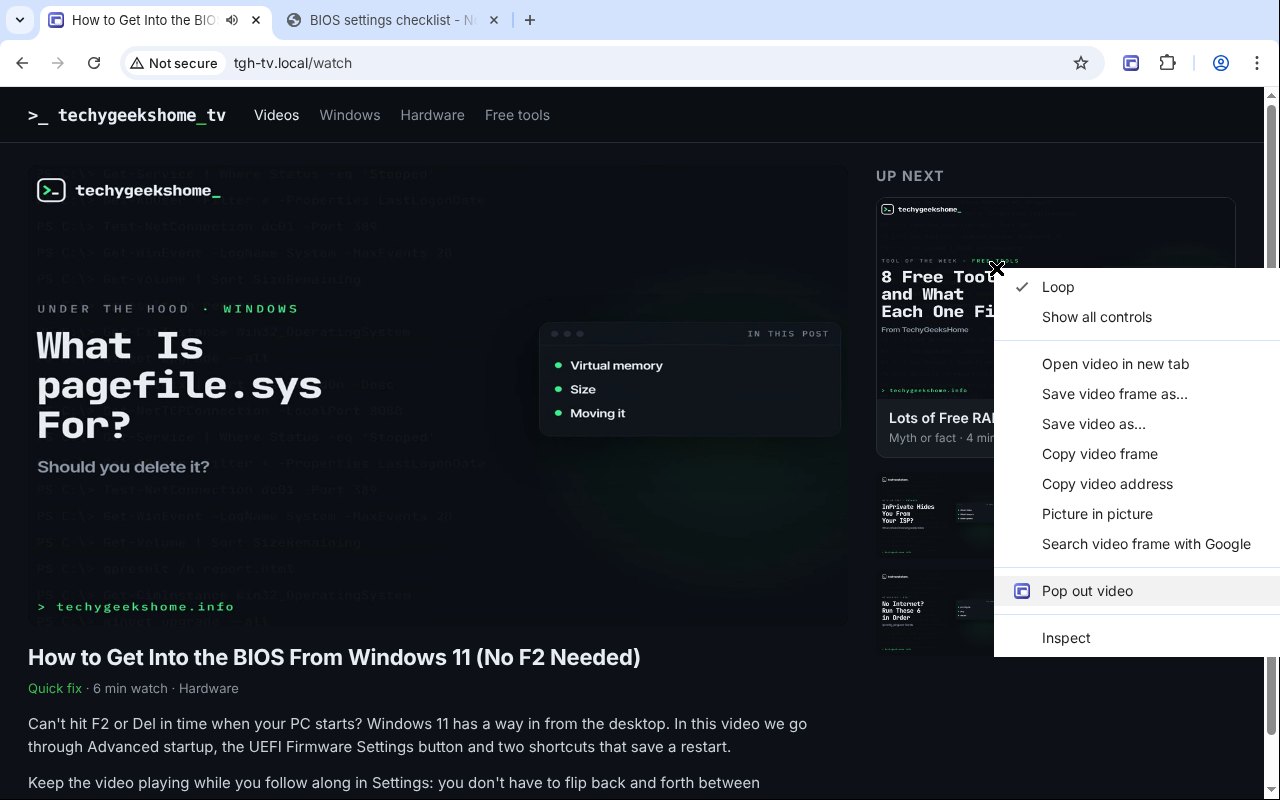
Right-click any video
Pick Pop out video on the right-click menu to choose a different video.
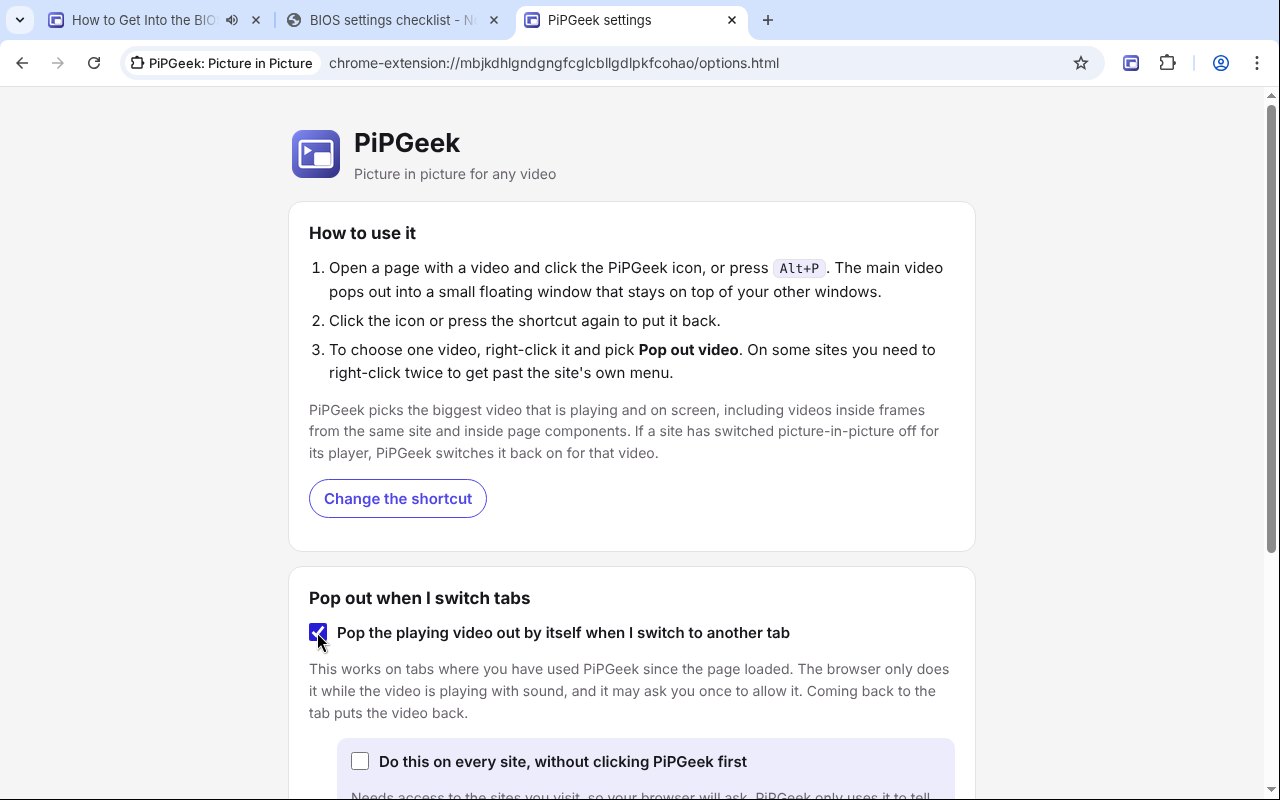
Pop out on tab switch
In Chrome and Edge it can float the video out by itself when you switch tabs. Optional.
Stays on top
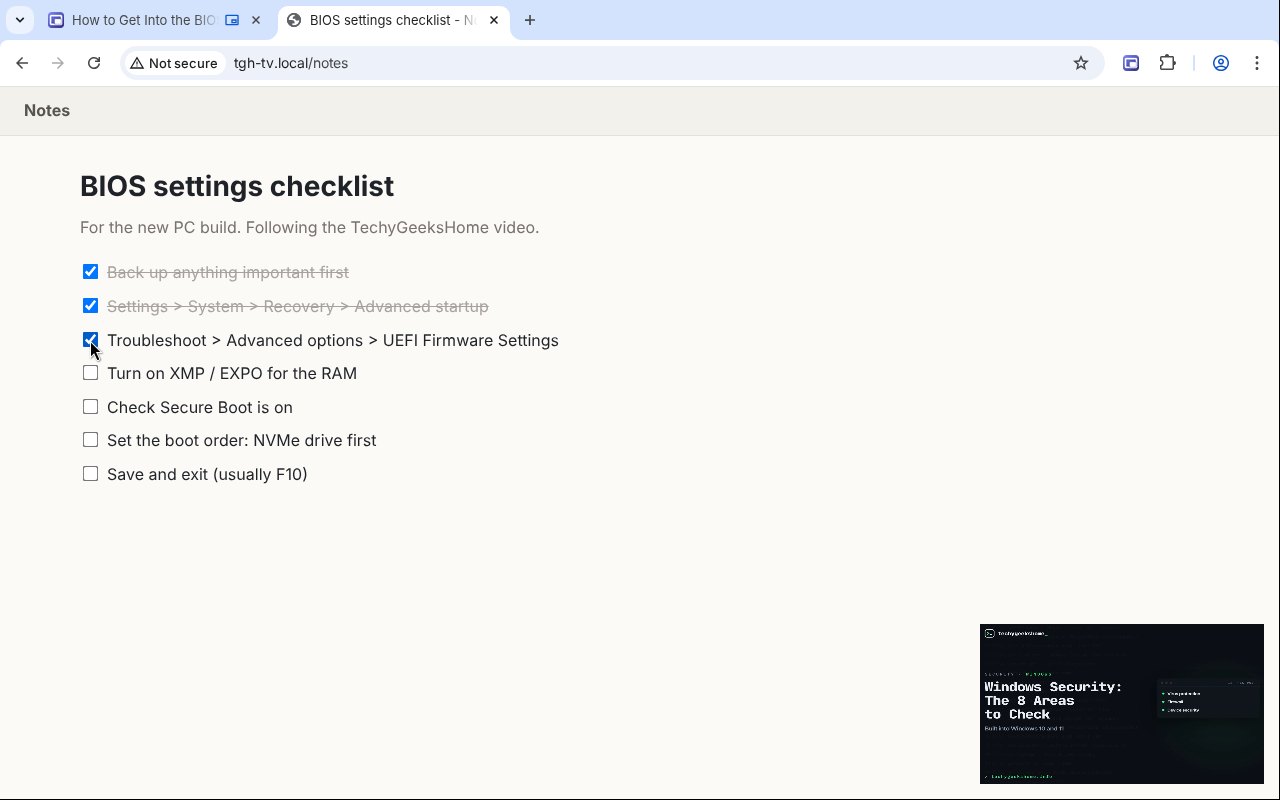
The floating window sits above your other tabs and apps, so you can follow along.
Four permissions
It only looks at a page when you click it, and sends nothing anywhere.
How to install it
About a minute, and you only do it once. Store listings for Edge and Firefox are on the way.
Download and unzip
Download the ZIP and unzip it somewhere you will keep it, such as Documents. The browser runs the extension from that folder, so leave it there.
Open your extensions page
Type chrome://extensions in the address bar. In Edge use edge://extensions, in Brave brave://extensions.
Switch on Developer mode
The switch is top right in Chrome and Brave, and bottom left in Edge. It just lets you add an extension from a folder.
Load unpacked
Click Load unpacked and pick the pipgeek folder. Then pin the PiPGeek icon from the puzzle piece menu.
On Firefox, download the Firefox version, open about:debugging, choose This Firefox, then Load Temporary Add-on and pick the ZIP. Firefox removes temporary add-ons when it closes, so the Firefox Add-ons listing will be the easier option once it is approved.
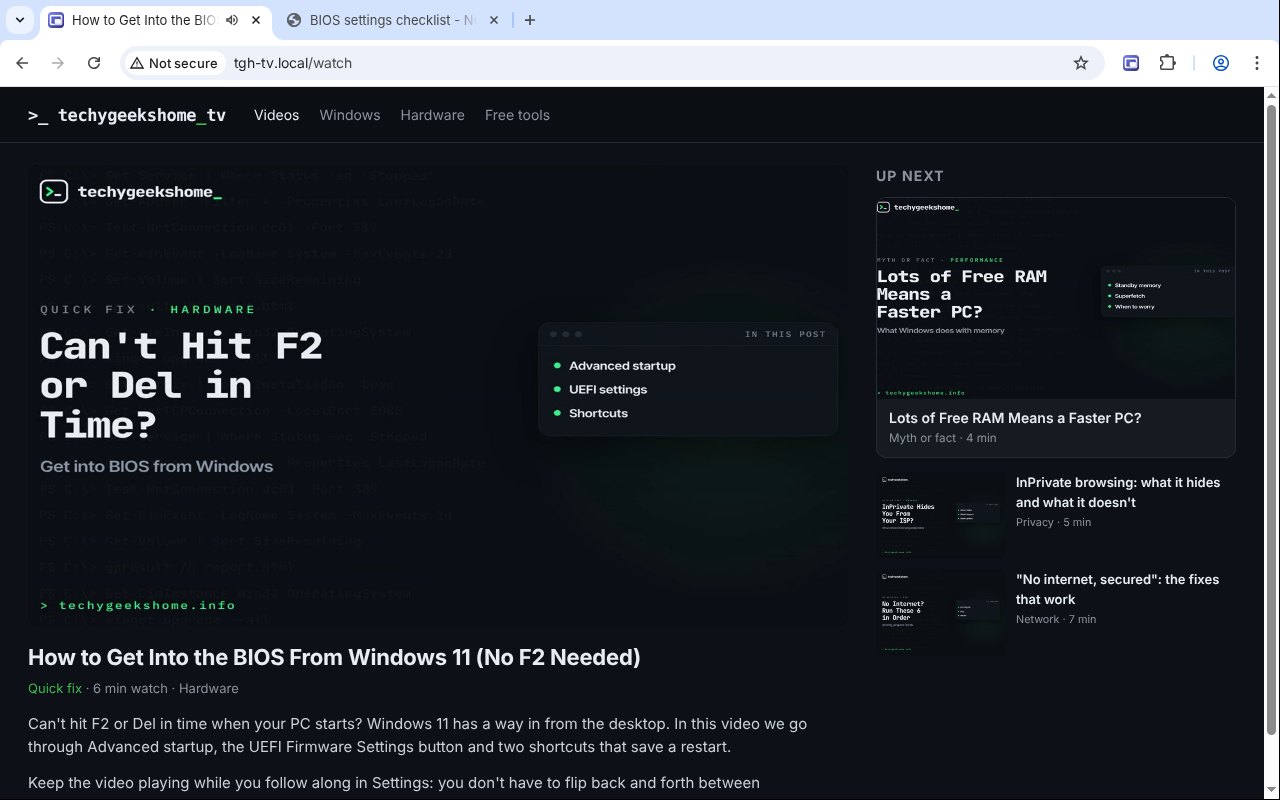
See it in action
Every step, exactly as it looks in your browser.
Who it is for
Anyone who watches a video while doing something else.
Following a tutorial
Keep the how-to video on screen while you follow the steps in another window.
Working and watching
Watch a meeting recording, a talk or the football while you get on with work.
Learning
Keep a lecture or course video floating next to your notes.
Requirements
Browser
Chrome, Microsoft Edge, Brave, Opera or Vivaldi on Windows, macOS or Linux, or Firefox 142 or newer.
Account
None.
Permissions
It reads a page only when you click the icon, press Alt+P or use the right-click item. Site access is asked for only if you turn on Do this on every site.
Download
About 40 KB. No installer.
Version
1.0.0, released 20 October 2026.
Licence
GPL-3.0. Free for everyone, including commercial use.
Frequently Asked Questions
Is PiPGeek really free?
Yes. There is no Pro version, no ads and no limits. It is open source under the GPL-3.0, so you can read every line of it on GitHub.
Does PiPGeek collect any of my data?
No. Everything happens in your own browser. There is no account, no analytics and nothing is sent anywhere.
Why not use the picture-in-picture extension I already have?
In January 2026 a picture-in-picture add-on called Floating Player, PiP Mode was pulled from the Firefox and Edge stores for spying on its users. PiPGeek does the same job with four permissions and its code is open for anyone to check.
Which video does it pop out?
The biggest one that is playing and on screen. If nothing is playing, the biggest one on screen. To choose a different video, right-click it and pick Pop out video.
Does it work on YouTube?
Yes, and on most sites with a normal video player, including ones that switch picture-in-picture off. Videos inside a frame from another site need the Do this on every site option in Chrome and Edge.
Can it pop out by itself when I switch tabs?
Yes, in Chrome, Edge and other Chromium browsers. Turn it on in the settings. The browser decides when to do it, usually when the video is playing with sound.
Does it work on Firefox?
Yes. Download the Firefox version from this page. Alt+P and the right-click item work straight away, and the icon shows a Pop out video button on the video. A Firefox Add-ons listing is in review and will make installing it permanent.
Can I have two floating videos?
No. Browsers allow one picture-in-picture window at a time, so popping out a second video replaces the first.
Version History
- v1.0.0: 20 October 2026. Initial public release.
Download PiPGeek today
Completely free. Version 1.0.0, no strings attached, and open source under the GPL-3.0 licence.
0 downloads so far