100% Free and Open Source · Version 1.1.4
AppGeek: update every app on your PC in one go
Scan everything installed, see exactly what is out of date, and update the lot in one run. Then install new software from a curated catalogue of 67 applications. Built on winget, free at home and at work, with nothing to sign up for.
Windows 10 (1809) or 11, 64-bit · administrator rights · installer or portable · light build
Video Demo
A full tour of AppGeek, in under a minute.
Everything the update chore needs, in one place
Nine things AppGeek does so you do not have to open nine different updaters.
One scan, every update
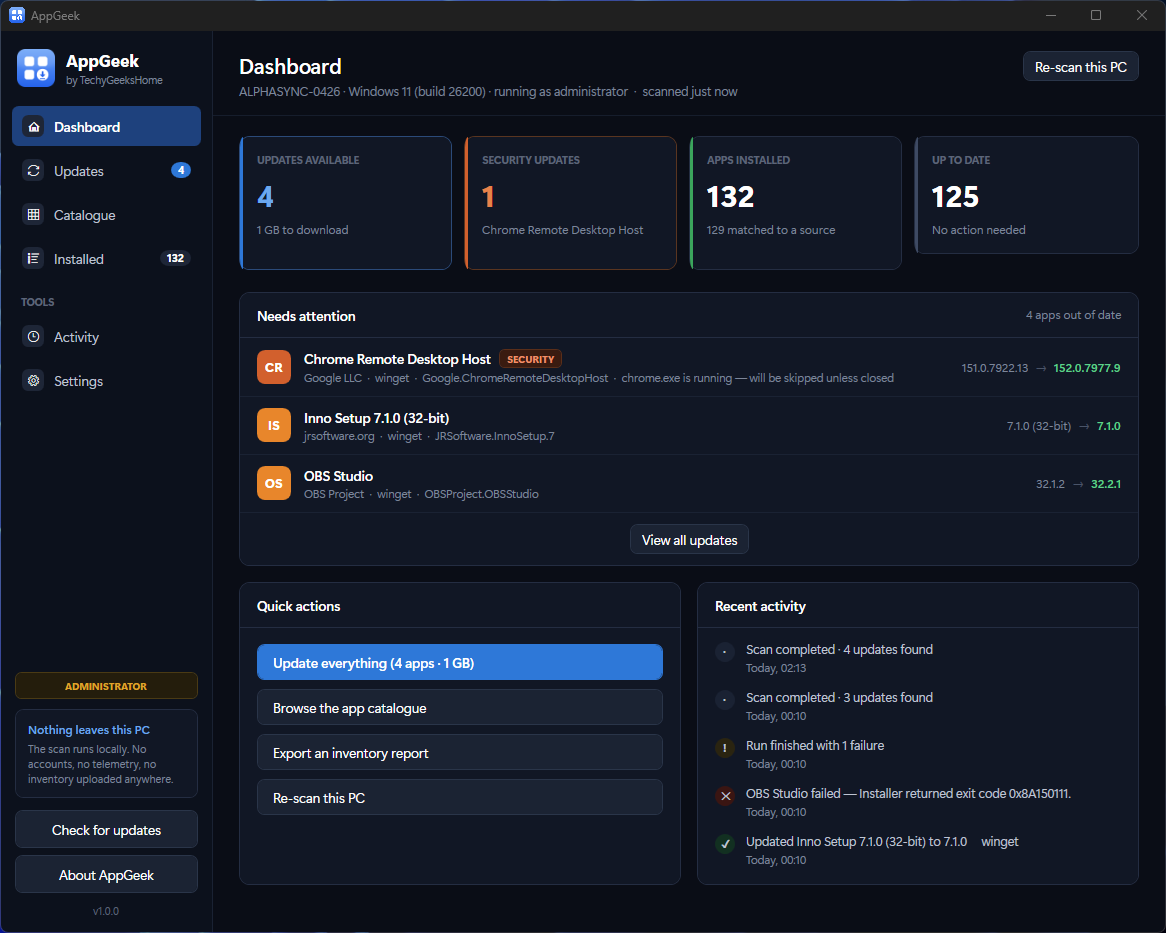
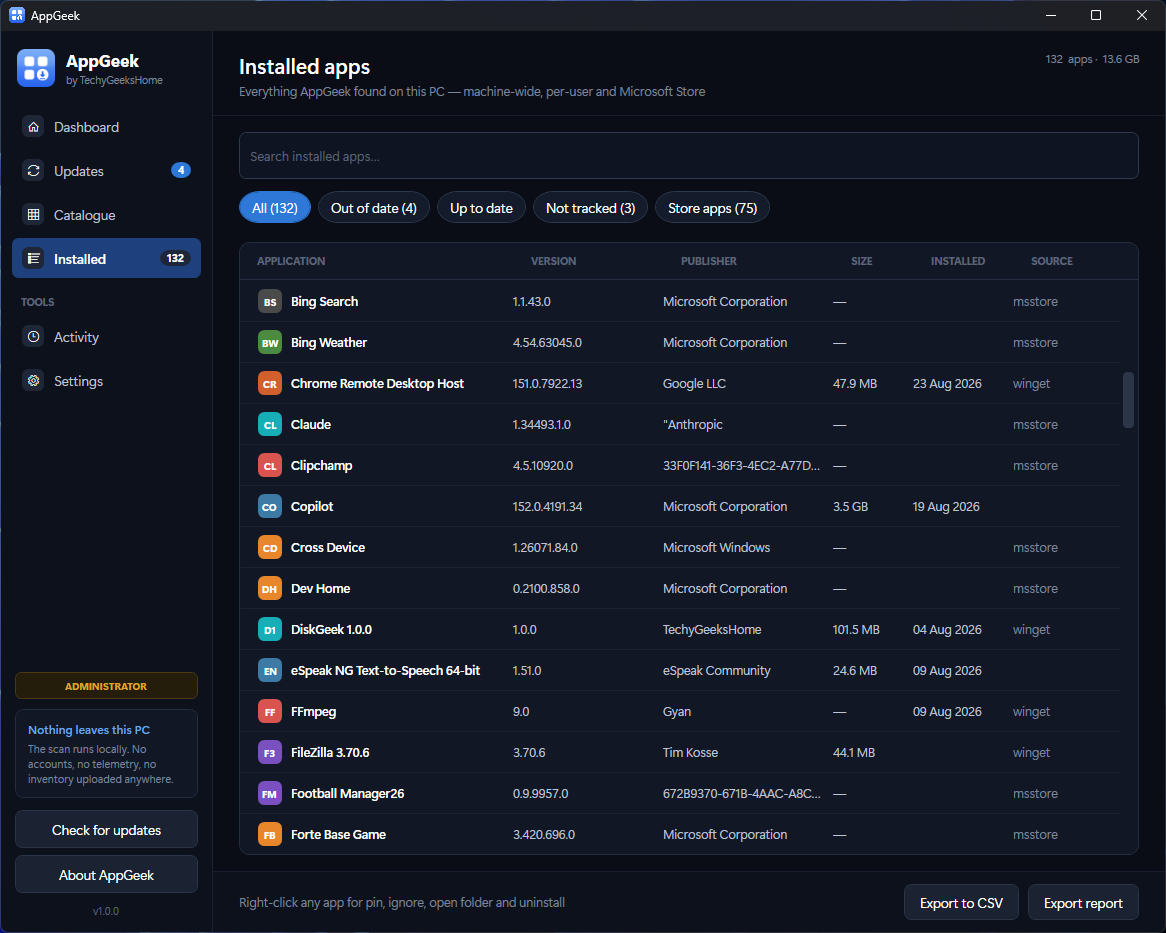
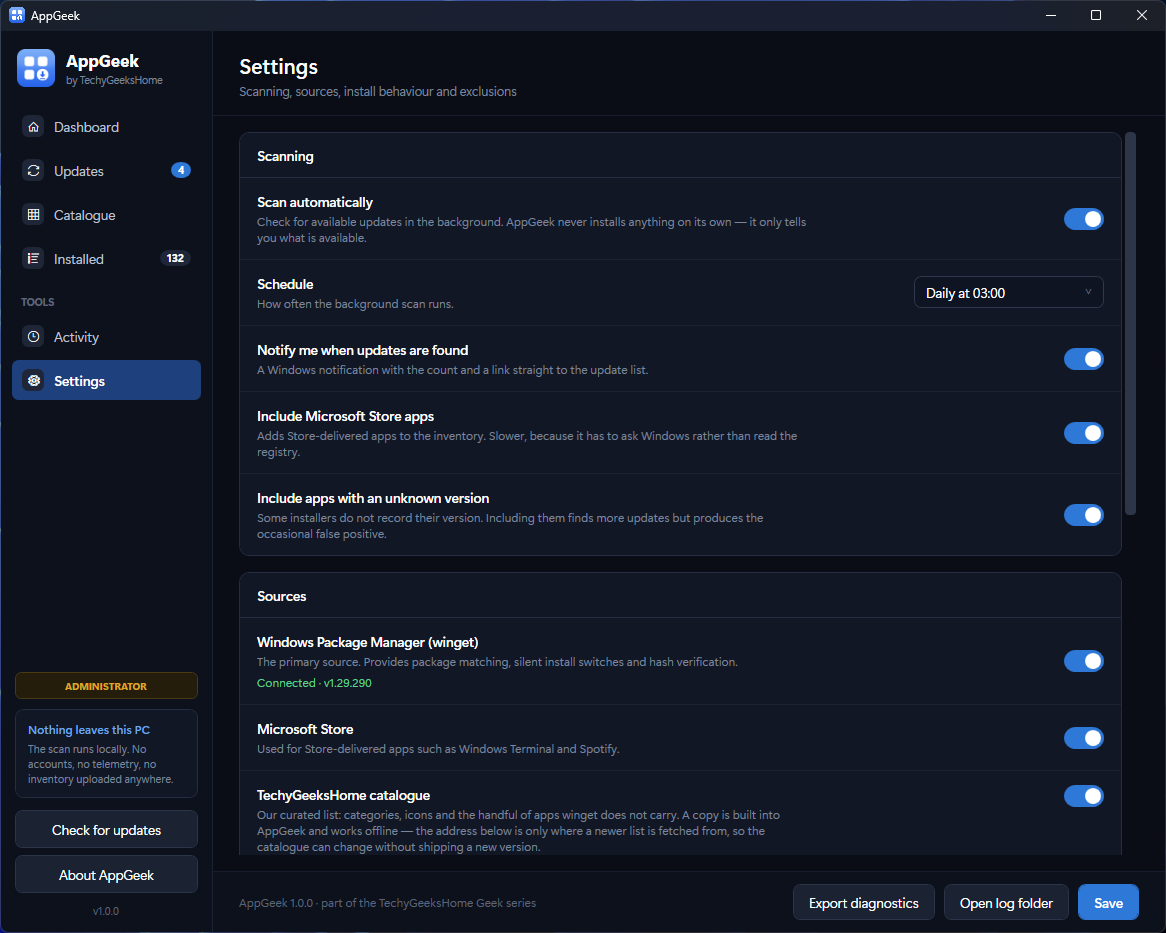
Reads the installed-programs registry and the Store package list, matches them against winget, and shows you exactly what is out of date.
You choose what updates
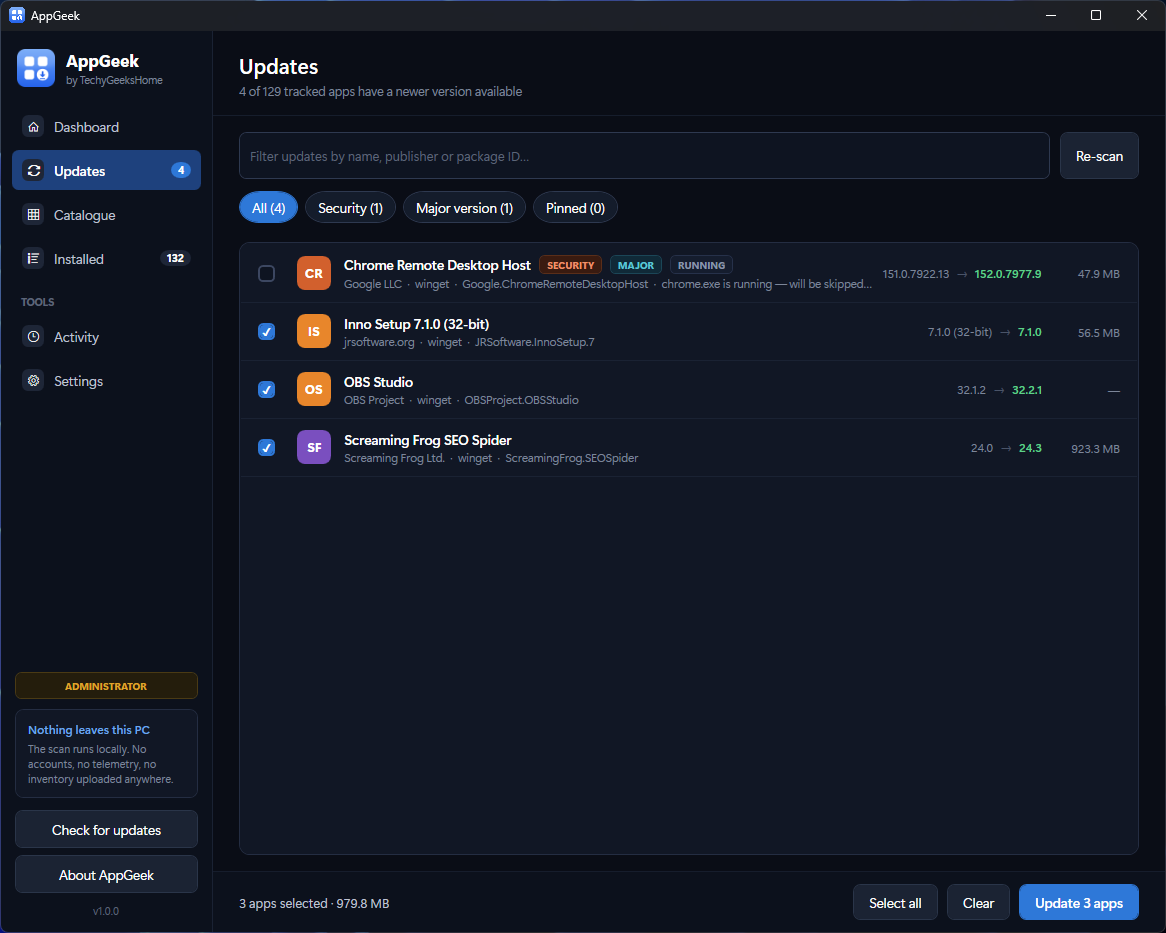
Nothing installs itself, ever. Tick the ones you want and press go. Everything else is left exactly as it was.
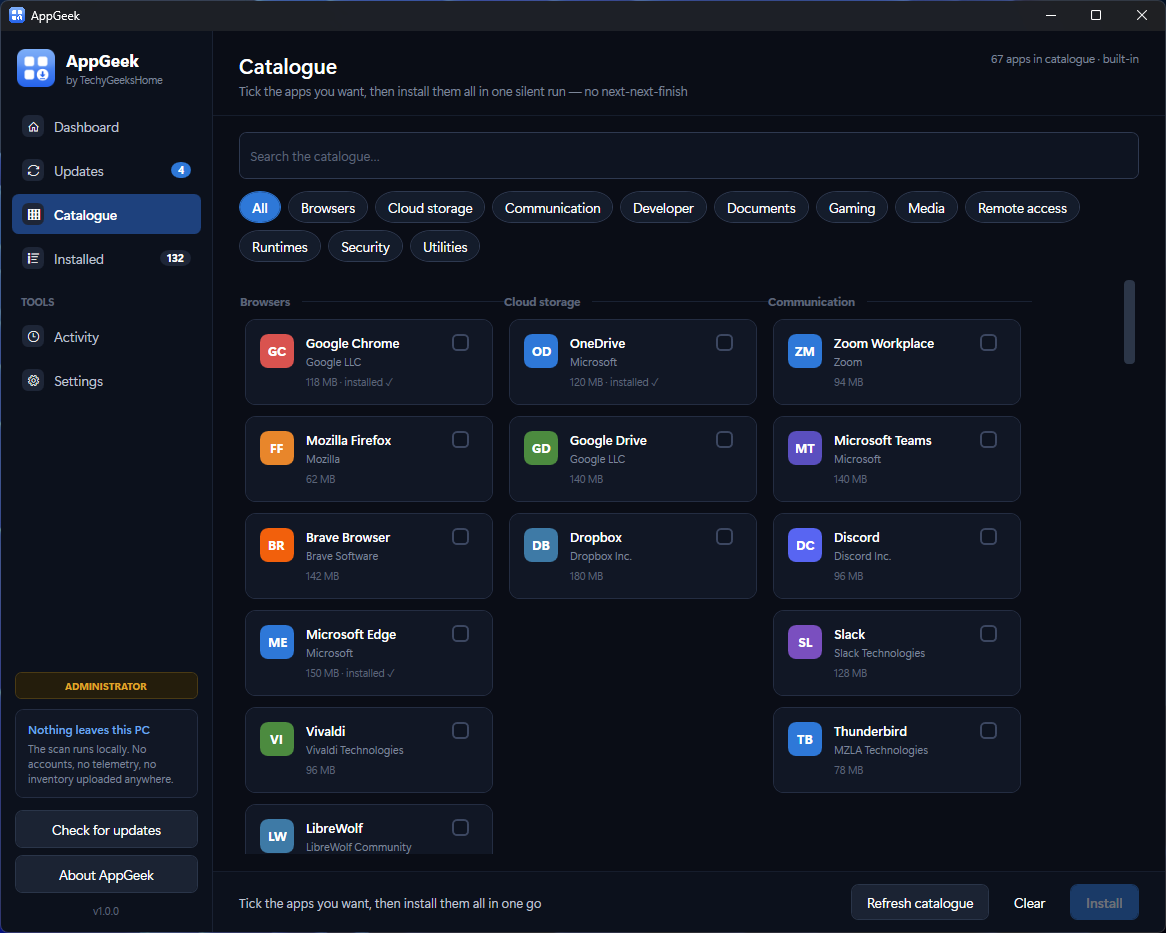
A catalogue of 67 apps
Browsers, runtimes, media and developer tools, sorted by category. Every entry verified against the live winget repository.
Pin a version in place
Got a line-of-business app that breaks on a newer runtime? Pin it, and AppGeek never offers that update again.
Security updates stand out
Browsers, PDF readers and Java are flagged, so an out-of-date browser reads as more urgent than an out-of-date archiver.
Knows when an app is open
Tells you before a run starts, instead of failing halfway through with a hex code because the app was running.
Restore point first
Optionally take a system restore point before a run, and shut the machine down after it. Handy for an overnight catch-up.
Export an inventory
Every installed application as CSV or HTML, ready for an audit, a rebuild or a hand-over document.
Careful by design
Never relocates a per-user install, never kills an installer part-way through, and refuses any package match it is not sure about.
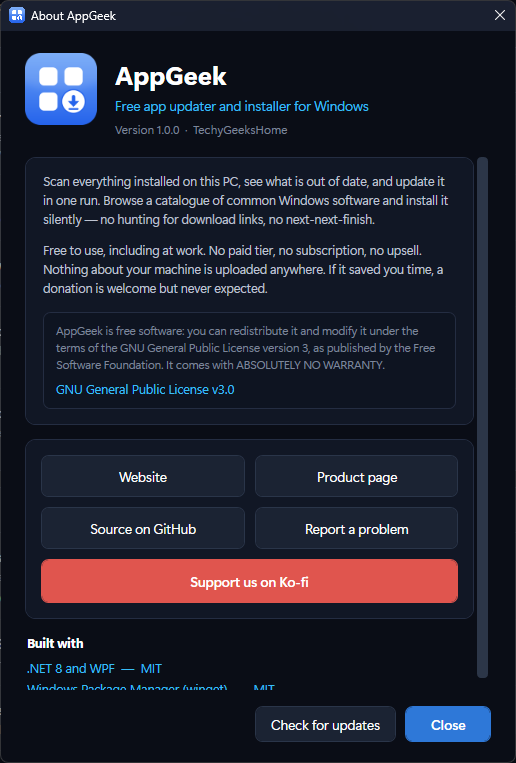
See it in action
Every tool, exactly as it looks when you run it.
Who it is for
Three jobs, one tool.
Anyone with a home PC
You know things are out of date, you just do not want to open twelve updaters to find out which. One scan, one click, done.
People who set up machines
New laptop, fresh Windows install, or a rebuild after a failure. Tick the apps you always want and walk away.
IT pros and technicians
Free at work with no per-seat licence. Export the inventory, pin the runtimes that must not move, and keep an audit trail in the run log.
Requirements
Operating system
Windows 10 version 1809 (build 17763) or later, or Windows 11. 64-bit.
Rights
Administrator. AppGeek asks once, at launch, and not again per app.
Download
58 MB for the installer, 63 MB for the portable build, 550 KB for the light build.
Prerequisites
None for the standalone build. The light build needs the .NET 8 Desktop Runtime. winget comes with Windows, and AppGeek repairs it if it is missing.
Version
1.1.4, released 26 September 2026.
Licence
GPL-3.0. Free for everyone, including commercial use.
Frequently Asked Questions
Is AppGeek really free? Is there a Pro version?
It is free, and there is no Pro version. No ads, no bundled offers, no trial, no per-seat licence and no upsell. It is also open source under the GPL-3.0, so you can read every line of it on GitHub. If it saves you an afternoon you can buy us a coffee on Ko-fi, but that is entirely optional.
Does AppGeek send my data anywhere?
No. It does not track what you do, and there is no account to create. The only network traffic AppGeek generates on its own is winget downloading the installers you asked for, plus an optional check for a newer version of AppGeek itself when you press the button. Your list of installed software never leaves your PC.
Why does it need administrator rights?
Because installing and updating software on Windows requires them. AppGeek asks once, at launch, rather than throwing a UAC prompt at you for every single application in a run. If you would rather not grant them, you simply cannot install software, and that is true of any tool that does this job.
Why does Windows warn me the first time I run it?
Because AppGeek is not code signed. A signing certificate is a recurring annual cost, and we would rather not put that behind a tool we give away. Click More info, then Run anyway. Every release publishes SHA-256 checksums so you can verify exactly what you downloaded, and the full source is on GitHub so you can see exactly what it does. We are working towards free signing for open source projects.
What is winget, and do I need to install it?
winget is Microsoft’s own package manager. It ships with Windows 11 and modern Windows 10 as part of App Installer, so almost certainly you already have it. If it is missing. Which happens on LTSC builds, freshly imaged machines and Windows Sandbox. AppGeek spots it at startup and offers to repair it rather than failing with a cryptic error.
Will it update things automatically without asking?
No. AppGeek can scan on a schedule and tell you what it found, but installing always needs a deliberate tick and a click. Tools that decide for you are the ones people uninstall in frustration.
Can I use it at work?
Yes. There is no commercial restriction of any kind. Free at home, free in a business, free across a whole estate.
Can I modify or redistribute AppGeek?
Yes. That is what the GPL-3.0 is for. Use it, study it, change it and pass it on. If you distribute a modified version you must publish your source under the same licence, which is what keeps it free for everyone downstream. The AppGeek name and logo are not covered by the licence, so please do not ship a fork under the same name.
Version History
- v1.1.4: 26 September 2026: The installer now asks which language to use (English or Italian, the Italian by bovirus) and shows the GPL-3.0 licence. The first-run footer shows the real version number, and the About window’s family list now covers all twelve TechyGeeksHome apps.
- v1.1.3: 29 August 2026: Tidied up the Activity screen: the note that sat in the sidebar has gone.
- v1.1.2: 29 August 2026. The About box lists the rest of the range as buttons now, one per app, each opening that app’s page on this site. Java 8 MSI Installers is gone from that list. It is a repackaging of Oracle’s installers, not ours, and should never have been in it. The “Built with” credits section has gone too.
- v1.1.0: 27 August 2026. Scheduled scanning now registers a real Windows task, and the close-before-update and reboot settings work. All three were stored and then ignored. Also fixes a winget 1.29 parsing bug that was hiding available updates.
- v1.0.2: 25 August 2026. Packaging fix: the published builds are now stamped with the release version. AppGeek itself is unchanged from 1.0.1.
- v1.0.1: 23 August 2026. Adds the Inno Setup installer; fixes registry string cleaning and source display.
- v1.0.0: 23 August 2026. Initial public release.
Download AppGeek today
Completely free. Version 1.1.4, no strings attached. Free at home, free at work, and open source under the GPL-3.0 licence.
Not code-signed, so Windows may warn on first run. Click More info, then Run anyway. SHA256 checksums
Windows may show a “Windows protected your PC” warning the first time you run it. That means SmartScreen has not seen the file before, not that anything is wrong with it. Here is why our builds are unsigned, and how to verify your download against its SHA-256 hash. We will never ask you to switch SmartScreen off.
Also listed on
Support
AppGeek is free and always will be, at home and at work.