 By Andrew Armstrong
Copy a web page into your notes and you usually get far more than you wanted: menus, adverts, share buttons, newsletter boxes, and formatting that falls apart the moment you paste it. Tidying it up by hand takes longer than reading the thing.
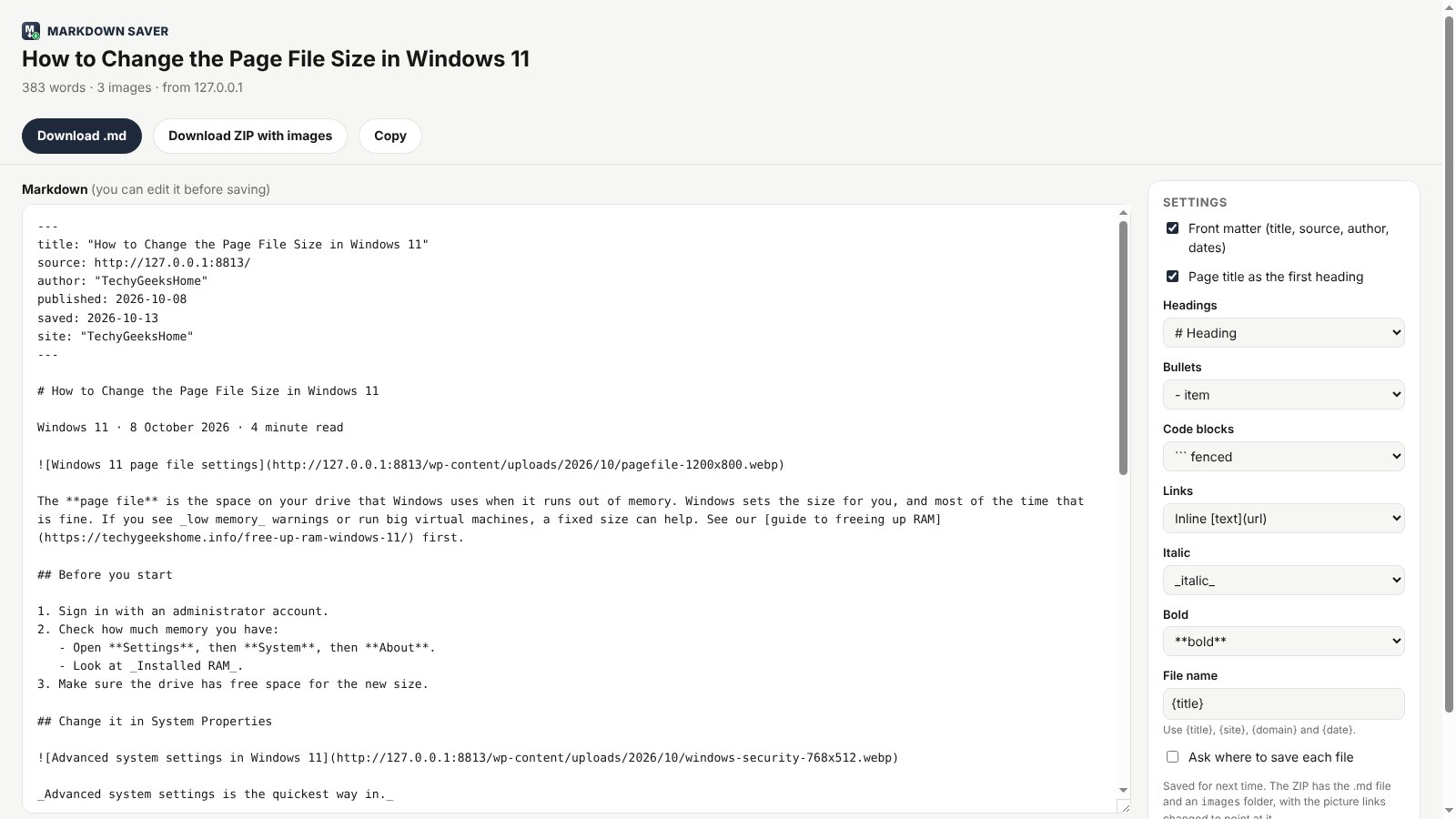
So we built Markdown Saver. Click the icon and the page opens as clean Markdown, with the title, source and date at the top. Check it, then copy it, download the .md file, or download a ZIP with the pictures included. It’s free, open source and has no tracking at all.
Quick Facts
- Free. No Pro tier, no ads and no limit.
- Open source under the GPL-3.0, with the full source on GitHub.
- Works in Chrome, Edge, Brave, Opera, Vivaldi and Firefox.
- No account and nothing sent anywhere.
What it does
- Leaves out the clutter: finds the article and drops menus, sidebars, adverts and share buttons.
- Proper Markdown: headings, nested lists, tables, code blocks with their language, quotes, links and task lists.
- Front matter: title, source, author and dates at the top, ready for Obsidian.
- Edit before you save: the Markdown opens in an editor tab.
- ZIP with pictures: the .md file plus an images folder, links already pointing at it.
- Save a selection: select part of a page, right-click and save only that.
How it works
Markdown Saver uses Mozilla Readability, the same code behind Firefox reader view, to find the article, then Turndown to turn it into Markdown, all inside your own browser. It only reads a page when you click the icon or the right-click menu, and nothing is sent anywhere.
How to install it
Store listings for Edge and Firefox are on the way. Until then, adding it yourself takes about a minute:
- Download the ZIP and unzip it somewhere you’ll keep it.
- Go to
chrome://extensions(oredge://extensions) and switch on Developer mode. - Click Load unpacked and pick the
markdown-saverfolder.
On Firefox, grab the Firefox version instead and load it from about:debugging. The Markdown Saver page walks through every step with screenshots.
Download it
Found a bug or want a feature? Open an issue on GitHub. Markdown Saver joins RefreshGeek, FocusGeek, Bluesky Saver, ErrorGeek, Image Format Saver, Reddit Saver, Page Saver, Board Saver for Pinterest, Grid Saver for Instagram and Clip Saver for TikTok in our browser extensions.
Discover more from TechyGeeksHome
Subscribe to get the latest posts sent to your email.
