 By Andrew Armstrong
Keeping a Windows PC up to date is a chore made of a dozen smaller chores. Chrome has its own updater. So does Java, and Zoom, and the graphics driver, and that PDF reader you installed in 2019 and forgot about. Each one has its own nag window and its own idea of when to interrupt you.
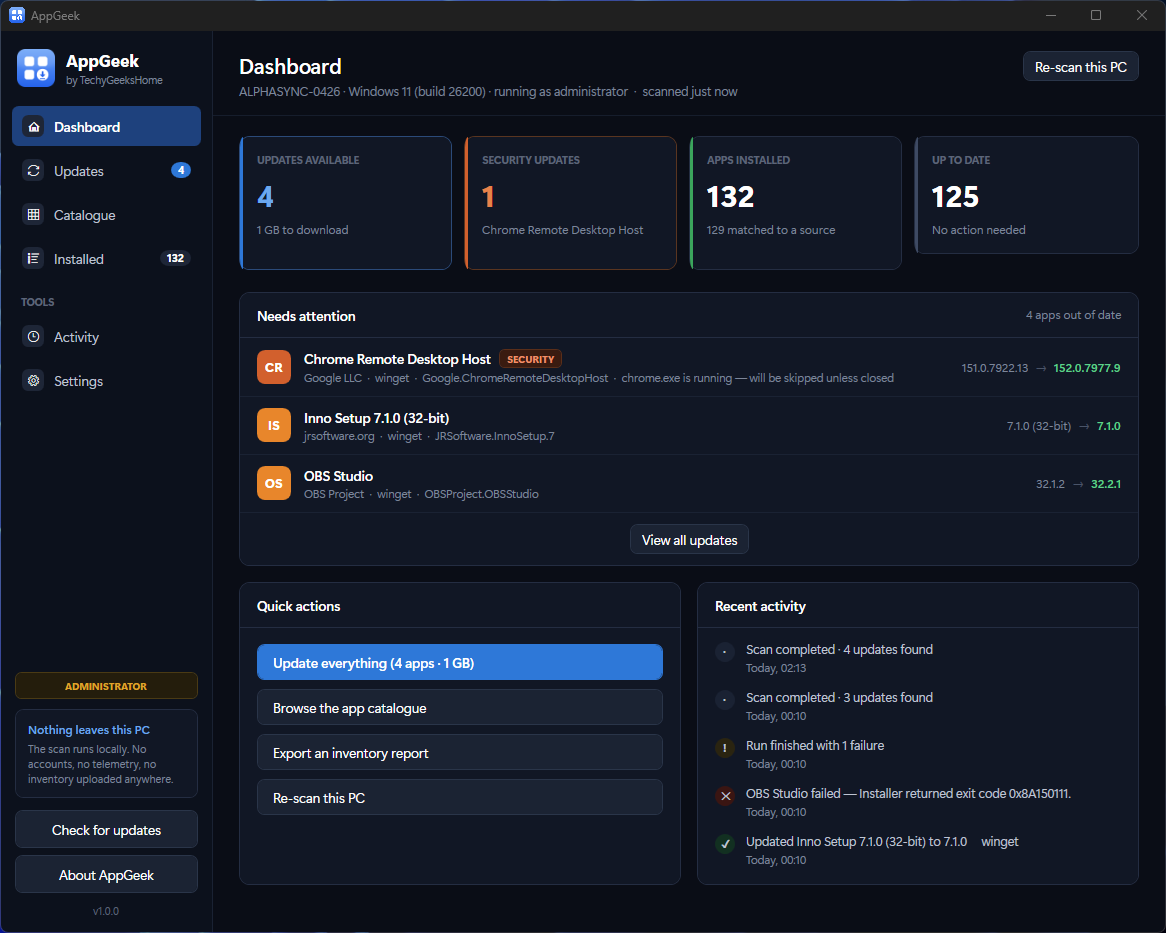
AppGeek does the whole lot in one pass. It reads everything installed on the machine, works out what has a newer version available, shows you exactly what would change, and updates the ones you tick. It is free, it is open source, and it is the newest addition to the TechyGeeksHome Geek series alongside DiskGeek and PDFGeek.
Quick Facts
- Free, including at work. No Pro tier, no per-seat licence, no ads and no bundled offers.
- Open source under the GPL-3.0. The full source is on GitHub and all three builds are compiled by GitHub Actions, not on a developer machine.
- Built on winget, Microsoft’s own package manager, so installers come from the same source Windows uses and every download is hash-verified.
- Nothing installs itself. Scans can run on a schedule and notify you, but installing always needs a deliberate click.
- Nothing to track you, and no account to create. Your list of installed software never leaves the machine.
- Not code signed yet, so SmartScreen warns on first run. SHA-256 checksums are published with every release.
What it actually does
AppGeek is built on winget, Microsoft’s own package manager, which ships with Windows 11 and modern Windows 10. That matters: AppGeek is not downloading installers from some third-party mirror. It is using the same source Microsoft uses, and it verifies the hash of everything it fetches.
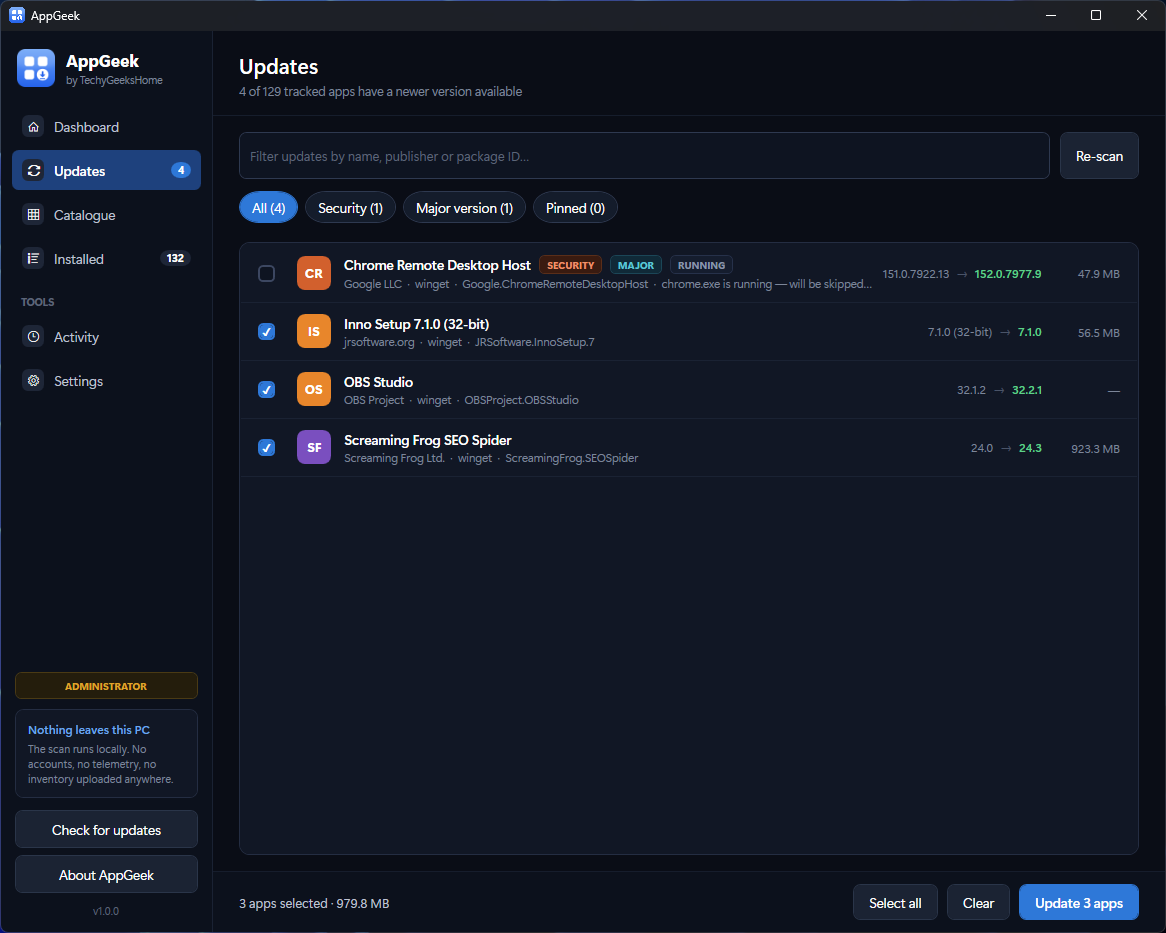
- One scan, every update. It reads the installed-programs registry and the Microsoft Store package list, matches them against winget, and tells you what is out of date.
- You choose what runs. Nothing installs itself, ever. Scheduled scans can find updates and notify you, but installing always needs a deliberate tick and a click.
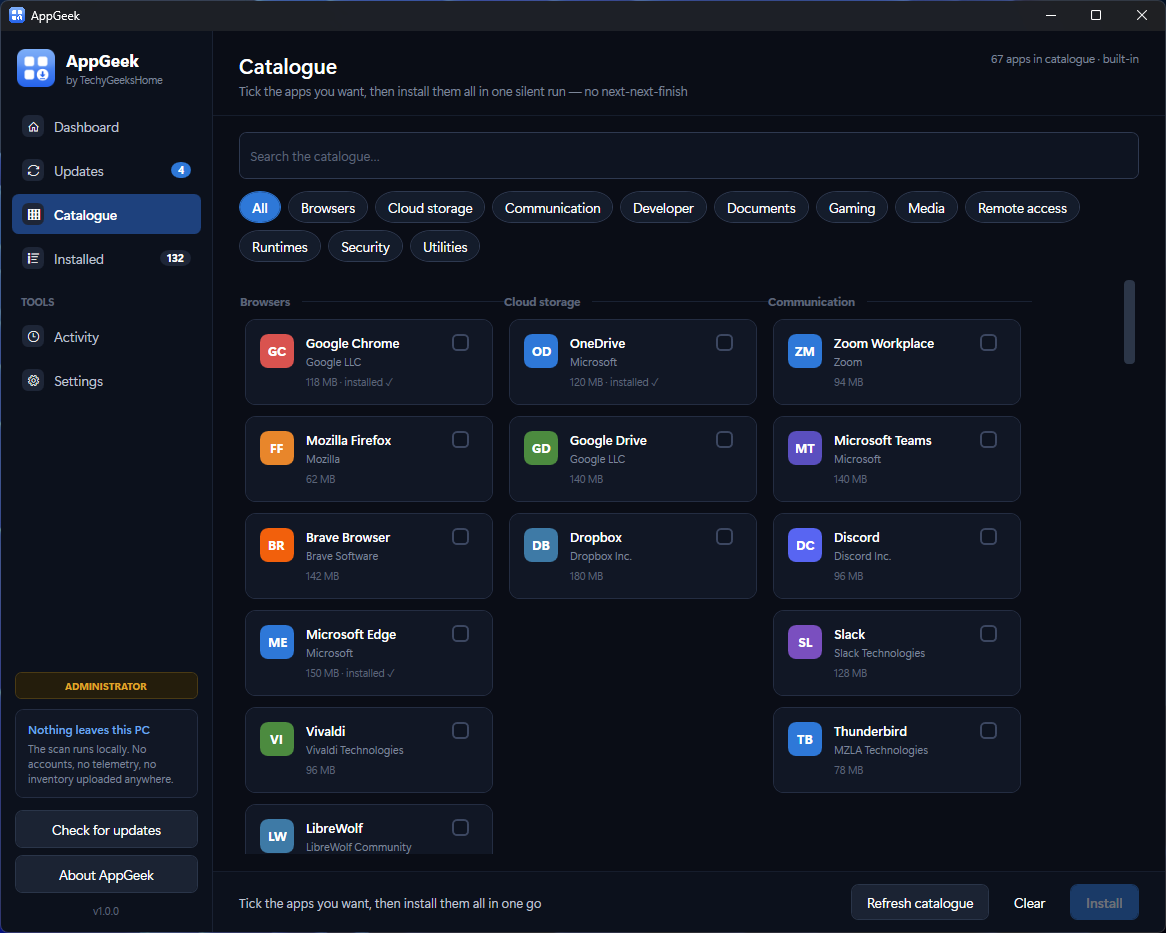
- A catalogue of 67 applications. Browsers, runtimes, media tools, developer tools. Sorted by category. Handy when you are setting up a new machine.
- Pin what must not move. Every IT person has a line-of-business app that breaks on a newer runtime. Pin it and AppGeek never offers that update again.
- Security updates stand out. Browsers, PDF readers and Java are flagged, so an out-of-date browser reads as more urgent than an out-of-date archiver.
- Export an inventory. Everything installed, as CSV or HTML, useful for an audit, a rebuild or a hand-over document.
The part we care about most
An application that asks for administrator rights and then runs installers has to be careful in ways an ordinary utility does not. We learned that the hard way during development, so a few things are deliberate rather than incidental:
It will not move an application you already have
Running elevated, winget defaults to the machine-wide installer. Point that at an app that was installed per-user and it does not upgrade it. It installs a second copy somewhere else and strands the original, leaving dead shortcuts and an app that will not start. AppGeek reads how each application is actually installed and pins winget to that scope. If no installer exists at the right scope, it refuses and tells you why.
It will not kill an installer
Stopping a run prevents the next package from starting. It cannot interrupt the one already in flight, and there is no timeout that kills either. A long install is slow, not broken, and half-installed software does far more damage than waiting does.
It will not guess
Whatever package identifier gets attached to an installed application is what gets handed to winget. Bind the wrong one and it cheerfully installs unrelated software over something that was working. AppGeek demands an exact name match, with versions corroborating, before it will offer an update. An app it cannot identify with confidence is simply not offered.
Free, and open source
AppGeek is licensed under the GPL-3.0 and the full source is on GitHub. You can read every line of it, build it yourself, or fork it. That is a change of position for us. Our tools have historically shipped as proprietary freeware, and it was a deliberate one. When a program asks for administrator rights and then runs installers, “trust us” is not good enough. You should be able to check.
It is free for everyone, including at work. No Pro tier, no per-seat licence, no ads and no bundled offers. Nothing about your machine is uploaded anywhere.
One thing to know before you run it
AppGeek is not code signed, so Windows SmartScreen will warn you the first time you run it. Click More info, then Run anyway.
A signing certificate is a recurring annual cost, and we would rather not put that behind something we give away. Instead, every release publishes SHA-256 checksums so you can verify exactly what you downloaded, all three builds are compiled by GitHub Actions from the public source rather than on anyone’s laptop, and the code is there for you to read. We are working towards free signing for open source projects. Please do not disable SmartScreen. Verify the hash instead.
What it needs
- Windows 10 version 1809 (build 17763) or later, or Windows 11. 64-bit.
- Administrator rights. Asked for once at launch, not once per application.
- An internet connection while installing or updating.
- Nothing else. The standalone build bundles the .NET runtime, and if winget is missing AppGeek offers to repair it rather than failing with a cryptic error.
Download it
Found a bug or want a feature? Open an issue on GitHub. Network scanning and remote installs are both on the list for a future version. This first release deliberately does one machine, properly.
Gear We Recommend
Keeping a fleet of machines current is easier with the right kit on the bench. Here is what we actually use.
Browse our Admin Machine picks on AmazonAs an Amazon Associate, TechyGeeksHome earns from qualifying purchases
Disclosure: this post may contain affiliate links. If you buy through one of them, we may earn a small commission at no extra cost to you. We only recommend products we’ve tested or genuinely rate.
Discover more from TechyGeeksHome
Subscribe to get the latest posts sent to your email.
