 By Andrew Armstrong
You right-click a picture, choose Save image as, and get a .webp file that your photo viewer, email app or upload form refuses to open. Most big sites now send pictures as WebP or AVIF because they load faster, and the apps on your computer haven’t all caught up.
The most popular extension for fixing this, used by over a million people, was sold to a new owner in late 2025, picked up hidden affiliate code and was pulled from the Chrome Web Store. So we built a replacement you can trust: Image Format Saver. Right-click any picture, pick JPG, PNG or WebP, and it’s saved. It’s free, open source and has no tracking at all.
Quick Facts
- Free. No Pro tier, no ads and no limit.
- Open source under the GPL-3.0, with the full source on GitHub, so anyone can check what it does.
- Works in Chrome, Edge, Brave, Opera, Vivaldi and Firefox.
- No account and no tracking. Pictures are converted on your computer and never uploaded.
What it does
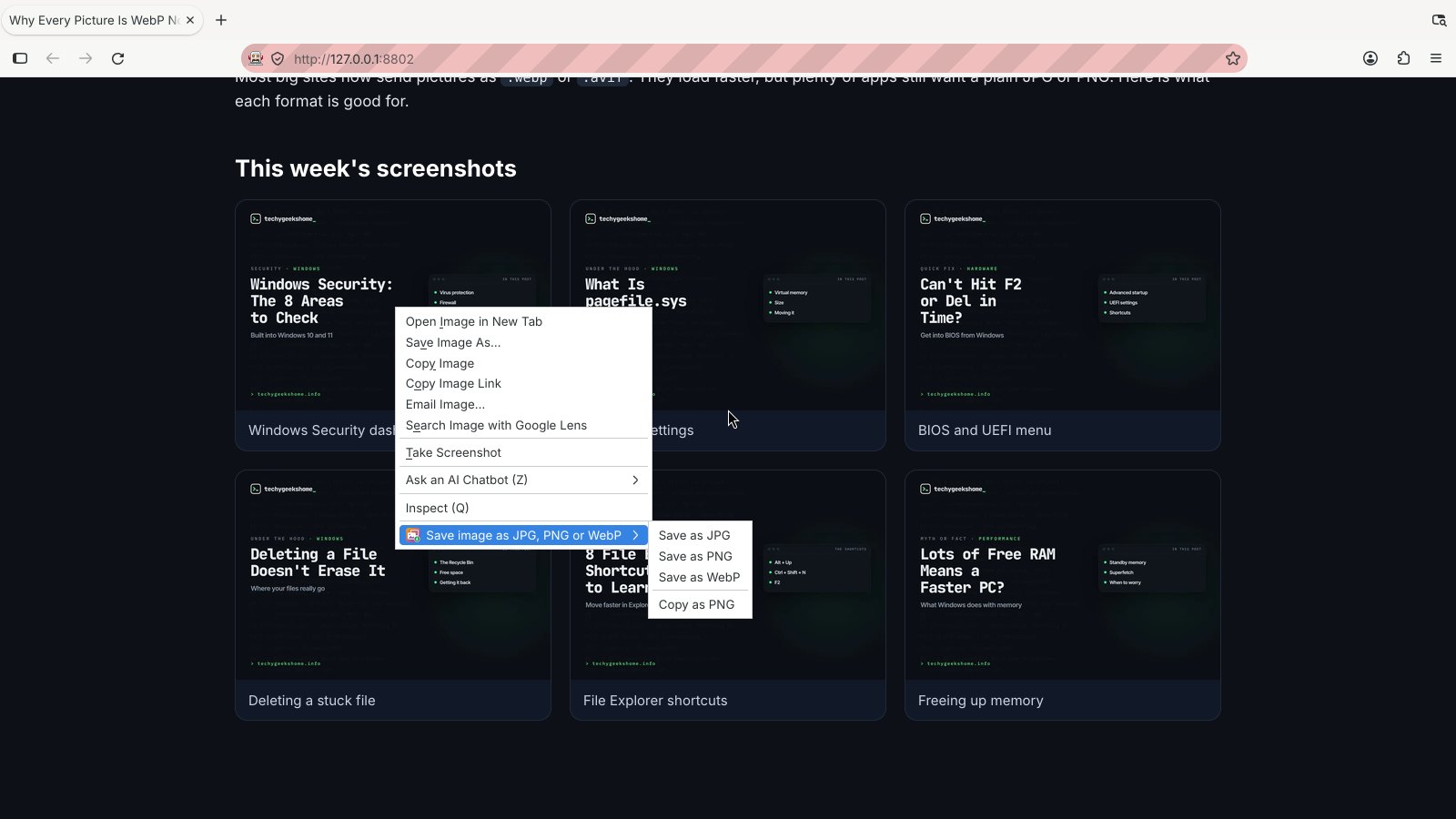
Image Format Saver adds one menu to your right-click menu on pictures, with four choices:
- Save as JPG: for email, older apps and upload forms. See-through parts become white.
- Save as PNG: lossless, keeps transparency. Best for screenshots and diagrams.
- Save as WebP: a much smaller file, handy for your own site.
- Copy as PNG: straight to your clipboard, ready to paste.
It reads WebP, AVIF, SVG, GIF, BMP, ICO, PNG and JPG, and keeps the original file name, so holiday-photo.webp becomes holiday-photo.jpg.
How it works
When you pick an option, Image Format Saver reads that one picture, draws it on a hidden canvas inside your browser and saves it in the new format. Nothing is uploaded, and it doesn’t watch what you browse. It only acts when you right-click and choose.
A few sites keep their pictures on a separate server that blocks other apps. If a picture won’t convert, there’s an Allow switch in the options. It’s off until you turn it on.
How to install it
Store listings for Edge and Firefox are on the way. Until then, adding it yourself takes about a minute:
- Download the ZIP and unzip it somewhere you’ll keep it.
- Go to
chrome://extensions(oredge://extensions) and switch on Developer mode. - Click Load unpacked and pick the
image-format-saverfolder.
On Firefox, grab the Firefox version instead and load it from about:debugging. The Image Format Saver page walks through every step with screenshots.
Download it
Found a bug or want a feature? Open an issue on GitHub. Image Format Saver joins Reddit Saver, Page Saver, Board Saver for Pinterest, Grid Saver for Instagram and Clip Saver for TikTok in our browser extensions.
Image Format Saver is an independent tool made by TechyGeeksHome.
Discover more from TechyGeeksHome
Subscribe to get the latest posts sent to your email.
