 By Andrew Armstrong
If you have ever needed to merge a couple of PDFs, you will know the routine. You search for it, you land on one of the big online tools, and before anything happens it asks you to upload your documents. Then it tells you what you cannot do. iLovePDF caps merging at 25 files. Sejda gives you three tasks an hour. Smallpdf and Adobe want a monthly subscription.
For a holiday itinerary, fine. But think about what people are actually merging: payslips, signed contracts, bank statements, medical letters, scans of passports and driving licences. Uploading those to a stranger’s server to save two clicks is a genuinely bad trade, and most people never really get given the choice.
So we built PDFGeek. It is a free PDF toolkit for Windows that does the same jobs on your own machine.
🎬 See it in action
What it does
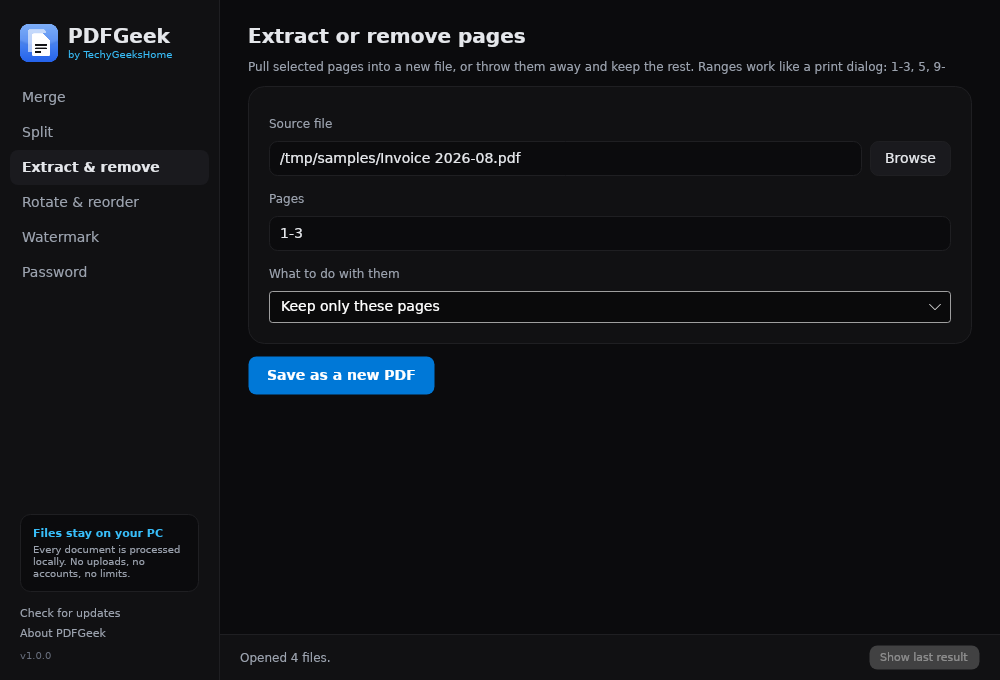
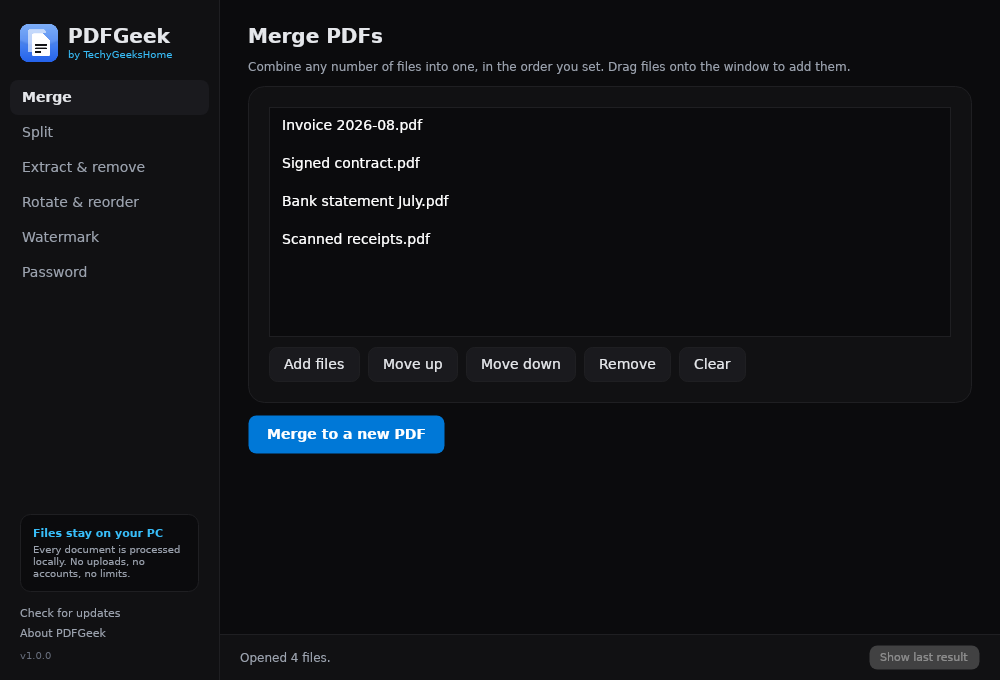
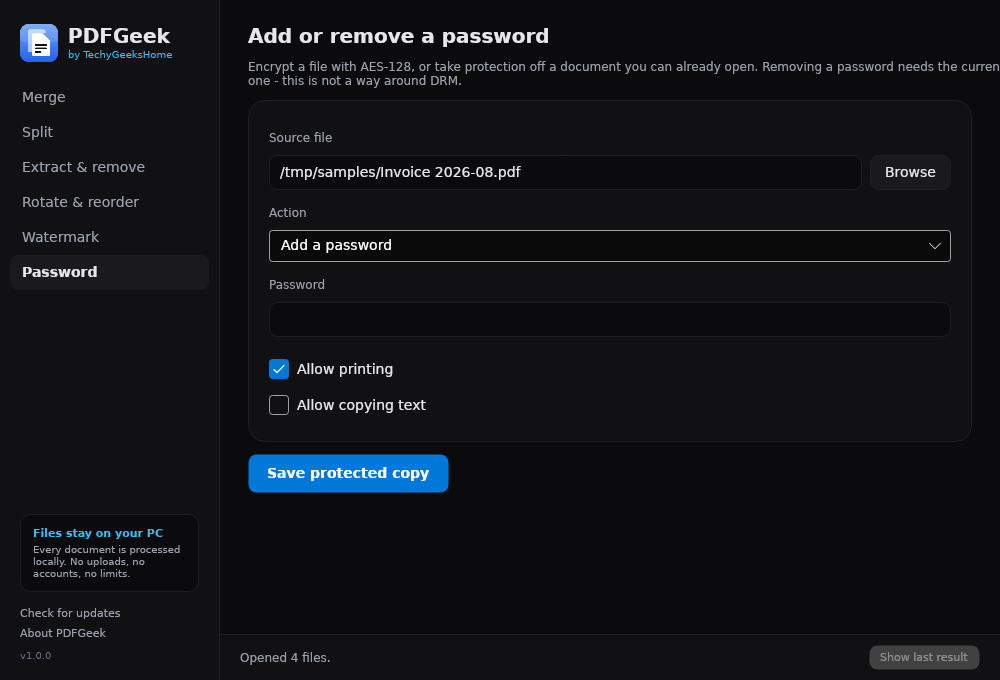
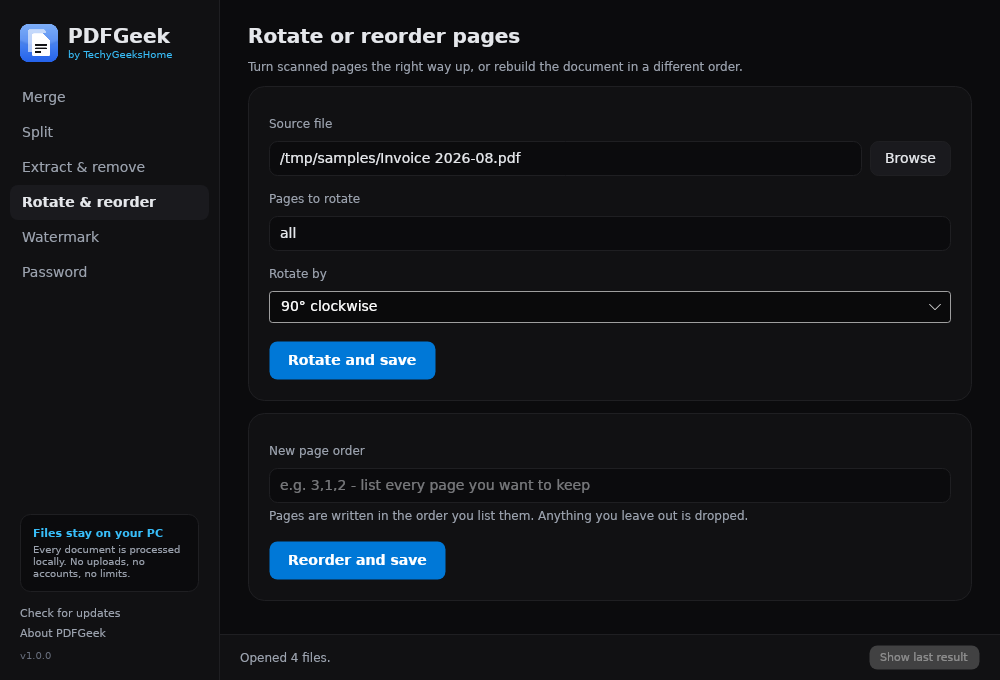
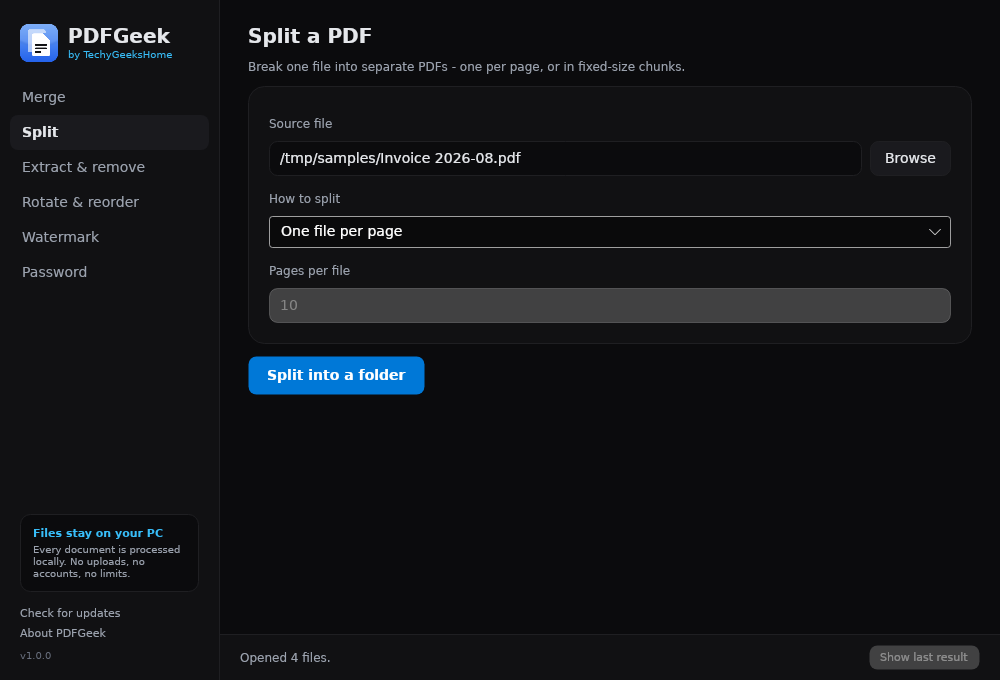
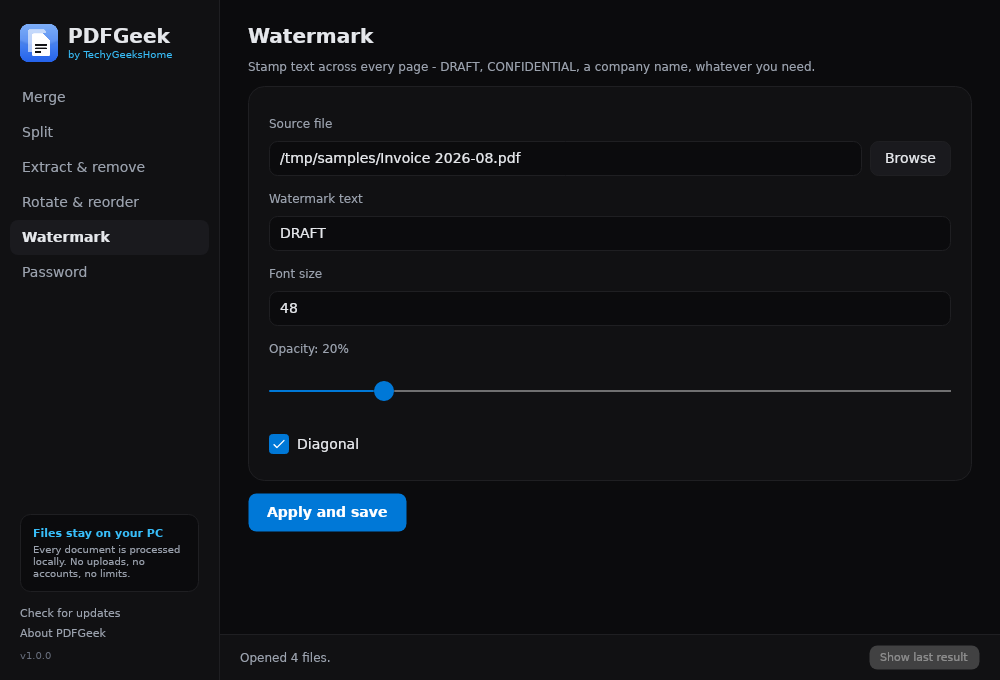
Merge any number of PDFs into one, in whatever order you like. Split a document into single pages or fixed-size chunks. Extract the pages you want or remove the ones you do not, using the same 1-3, 5, 9- syntax as a print dialog. Rotate sideways scans. Reorder a document. Stamp a watermark across every page with control over size, opacity and angle. Add AES-128 password protection, choosing whether printing and copying stay allowed: or strip protection off a file you can already open.
No file-count limits. No hourly throttle. No watermark on anything it produces. No account, no trial, and no Pro version to upgrade to.
The point of it
There are no limits to remove because there is nothing to meter. Your files are processed on your own PC and never sent anywhere. Not “encrypted in transit”, not “deleted from our servers after an hour”: simply never uploaded in the first place.
The one exception is the Check for updates button, which asks GitHub whether there is a newer version. It sends no identifiers, no file names and no usage data, and it never installs anything on its own. Do not press it and PDFGeek makes no network connection at all. The source is public, so you do not have to take our word for any of that.
Installer or portable, your choice
The installer needs no admin rights: it sets up for the current user, so there is no UAC prompt and you do not need to ring IT. It adds a Start menu entry, optionally a desktop shortcut, and uninstalls cleanly from Settings.
If you would rather leave no trace, there is a portable build: a single executable that runs from anywhere, including a USB stick. Nothing installed, nothing written to the registry. Handy if you fix other people’s computers for a living.
Both are the same application.
Screenshots
About that Windows warning
We should be upfront about this. PDFGeek is not code-signed, so the first time you run it Windows will show “Windows protected your PC”. Click More info, then Run anyway.
A code-signing certificate runs to several hundred pounds a year and needs renewing, and we would rather not put that cost behind something we are giving away. Instead, the full source is on GitHub and every release publishes SHA256 checksums, so you can verify that what you downloaded is exactly what we built. That is arguably a better guarantee than a certificate: it just takes an extra click.
What is not in it yet
Being straight about the gaps: there is no compression, no OCR and no redaction in this first release.
Compression means re-encoding the images inside a PDF properly, which is a job in itself rather than a checkbox. OCR needs a text-recognition engine bundled in. And redaction we specifically want to get right: plenty of cheap tools just draw a black rectangle over text that is still selectable underneath, which is worse than not offering it at all. When we ship redaction, it will actually remove the content.
All three are on the list, and feature requests genuinely shape the order they get built in.
Get it
PDFGeek 1.0.0 is available now, free, for Windows 10 and 11.
PDFGeek 1.0.0: free for Windows 10 and 11
Installer or portable, both free, no account and no limits. Works at home and at work.
Download PDFGeek ⬇It is free forever, at home and at work: no commercial restriction, no per-seat licence, nothing to buy. If it saves you a subscription and you would like to say thanks, there is a Ko-fi, but it is never expected.
Discover more from TechyGeeksHome
Subscribe to get the latest posts sent to your email.
