100% Free and Open Source · Version 1.0.0
Image Format Saver: save any picture as JPG, PNG or WebP
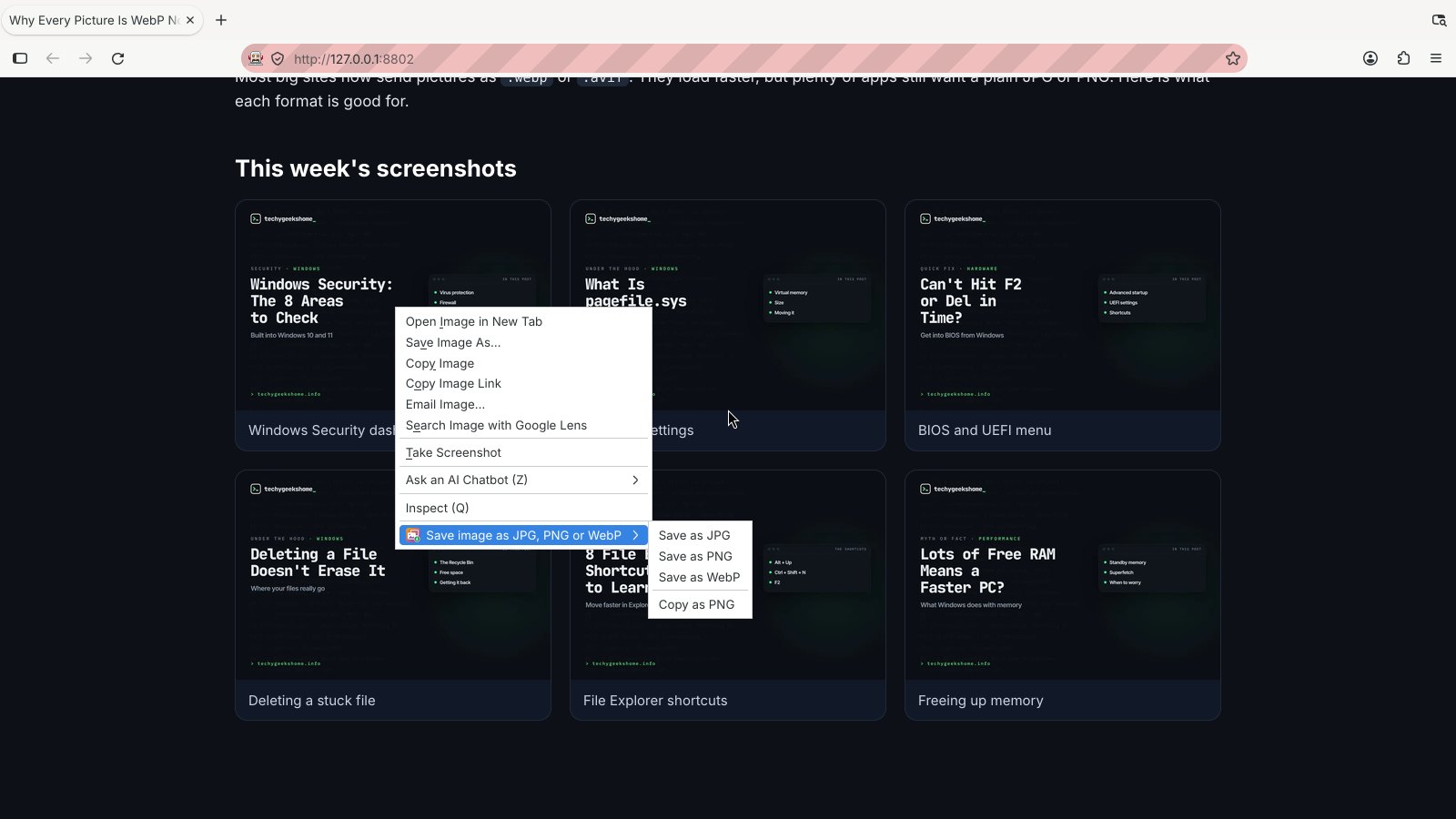
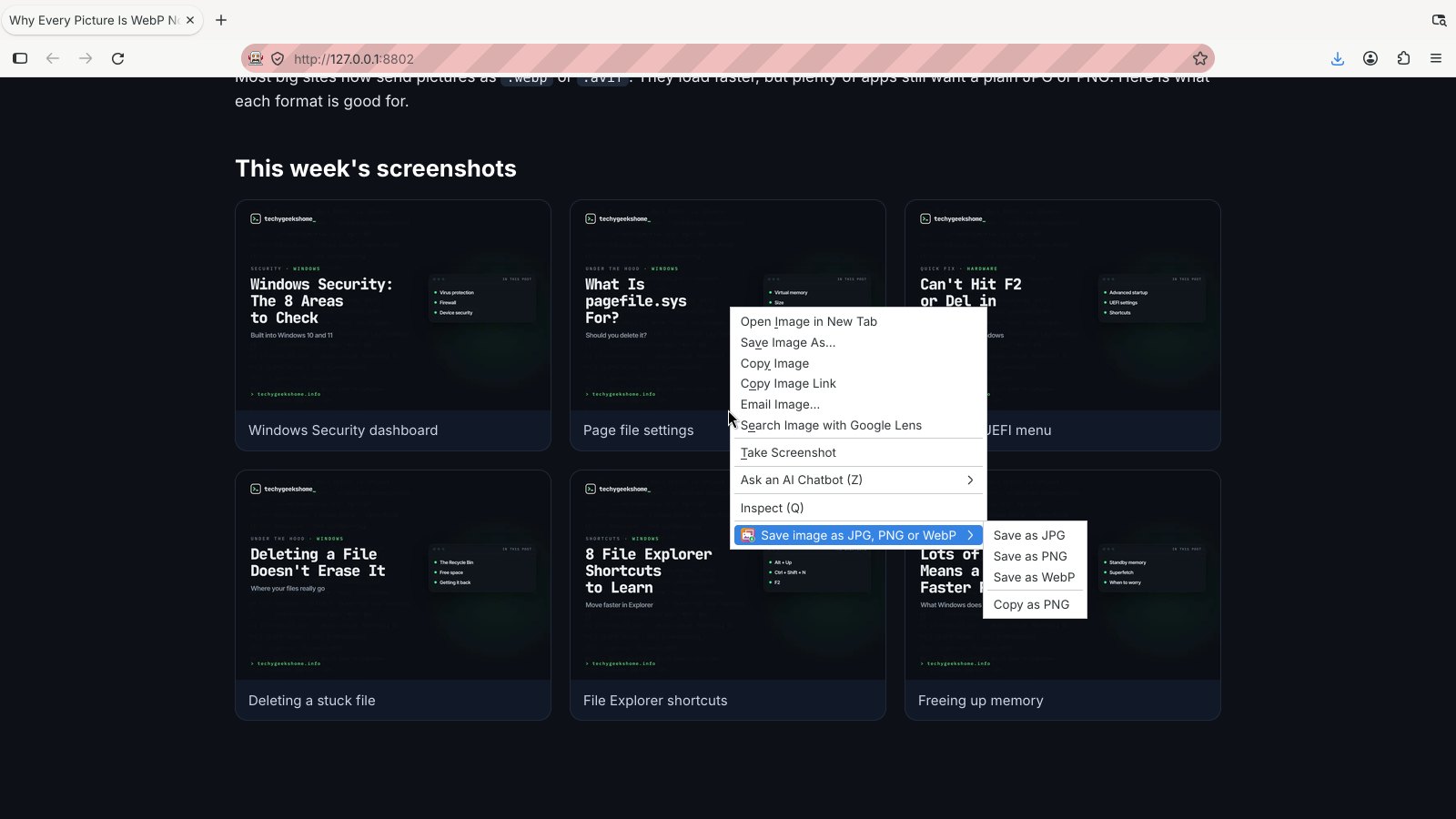
Right-click any picture on a web page and save it as a JPG, PNG or WebP file, or copy it as a PNG. No more WebP files that your apps won’t open. A free browser extension with no account and no tracking.
Chrome, Edge, Brave, Opera, Vivaldi and Firefox · no account · nothing to pay · how to install it
0 downloads so far
Video Demo
From a WebP picture to a JPG or PNG in one right-click.
Any picture, in the format you need
Sites send WebP and AVIF. Your apps want JPG and PNG. This sorts it.
Save as JPG
Perfect for email, older apps and anything that still chokes on WebP. See-through parts become white, not black.
Save as PNG
Sharp, lossless and keeps transparency. The safe choice for screenshots, logos and diagrams.
Save as WebP
Turn a big PNG into a much smaller file when you are putting pictures on your own site.
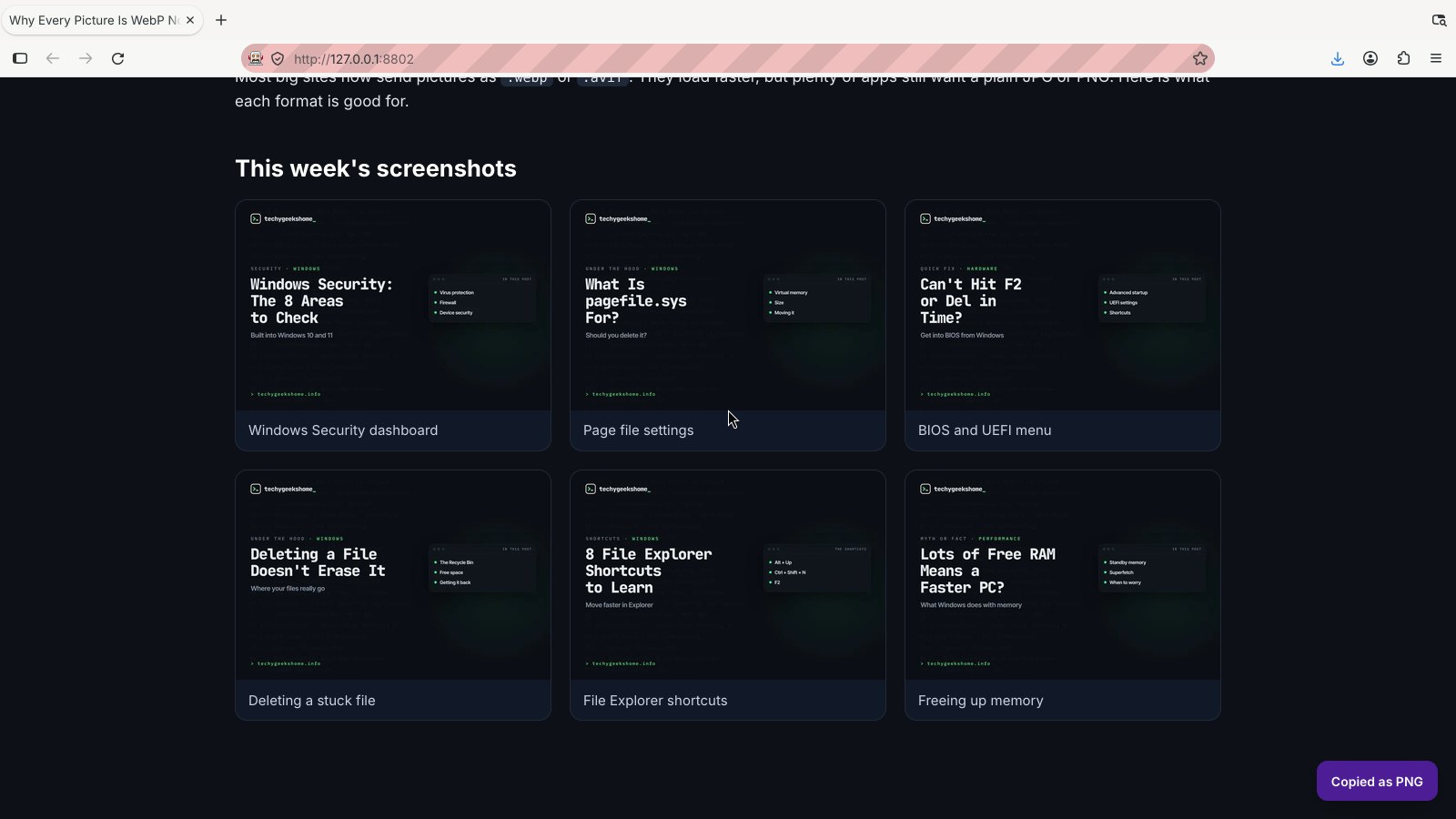
Copy as PNG
Copies the picture straight to your clipboard, ready to paste into a document, chat or image editor.
Reads every common format
WebP, AVIF, SVG, GIF, BMP, ICO, PNG and JPG. SVG pictures are drawn at least 1024 pixels across.
Keeps the file name
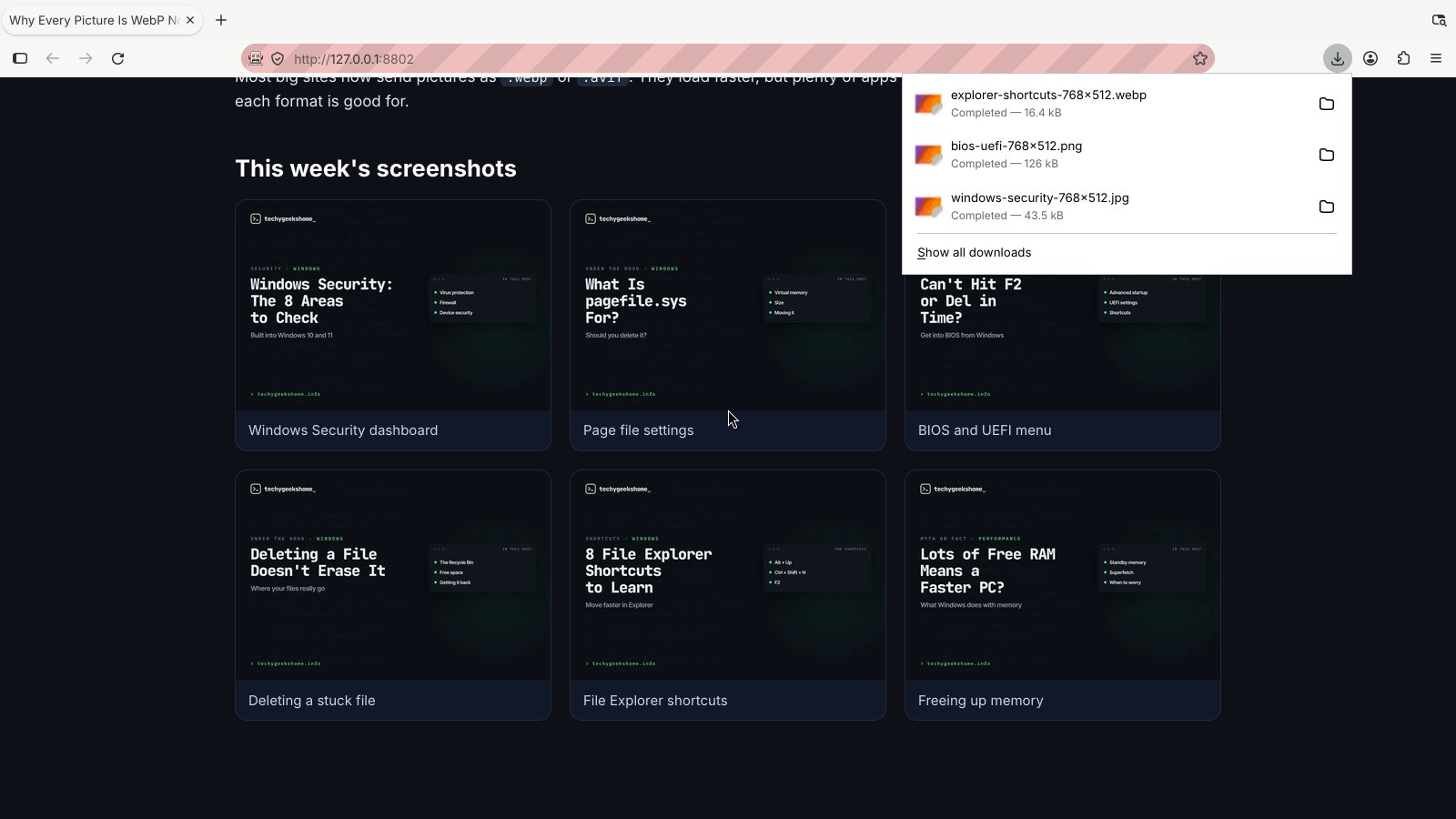
holiday-photo.webp saves as holiday-photo.jpg, so you can still find it.
Your settings
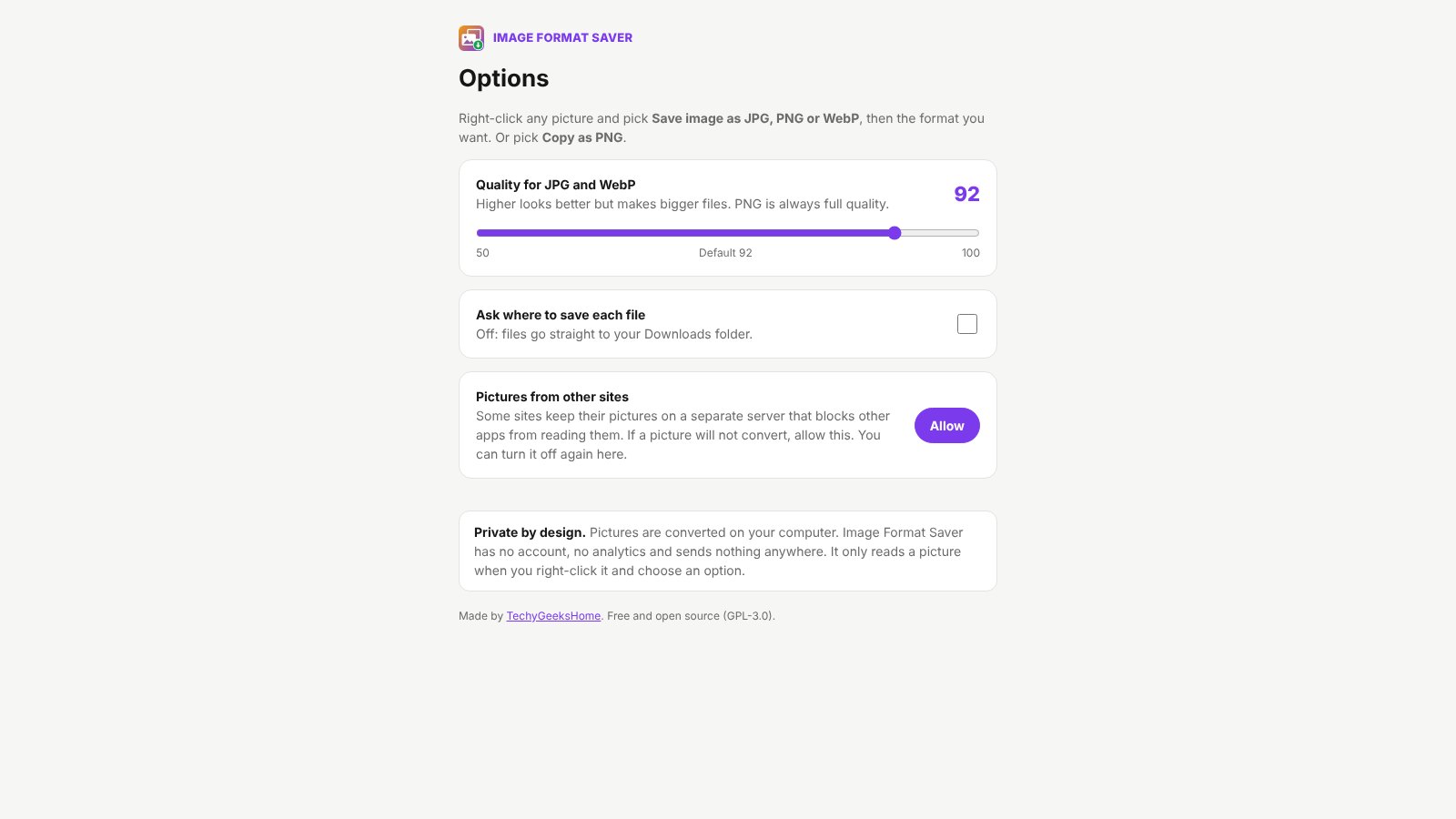
Choose the quality for JPG and WebP, and whether to be asked where to save each file.
Converted on your computer
The picture is turned into the new format inside your browser. Nothing is uploaded anywhere.
Asks for the least it can
It only reads a picture when you right-click it and choose an option. Access to other sites stays off unless you allow it.
How to install it
About a minute, and you only do it once. Store listings for Edge and Firefox are on the way.
Download and unzip
Download the ZIP and unzip it somewhere you will keep it, such as Documents. The browser runs the extension from that folder, so leave it there.
Open your extensions page
Type chrome://extensions in the address bar. In Edge use edge://extensions, in Brave brave://extensions.
Switch on Developer mode
The switch is top right in Chrome and Brave, and bottom left in Edge. It just lets you add an extension from a folder.
Load unpacked
Click Load unpacked and pick the image-format-saver folder. Then pin the Image Format Saver icon from the puzzle piece menu.
On Firefox, download the Firefox version, open about:debugging, choose This Firefox, then Load Temporary Add-on and pick the ZIP. Firefox removes temporary add-ons when it closes, so the Firefox Add-ons listing will be the easier option once it is approved.
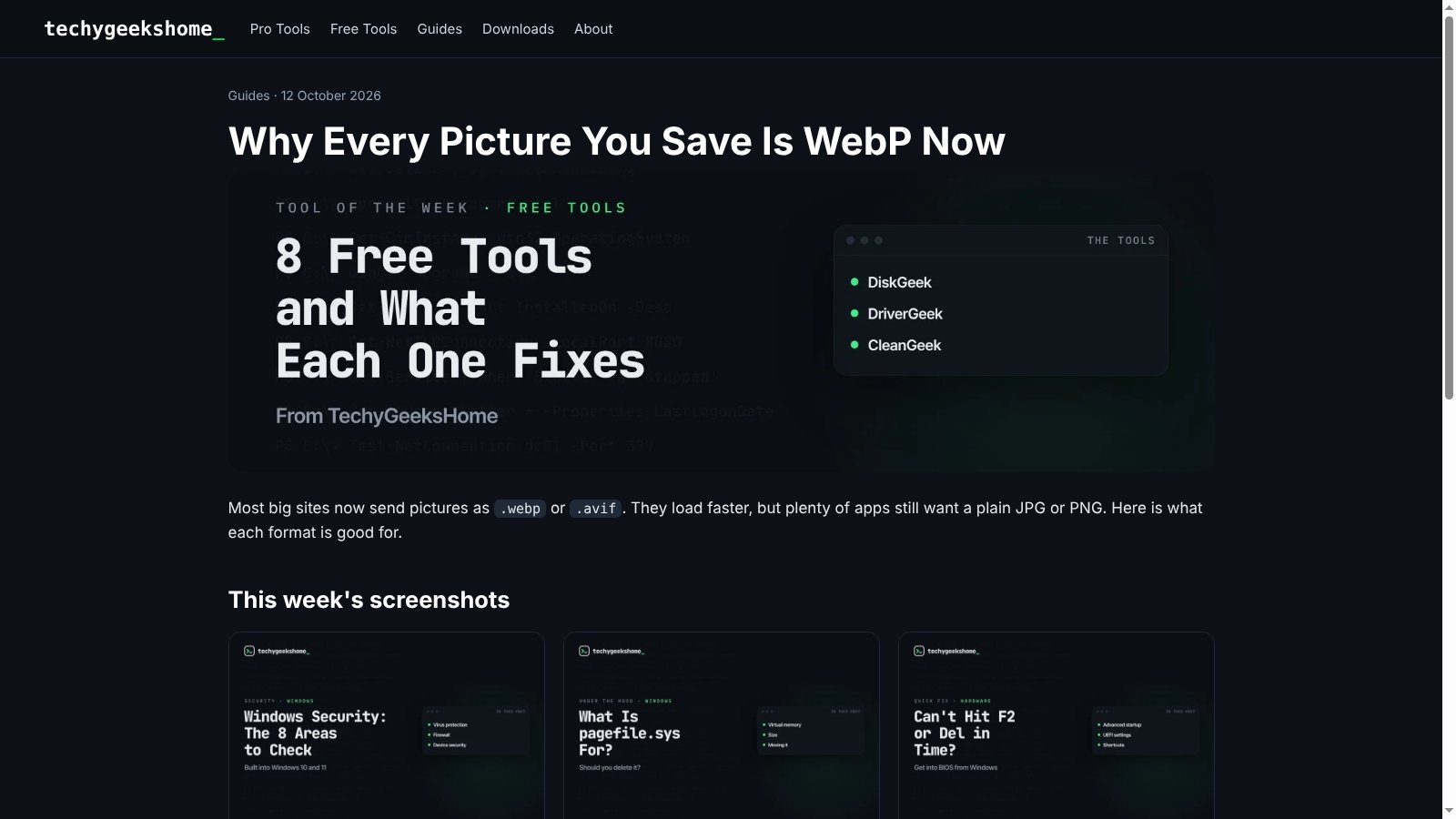
See it in action
Every step, exactly as it looks in your browser.
Who it is for
Anyone who has ever saved a picture and got a file nothing would open.
Email and documents
Get a plain JPG or PNG that works in Word, Outlook and every app.
Designers and bloggers
Grab reference pictures as PNG, or shrink your own as WebP.
IT and support
Paste a picture straight into a ticket with Copy as PNG.
Requirements
Browser
Chrome, Microsoft Edge, Brave, Opera or Vivaldi on Windows, macOS or Linux, or Firefox 142 or newer.
Account
None. It works on any page, signed in or not.
Permissions
It reads a picture only when you right-click it and choose an option. Nothing leaves your computer.
Download
About 30 KB. No installer.
Version
1.0.0, released 14 October 2026.
Licence
GPL-3.0. Free for everyone, including commercial use.
Frequently Asked Questions
Is Image Format Saver really free?
Yes. There is no Pro version, no ads and no limit on how many pictures you convert. It is open source under the GPL-3.0, so you can read every line of it on GitHub.
Does it upload my pictures anywhere?
No. The picture is converted inside your own browser and saved straight to your computer. There is no account, no analytics and nothing is sent anywhere.
Why do so many sites give me WebP files now?
WebP and AVIF pictures are smaller than JPG and PNG, so pages load faster. The catch is that plenty of apps, older software and some upload forms still only accept JPG or PNG.
Which formats can it save?
JPG, PNG and WebP. It can read WebP, AVIF, SVG, GIF, BMP, ICO, PNG and JPG pictures. AVIF can be read but not saved, because browsers cannot create AVIF files yet.
Why does a picture sometimes not convert?
Some sites keep their pictures on a separate server that blocks other apps from reading them. Open the options and click Allow under Pictures from other sites, and it will work. That access stays off until you turn it on.
What happens to animated GIFs?
Animated GIF and WebP pictures are saved as their first frame.
Does it work on Firefox?
Yes. Download the Firefox version from this page. A Firefox Add-ons listing is in review and will make installing it permanent.
Can I use the pictures however I like?
Converting a picture does not change who owns it. You still need the owner’s permission before reusing someone else’s pictures.
Version History
- v1.0.0: 14 October 2026. Initial public release.
Download Image Format Saver today
Completely free. Version 1.0.0, no strings attached, and open source under the GPL-3.0 licence.
0 downloads so far
Image Format Saver is an independent tool made by TechyGeeksHome. It is not affiliated with, endorsed by or connected to any website it works on.