Practical IT Guides for Windows, SCCM & PowerShell Admins
TechyGeeksHome has been helping IT professionals and sysadmins since 2010. Find 1,500+ real-world guides covering Windows 10 & 11, Windows Server, SCCM/ConfigMgr, PowerShell scripting, Active Directory, networking, and virtualisation — all written from hands-on production experience by a UK IT pro with 26 years in the field.
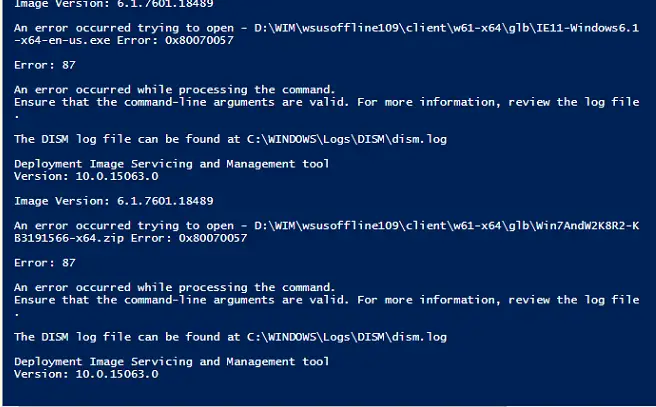
If you are using WIM files for Operating System Deployments (OSD) you may be injecting Windows Updates into the WIM to keep them up to date. If you are doing this, you may run into errors when processing through the updates like this: This is because the mounted WIM thinks that there are pending updates. … Read more
With the recent ransomware attack across the world, IT departments should now been fully patched but also be taking steps to help protect themselves in the future. One way of trying to stop encryption of your files on network shares is to utilise the free File Server Resource Manager (FSRM) tool. This tool has been … Read more
If you are using System Center Operations Manager and you want to bulk remove multiple Management Packs, then you can use the power of the Operations Manager Shell to carry it out. First of all, you need to open up the Operations Manager Shell. Then you should run the following command: where: “*Microsoft.SQLServer*” = the … Read more
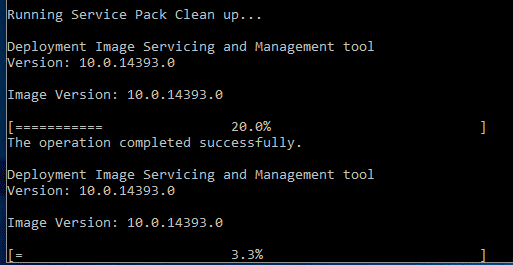
You may have seen our previous post on using DISM to clear space on a Windows computer. This is great, but what if you are using an older operating system, something like Windows Server 2003 which does not have the option to use DISM? Well, there is another little tool within these older operating systems … Read more
If you are using Windows Server Core in your environment then you will know that adding disk space to a virtual hard drive is not as simple as using the Disk Management GUI. But, using the steps below, you can carry out the disk extension in no time. First of all, add the amount of … Read more
Some more information on the ransomware cyber attack…. Microsoft have now released patches for some legacy systems including Windows Server 2003 and Windows XP. You can view the blog post and the download links for the patches by viewing the below from Microsoft:
Following on from the ransomware attacks of the last few days, you should have by now patched all your servers and clients using the Windows Update that relates to your operating system (see list and download links at the end of this post). If you want more security around this then you should also disable … Read more
If you are a regular user of Visual Studio and you also use the Visual Studio Installer to create EXE and MSI installers for your programs then you sometimes may need to copy files to the ProgramData hidden folder. Within Visual Studio Installer this option is not easily available to you like the User’s Desktop … Read more
So you have updated to the latest Windows 10 Creators Edition (1703) and you are using Internet Explorer 11. Microsoft have decided that you need an Edge icon on your tabs to try and encourage you to start using it – annoying yes? Well there is a very simple way of turning it back off … Read more
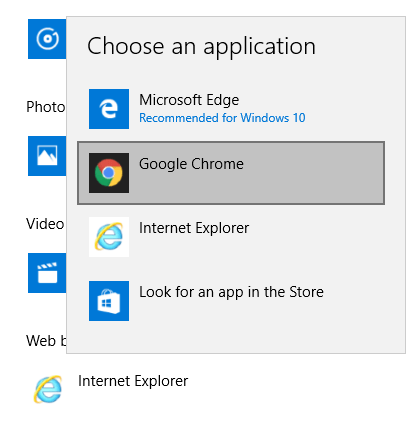
If you are using Windows 10 then you will know that Microsoft‘s new web browser, Edge, is set as the default browser for the operating system. But if you want to change it then it should be pretty simple right? well it turns out, not quite… It seems that there is a bug when trying … Read more
If you are using a Shoretel IP telephony system and you access the Director from a client machine, then you may come across a problem when accessing Auto-Attendants and Workgroups with audio prompts. the problem usually is that it will stick on Retrieving Prompt and then never go any further than that until it times out: … Read more
If you are using Microsoft Security Essentials (MSE) on an older operating system, you may have noticed that you are not receiving all the latest definition updates. This seems to be a particular problem with businesses having to continue using older versions of Windows Server as from 2003 and below then definitions will not automatically … Read more