Practical IT Guides for Windows, SCCM & PowerShell Admins
TechyGeeksHome has been helping IT professionals and sysadmins since 2010. Find 1,500+ real-world guides covering Windows 10 & 11, Windows Server, SCCM/ConfigMgr, PowerShell scripting, Active Directory, networking, and virtualisation — all written from hands-on production experience by a UK IT pro with 26 years in the field.
If you are using System Center Orchestrator (SCORCH) Runbooks then you may have run into issues where the database is increasing in size due to the large amount of log files being created. This typically occurs when monitoring event logs on servers amongst some other runbook options in SCORCH. If you want to check how … Read more
You may have noticed that Microsoft have recently been migrating email accounts over to their new Exchange based platform and this has meant that some people using email programs like Outlook have had to change their settings to connect to their email accounts. How to get your Outlook.com SMTP, POP and IMAP Settings Just login … Read more
You can use large capacity USB flash drives for almost any data usage these days, these include creating bootable USB sticks for Windows operating systems. But if you try and use a much larger capacity drive (64GB+) then you may have an issue with it working. This is because to boot from a USB stick … Read more
Google Adsense is a great way of earning some cash by placing a few adverts on your WordPress blog. However, if you create an advert in your Google Adsense console and just copy and paste it straight into your WordPress site, you are loading a separate script each time for each advert. So, would it … Read more
If you are having speed issues with your WordPress website then you may find that this is because of the the heartbeat control that is within the WordPress software. Running speed checks on your website like PingDom may reveal that your admin-ajax.php is taking ages to load. So, what do you do about it? It really … Read more
If you exporting data into CSV or text files then this guide may come in handy for you… You can take the text in one or more cells, and spread it out across multiple cells. This is called parsing, and is the opposite of concatenating, where you can combine text from two or more cells … Read more
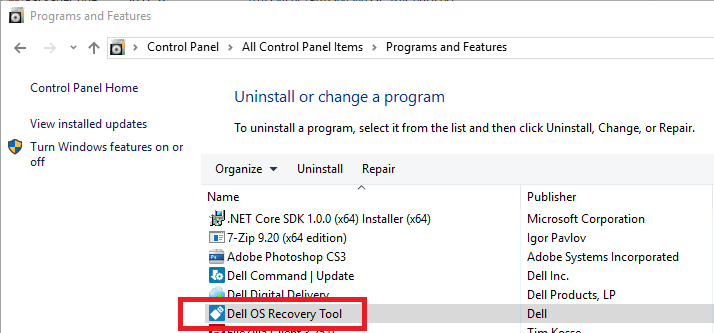
If you are looking to extract an icon from your Programs and Features list to use in any programs, documentation or systems like Configuration Manager, then you can use this guide to do that. The icons are actually stored in the C:WindowsInstaller folder but to ensure that you get the correct one, you will need … Read more
If you want to use the IIS Management Console on a technician’s computer then you may run into the problem that a lot of people have – simply installing the IIS components and console on the technician’s machine will not work. This is because it will only connect to the localhost – you need to … Read more
This may seem like a pretty simple thing to do for most techies out there, but we have been asked this question a lot recently so thought we would post a quick guide on how to use Internet Explorer 11 on a Windows 10 computer rather than the default Microsoft Edge. Once you are into … Read more
We have recently had a few requests about creating a MSI installer for Foxit Reader, so we have done just that and it is now available to download from our website. As this is a MSI file you can pass parameters to it so that you can use it to deploy through Group Policy or … Read more
If you are using an iPhone or any other iOS device and you use OneDrive, you may want to auto-upload any photos you take to your OneDrive to give you quick and easy access to them on your computer. To do this, you should first ensure that you have the OneDrive app installed on your … Read more
If you are using WordPress on a sub-domain already and you want to setup WordPress Multisite using further sub-domains (if you have an existing WordPress sub-domain site for example) then following all the standard guides out there on the web may not get you all the way to a fully working sub-sub-domain WordPress site. As … Read more