 By Andrew Armstrong
Every Group Policy console that’s been in use for a few years accumulates the same clutter: GPOs nobody remembers creating, a GPO disabled “temporarily” that never got turned back on, a WMI filter that got deleted so a policy silently stopped applying. GPO Health & Cleanup Report is a PowerShell tool that scans a domain’s Group Policy and turns those problems into a single, clear, interactive HTML report.
Quick Facts
- GPO Health & Cleanup Report runs 16 checks across lifecycle, consistency, targeting and hygiene, and scores a domain 0 to 100.
- Its collection layer is verified against a real Active Directory domain, with every finding matched back to the fault that caused it.
- The differentiator check is GPO-MS16072: a permission gap that makes user policy silently stop applying, which GPMC doesn’t warn about and most free scripts don’t check.
- GPO Health & Cleanup Report is £17, one time purchase, and pairs with our existing AD Health & Security Audit (£19).
GPO Health & Cleanup Report: what it checks
Point it at a domain and it checks for orphaned GPOs linked nowhere, GPOs disabled but still linked, empty GPOs with no configured settings, a missing SYSVOL policy folder (rather than misreading that as a replication version mismatch and sending you to check DFSR for a problem that isn’t there), a broken WMI filter reference, permission gaps including the MS16-072 case above, enforced and blocked inheritance across domain, OU and site links, duplicate GPO names, and OUs with so many direct links that precedence becomes hard to reason about.
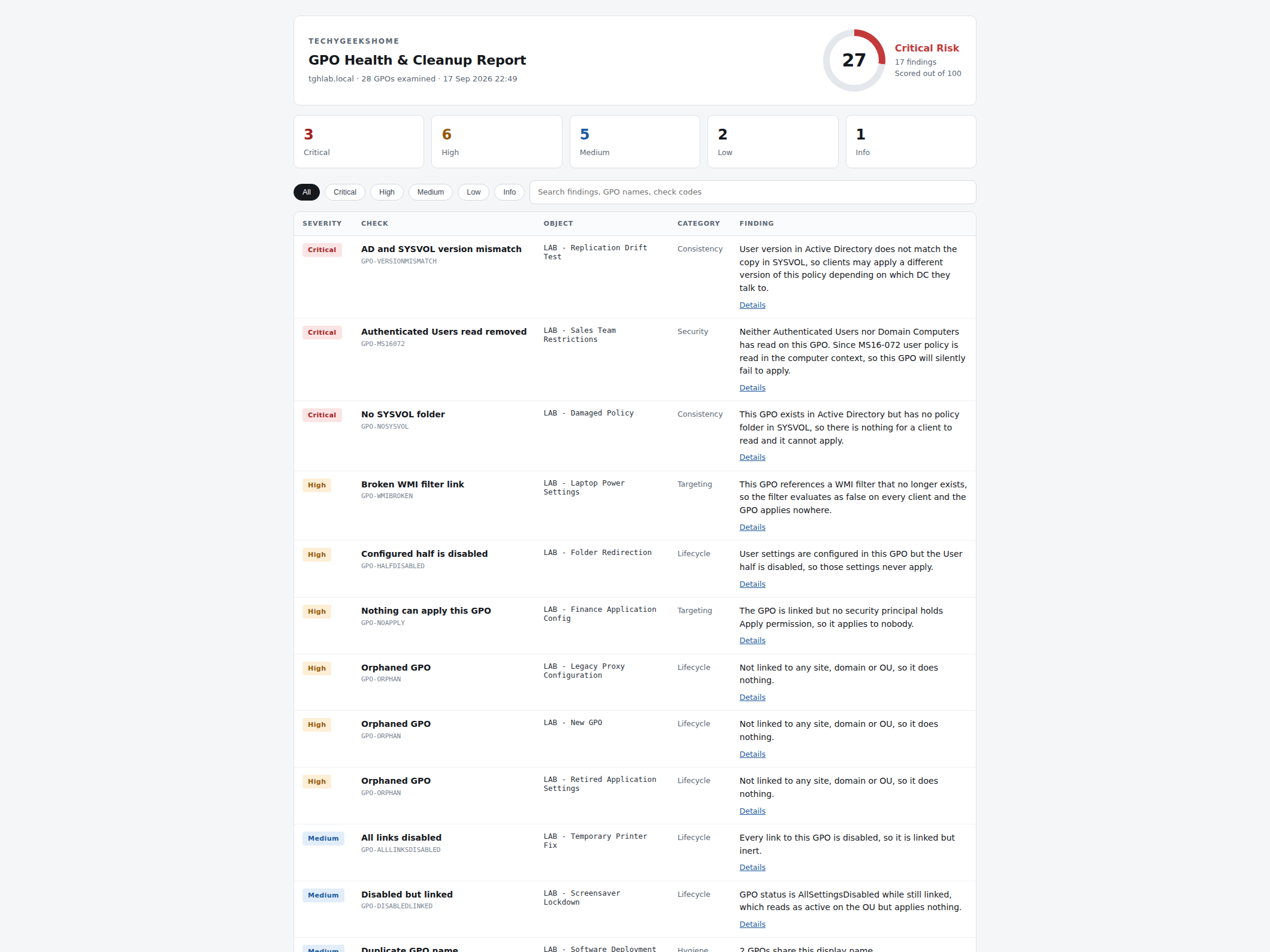
Everything comes back as one self contained HTML report: no internet connection while it runs, no agent to install, no cloud account to create. The findings table filters by severity and searches by GPO name or check code, so a long list of findings is never just a wall of text.
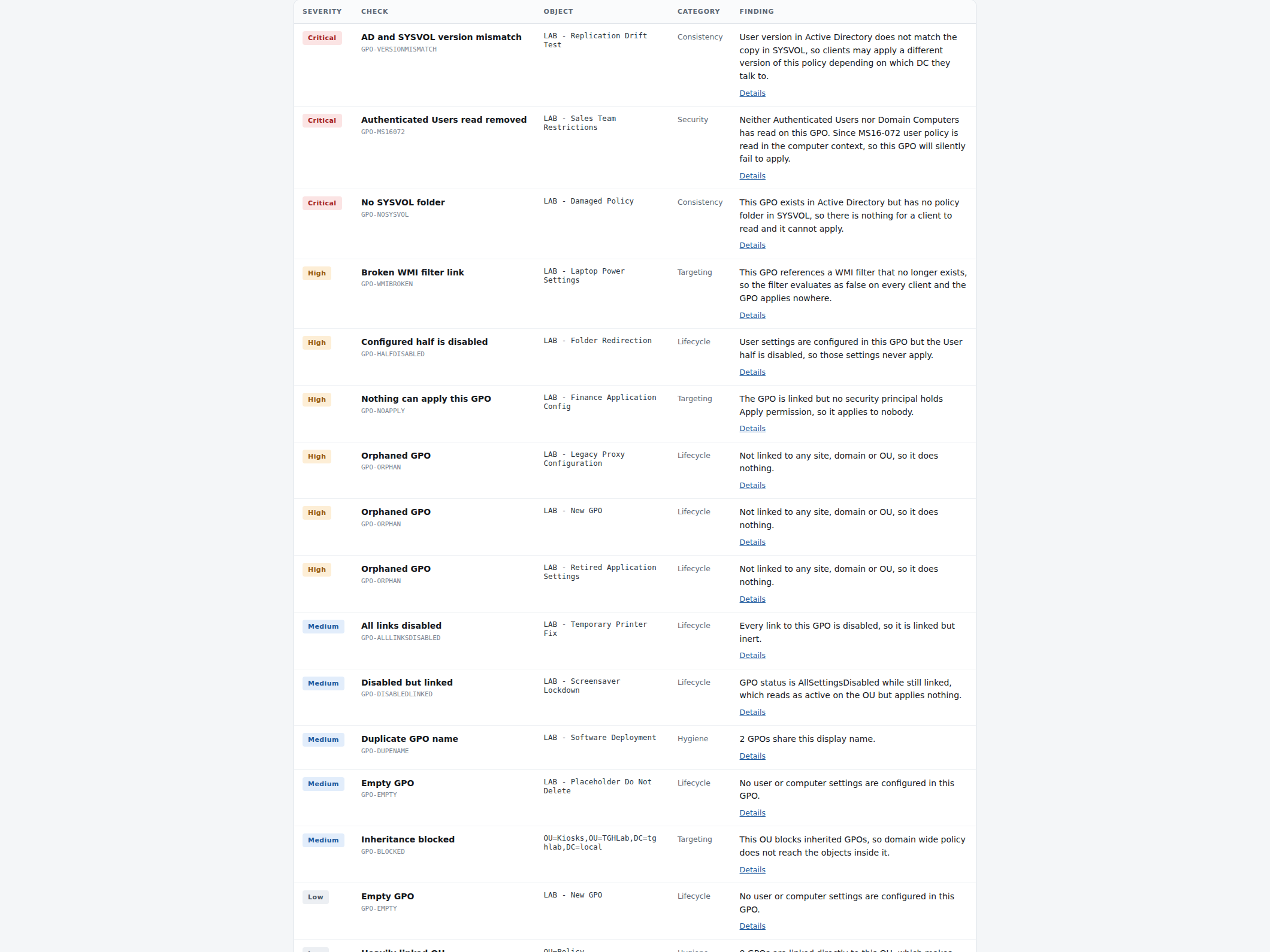
Every finding expands to show its evidence and exactly what to do about it. The MS16-072 check below is the range’s differentiator: after that update, user Group Policy is retrieved in the computer’s security context, so removing Authenticated Users read without granting Domain Computers read makes a policy silently stop applying. GPMC does not warn about it.
See it in action
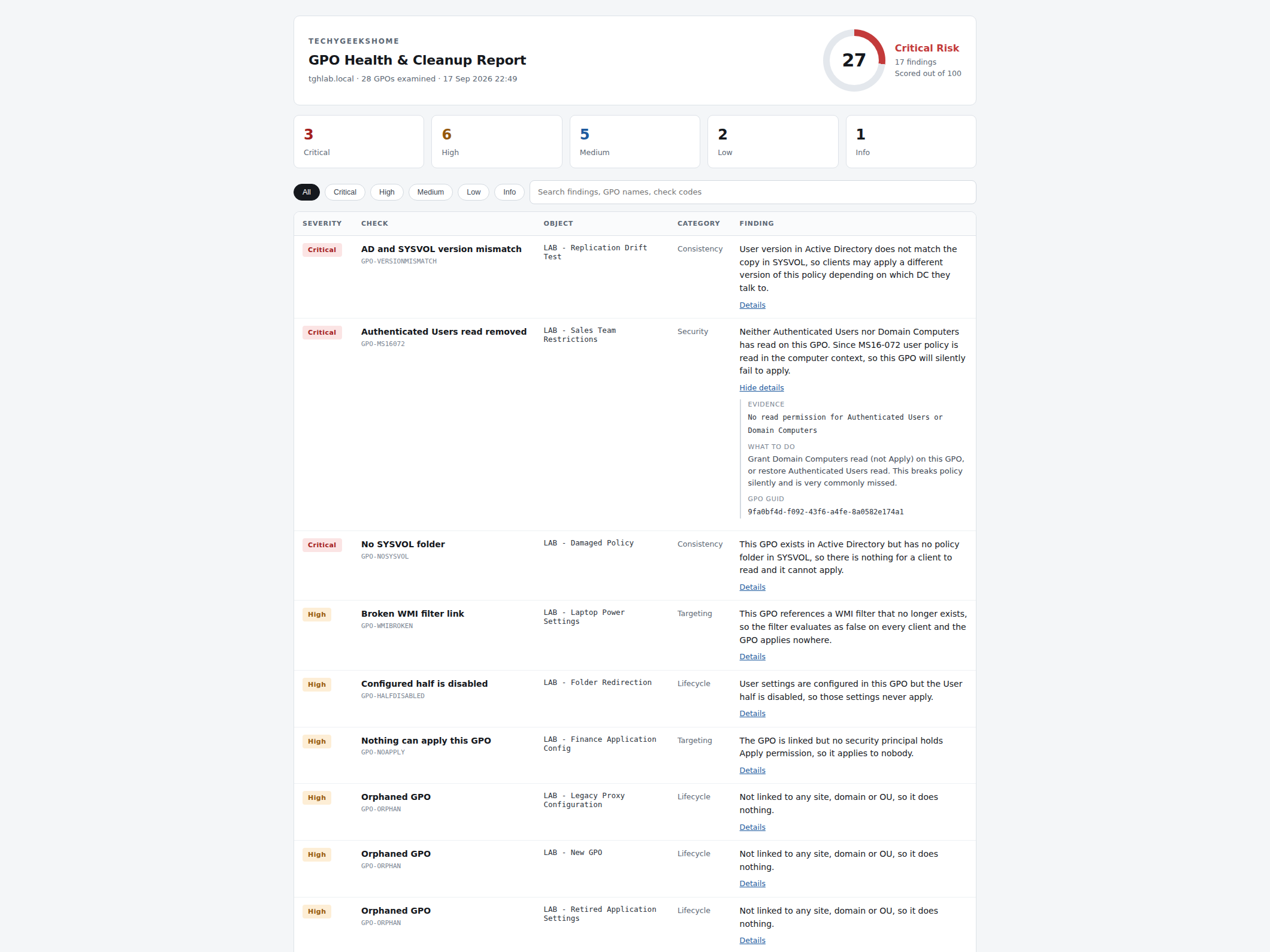
A short clip of the actual report: the score card, filtering to Critical findings, searching by check code, and expanding the MS16-072 finding to its evidence and guidance.
Like the rest of the range, the score decays gradually rather than falling off a cliff, so a domain with a handful of stale GPOs never reads the same as one with active security gaps, and every fix you make actually moves the number.
It is entirely read-only. It never links, unlinks, creates, changes or deletes a GPO, a link, a permission or a setting.
Pairs with AD Health & Security Audit
AD Health & Security Audit already covers accounts, privileged group membership and password policy. GPO Health & Cleanup Report goes deep on Group Policy specifically. Same architecture, same report style, same one-time-purchase model, easy to run both for a client in one sitting.
| Tool | Checks | Price |
| AD Health & Security Audit | Stale accounts, privileged group membership, password policy, orphaned GPOs | £19 |
| GPO Health & Cleanup Report | Orphaned/empty/disabled GPOs, missing SYSVOL, broken WMI filters, MS16-072 permission gap, inheritance conflicts | £17 |
| MSP Backup Health Report | Windows Server Backup or Veeam coverage, failed/stale jobs, capacity, 3-2-1 offsite copies, retention | £29 |
GPO Health & Cleanup Report is £17, one time purchase: view the product page.
Discover more from TechyGeeksHome
Subscribe to get the latest posts sent to your email.
