Practical IT Guides for Windows, SCCM & PowerShell Admins
TechyGeeksHome has been helping IT professionals and sysadmins since 2010. Find 1,500+ real-world guides covering Windows 10 & 11, Windows Server, SCCM/ConfigMgr, PowerShell scripting, Active Directory, networking, and virtualisation — all written from hands-on production experience by a UK IT pro with 26 years in the field.
Are you fed up of having to login to your Windows 10 computer everytime you boot up or restart? Well there is a simple way of turning this feature off allowing your machine to boot straight into Windows. All you have to do is follow the simple steps as per below and your machine should … Read more
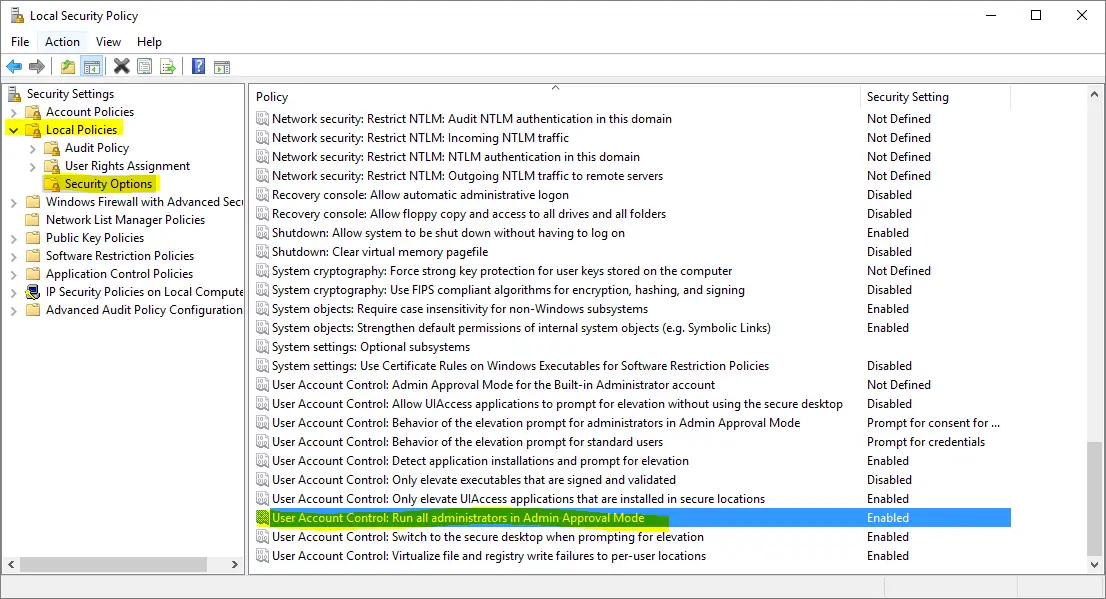
If you are using Windows and you are receiving this error message: a required privilege is not held by client Then you can follow the guide below to fix this problem. Instructions This guide assumes that you are using Windows 10 although the process should be very similar if you are using Windows 8.1 or … Read more
If you are using Configuration Manager and you want to create a collection based on all Windows 10 installations, you can use this WQL query below: select SMS_R_SYSTEM.ResourceID, SMS_R_SYSTEM.ResourceType, SMS_R_SYSTEM.Name, SMS_R_SYSTEM.SMSUniqueIdentifier, SMS_R_SYSTEM.ResourceDomainORWorkgroup, SMS_R_SYSTEM.Client from SMS_R_System where SMS_R_System.OperatingSystemNameandVersion like “%Microsoft Windows NT Workstation 10%” You can change the “%Microsoft Windows NT Workstation 10%” to create collections … Read more
If you are using Configuration Manager and want to run an SQL query on your database to count the number of different models you have in your organisation, you can use this SQL query below using SSRS to create a custom report: More Queries Our full range of SQL and WQL Collection queries are available here. … Read more
If you are using Configuration Manager and you want to create a collection of all devices that do not have the Configuration Manager Client installed, then you can use this WQL query: More Queries Our full range of SQL and WQL Collection queries are available here. Feedback If you have any questions or feedback about this post, or … Read more
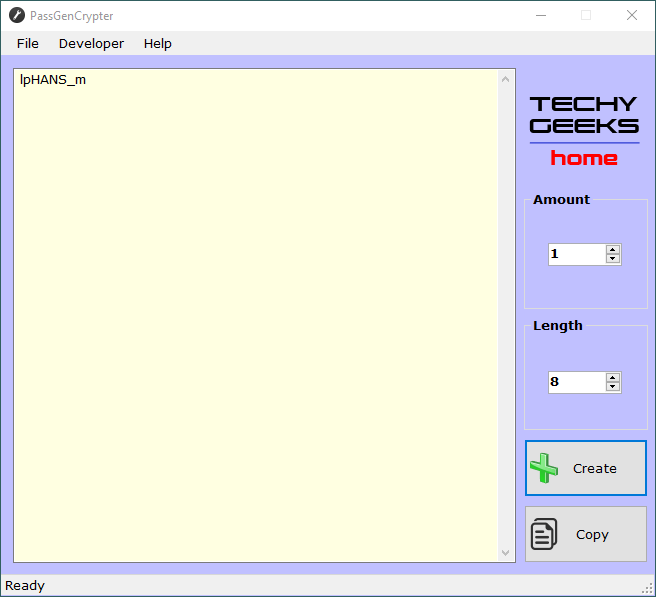
We are very pleased to announce the release of our new free utility, PassGenCrypter. With the ever-increasing requirement for stronger passwords, you can use this very simple utility to generate complex passwords with ease. You can select how many passwords you want to generate allowing up to 100 different passwords. You can also select the … Read more
Below is a full list of SQL Server version numbers dating from version 7.0 through to the current 2016 RTM release. Codename RTM Service Pack 1 Service Pack 2 Service Pack 3 Service Pack 4 SQL Server 2016 NA 13.0.1601.5 SQL Server 2014 SQL14 12.0.2000.8 12.0.4100.1 12.0.5000.0 SQL Server 2012 Denali 11.0.2100.60 11.0.3000.0 11.0.5058.0 11.0.6020.0 … Read more
If you want to create a collection in Configuration Manager to show you all the devices that are not up to a specified version, then you can use the WQL query below: select SMS_R_SYSTEM.ResourceID, SMS_R_SYSTEM.ResourceType, SMS_R_SYSTEM.Name, SMS_R_SYSTEM.SMSUniqueIdentifier, SMS_R_SYSTEM.ResourceDomainORWorkgroup, SMS_R_SYSTEM.Client from SMS_R_System where SMS_R_System.ClientVersion != “5.00.8412.1007” Where “5.00.8412.1007” is the latest version number that you are … Read more
If you want to create a Configuration Manager Collection with all inactive devices in it, you can use the following WQL query. You can also change the last “0” to “1” to create a collection of active devices.
If you are using WordPress for your blog and trying to set W3 Total Cache, you may find that on your Administration page, you are getting this error: “W3 Total Cache Error: Page Cache Rewriting is URL Not Working. Please verify that the server configuration allows .htaccess” There can be a few reasons for this … Read more
If you are using System Center Service Manager (SCSM) you may want to delete all your incidents. This may sound strange but if you are setting up and testing and then want to remove all those test incidents – this can sometimes be the case. So, all you need to do is to start up … Read more
If you want to add a VK.com Jetpack sharing buttons then there is a very simple way of doing this. Just login to your WordPress administrator site and navigate to Settings > Sharing: You should then scroll down to the Sharing Buttons section and click on the “Add a new service” link: You should then … Read more