100% Free · Version 1.1.1
PDFGeek: every PDF job, done on your own PC
Merge, split, extract, rotate, watermark and password-protect PDFs with no file-count caps, no hourly throttle and nothing uploaded to anyone’s server. One free tool, no bundled offers, no ads.
Windows 10 or 11 (64-bit) · installer or portable · portable build
Video Demo
A full tour of every tool, in under a minute.
Everything the online tools charge for
A complete PDF toolkit, not a stripped-down trial with the good bits greyed out.
Merge Any Number of PDFs
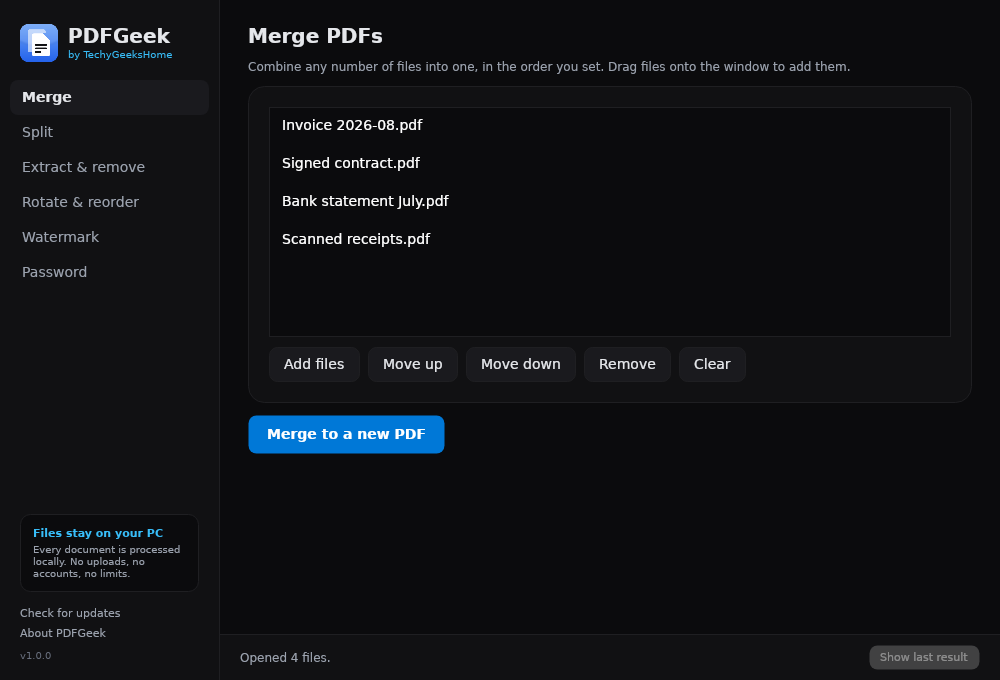
Combine as many files as you like into one document, in whatever order you set. Drag them onto the window, reorder them, done. There is no file-count cap to run into.
Split by Page or Chunk
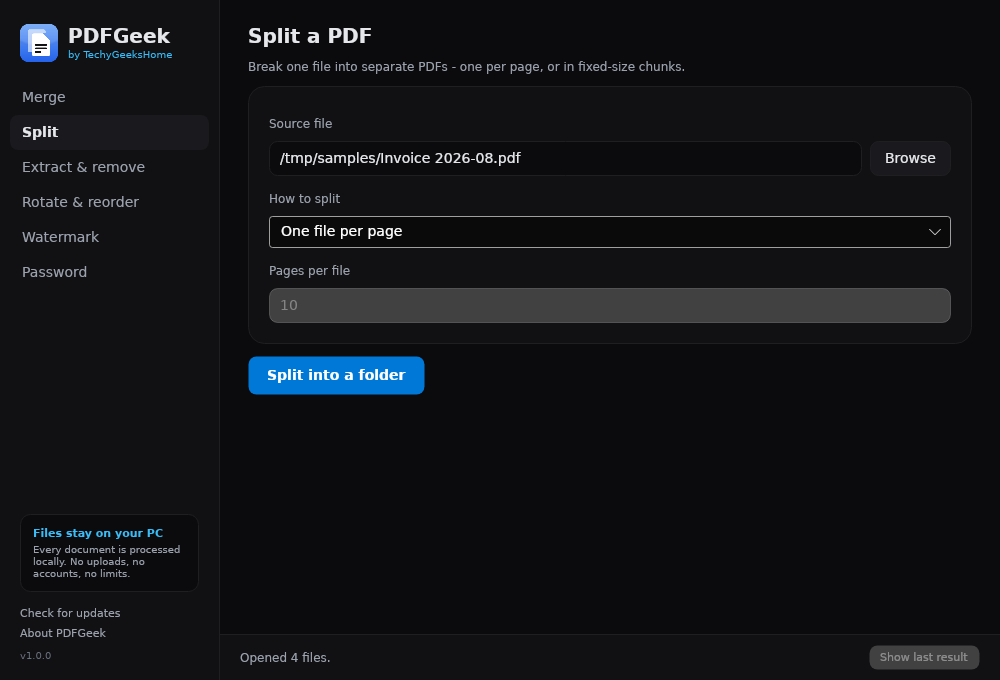
Break a document into one file per page, or into fixed-size chunks of however many pages you choose. Output lands in a folder you pick, named predictably.
Extract or Remove Pages
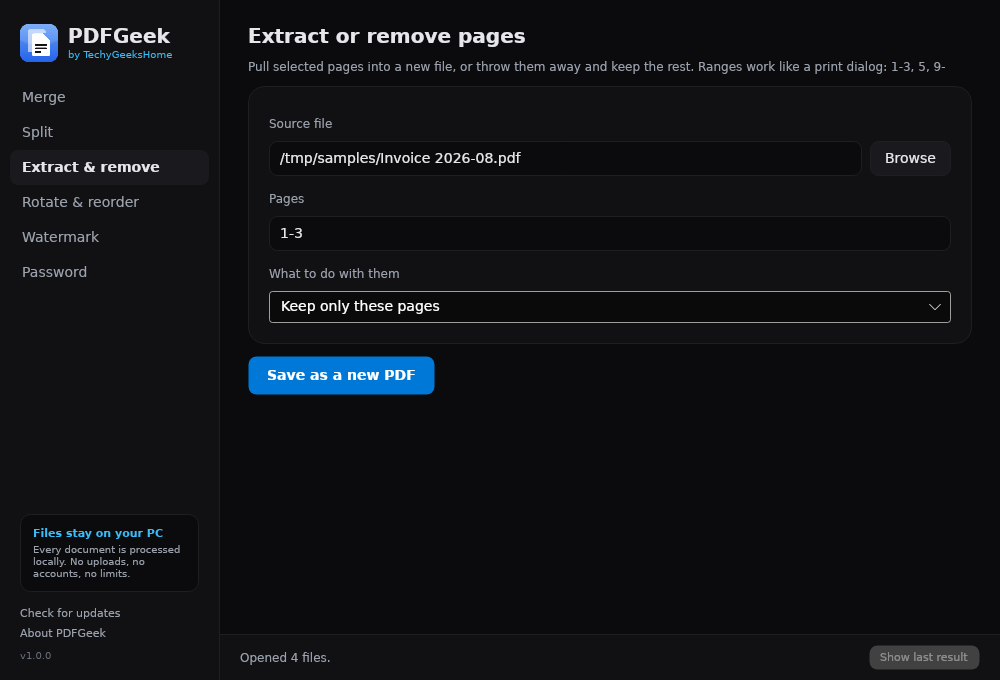
Pull out the pages you need into a new file, or drop the ones you do not and keep the rest. Ranges work exactly like a print dialog: 1-3, 5, 9-
Rotate Sideways Scans
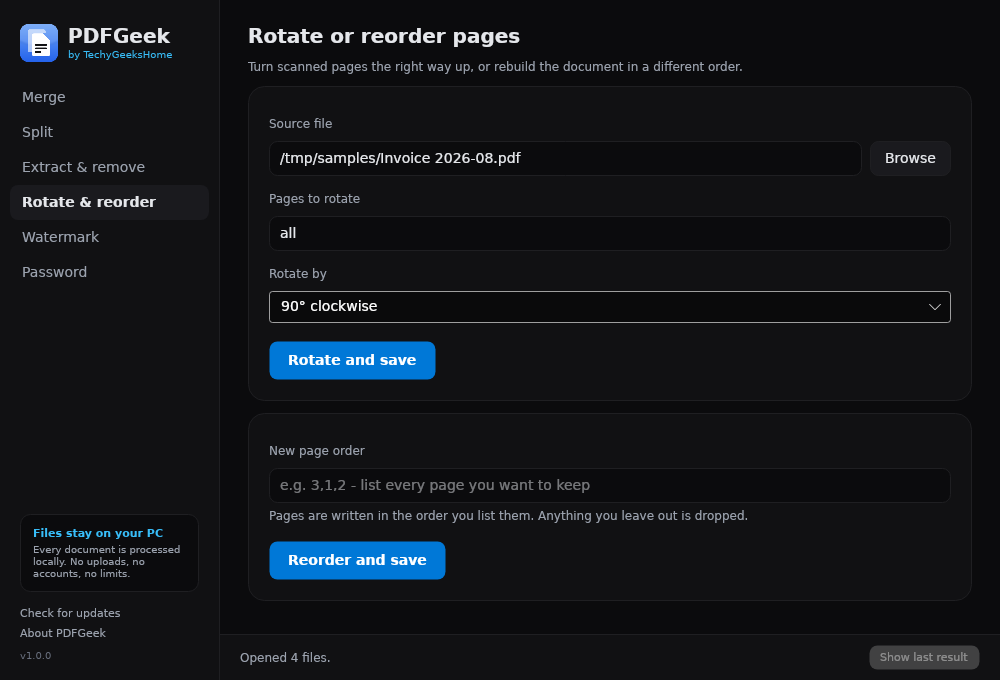
Turn pages by 90°, 180° or 270°, across the whole document or just the pages you pick. Rotations accumulate, so two 270° turns land at 180°.
Reorder a Document
Rebuild a file in a different page order by listing the pages you want. Anything you leave out is dropped, so it doubles as a quick way to trim.
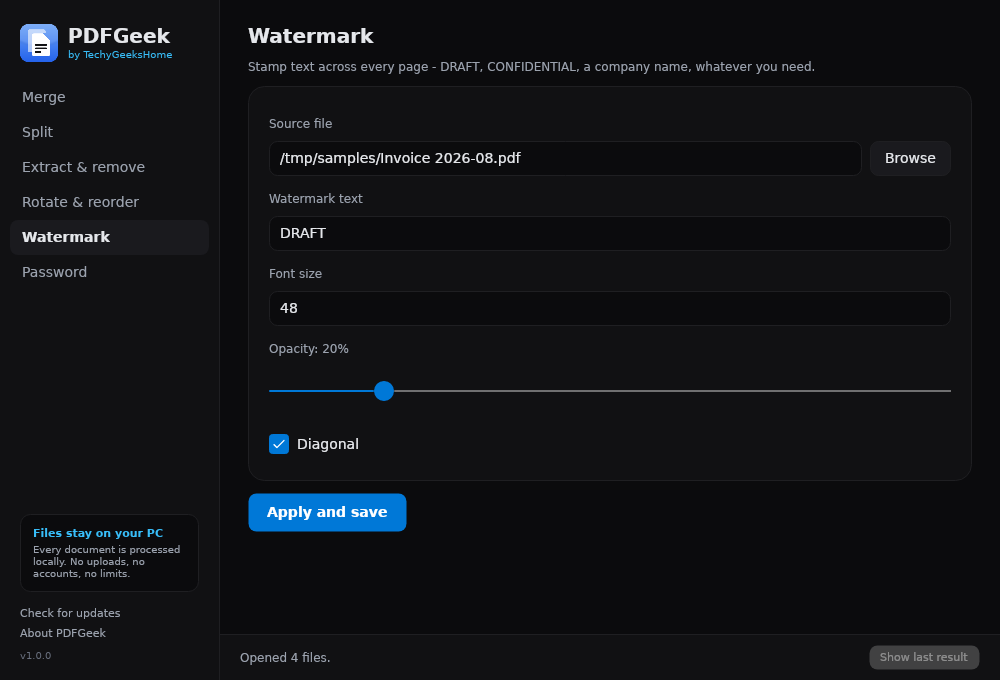
Watermark Every Page
Stamp DRAFT, CONFIDENTIAL, a client name or anything else across a document, with control over the font size, the opacity and whether it sits diagonally.
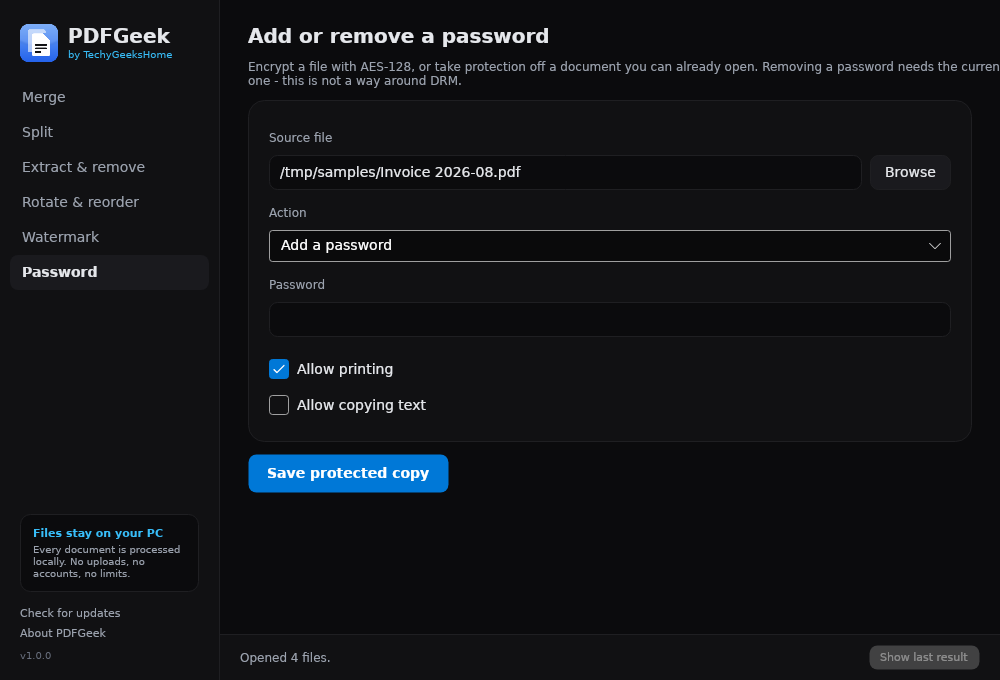
AES-128 Password Protection
Encrypt a file with a password, choosing separately whether printing and copying text stay allowed. Readable in Acrobat 7 and everything since.
Remove a Password
Take protection off a document you can already open. You supply the current password, so this is password removal for files you own, not a way around DRM.
Open With and Drag-and-Drop
Right-click any PDF and choose “Open with PDFGeek”, or drop files straight onto the window. It opens ready to work rather than at an empty screen.
See it in action
Every tool, exactly as it looks when you run it.
Who it’s for
Anyone with a scanner
Straighten sideways pages, drop the blank ones, and merge a pile of scans into a single document, without handing your paperwork to a website first.
Small businesses and freelancers
Merge invoices and receipts, watermark a quote as DRAFT, and lock a contract with a password. No per-seat licence and no monthly bill.
IT pros and technicians
A portable build that runs from a USB stick, leaves nothing on the machine, and needs no admin rights, handy when you are fixing someone else’s PC.
Requirements
Operating system
Windows 10 or later, or Windows 11. 64-bit.
Rights
None needed. The installer runs for the current user, with no UAC prompt.
Download
About 45 MB for the installer or the portable build. Nothing else to fetch.
Prerequisites
None. The .NET 8 runtime is bundled inside the executable.
Version
1.1.1, released 29 August 2026.
Licence
GPL-3.0. Free for everyone, including commercial use.
Frequently Asked Questions
Is it really free? No Pro version, no catch?
Yes. PDFGeek is free to download and use, with no Pro tier, no ads and no bundled offers in the installer. There is no commercial restriction either. Use it at home or at work, on one PC or a thousand.
Does PDFGeek upload my documents anywhere?
No. Every operation runs on your own machine. Nothing is uploaded, ever. The only network activity is the update checker, which asks GitHub whether a newer version exists. It sends no identifiers, no file names and no usage data, and it only runs when you press the button.
Do I need admin rights to install it?
No. The installer sets up for the current user, so there is no UAC prompt and you do not need to ring IT. If you would rather install nothing at all, use the portable build. A single file that runs from anywhere, including a USB stick.
Why does Windows show a warning when I run it?
PDFGeek is not signed with a paid code-signing certificate, so Windows SmartScreen may show an “unrecognised app” warning the first time you run it. This is normal for independently-distributed free software. Click “More info” then “Run anyway”. Every release publishes SHA256 checksums so you can verify what you downloaded. We have applied to the SignPath Foundation for free open-source code signing, and once that is approved PDFGeek releases will be signed with a certificate provided by the SignPath Foundation, which removes the warning.
Can it compress PDFs, or do OCR?
Not yet. Compression means re-encoding the images inside a file properly, which is a job in itself rather than a checkbox, and OCR needs a text-recognition engine bundled in. Both are planned, along with redaction. Which we want to do properly, since plenty of cheap tools just draw a black box over text that is still selectable underneath.
Can I redistribute or modify PDFGeek?
Yes. PDFGeek is licensed under GPL-3.0, so you are free to use, study, share and modify it, including at work. If you distribute a modified build you have to publish your changes under the same licence. The one thing not covered is the branding. The PDFGeek name and logo stay ours, so a fork needs its own name. Contributions come in under the same licence, no CLA required.
Version History
- 1.1.1. The last app in the range moved onto the shared palette. Colour and spacing only – merging, splitting, watermarking and passwords are unchanged.
- v1.1.0: 29 August 2026. Merge now takes images as well as PDFs. Drop JPEG, PNG, WebP, BMP, GIF or TIFF files into the merge list alongside your PDFs and they come out as pages in the finished document, and there is a page size choice on the merge screen: keep every image at its own size, or fit the lot to A4 or Letter. The sidebar has been tidied up.
- v1.0.3: 29 August 2026. The About box lists the rest of the range as buttons now, one per app, each opening that app’s page on this site. Java 8 MSI Installers is gone from that list. It is a repackaging of Oracle’s installers, not ours, and should never have been in it. The “Built with” credits section has gone too.
- v1.0.2: 27 August 2026. A family panel in the About window linking the other free TechyGeeksHome tools, and a fix for a copyright notice that showed a year range starting from 2027. Thanks to bovirus for spotting it.
- v1.0.1: 23 August 2026. Italian installer and the GPL-3.0 licence shown during setup, both contributed by bovirus. The application itself is unchanged. Both downloads are now built and published automatically by GitHub Actions, with SHA256SUMS.txt generated alongside them.
- v1.0.0: 16 August 2026. Initial public release.
Download PDFGeek today
It’s completely free. Version 1.1.1, no strings attached. Free at home and free at work.
Not code-signed, so Windows may warn on first run. Click More info, then Run anyway. SHA256 checksums
Windows may show a “Windows protected your PC” warning the first time you run it. That means SmartScreen has not seen the file before, not that anything is wrong with it. Here is why our builds are unsigned, and how to verify your download against its SHA-256 hash. We will never ask you to switch SmartScreen off.
Support
PDFGeek is free and always will be, at home and at work.
Featured on